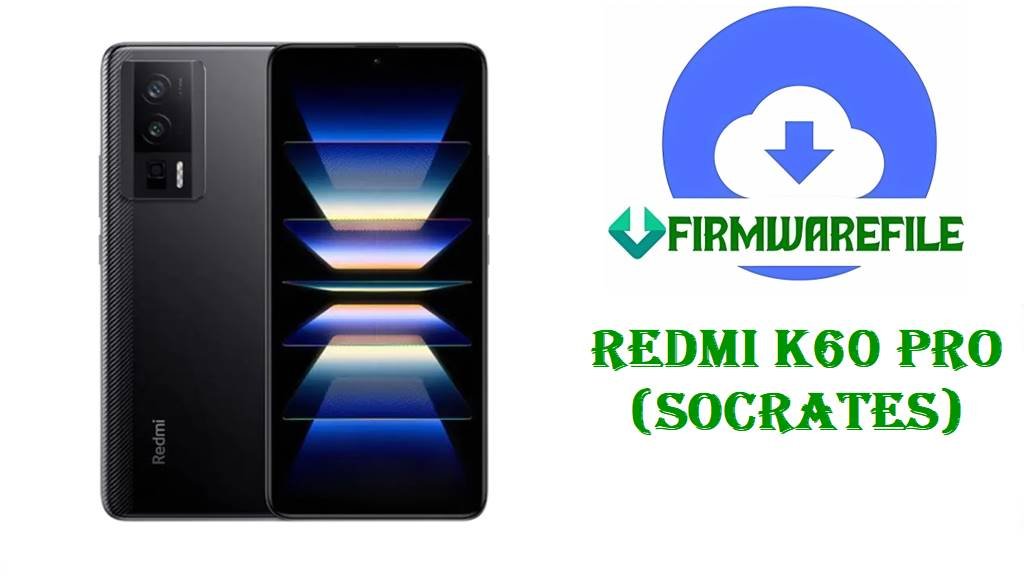
Download HyperOS 2 Fastboot ROM for Redmi K60 Pro (socrates)
The Redmi K60 Pro (codename socrates) is a Snapdragon 8 Gen 2 flagship with a 6.67-inch 3200×1440 OLED display and a 5000 mAh battery, built for high-performance gaming and smooth daily use. Based on real owner reports, common pain points around the Redmi K60 Pro software experience include heavy battery drain on HyperOS and bootloop problems after flashing/upgrading with custom recovery tools like TWRP.
The Redmi K60 Pro (socrates) flash files below can help you recover from failed updates, fix corrupted system partitions via a clean fastboot install, or move to a newer stable base that includes updated security patches (where explicitly stated in changelogs).
File Selection Guide.
Before you download anything, use this guide to choose the correct file for your exact Redmi K60 Pro setup (stock vs custom ROM), and avoid region or flashing mistakes.
- Confirm your device codename: These files are for
socrates, which is the Redmi K60 Pro. - Understand the region code:
VMKCNXMis a China firmware branch, so it’s intended for the China variant (model family includes 22127RK46C). - Pick stock or Xiaomi.eu based on your goal:
- Stock Fastboot (.tgz): Best for unbricking, fixing bootloops caused by failed OTAs, and returning to a clean official base. (Requires Mi Flash Tool / fastboot scripts.)
- Xiaomi.eu (.zip): A community ROM based on the China build, typically flashed with a custom recovery like TWRP.
- If you already use TWRP/root: Bootloops after upgrades through recovery have been reported by Redmi K60 Pro users, so be extra careful and keep a working recovery image available.
Download Official Firmware for Redmi K60 Pro (socrates)
China HyperOS 2 Fastboot ROM – OS2.0.211.0.VMKCNXM (Android 15)
- Filename: socrates_images_OS2.0.211.0.VMKCNXM_20251114.0000.00_15.0_cn_2f6715b6f8.tgz
- Region: China (CNXM)
- File Size: 7.58GB
- Build Date: 2025-11-14
- Build Version: OS2.0.211.0.VMKCNXM
- Android Version: 15 (HyperOS 2.0 branch).
- Flashing Type: Fastboot ROM (.tgz)
- What this update can verifyably improve: Tracker changelogs for OS2.0.211.0.VMKCNXM explicitly mention an Android security patch update (and increased system security).
- Download Link: Download OS2.0.211.0 China Fastboot ROM (Xiaomi OTA)
Xiaomi.eu HyperOS 2 ROM – OS2.0.212.0.VMKCNXM (Android 15)
- Filename: xiaomi.eu_SOCRATES_OS2.0.212.0.VMKCNXM_15.zip
- ROM Type: Xiaomi.eu custom ROM (community build, not stock Xiaomi).
- File Size: 5.91GB
- Android Version: 15 (as labeled in the filename)
- Flashing Type: Custom recovery install (TWRP) / ADB sideload in most cases.
- Download Link: Download Xiaomi.eu SOCRATES OS2.0.212.0 (Android 15)
TWRP Recovery for socrates – Android 15 build
- Filename: twrp-3.7.1_12-v9.0_A15-socrates-skkk.img
- File Size: 105MB
- Use case: Needed if you plan to flash ZIP-based ROMs like Xiaomi.eu, or you need recovery tools for backups and troubleshooting.
- Download Link: Download TWRP 3.7.1 (A15) for socrates
Redmi K60 Pro Device + Firmware Details
| Device Name | Xiaomi Redmi K60 Pro |
|---|---|
| Codename | socrates |
| Supported Model (common) | 22127RK46C |
| Chipset | Qualcomm Snapdragon 8 Gen 2 (SM8550) |
| GPU | Adreno 740 |
| Display | 6.67-inch OLED, 3200×1440 |
| Battery | 5000 mAh (non-removable) |
| Main Issues Reported (community) | Battery drain complaints on HyperOS; bootloop issues after flashing/upgrading with TWRP in some cases. |
| Firmware (Stock) | OS2.0.211.0.VMKCNXM Fastboot ROM (.tgz), Android 15 / HyperOS 2.0. |
| Firmware (Custom) | Xiaomi.eu OS2.0.212.0.VMKCNXM (Android 15) ZIP + optional TWRP image. |
| Recommended Flashing Tools | Mi Flash Tool / fastboot scripts for.tgz; TWRP for Xiaomi.eu ZIP installs. |
Flashing Requirements
Flashing firmware can wipe your data. Back up everything important (photos, authenticator apps, chats) before you start, especially if you plan a clean flash.
You’ll typically need a Windows PC, a reliable USB cable, and proper USB drivers. If you are flashing a Fastboot ROM, be prepared for bootloader requirements and follow region-matching strictly (VMKCNXM for China builds).
How to Flash the Firmware
Method 1: Xiaomi Fastboot ROM (Mi Flash Tool)
- Get ready: Download and extract
socrates_images_OS2.0.211.0.VMKCNXM_20251114.0000.00_15.0_cn_2f6715b6f8.tgzon your PC. - Enter Fastboot: Power off your Redmi K60 Pro, then hold Volume Down + Power to enter Fastboot mode.
- Load ROM: Open Mi Flash Tool and select the extracted ROM folder (the one containing the
imagesdirectory). - Choose your flash option: Use a clean flash option if you are fixing bootloops or serious system errors (this usually wipes data).
- Flash & reboot: Start flashing and wait for success, then reboot and allow extra time for the first boot.
Need the full step-by-step tutorial with screenshots? Use the official-style guides below:
Method 2: Xiaomi.eu ZIP (TWRP Recovery)
- Install/boot TWRP: Use
twrp-3.7.1_12-v9.0_A15-socrates-skkk.imgto boot into recovery (or flash it if your setup requires). - Move the ROM: Copy
xiaomi.eu_SOCRATES_OS2.0.212.0.VMKCNXM_15.zipto your phone storage or prepare ADB sideload. - Wipe as needed: Do the wipes recommended by the Xiaomi.eu installation instructions to avoid boot issues.
- Flash the ZIP: Install the Xiaomi.eu ZIP from TWRP and wait until it completes.
- Reboot: Reboot to system and complete initial setup (first boot can take longer).
Frequently Asked Questions (FAQs)
How do I know my Redmi K60 Pro is “socrates” before flashing?
The Redmi K60 Pro codename is socrates; always confirm your model family (commonly 22127RK46C) before flashing any ROM.
Is OS2.0.211.0.VMKCNXM meant for Global Redmi K60 Pro devices?
No. VMKCNXM is a China branch build, so it’s intended for the China firmware track of the Redmi K60 Pro.
Can the socrates Fastboot ROM fix a bootloop after an update?
A clean fastboot reinstall is commonly used to recover from failed OTAs or corrupted system partitions, and it can be a practical fix when the phone won’t boot normally.
What does the OS2.0.211.0.VMKCNXM changelog confirm?
Trusted update trackers for OS2.0.211.0.VMKCNXM explicitly mention an Android security patch update and increased system security.
My Redmi K60 Pro battery drains fast on HyperOS—will flashing help?
Some Redmi K60 Pro users report very high battery drain on HyperOS, and moving to a newer build or doing a clean install can help if the drain is caused by a buggy update state (results vary by user and apps).
Is Xiaomi.eu SOCRATES OS2.0.212.0 official Xiaomi firmware?
No. Xiaomi.eu is a community ROM based on Xiaomi’s China builds and is typically installed via custom recovery.
Can TWRP updates cause bootloops on Redmi K60 Pro (socrates)?
Yes, at least one detailed user report describes a TWRP-related bootloop after upgrading HyperOS, which is why keeping the right recovery image and following the correct sequence matters.