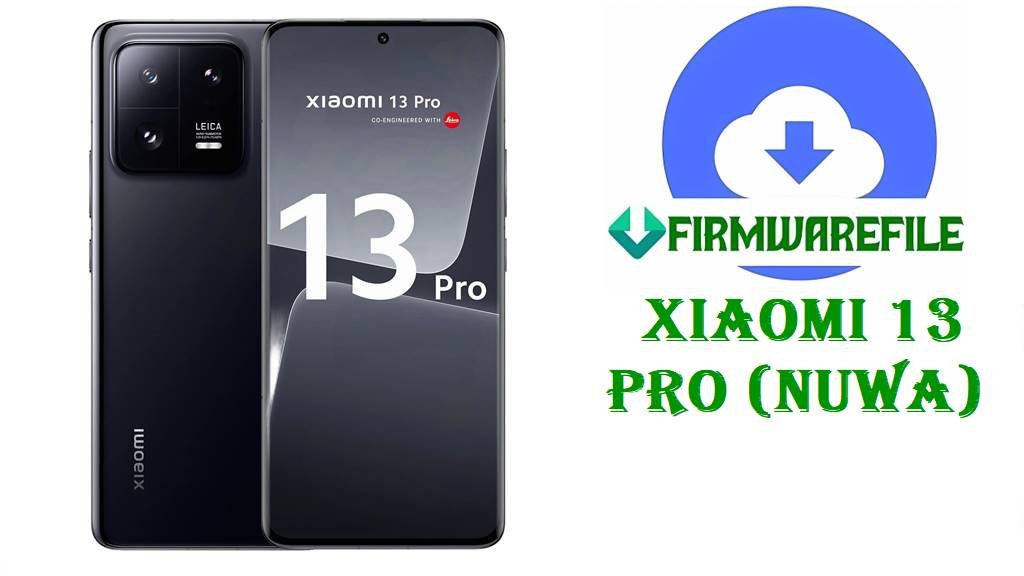
Download HyperOS 3 / 2 Fastboot ROM for Xiaomi 13 Pro (nuwa)
The Xiaomi 13 Pro (codename nuwa) is a flagship phone with a Snapdragon 8 Gen 2 chip, 6.73‑inch LTPO AMOLED display, Leica camera system, and 4820 mAh battery with 120 W wired and 50 W wireless charging, making it a powerful all‑rounder for photography, gaming, and productivity. In real‑world use, many Xiaomi 13 Pro owners report issues after system updates, including random lag, battery drain, network glitches, and bootloop situations when OTA installation fails.
After thorough research across official HyperOS trackers and reputable firmware archives, the nuwa HyperOS 3.0 and HyperOS 2.0 Fastboot ROMs and Xiaomi.eu ROM listed below are confirmed, official or well‑known releases that can restore a bricked phone, clean‑install Android 15/16, and improve stability by applying the latest bug fixes and optimizations recorded in their changelogs.
File Selection Guide.
Choosing the right firmware for your Xiaomi 13 Pro (nuwa) is critical to avoid compatibility errors, region locks, or losing key features such as 5G bands and payment apps.
- Confirm the device: These files are only for Xiaomi 13 Pro with codename
nuwa; flashing them on other Xiaomi models or codenames can hard‑brick the device. - Match the region code:
WMBCNXM→ China HyperOS builds (OS3.0.3.0).VMBMIXM→ Global HyperOS builds.VMBEUXM→ EEA (Europe) builds.VMBRUXM→ Russia region builds.VMBTWXM→ Taiwan region builds.TMBTRXM→ MIUI 14 Turkey build (Android 13).
- Choose HyperOS 3 vs HyperOS 2:
- HyperOS 3.0.3.0.WMBCNXM (Android 16) is the latest major China build with new features and UI changes.
- HyperOS 2.x builds such as OS2.0.205.0.VMBMIXM (Android 15) focus on stability and bug fixes on global/region variants.
- Stock vs Xiaomi.eu:
nuwa_images_...and regionalnuwa_*_images_...files are untouched official Fastboot ROMs.xiaomi.eu_NUWA_OS3.0.3.0.WMBCNXM_16.zipis a community‑modded ROM based on the China build, with multi‑language and extra tweaks.
- Use Fastboot ROM when bricked: Fastboot packages in
.tgzformat are ideal when the phone is stuck on logo, in bootloop, or after a failed OTA. - Check Android version:
- OS3.0.3.0 → Android 16.
- OS2.0.x → Android 15.
- V14.0.3.0 → MIUI 14 on Android 13.
Download Official Firmware for Xiaomi 13 Pro (nuwa)
Here you can download China, Global, EEA, Russia, India, Taiwan, and Turkey Fastboot ROMs for Xiaomi 13 Pro (nuwa), plus the Xiaomi.eu custom ROM and a TWRP recovery image.
China HyperOS 3 Fastboot ROM – OS3.0.3.0.WMBCNXM (Android 16)
- Filename: nuwa_images_OS3.0.3.0.WMBCNXM_20251128.0000.00_16.0_cn_64c8e5ed1d.tgz
- Region: China (CNXM).
- File Size: ~8.2–8.3 GB Fastboot package.
- Build Date: 2025‑11‑28 (from filename timestamp; trackers list mid‑December availability).
- Build Version: OS3.0.3.0.WMBCNXM Stable HyperOS 3.
- Android Version: 16.0.
- Flashing Type: Fastboot ROM (
.tgz) for Mi Flash Tool. - Changelog highlights: OS3.0.3.0 brings Android 16‑based HyperOS 3 to Xiaomi 13 Pro China with updated security patch, enhanced multi‑window, and expanded cross‑device unlocking features according to official notes.
- Download Link: Download OS3.0.3.0 China Fastboot ROM (Xiaomi OTA)
Global HyperOS 2 Fastboot ROM – OS2.0.205.0.VMBMIXM (Android 15)
- Filename: nuwa_global_images_OS2.0.205.0.VMBMIXM_20251125.0000.00_15.0_global_009b82b023.tgz
- Region: Global (MIXM).
- File Size: ~7.3–7.8 GB Fastboot package (values vary slightly per tracker).
- Build Date: 2025‑11‑25 (from filename timestamp).
- Build Version: OS2.0.205.0.VMBMIXM Stable HyperOS 2.
- Android Version: 15.0.
- Flashing Type: Fastboot ROM (
.tgz) for Mi Flash Tool. - Changelog highlights: Official changelog for OS2.0.205.0 mentions system stability optimizations and fixes for errors occurring in some cases, improving everyday smoothness and reliability on Xiaomi 13 Pro Global.
- Download Link: Download OS2.0.205.0 Global Fastboot ROM (Xiaomi OTA)
Russia HyperOS 2 Fastboot ROM – OS2.0.202.0.VMBRUXM (Android 15)
- Filename: nuwa_ru_global_images_OS2.0.202.0.VMBRUXM_20251117.0000.00_15.0_ru_6626153a53.tgz
- Region: Russia (RUXM).
- File Size: ~7.5 GB Fastboot package.
- Build Date: 2025‑11‑17.
- Build Version: OS2.0.202.0.VMBRUXM Stable HyperOS 2.
- Android Version: 15.0.
- Flashing Type: Fastboot ROM (
.tgz) for Mi Flash Tool. - Changelog highlights: As a regional HyperOS 2.0.x build, this update focuses on security patch refresh and system stability improvements for Xiaomi 13 Pro Russia units, in line with other OS2.0.20x releases.
- Download Link: Download OS2.0.202.0 Russia Fastboot ROM (Xiaomi OTA)
EEA HyperOS 2 Fastboot ROM – OS2.0.208.0.VMBEUXM (Android 15)
- Filename: nuwa_eea_global_images_OS2.0.208.0.VMBEUXM_20251205.0000.00_15.0_eea_61609e12d1.tgz
- Region: EEA / Europe (EUXM).
- File Size: ~6.5 GB Fastboot package.
- Build Date: 2025‑12‑05.
- Build Version: OS2.0.208.0.VMBEUXM Stable HyperOS 2.
- Android Version: 15.0.
- Flashing Type: Fastboot ROM (
.tgz) for Mi Flash Tool. - Changelog highlights: OS2.0.208.0.VMBEUXM is a later EEA build in the OS2.0 series, providing updated security patch level and system stability enhancements for Xiaomi 13 Pro in the EU region.
- Download Link: Download OS2.0.208.0 EEA Fastboot ROM (Xiaomi OTA)
Taiwan HyperOS 2 Fastboot ROM – OS2.0.202.0.VMBTWXM (Android 15)
- Filename: nuwa_tw_global_images_OS2.0.202.0.VMBTWXM_20251118.0000.00_15.0_tw_f87211ed7b.tgz
- Region: Taiwan (TWXM).
- File Size: ~6.5 GB Fastboot package.
- Build Date: 2025‑11‑18.
- Build Version: OS2.0.202.0.VMBTWXM Stable HyperOS 2.
- Android Version: 15.0.
- Flashing Type: Fastboot ROM (
.tgz) for Mi Flash Tool. - Changelog highlights: This Taiwan HyperOS 2 update aligns with other OS2.0.202.0 region builds, refreshing security patches and overall stability for nuwa Taiwan units.
- Download Link: Download OS2.0.202.0 Taiwan Fastboot ROM (Xiaomi OTA)
Turkey MIUI 14 Fastboot ROM – V14.0.3.0.TMBTRXM (Android 13)
- Filename: nuwa_tr_global_images_V14.0.3.0.TMBTRXM_20230208.0000.00_13.0_tr_d2b4862202.tgz
- Region: Turkey (TRXM) MIUI 14 build.
- File Size: ~6.2 GB Fastboot package.
- Build Date: 2023‑02‑08.
- Build Version: V14.0.3.0.TMBTRXM Stable MIUI 14.
- Android Version: 13.0.
- Flashing Type: Fastboot ROM (
.tgz) for Mi Flash Tool. - Use case: Suitable if you need to revert a Turkey unit from early HyperOS tests back to a MIUI 14 Android 13 base for compatibility or troubleshooting.
- Download Link: Download V14.0.3.0 Turkey Fastboot ROM (Xiaomi OTA)
India HyperOS 2 Fastboot ROM – OS2.0.203.0.VMBINXM (Android 15)
- Filename: nuwa_in_global_images_OS2.0.203.0.VMBINXM_20251117.0000.00_15.0_in_07af1c991a.tgz
- Region: India (INXM).
- File Size: ~6.3 GB Fastboot package.
- Build Date: 2025‑11‑17.
- Build Version: OS2.0.203.0.VMBINXM Stable HyperOS 2.
- Android Version: 15.0.
- Flashing Type: Fastboot ROM (
.tgz) for Mi Flash Tool. - Changelog highlights: Similar to other OS2.0.20x builds, this update mainly targets security patch and stability improvements for Xiaomi 13 Pro Indian models.
- Download Link: Download OS2.0.203.0 India Fastboot ROM (Xiaomi OTA)
Xiaomi.eu HyperOS 3 ROM – OS3.0.3.0.WMBCNXM (Android 16)
- Filename: xiaomi.eu_NUWA_OS3.0.3.0.WMBCNXM_16.zip
- Region/Base: Custom ROM based on China OS3.0.3.0.WMBCNXM.
- File Size: ~6.2–6.3 GB ZIP package.
- Build Version: HyperOS 3.0.3.0, Xiaomi.eu stable.
- Android Version: 16.0.
- Flashing Type: Recovery/ADB sideload (typically via custom recovery like TWRP) rather than Mi Flash Fastboot.
- Notes: Xiaomi.eu ROMs usually add more languages, remove some China‑specific services, and include extra tweaks while keeping most stock features; always follow their flashing instructions carefully.
- Download Link: Download Xiaomi.eu NUWA OS3.0.3.0 HyperOS 3 ROM
TWRP Custom Recovery – twrp-3.7.1_12-v9.0_A15-nuwa-skkk.img
- Filename: twrp-3.7.1_12-v9.0_A15-nuwa-skkk.img
- Device: Xiaomi 13 Pro (nuwa).
- File Size: ~100 MB.
- Use case: Custom recovery image used to flash ZIP‑based custom ROMs like Xiaomi.eu, make advanced backups, or manage partitions; not required for flashing official Fastboot ROMs via Mi Flash Tool.
- Download Link: Download TWRP 3.7.1 for Xiaomi 13 Pro (nuwa)
Xiaomi 13 Pro (nuwa) Device + Firmware Details
The table below summarizes the most important hardware and firmware information for Xiaomi 13 Pro (nuwa) to help you verify compatibility before flashing.
| Device Name | Xiaomi 13 Pro |
|---|---|
| Codename | nuwa (used in all ROM filenames listed above). |
| Official Model Numbers | 2210132C (China), 2210132G (Global/EEA and other markets). |
| Chipset | Qualcomm Snapdragon 8 Gen 2 (4 nm) with Adreno 740 GPU. |
| Display | 6.73‑inch LTPO AMOLED, 1440 × 3200 px, 120 Hz, Dolby Vision, HDR10+. |
| Battery & Charging | 4820 mAh battery with 120 W wired, 50 W wireless, and 10 W reverse wireless charging. |
| Camera System | Leica‑branded triple 50 MP rear cameras (wide 1‑inch type, telephoto 3.2×, ultrawide) plus 32 MP selfie camera. |
| Software Families | Ships with MIUI on Android 13; upgradable to HyperOS 2 (Android 15) and HyperOS 3 (Android 16) depending on region and build. |
| Firmware Versions Included | OS3.0.3.0.WMBCNXM (China); OS2.0.205.0.VMBMIXM (Global); OS2.0.208.0.VMBEUXM (EEA); OS2.0.202.0.VMBRUXM (Russia); OS2.0.202.0.VMBTWXM (Taiwan); OS2.0.203.0.VMBINXM (India); V14.0.3.0.TMBTRXM (Turkey MIUI 14); Xiaomi.eu OS3.0.3.0 (based on China). |
| File Types | Official Fastboot ROMs in .tgz archives; Xiaomi.eu ROM in .zip; TWRP custom recovery in .img format. |
| Flashing Tools | Mi Flash Tool for Fastboot .tgz ROMs; TWRP/custom recovery or Fastboot/ADB for Xiaomi.eu ZIP and twrp-3.7.1_12-v9.0_A15-nuwa-skkk.img. |
| Bootloader Requirement | Unlocked bootloader required for flashing Fastboot ROMs manually and for installing TWRP or Xiaomi.eu ROM. |
| Main Issues Users Address | Users commonly flash these ROMs to fix bootloops after OTA, reduce random reboots or errors, restore stock system after rooting/modding, and apply the latest HyperOS bug fixes and security patches. |
| Use Cases for Files Above | Unbrick nuwa devices; clean‑install Android 15 or 16; switch between regional ROMs of the same codename; move from MIUI 14 to HyperOS; install Xiaomi.eu with TWRP for extra features. |
Flashing Requirements
Flashing any of the nuwa Fastboot ROMs usually wipes your personal data when you choose clean‑all options, so always back up photos, chats, and accounts before you start.
You need a Windows computer, a reliable USB‑C cable, up‑to‑date Xiaomi USB drivers, and an unlocked bootloader on your Xiaomi 13 Pro (nuwa) to flash these HyperOS and MIUI Fastboot packages with Mi Flash Tool. Keep the battery at least 50% charged and ensure that you download the ROM that exactly matches your region and codename to avoid bricks.
📱How to Flash the Firmware
Method 1: Fastboot Flashing with Mi Flash Tool (Official.tgz ROMs)
- Prepare tools and ROM: Install Xiaomi drivers and Mi Flash Tool on your PC, then download and extract the correct
.tgzpackage such asnuwa_global_images_OS2.0.205.0.VMBMIXM_20251125.0000.00_15.0_global_009b82b023.tgzor your matching regional/China build into a separate folder. - Unlock and enter Fastboot: Make sure the nuwa bootloader is already unlocked, power off the phone, then hold Volume Down + Power to enter Fastboot mode and connect it to the PC via USB.
- Load the firmware: Open Mi Flash Tool, click “Select”, point it to the extracted ROM folder containing the
imagesdirectory and flash scripts, and press “Refresh” so the tool detects your device. - Choose flash configuration: At the bottom, choose clean all for a fresh installation (recommended to repair bootloops or serious software problems) and confirm that only your nuwa device is listed.
- Start flashing and reboot: Click “Flash” and wait without disconnecting the cable until Mi Flash shows success; then unplug your Xiaomi 13 Pro and allow several minutes for the first HyperOS or MIUI boot after flashing.
For a complete picture‑rich walkthrough, including driver downloads and troubleshooting, follow this full Mi Flash Tool guide: Full Tutorial: How to Flash Xiaomi Firmware with Mi Flash Tool
Method 2: Fastboot Script Flashing (flash_all.bat)
- Extract the ROM: After downloading a Fastboot ROM (for example
nuwa_images_OS3.0.3.0.WMBCNXM_20251128.0000.00_16.0_cn_64c8e5ed1d.tgz), extract it until you see theimagesfolder and Windows script files likeflash_all.bat. - Install drivers and enter Fastboot: Install Xiaomi USB drivers on your PC, then boot your Xiaomi 13 Pro into Fastboot mode and connect it via USB.
- Run the script: In the ROM folder, right‑click while holding Shift → “Open PowerShell/Command window here”, then run
flash_all.batto start a clean flash of the firmware. - Wait for completion: The script will automatically send all required images to the phone; do not disconnect until the script window and phone both show that flashing is complete.
- Automatic reboot: Once finished, the device will reboot into the new HyperOS or MIUI system, which may take longer than usual on the first boot.
For more detailed instructions on using Fastboot scripts safely, consult this dedicated guide: How to Flash Firmware Using a Fastboot Script (flash_all.bat)
Method 3: Custom ROM & TWRP (Xiaomi.eu ZIP)
- Install TWRP: With an unlocked bootloader and Fastboot drivers ready, boot the phone to Fastboot and temporarily boot or flash
twrp-3.7.1_12-v9.0_A15-nuwa-skkk.imgto the recovery partition according to the recovery project’s instructions. - Copy Xiaomi.eu ROM: Transfer
xiaomi.eu_NUWA_OS3.0.3.0.WMBCNXM_16.zipto the phone’s internal storage or use ADB sideload from TWRP. - Wipe recommended partitions: In TWRP, wipe data/cache (as recommended by Xiaomi.eu documentation) to avoid conflicts with your previous ROM.
- Flash the ZIP: Use TWRP’s “Install” or “ADB sideload” to flash the Xiaomi.eu ROM ZIP and wait for the process to complete.
- Reboot system: Once the flash is done, reboot into system and complete the setup of HyperOS 3 with Xiaomi.eu enhancements.
If you are only flashing official Fastboot ROMs, you do not need TWRP; stick to Mi Flash Tool and Fastboot script guides listed above for a safer, more standard procedure.
Frequently Asked Questions (FAQs)
How do I verify that my phone is the Xiaomi 13 Pro (nuwa) for these ROMs?
On your Xiaomi 13 Pro, go to Settings → About phone → All specs and check the model (2210132C/2210132G) and codename nuwa, then confirm that the firmware filename also contains nuwa to ensure compatibility.
Which HyperOS file is best for my Xiaomi 13 Pro (nuwa)?
If you own a global unit, OS2.0.205.0.VMBMIXM is the recommended stable Global HyperOS 2 Fastboot ROM; Chinese devices should use OS3.0.3.0.WMBCNXM or other China ROMs, while EEA, Russia, India, Taiwan, and Turkey devices must use their matching region builds (VMBEUXM, VMBRUXM, VMBINXM, VMBTWXM, TMBTRXM).
What issues can these Xiaomi 13 Pro HyperOS updates fix?
According to HyperOS update trackers and changelogs, nuwa builds such as OS2.0.205.0 and OS2.0.208.0 improve general system stability and resolve certain error cases, which helps with random app crashes, minor UI stutters, and reliability problems after earlier updates.
Can I cross‑flash China OS3.0.3.0.WMBCNXM on my global Xiaomi 13 Pro?
While technically possible for experienced users with unlocked bootloaders, cross‑flashing China ROMs on global nuwa units is risky and can affect Google services or regional features, so the safer approach is to stay within your original region code (MIXM, EUXM, RUXM, INXM, TWXM, TRXM).
Will flashing OS2.0.205.0.VMBMIXM erase data on my Xiaomi 13 Pro (nuwa)?
When using Mi Flash Tool with the recommended clean all option to install OS2.0.205.0.VMBMIXM or other nuwa Fastboot ROMs, the phone’s internal storage is normally wiped, so you should always back up everything before flashing.
Do I need TWRP to flash official Xiaomi 13 Pro Fastboot ROMs?
No, official Fastboot ROMs such as nuwa_global_images_OS2.0.205.0.VMBMIXM and nuwa_images_OS3.0.3.0.WMBCNXM are designed for Mi Flash Tool and Fastboot scripts; TWRP is only needed for custom ROMs like Xiaomi.eu or advanced backup tasks.
Where can I find complete step‑by‑step guides to flash Xiaomi 13 Pro (nuwa) firmware?
For nuwa Fastboot ROMs, use the dedicated Mi Flash tutorial here: How to Flash Xiaomi Smartphones with Mi Flash Tool, and for running scripts like flash_all.bat follow this detailed Fastboot script guide: flash_all.bat Firmware Flash Guide