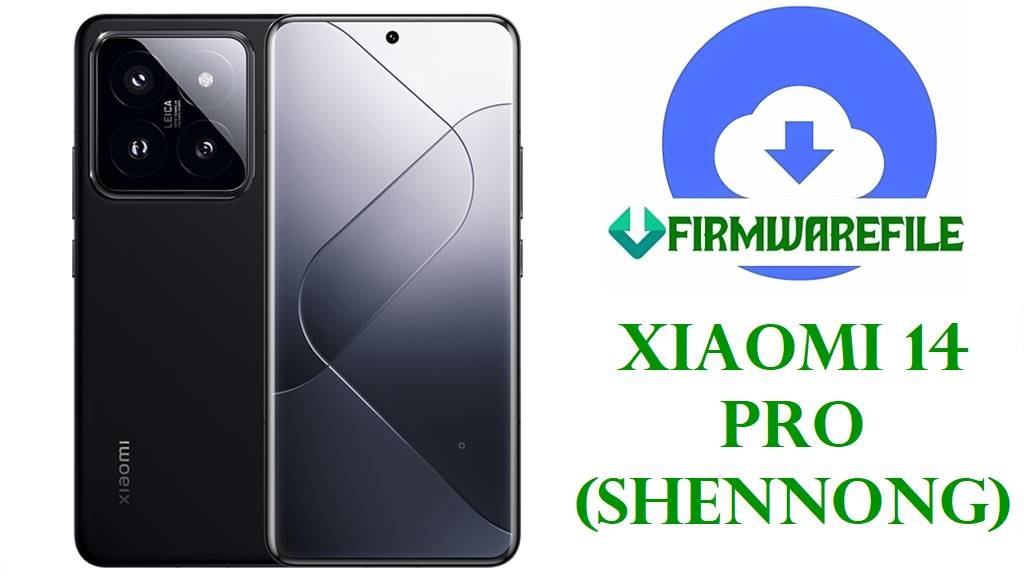
Download HyperOS 3 OS3.0.4.0.WNBCNXM Firmware for Xiaomi 14 Pro (shennong)
If your Xiaomi 14 Pro / Ti (China variant) feels less responsive, shows higher power usage in certain workloads, or you simply want a clean reinstall, the OS3.0.4.0.WNBCNXM update emphasizes smoother performance, improved memory handling, and efficiency improvements that Xiaomi says reduce power consumption. The changelog for OS3.0.4.0.WNBCNXM also documents system-wide animation tuning, a new rendering mechanism to reduce graphics load, and multiple system app updates (Gallery, Weather, Calendar, Camera, Recorder).
File Selection Guide.
- Pick the official Xiaomi Fastboot ROM (.tgz) if you want a clean, stock reinstall of the China Stable OS3.0.4.0.WNBCNXM build and you’re comfortable flashing via Fastboot/Mi Flash on a PC (commonly used for full restores and “clean flash” scenarios).
- Pick the xiaomi.eu ZIP only if you specifically want the xiaomi.eu community build that matches OS3.0.4.0.WNBCNXM (the filename shows the same build tag), and you understand it is not Xiaomi-official firmware distribution. (No official Xiaomi changelog is provided for xiaomi.eu-specific modifications, so only the base OS3.0.4.0.WNBCNXM changes can be treated as verifiable improvements.)
- Confirm your device codename before flashing: Xiaomi 14 Pro / Ti China is listed as “shennong” on reputable tracker pages for OS3.0.4.0.WNBCNXM.
Download Official Firmware for Xiaomi 14 Pro (shennong)
China HyperOS 3 Stable Fastboot ROM – OS3.0.4.0.WNBCNXM (Android 16)
- Filename: shennong_images_OS3.0.4.0.WNBCNXM_20251111.0000.00_16.0_cn_f0536c2d82.tgz
- Region: China (CNXM)
- Listed File Size: 9.27GB .
- Build Date (from filename): 2025-11-11
- Build Version: OS3.0.4.0.WNBCNXM
- Android Version: 16.0 (as shown in changelog/package metadata).
- Flashing Type: Fastboot ROM (.tgz)
- MD5 (tracker): f0536c2d826b81a8d1f0f7caab25def4
- Download Link: Download OS3.0.4.0.WNBCNXM China Fastboot ROM (Xiaomi OTA)
xiaomi.eu HyperOS 3 ROM (Community build) – OS3.0.4.0.WNBCNXM (Android 16)
- Filename: xiaomi.eu_SHENNONG_OS3.0.4.0.WNBCNXM_16.zip
- Base Build Tag: OS3.0.4.0.WNBCNXM (matches the official build tag; base changelog items below apply to this build tag).
- File Size: 6.54GB
- Android Version (from filename tag): 16
- Flashing Type: ZIP package (installation method depends on the package format used by your chosen xiaomi.eu release).
- Download Link: Download xiaomi.eu_SHENNONG_OS3.0.4.0.WNBCNXM_16.zip
Xiaomi 14 Pro (shennong) Device + Firmware Details
| Device name (tracker) | Xiaomi 14 Pro / Ti (China) |
|---|---|
| Codename | shennong |
| Firmware version | OS3.0.4.0.WNBCNXM (Stable) |
| Android version | 16.0 |
| Region family | China (CNXM) |
| Official packages for this build | Recovery ZIP (shennong-ota_full-OS3.0.4.0.WNBCNXM-user-16.0-7b1eba8b7e.zip) and Fastboot TGZ (shennong_images_OS3.0.4.0.WNBCNXM_20251111.0000.00_16.0_cn_f0536c2d82.tgz) |
| Fastboot ROM release date (tracker) | 2025-11-11 |
| Recovery ROM release date (tracker) | 2025-11-13 |
| Verified improvements source | Official OS3.0.4.0.WNBCNXM changelog text published with the package listing |
All rows above are taken from the published OS3.0.4.0.WNBCNXM package listing/changelog and should be treated as the authoritative reference for what is confirmed for this build.
What OS3.0.4.0.WNBCNXM Improves (Verified)
- Performance + responsiveness: Xiaomi states the build refines compiler instructions to improve performance/responsiveness while lowering power use.
- Memory handling: The changelog claims improved memory allocation and recovery to increase available system memory.
- Efficiency + battery-oriented optimizations: Xiaomi lists integrated frequency scheduling improvements to boost efficiency/reduce power consumption, plus improved short-video playback efficiency for better battery life.
- Graphics + animation smoothness: The build introduces a new window-rendering mechanism to reduce rendering load and “fine-tuned animations across 100+ system scenes.”
- System apps (examples): Gallery widgets + pinned albums, Weather start-page rendering changes, Calendar week view, Camera watermark styles, and Recorder transcription/summary improvements are included in the changelog.
- Privacy/security items (as stated): The changelog mentions redesigned privacy/password interfaces and “post-quantum encryption” for advanced data protection (as described by Xiaomi).
Flashing Requirements
Flashing firmware can wipe your data (especially fastboot “clean all” installs). Back up photos, chats, and important files before you start.
Use a reliable Windows PC, a stable USB cable, and ensure the phone is charged to at least 50% to reduce the risk of interruption.
Always confirm the codename/build tag (shennong / OS3.0.4.0.WNBCNXM) and only flash files meant for your exact device and region family.
📱How to Flash the Firmware
Method 1: Xiaomi Fastboot ROM (Mi Flash Tool)
- Prepare: Download and extract
shennong_images_OS3.0.4.0.WNBCNXM_20251111.0000.00_16.0_cn_f0536c2d82.tgzto a folder on your PC. - Install tools: Install Xiaomi USB drivers and the Xiaomi Mi Flash Tool on Windows.
- Enter Fastboot: Power off the phone, then boot into Fastboot mode (the Fastboot screen appears).
- Flash: Open Mi Flash Tool, select the extracted ROM folder, choose the appropriate wipe option, and start flashing.
- First boot: Reboot and wait for the first boot to complete (it may take longer than normal after a clean flash).
For a full step-by-step guide (including tool setup), use these tutorials that match the provided Fastboot ROM file type:
Method 2: xiaomi.eu ZIP package (install method depends on package type)
- Verify your base build: The file name indicates OS3.0.4.0.WNBCNXM / Android 16, so it aligns with the official OS3.0.4.0.WNBCNXM base build tag.
- Confirm bootloader situation: Most non-OTA manual flashing workflows require an unlocked bootloader (do not proceed if you’re unsure).
- Check the ZIP format: If it’s a recovery-flashable ZIP, you’ll need a compatible custom recovery; if it includes fastboot scripts, it’s installed from a PC.
- Install: Follow the method required by the ZIP (recovery install vs fastboot script install), then reboot.
- Stabilize: After first boot, allow time for app optimization and initial background setup before judging battery/performance.
Frequently Asked Questions (FAQs)
What phone is “shennong” in these firmware filenames?
“shennong” is listed as the codename for Xiaomi 14 Pro / Ti China on the OS3.0.4.0.WNBCNXM update tracker page.
Is OS3.0.4.0.WNBCNXM an Android 16 update for Xiaomi 14 Pro?
Yes—OS3.0.4.0.WNBCNXM is shown as “user-16.0” on the recovery package name and is labeled Android 16.0 on the update listing.
What improvements are confirmed in the OS3.0.4.0.WNBCNXM changelog?
The published changelog includes performance enhancements that aim to improve responsiveness while lowering power use, memory allocation improvements, frequency scheduling optimizations to reduce power consumption, and short-video playback efficiency improvements for better battery life.
How can I confirm my Xiaomi 14 Pro is the right match before flashing?
Reputable ROM pages recommend confirming the product codename in Fastboot mode using fastboot getvar product and ensuring it matches the intended device codename.
Is the shennong_images_OS3.0.4.0.WNBCNXM TGZ an official Xiaomi file?
The TGZ package name and download host (bigota.d.miui.com) match the official fastboot listing for OS3.0.4.0.WNBCNXM on the tracker page, which states the files are “official untouched HyperOS ROMs.”
Does the OS3.0.4.0.WNBCNXM changelog apply to the xiaomi.eu_SHENNONG_OS3.0.4.0.WNBCNXM_16.zip file too?
Only the base OS build tag (OS3.0.4.0.WNBCNXM) can be safely considered shared; any xiaomi.eu-specific additions/removals are not described in Xiaomi’s official OS3.0.4.0.WNBCNXM changelog.
Will flashing OS3.0.4.0.WNBCNXM wipe my data?
Fastboot flashing commonly includes wipe options, and a clean flash typically erases user data, so a full backup is recommended before flashing any fastboot package.