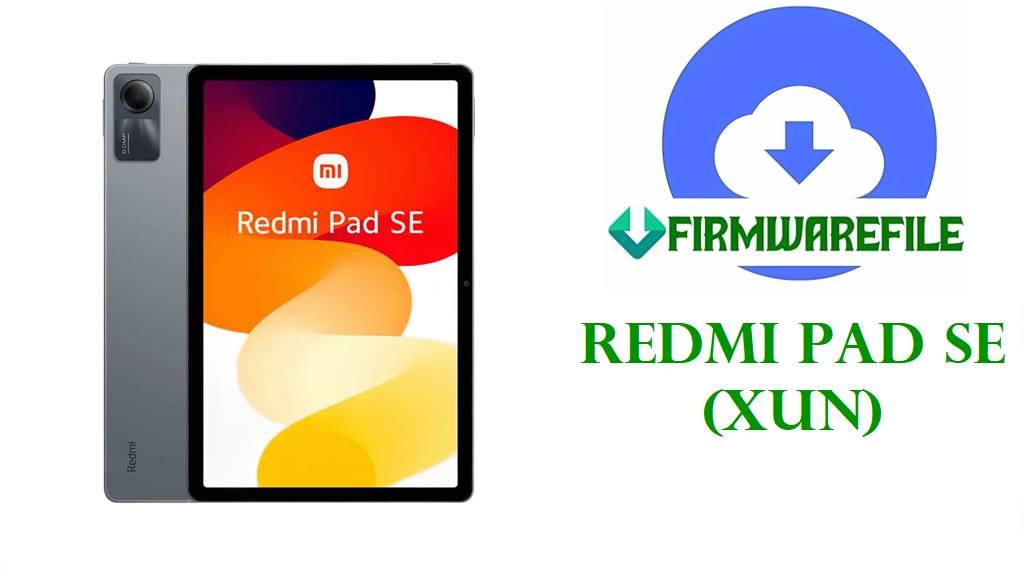
Download Redmi Pad SE (xun) Official HyperOS 2 Fastboot Firmware (Android 15)
Redmi Pad SE (codename xun) is an affordable 11-inch Android tablet built for streaming, reading, and light productivity, but users commonly search for stock firmware when Wi‑Fi starts disconnecting, the system feels unstable after an update, or they simply want a clean reinstall. Xiaomi’s own support guidance for “Xiaomi pad cannot connect to Wi‑Fi or frequently disconnects” includes troubleshooting steps like checking router DHCP/SSID, uninstalling third‑party security apps, backing up data, factory reset, and upgrading to the latest system version—exactly the type of scenario where reinstalling the correct official ROM can be useful.
File Selection Guide.
- First, confirm you have Redmi Pad SE (xun): The tracker lists “xun” specifically as Redmi Pad SE, with separate branches for China and Global/EEA/India/Taiwan/Russia/Turkey/Indonesia.
- Pick the ROM that matches your region suffix: CNXM (China), MIXM (Global), EUXM (EEA/Europe), TWXM (Taiwan), IDXM (Indonesia), RUXM (Russia), TRXM (Turkey), INXM (India).
- Fastboot TGZ vs Recovery ZIP: Your links are
.tgzfastboot ROMs, typically used for a deeper reinstall than a normal OTA/recovery update (useful when troubleshooting persistent issues). - For Wi‑Fi disconnect problems: Xiaomi recommends upgrading to the latest system version and (if needed) factory resetting after backup; flashing a matching official fastboot ROM is an advanced way to get back to a clean “latest system” baseline if normal updating is broken.
Download Official Stock Firmware for Redmi Pad SE (xun)
China HyperOS 2 Fastboot ROM – OS2.0.206.0.VMUCNXM (Android 15)
- Filename: xun_images_OS2.0.206.0.VMUCNXM_20251111.0000.00_15.0_cn_6fdb7d7ad7.tgz
- Region: China (CNXM)
- File Size: 5.85GB
- Build Date (from filename): 2025-11-11
- Build Version: OS2.0.206.0.VMUCNXM
- Android Version: 15.0
- Flashing Type: Fastboot ROM (.tgz)
- MD5 (tracker): 6fdb7d7ad73bf97809da6fcd48aa3d07
- Download Link: Download OS2.0.206.0 China Fastboot ROM (Xiaomi OTA)
Global HyperOS 2 Fastboot ROM – OS2.0.205.0.VMUMIXM (Android 15)
- Filename: xun_global_images_OS2.0.205.0.VMUMIXM_20250928.0000.00_15.0_global_200327cf06.tgz
- Region: Global (MIXM)
- File Size: 5.48GB
- Build Date (from filename / tracker listing): 2025-09-28
- Build Version: OS2.0.205.0.VMUMIXM
- Android Version: 15.0
- Flashing Type: Fastboot ROM (.tgz)
- MD5 (tracker): 200327cf067d2b836f4ceec42cd68cd2
- Download Link: Download OS2.0.205.0 Global Fastboot ROM (Xiaomi OTA)
EEA HyperOS 2 Fastboot ROM – OS2.0.203.0.VMUEUXM (Android 15)
- Filename: xun_eea_global_images_OS2.0.203.0.VMUEUXM_20251027.0000.00_15.0_eea_1aab6ecff0.tgz
- Region: EEA (EUXM)
- File Size: 5.33GB
- Build Date (from filename): 2025-10-27
- Build Version: OS2.0.203.0.VMUEUXM
- Android Version: 15.0
- Flashing Type: Fastboot ROM (.tgz)
- Download Link: Download OS2.0.203.0 EEA Fastboot ROM (Xiaomi OTA)
Taiwan HyperOS 2 Fastboot ROM – OS2.0.201.0.VMUTWXM (Android 15)
- Filename: xun_tw_global_images_OS2.0.201.0.VMUTWXM_20251111.0000.00_15.0_tw_11a23588ca.tgz
- Region: Taiwan (TWXM)
- File Size: 4.99GB
- Build Date (from filename): 2025-11-11
- Build Version: OS2.0.201.0.VMUTWXM
- Android Version: 15.0
- Flashing Type: Fastboot ROM (.tgz)
- Download Link: Download OS2.0.201.0 Taiwan Fastboot ROM (Xiaomi OTA)
Indonesia HyperOS 2 Fastboot ROM – OS2.0.202.0.VMUIDXM (Android 15)
- Filename: xun_id_global_images_OS2.0.202.0.VMUIDXM_20251027.0000.00_15.0_id_5fedeb2006.tgz
- Region: Indonesia (IDXM)
- File Size: 5.30GB
- Build Date (from filename): 2025-10-27
- Build Version: OS2.0.202.0.VMUIDXM
- Android Version: 15.0
- Flashing Type: Fastboot ROM (.tgz)
- Download Link: Download OS2.0.202.0 Indonesia Fastboot ROM (Xiaomi OTA)
Russia HyperOS 2 Fastboot ROM – OS2.0.203.0.VMURUXM (Android 15)
- Filename: xun_ru_global_images_OS2.0.203.0.VMURUXM_20251027.0000.00_15.0_ru_b6e960aa54.tgz
- Region: Russia (RUXM)
- File Size: 5.94GB
- Build Date (from filename): 2025-10-27
- Build Version: OS2.0.203.0.VMURUXM
- Android Version: 15.0
- Flashing Type: Fastboot ROM (.tgz)
- Download Link: Download OS2.0.203.0 Russia Fastboot ROM (Xiaomi OTA)
Turkey HyperOS 2 Fastboot ROM – OS2.0.202.0.VMUTRXM (Android 15)
- Filename: xun_tr_global_images_OS2.0.202.0.VMUTRXM_20251112.0000.00_15.0_tr_7acddd3f17.tgz
- Region: Turkey (TRXM)
- File Size: 5.36GB
- Build Date (from filename): 2025-11-12
- Build Version: OS2.0.202.0.VMUTRXM
- Android Version: 15.0
- Flashing Type: Fastboot ROM (.tgz)
- Download Link: Download OS2.0.202.0 Turkey Fastboot ROM (Xiaomi OTA)
India HyperOS 2 Fastboot ROM – OS2.0.202.0.VMUINXM (Android 15)
- Filename: xun_in_global_images_OS2.0.202.0.VMUINXM_20251027.0000.00_15.0_in_4b28dda8f5.tgz
- Region: India (INXM)
- File Size: 4.89GB
- Build Date (from filename): 2025-10-27
- Build Version: OS2.0.202.0.VMUINXM
- Android Version: 15.0
- Flashing Type: Fastboot ROM (.tgz)
- Download Link: Download OS2.0.202.0 India Fastboot ROM (Xiaomi OTA)
Redmi Pad SE (xun) Device + Firmware Details
| Device Name | Xiaomi Redmi Pad SE |
|---|---|
| Codename | xun |
| Display | 11.0-inch IPS LCD, 90Hz, 1200 × 1920 |
| Chipset | Snapdragon 680 (6 nm) |
| Battery | 8000 mAh, 18W charging |
| Connectivity Note | No SIM/cellular connectivity (Wi‑Fi tablet). |
| OS / Android Version (these files) | Android 15 (“user-15.0” shown in the OS2.0.205.0.VMUMIXM and OS2.0.206.0.VMUCNXM package naming). |
| File Type Provided | Fastboot ROM (.tgz) |
| Flash Tool (typical) | Xiaomi Mi Flash Tool or fastboot script method (when applicable). |
| Main Issues Users Mention | Wi‑Fi disconnects during/after streaming requiring a reboot (community report), plus frequent searches around battery drain on HyperOS in general. |
Flashing Requirements
Fastboot flashing can wipe data. Back up everything important (downloads, photos, app data, and notes) before starting.
Use a Windows computer, a stable USB cable, and keep the tablet charged above 50% to reduce the risk of interruption.
For Wi‑Fi issues specifically, Xiaomi also recommends checking router DHCP/SSID settings, uninstalling third-party security apps, and considering a factory reset after backup.
📱How to Flash the Firmware File
Method 1: Xiaomi Fastboot ROM (.tgz)
- Extract the ROM: Download and extract
xun_global_images_OS2.0.205.0.VMUMIXM_20250928.0000.00_15.0_global_200327cf06.tgz(or your matching region file) on your PC. - Install tools: Install Xiaomi USB drivers and the Xiaomi Mi Flash Tool on Windows.
- Enter Fastboot: Boot the tablet into Fastboot mode and connect it to the PC via USB.
- Flash: In Mi Flash Tool, select the extracted ROM folder and start flashing.
- First boot: Reboot and wait for first boot to complete; then test Wi‑Fi again (streaming + reconnect) to confirm stability.
For a full step-by-step guide with pictures and video (recommended), use these tutorials that match your provided Xiaomi Fastboot .tgz files:
Frequently Asked Questions (FAQs)
What device is “xun” in Xiaomi firmware files?
“xun” is listed as the codename for Redmi Pad SE on ROM tracker pages.
Is OS2.0.205.0.VMUMIXM Android 15 for Redmi Pad SE Global?
Yes—its package name includes “user-15.0” on the OS2.0.205.0.VMUMIXM listing for Redmi Pad SE Global.
Is OS2.0.206.0.VMUCNXM Android 15 for Redmi Pad SE China?
Yes—its package name includes “user-15.0” on the OS2.0.206.0.VMUCNXM listing for Redmi Pad SE China.
How do I pick the right Redmi Pad SE fastboot file from this page?
Match the suffix in your current build number: CNXM (China), MIXM (Global), EUXM (EEA), INXM (India), TWXM (Taiwan), IDXM (Indonesia), RUXM (Russia), TRXM (Turkey).
My Redmi Pad SE Wi‑Fi disconnects and only a reboot fixes it—will flashing help?
A community report describes Redmi Pad SE Wi‑Fi dropping and only reconnecting after reboot during streaming. Xiaomi’s official guidance suggests troubleshooting the router, uninstalling third‑party security apps, and backing up + factory reset after updating to the latest system; flashing stock firmware can help you reach that clean “latest” baseline when normal updating isn’t enough, but it’s not a guaranteed fix.
Do these Redmi Pad SE files include a public bug-fix changelog?
The OS2.0.205.0.VMUMIXM and OS2.0.206.0.VMUCNXM tracker pages list the packages (including MD5/release dates), but do not show detailed public changelog items for specific bug fixes.