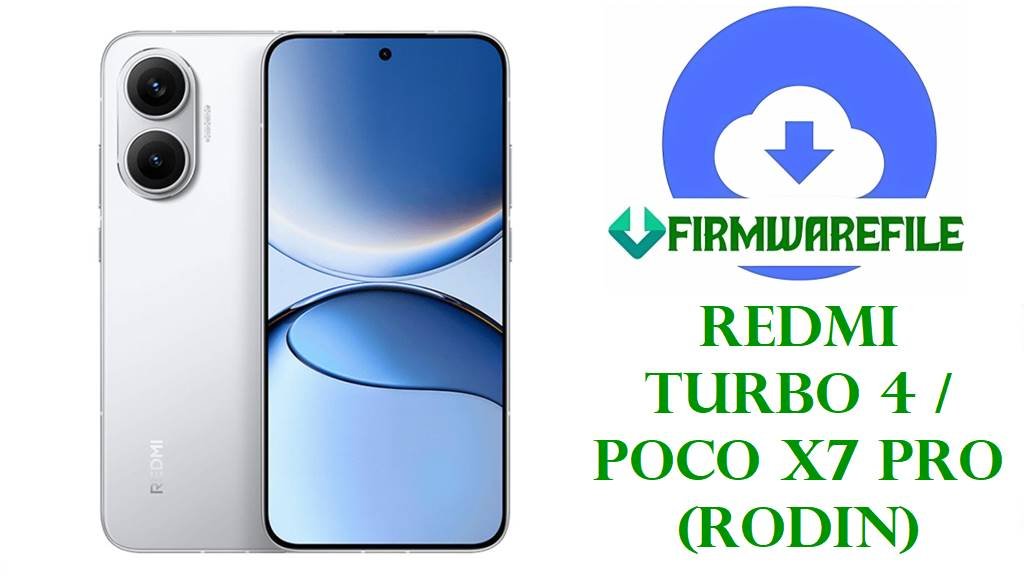
Download Redmi Turbo 4 / POCO X7 Pro (rodin) HyperOS Fastboot ROMs
The Redmi Turbo 4 and POCO X7 Pro share the same “rodin” hardware platform, combining a 6.7‑inch 120 Hz AMOLED display, MediaTek Dimensity 8400‑Ultra chipset, UFS 4.0 storage, and a large 6550 mAh battery with 90 W fast charging for high-end gaming and multitasking. These specs make the phones very powerful, but also expose software issues when early HyperOS builds misbehave under heavy load.
Users frequently report fast battery drain, heat build-up during gaming, ghost touch on the display, slow or inconsistent charging, and random freezes or boot loops on Redmi Turbo 4 / POCO X7 Pro, especially around problematic HyperOS 2.0.x updates. Some Indian and global variants on older builds also show refresh-rate glitches and UI lag, pointing clearly to firmware and software optimization problems rather than pure hardware failure.
The official HyperOS Fastboot ROMs below let you clean-flash stable Android 15 and Android 16 firmware for rodin, including the latest HyperOS 2.0 regional builds and the China-only HyperOS 3.0.2.0.WOJCNXM package. Correctly flashing these packages with Mi Flash Tool or the built-in fastboot scripts can repair bootloops, undo buggy OTA updates like early HyperOS 2.0.20x releases, restore performance, and apply new security patches and stability fixes.
Download Official Firmware for Redmi Turbo 4 / POCO X7 Pro (rodin)
All packages listed here are official HyperOS Fastboot ROMs for the rodin platform, served directly from Xiaomi’s bigota servers and intended for clean flashing via fastboot or Mi Flash Tool on an unlocked bootloader. Choose the file that matches both your device branding (Redmi Turbo 4 China or POCO X7 Pro Global/India/EEA/etc.) and the region code in the build number to avoid compatibility problems.
| Filename | Region / Target Variant | Android / HyperOS | Build Date | File Size | Flashing Type | Notes | Download |
|---|---|---|---|---|---|---|---|
| rodin_images_OS3.0.2.0.WOJCNXM_20251017.0000.00_16.0_cn_d6a7750a72.tgz | China ROM – Redmi Turbo 4 / POCO X7 Pro (rodin) China only | Android 16.0, HyperOS 3.0.2.0.WOJCNXM | 2025‑10‑17 | 8.89 GB | Fastboot ROM (Mi Flash / fastboot) | Stable China build; for Chinese models with CNXM code; not for global/India units. | Download OS3.0.2.0.WOJCNXM (Xiaomi servers) |
| rodin_global_images_OS2.0.206.0.VOJMIXM_20251029.0000.00_15.0_global_4c994dc5ec.tgz | Global ROM – POCO X7 Pro Global (MIXM) | Android 15.0, HyperOS 2.0.206.0.VOJMIXM | 2025‑10‑29 | 8.96 GB | Fastboot ROM (Mi Flash / fastboot) | Latest public global stable; ideal to clean-flash after buggy HyperOS 2.0.20x OTAs. | Download OS2.0.206.0.VOJMIXM (Xiaomi servers) |
| rodin_eea_global_images_OS2.0.206.0.VOJEUXM_20250929.0000.00_15.0_eea_ebddd7db3f.tgz | EEA ROM – POCO X7 Pro Europe (EUXM) | Android 15.0, HyperOS 2.0.206.0.VOJEUXM | 2025‑09‑29 | 8.10 GB | Fastboot ROM (Mi Flash / fastboot) | For European/EEA units only; includes EU-specific regulations and network configs. | Download OS2.0.206.0.VOJEUXM (Xiaomi servers) |
| rodin_in_global_images_OS2.0.204.0.VOJINXM_20251107.0000.00_15.0_in_416db639f3.tgz | India ROM – POCO X7 Pro India (INXM) | Android 15.0, HyperOS 2.0.204.0.VOJINXM | 2025‑11‑07 | 7.44 GB | Fastboot ROM (Mi Flash / fastboot) | Suitable to fix issues introduced by earlier India builds like HyperOS 2.0.103.0. | Download OS2.0.204.0.VOJINXM (Xiaomi servers) |
| rodin_tw_global_images_OS2.0.204.0.VOJTWXM_20251107.0000.00_15.0_tw_99dde8b93d.tgz | Taiwan ROM – POCO X7 Pro TW (TWXM) | Android 15.0, HyperOS 2.0.204.0.VOJTWXM | 2025‑11‑07 | 6.63 GB | Fastboot ROM (Mi Flash / fastboot) | For Taiwan market devices; tuned for local carriers and regulations. | Download OS2.0.204.0.VOJTWXM (Xiaomi servers) |
| rodin_ru_global_images_OS2.0.204.0.VOJRUXM_20251107.0000.00_15.0_ru_8e08ce5d62.tgz | Russia ROM – POCO X7 Pro RU (RUXM) | Android 15.0, HyperOS 2.0.204.0.VOJRUXM | 2025‑11‑07 | 8.89 GB | Fastboot ROM (Mi Flash / fastboot) | Russia-specific build; only flash on RUXM units to avoid region lock issues. | Download OS2.0.204.0.VOJRUXM (Xiaomi servers) |
| rodin_id_global_images_OS2.0.205.0.VOJIDXM_20251107.0000.00_15.0_id_270f2da6ee.tgz | Indonesia ROM – POCO X7 Pro ID (IDXM) | Android 15.0, HyperOS 2.0.205.0.VOJIDXM | 2025‑11‑07 | 8.21 GB | Fastboot ROM (Mi Flash / fastboot) | For Indonesian units; combines HyperOS 2 stability fixes with regional tuning. | Download OS2.0.205.0.VOJIDXM (Xiaomi servers) |
| rodin_tr_global_images_OS2.0.204.0.VOJTRXM_20251107.0000.00_15.0_tr_fdcc144681.tgz | Turkey ROM – POCO X7 Pro TR (TRXM) | Android 15.0, HyperOS 2.0.204.0.VOJTRXM | 2025‑11‑07 | 7.70 GB | Fastboot ROM (Mi Flash / fastboot) | For Turkish models; helps fix HyperOS 2.0 performance and battery complaints. | Download OS2.0.204.0.VOJTRXM (Xiaomi servers) |
Redmi Turbo 4 / POCO X7 Pro Firmware Details
| Device Name | Redmi Turbo 4 (China) / POCO X7 Pro 5G (Global, India, EEA, etc.) |
|---|---|
| Model Identifiers | 24129RT7CC (Redmi Turbo 4 CN); 2412DPC0AI and other POCO X7 Pro regional SKUs sharing codename rodin. |
| Codename / Board | rodin, MediaTek MT6899 platform |
| Chipset | MediaTek Dimensity 8400‑Ultra (MT6899), octa‑core CPU, Mali‑G720 GPU, 4 nm. |
| Display | 6.7‑inch 1220×2712 AMOLED, 120 Hz refresh rate, Gorilla Glass 7i. |
| Battery & Charging | Approx. 6550 mAh silicon‑carbon cell with 90 W wired fast charging. |
| Android / HyperOS Versions | Android 15 with HyperOS 2.0 for global/EEA/India and other VOJ***M builds; Android 16 with HyperOS 3.0.2.0.WOJCNXM for China. |
| Firmware Types | Official Fastboot ROMs (.tgz) for clean flashing via Mi Flash Tool or fastboot scripts; recovery/OTA builds are distributed separately. |
| Main Issues Reported | High battery drain, overheating during gaming, ghost touches, slow charging, random restarts, bootloops after OTA, UI lag, and aggressive app killing on some HyperOS 2.0 builds. |
| What These ROMs Help Fix | Repair soft-bricked and bootlooping devices, roll back from buggy OTAs, apply newer security patches, and restore stock partitions after failed mods or root. |
| Required Flashing Tools | Xiaomi Mi Flash Tool or equivalent fastboot method on Windows PC; official Xiaomi bootloader unlock required for fastboot flashing. |
| Bootloader Status | Must be unlocked for Fastboot ROM flashing; relocking on mismatched region builds risks hard brick. |
Flashing Requirements
- Back up everything: Flashing these Fastboot ROMs can erase apps, internal storage, and settings, especially if you use “clean all” options.
- Charge to at least 50%: A sudden shutdown during flashing can permanently brick the phone.
- Windows PC + USB‑C cable: Mi Flash Tool and fastboot commands work best from a stable Windows setup with proper USB drivers.
- Unlocked bootloader: Xiaomi requires an officially unlocked rodin bootloader for Fastboot ROM installation.
📱 Quick Flashing Guides
Method 1: Xiaomi Mi Flash Tool (Fastboot ROM)
- Prepare files and tools: Install Xiaomi USB drivers, extract the chosen rodin_*_images_*.tgz ROM to a folder, and download the latest Mi Flash Tool on your Windows PC.
- Unlock and enter fastboot: Make sure the bootloader is officially unlocked, power off the phone, then hold Volume Down + Power to boot into fastboot mode.
- Load the ROM in Mi Flash: Open Mi Flash Tool, click Select or Browse, and point it to the extracted rodin Fastboot ROM folder containing the images and flash scripts.
- Choose flash mode: At the bottom, pick a suitable option such as “clean all” (recommended for fixing bootloops and major bugs) to avoid locking the bootloader again.
- Flash and reboot: Click Flash, wait until Mi Flash shows success, then the phone will reboot automatically into the new HyperOS build after a longer first boot.
For a full step‑by‑step tutorial with screenshots on flashing Xiaomi Fastboot ROMs using Mi Flash Tool, follow this dedicated guide: Complete Guide: Flash Xiaomi & POCO Firmware with Mi Flash Tool
Method 2: Fastboot Script (flash_all.bat)
- Install platform tools: Set up Google’s Android platform‑tools (ADB & fastboot) on your PC and confirm that fastboot devices lists the phone in fastboot mode.
- Extract the ROM: Unpack the downloaded rodin .tgz until you see image files and batch scripts like flash_all.bat, flash_all_lock.bat, etc.
- Pick the right script: Use flash_all.bat for a clean install that keeps the bootloader unlocked; avoid flash_all_lock.bat unless you are 100% sure the ROM matches your exact region.
- Run as administrator: With the phone in fastboot mode and connected, right‑click flash_all.bat and run it as administrator, then wait while it sends and writes all partitions.
- First boot: When the script finishes and the phone reboots, allow several minutes for HyperOS to optimize apps and stabilize before restoring backups.
Need a more detailed fastboot script walkthrough? See this in‑depth tutorial that explains flash_all.bat usage and safety tips: How to Flash Stock Firmware Using a Fastboot Script (flash_all.bat)
Frequently Asked Questions (FAQs)
Which problems can these rodin Fastboot ROMs fix?
Clean‑flashing the correct regional HyperOS Fastboot ROM can solve software‑side issues such as severe battery drain, overheating, ghost touches, random reboots, and bootloops caused by failed or buggy HyperOS 2.0 OTAs on Redmi Turbo 4 / POCO X7 Pro.
How do I choose the right file for my Redmi Turbo 4 or POCO X7 Pro?
Check Settings → About phone → Version and note both the model and region code (CNXM, MIXM, EUXM, INXM, TWXM, RUXM, IDXM, TRXM), then only flash the Fastboot ROM whose build number ends with the same code.
Will flashing these Fastboot ROMs erase my data?
Most repair scenarios require using “clean all” or the flash_all.bat script, which formats user data, so you should always back up photos, chats, and app data before flashing.
Can these ROMs improve HyperOS 2.0 bugs on POCO X7 Pro?
Yes, updating to newer builds like OS2.0.204.0/206.0 can reduce lag, fix some refresh‑rate glitches, and apply newer security patches compared with earlier HyperOS 2.0.201–2.0.202 releases known for bugs.
Is HyperOS 3.0.2.0.WOJCNXM safe to flash on global POCO X7 Pro?
No, the OS3.0.2.0.WOJCNXM Fastboot ROM is a China‑region firmware designed for Chinese rodin variants, and flashing it on global/India/EEA POCO X7 Pro units can break network features or brick the device.
Can I use these files to unbrick a dead or stuck phone?
If your rodin device still enters fastboot mode, you can often recover it from bootloops, system crashes, or soft bricks by flashing the right Fastboot ROM via Mi Flash Tool or flash_all.bat.