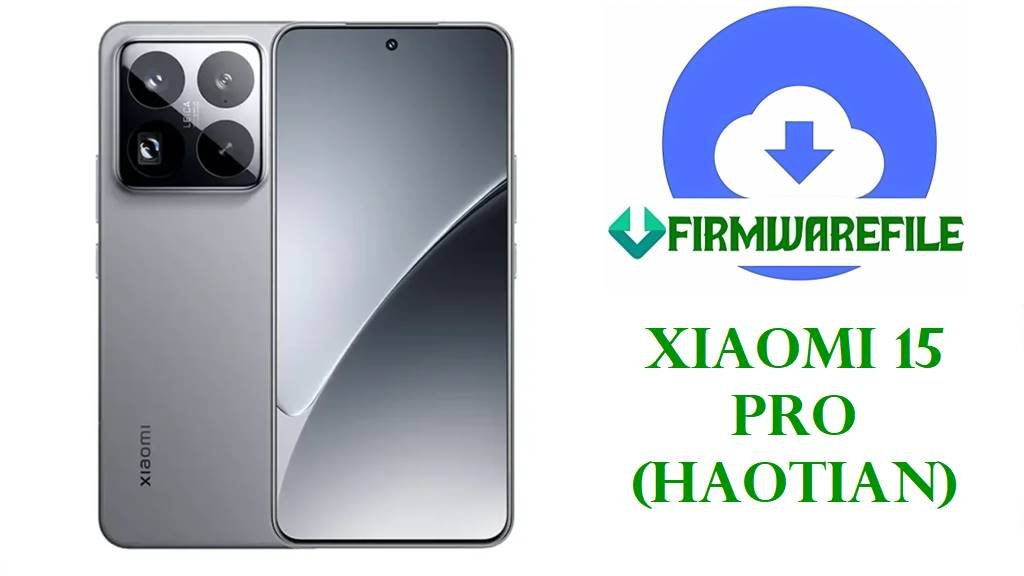
Download Xiaomi 15 Pro (haotian) HyperOS 3 Official ROMs
The Xiaomi 15 Pro, codename haotian, is Xiaomi’s China‑exclusive flagship with a 6.7‑inch 1440×3200 120 Hz AMOLED display, Snapdragon 8 Elite chipset, 12 GB LPDDR5X RAM, UFS 4.0 storage, a triple 50 MP camera system and IP68 rating for serious performance and durability. Its 6100 mAh silicon–carbon battery, 90 W wired charging and 50 W wireless charging make it a compact powerhouse for photography, gaming and 5G use.
At the same time, owners of the Xiaomi 15 series and related models report overheating after upgrading to HyperOS 3, faster battery drain than expected, brief performance drops and charging times that feel longer until the system finishes background optimizations. These issues are typical around major Android/HyperOS transitions and often improve once the phone is clean‑flashed to a stable build and allowed a few days to re‑index and learn usage patterns.
The official haotian HyperOS images below provide Android 16 HyperOS 3.0.5.0.WOBCNXM China Fastboot firmware plus a Xiaomi.eu custom ROM based on the same release, giving you tools to fix bootloops, revert failed mods and apply Xiaomi’s latest stability and security improvements. Flashing the correct ROM with Mi Flash Tool or Xiaomi.eu’s fastboot scripts can restore stock partitions, reduce software‑induced heating and battery drain, and keep your Xiaomi 15 Pro running at flagship‑class performance.
Download Official Firmware for Xiaomi 15 Pro (haotian)
These packages are the key HyperOS ROMs currently available for Xiaomi 15 Pro (codename haotian), built on Android 16 and distributed through Xiaomi’s official servers or the Xiaomi.eu project. The Fastboot ROM is ideal for clean installs and unbricking, while the Xiaomi.eu ROM targets advanced users who want a de‑bloated, multi‑language experience based on the same WOBCNXM firmware.
| Filename | Region / Target Variant | Android / HyperOS | Build Date | File Size | Flashing Type | Notes | Download |
|---|---|---|---|---|---|---|---|
| haotian_images_OS3.0.5.0.WOBCNXM_20251028.0000.00_16.0_cn_3f7fc327c6.tgz | China ROM – Xiaomi 15 Pro (haotian) China, WOBCNXM | Android 16.0, HyperOS 3.0.5.0.WOBCNXM | 2025‑10‑28 | 10.92 GB | Official Fastboot ROM (Mi Flash / fastboot) | Latest China stable Fastboot image for Xiaomi 15 Pro; changelog highlights typical stability optimizations, bug fixes and updated security patch level for HyperOS 3. | Download OS3.0.5.0.WOBCNXM Fastboot (Xiaomi servers) |
| xiaomi.eu_HAOTIAN_OS3.0.5.0.WOBCNXM_16.zip | Xiaomi.eu custom ROM – Xiaomi 15 Pro (haotian), based on China WOBCNXM | Android 16.0, HyperOS 3.0.5.0 (modified, multi‑language) | Built from OS3.0.5.0.WOBCNXM base | 8.12 GB | Custom fastboot/recovery package (Xiaomi.eu scripts / custom recovery) | Community ROM with extra languages, removed China‑only apps and tweaks; unofficial and may impact warranty and security status, recommended only for experienced users. | Download xiaomi.eu_HAOTIAN_OS3.0.5.0.WOBCNXM_16 (SourceForge) |
Xiaomi 15 Pro Firmware Details
| Device Name | Xiaomi 15 Pro (China‑only flagship) |
|---|---|
| Codename | haotian – internal project name for Xiaomi 15 Pro hardware and firmware. |
| Model Identifiers | Includes 2410DPN6CC / 24101PNB7C and other China SKUs tracked by certification sources. |
| Chipset | Qualcomm Snapdragon 8 Elite (SM8750‑AB), 4.32 GHz octa‑core 3 nm CPU with Adreno 830 GPU. |
| Display | 6.7‑inch 1440×3200 AMOLED, 522 PPI, 120 Hz refresh, ~90% screen‑to‑body, scratch‑resistant glass. |
| Memory & Storage | Up to 12 GB LPDDR5X RAM and 256 GB UFS 4.0 storage on common variants, with higher SKUs in some markets. |
| Battery & Charging | 6100 mAh silicon–carbon Li‑ion battery, 90 W wired charging, 50 W wireless and reverse wireless support. |
| Software Versions | Android 15 with HyperOS 2.0 on early builds and Android 16 with HyperOS 3.0.x including OS3.0.5.0.WOBCNXM as the latest China stable. |
| Main Issues Reported | Users of the 15/15 Pro family and similar HyperOS 3 devices report higher battery drain, more heat while gaming or charging and minor performance dips right after major updates. |
| What OS3.0.5.0 Aims to Improve | Update trackers and changelog notes mention typical system‑stability optimizations, bug fixes and security‑patch bumps that together help smooth HyperOS 3 behaviour on Xiaomi 15 Pro. |
| Flash Methods | Official Fastboot ROM via Mi Flash Tool or fastboot scripts; Xiaomi.eu via its own fastboot or recovery installer on an unlocked phone. |
| Bootloader Status | Bootloader must be unlocked for any Fastboot or Xiaomi.eu flashing; stock OTA recovery updates normally install on locked, unmodified devices. |
| Use Cases for These Files | Unbrick bootlooping devices, downgrade or upgrade within the WOBCNXM line, undo problematic mods or kernels, and move from HyperOS 2 to a clean HyperOS 3 base. |
Flashing Requirements
- Back up all data: Fastboot and Xiaomi.eu flashes can erase apps and internal storage, so copy your photos, chats and documents first.
- Battery above 50%: A shutdown during flashing can corrupt partitions and permanently brick the phone.
- Windows PC & quality USB‑C cable: Needed for Mi Flash Tool, Xiaomi drivers and reliable fastboot communication.
- Unlocked bootloader: Complete Xiaomi’s official unlock procedure before flashing any haotian Fastboot or Xiaomi.eu ROM.
📱 Quick Flashing Guides
Method 1: Official HyperOS 3 Fastboot ROM (Mi Flash Tool)
- Prepare Mi Flash and ROM: Install Xiaomi USB drivers and Mi Flash Tool on your Windows PC, then extract haotian_images_OS3.0.5.0.WOBCNXM_… into a simple folder path.
- Unlock and enter fastboot: After unlocking the bootloader, power off the Xiaomi 15 Pro, hold Volume Down + Power to enter fastboot mode, and connect it via USB‑C.
- Load firmware in Mi Flash: Open Mi Flash, click Select, and point to the extracted haotian ROM folder containing the images and scripts.
- Choose “clean all”: Pick a mode such as “clean all” to refresh system partitions without auto‑relocking the bootloader mid‑flash.
- Flash and reboot: Click Flash, wait for Mi Flash to finish, and let the phone reboot; the first HyperOS 3 boot can take several minutes while the system optimizes in the background.
For detailed, step‑by‑step instructions (with screenshots) on using Mi Flash Tool for Xiaomi phones, see this full guide: Complete Guide: Flash Xiaomi Firmware with Mi Flash Tool.
Method 2: Xiaomi.eu HyperOS 3.0.5.0 (Fastboot Script / Recovery)
- Download and extract Xiaomi.eu ROM: On your PC, download xiaomi.eu_HAOTIAN_OS3.0.5.0.WOBCNXM_16.zip and extract it to reveal the fastboot batch/shell scripts and image files.
- Install platform‑tools: Set up Google’s Android platform‑tools so the fastboot command works in a terminal or command prompt.
- Enter fastboot with unlocked bootloader: Boot the Xiaomi 15 Pro into fastboot mode, connect it to the PC and confirm detection using fastboot devices.
- Run the Xiaomi.eu script: Execute the provided script (for example, a fastboot_*.bat) to flash the partitions automatically, carefully following the project’s instructions.
- First boot and optimization: After rebooting into Xiaomi.eu HyperOS 3, allow time for background optimization and monitor battery and thermals across several charging cycles.
For more context on stock‑style flash_all.bat scripts and their options, refer to this fastboot‑script tutorial: How to Flash Stock Firmware Using a Fastboot Script (flash_all.bat).
Frequently Asked Questions (FAQs)
What Xiaomi 15 Pro problems can these ROMs help fix?
Flashing the correct haotian Fastboot ROM can fix soft‑bricks, bootloops after OTA updates, severe battery drain or heating tied to buggy HyperOS builds, and instability caused by failed mods or root attempts.
How do I confirm my Xiaomi 15 Pro uses the haotian firmware?
Check Settings → About phone → Version and look for Xiaomi 15 Pro with a build code containing “WOBCNXM” or use fastboot getvar product; official resources map haotian to Xiaomi 15 Pro China only.
Is HyperOS 3.0.5.0.WOBCNXM better for battery than older builds?
While results vary by user, Xiaomi’s newer HyperOS 3 builds focus on system stability and efficiency, and many devices see more consistent thermals and battery once background optimizations finish after updating.
Will flashing these ROMs erase my data?
Yes, Fastboot flashes using “clean all” and most Xiaomi.eu scripts wipe apps, accounts and internal storage, so always perform a full backup before installing any haotian_*_images_*.tgz or Xiaomi.eu ROM.
Can I install this China firmware on a non‑Chinese Xiaomi 15 variant?
The haotian WOBCNXM firmware is designed for the China‑only Xiaomi 15 Pro, and cross‑flashing it onto other models or regions can break cellular, updates or even brick the device, so it is strongly discouraged.
Is the Xiaomi.eu HyperOS 3.0.5.0 ROM official?
No, Xiaomi.eu ROMs are community projects that rebuild China firmware with extra languages and tweaks; they are popular among enthusiasts but not supported by Xiaomi and may affect warranty or security checks.
Why does my Xiaomi 15 Pro still run warm after updating?
After major HyperOS updates, the system runs background optimizations that temporarily increase heat and drain, and Xiaomi notes this should normalize in a few days; persistent extreme heating may indicate heavy apps or rare hardware issues that need further troubleshooting.