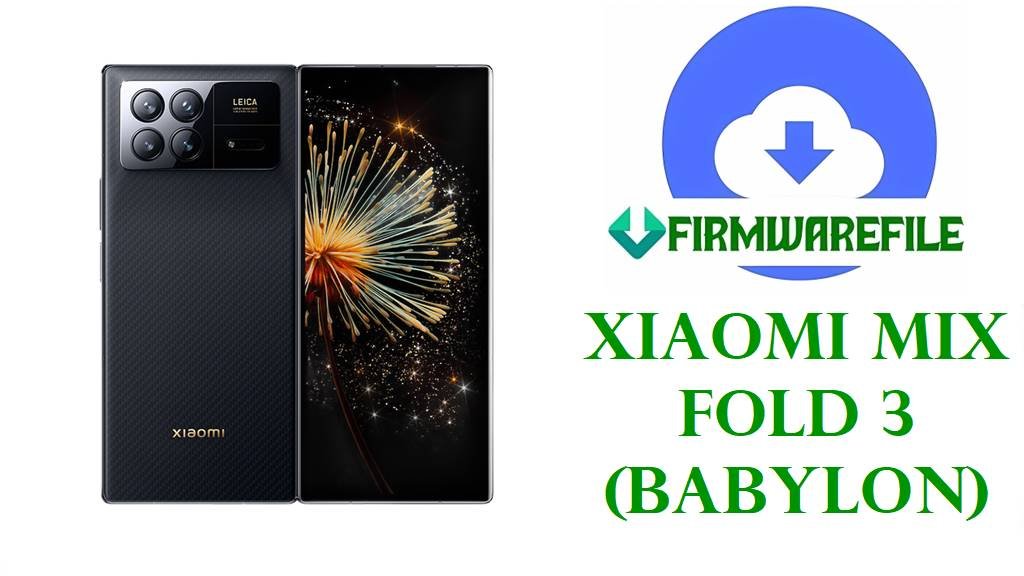
Download Xiaomi MIX Fold 3 HyperOS 2 Fastboot ROM (OS2.0.209.0.VMVCNXM)
If you’re using the Xiaomi MIX Fold 3 (codename: babylon, China region), this official HyperOS 2 fastboot firmware package (OS2.0.209.0.VMVCNXM) is designed to restore/refresh your system, especially when you’re dealing with unstable performance, update errors, or a software-corruption scenario that an OTA update can’t fix.
File Selection Guide
This firmware is for the China MIX Fold 3 variant and matches the HyperOS build suffix CNXM (shown inside OS2.0.209.0.VMVCNXM).
- Best match check (recommended): Your current version/build in “About phone” should also end with
CNXMif you’re on the same regional branch. - Device match check: The package name is explicitly listed as a MIX Fold 3 China update for codename
babylon, so it should not be used for other Xiaomi foldables or global/EEA variants. - Choose the right flashing type: The file you provided is a
.tgz“Fastboot” ROM, which is meant for PC-based flashing (not the in-phone updater).
If the phone is bootlooping or the system is badly corrupted, a fastboot ROM is often the more reliable choice because it rewrites multiple partitions in a controlled PC flashing flow (compared to a standard updater flow).
Download Official Firmware for Xiaomi MIX Fold 3 (babylon)
China HyperOS 2 Fastboot ROM – OS2.0.209.0 (Android 15)
- Device: Xiaomi MIX Fold 3 (China) / Codename:
babylon - Filename: babylon_images_OS2.0.209.0.VMVCNXM_20251028.0000.00_15.0_cn_33c60fe880.tgz
- Region: China (CNXM)
- File Size: 8.9 GB
- Build Date (from filename/release listing): 2025-10-28
- Build Version: OS2.0.209.0.VMVCNXM
- Android Version: 15.0
- Flashing Type: Fastboot ROM (
.tgz) - MD5 (integrity): 33c60fe88086802c4107861e94805e8d
- Download Link: Download OS2.0.209.0.VMVCNXM China Fastboot ROM (Xiaomi OTA)
Xiaomi MIX Fold 3 Device + Firmware Details
| Device Name | Xiaomi MIX Fold 3 (China) |
|---|---|
| Codename | babylon |
| Model Number (listed) | 2308CPXD0C |
| Firmware Version | OS2.0.209.0.VMVCNXM (Stable) |
| Android Version | 15.0 |
| Package Type | Fastboot ROM (.tgz) |
| Release / Build Date | 2025-10-28 |
| File Size | 8.9 GB |
| Package Name | babylon_images_OS2.0.209.0.VMVCNXM_20251028.0000.00_15.0_cn_33c60fe880.tgz |
| MD5 (Verify download integrity) | 33c60fe88086802c4107861e94805e8d |
| What Xiaomi publicly states for this build | Updated security patch to November 2025; increased system security. |
Device/ROM mapping and the fastboot package details above are taken from public ROM tracker listings and the ROM filename itself, not assumptions.
Flashing Requirements
Flashing a fastboot ROM can wipe user data depending on the flashing option used, so a full backup should be completed first.
- A Windows PC (typical for Mi Flash Tool workflows).
- A good USB cable and stable USB port (avoid loose hubs).
- Enough battery charge (50%+ recommended) to reduce interruption risk.
- Extracting tools for
.tgz(because fastboot ROMs ship as archives).
Fastboot flashing for Xiaomi devices is commonly done using Mi Flash Tool for official fastboot packages.
📱Quick Flashing Guide (Xiaomi Fastboot ROM)
- Prepare the PC: Install needed Xiaomi drivers/tools on Windows and download the fastboot ROM
babylon_images_OS2.0.209.0.VMVCNXM_20251028.0000.00_15.0_cn_33c60fe880.tgz. - Extract the ROM: Fully extract the
.tgzuntil you can see the fastboot images/scripts folder structure. - Enter Fastboot mode: Power off the MIX Fold 3, then boot into Fastboot mode (the key combo can vary by model/region).
- Flash with Mi Flash Tool: Load the extracted ROM folder in Mi Flash Tool and start the flash process (choose the option that fits your data/lock preference).
- First boot: Reboot and wait for the first boot to complete (it can take longer after a full reflash).
For a step-by-step tutorial with pictures and videos (recommended if this is your first time flashing a Xiaomi fastboot ROM), use these guides:
- Full Tutorial: Xiaomi Mi Flash Tool (Fastboot ROM)
- Full Tutorial: Flashing with flash_all.bat (Fastboot Script)
What this firmware actually fixes
The publicly posted changelog for OS2.0.209.0.VMVCNXM specifically says it updates the Android security patch to November 2025 and increases system security.
No additional fixes (battery/camera/network/UI) are listed on the public changelog entries available for this build, so it would be inaccurate to promise specific bug fixes beyond security hardening.
That said, many MIX Fold 3 troubleshooting write-ups frequently mention heat/battery-drain style complaints during heavy use, and users often try system updates as part of their troubleshooting checklist—just note that this is general guidance from third-party troubleshooting sources, not an official promise for this exact build.
Frequently Asked Questions (FAQs)
Is OS2.0.209.0.VMVCNXM the correct firmware for Xiaomi MIX Fold 3 (babylon)?
Yes—public ROM tracker listings map OS2.0.209.0.VMVCNXM to MIX Fold 3 China with codename babylon.
What does “CNXM” mean in MIX Fold 3 OS2.0.209.0.VMVCNXM?
In this build string, CNXM indicates the China branch/region package as listed for MIX Fold 3 China on public trackers.
Will flashing the MIX Fold 3 fastboot ROM babylon_images_OS2.0.209.0.VMVCNXM wipe my data?
Fastboot flashing can wipe user data depending on the flashing option chosen in the tool, so a full backup should be treated as required before proceeding.
What Android version is included in babylon_images_OS2.0.209.0.VMVCNXM?
The package naming and tracker listing specify Android 15.0 for OS2.0.209.0.VMVCNXM.
What is the official changelog for MIX Fold 3 OS2.0.209.0.VMVCNXM?
The published changelog states: updated security patch to November 2025 and increased system security.
Why does the same MIX Fold 3 firmware show different file sizes on different sites?
ROM trackers may display rounded sizes and different mirrors can report size differently, while the tracked listing for this fastboot package shows 8.9 GB.
Can OS2.0.209.0.VMVCNXM fix battery drain or overheating on Xiaomi MIX Fold 3?
Because the public changelog only mentions the November 2025 security patch and security improvements, there is no verified basis to claim it fixes battery drain/overheating specifically for this build.