Fix Huawei Y6 Bootloop, Dead Boot & Software Issues with Official Stock Firmware
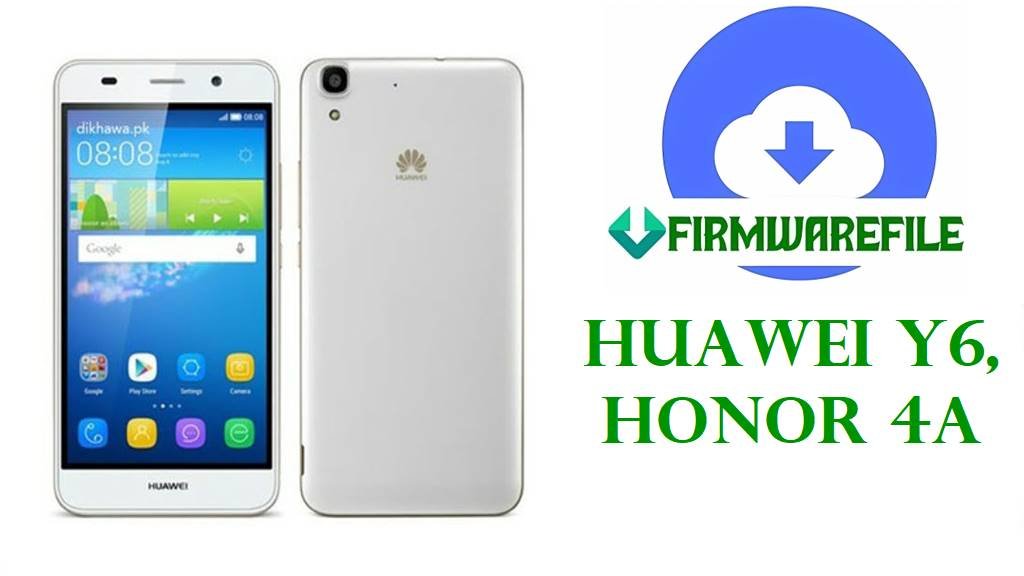
The Huawei Y6, released in July 2015, is a budget-friendly dual-SIM smartphone powered by the Qualcomm Snapdragon 210 (MSM8909) processor, featuring a 5.0-inch HD IPS display, 8MP rear camera, and long battery life. The device is also sold as Honor 4A in China. Despite its affordability, users worldwide have reported critical software failures including persistent bootloops where the device continuously restarts on the Huawei logo, sudden dead boot conditions with a completely black screen, “System UI has stopped” crash errors, extreme battery drain consuming 30-50% per hour, Wi-Fi/LTE connectivity failures, random app crashes, and complete system freezes after failed OTA updates or root attempts.
The official firmware recovery packages listed below are your definitive solution for these catastrophic software defects. These verified factory stock ROM files repair corrupted system partitions, resolve EMUI 3.1 version conflicts, fix bootloader problems, and completely restore your device to its original state. Supporting multiple regional variants (SCL-L21, SCL-U31, SCL-L01, SCL-L04, SCL-AL00, SCL-L32, SCL-TL00, SCL-L03) with both MediaTek and Qualcomm chipsets, these files are essential for unbricking devices when standard factory reset fails.
⚠️ CRITICAL WARNING: Chipset & Model Mismatch = Permanent Brick
The Huawei Y6 exists in multiple hardware variants with different chipsets: Qualcomm MSM8909 (most common), MediaTek MT6582, and MediaTek MT6737. Flashing firmware for the wrong chipset will instantly and permanently brick your device, rendering it unrecoverable. Additionally, regional variants (SCL-L21 for Europe, SCL-U31 for Americas, SCL-AL00 for China) have different network bands. Flashing incorrect regional firmware causes no network signal, SIM not recognized, or invalid IMEI.
Huawei Y6 & Honor 4A Firmware Details
| Device Names | Huawei Y6, Honor 4A (China variant), Huawei Y6 Premium |
|---|---|
| Model Identifiers | SCL-L21 (Europe single SIM), SCC-U21 (Americas/Global), SCL-U31 (Americas MediaTek), SCL-L01 (Europe), SCL-L04 (Americas), SCL-AL00 (China), SCL-L32 (Latin America), SCL-TL00/SCL-TL00H (China Telecom), SCL-L03 (Americas); Also released as Honor 4A (SCL-AL00, SCL-TL00H) |
| Chipsets | Qualcomm MSM8909 Snapdragon 210 (28nm, quad-core 1.1 GHz Cortex-A7, Adreno 304 GPU) – Most common; MediaTek MT6582 (quad-core 1.3 GHz, Mali-400 MP2) – SCL-U31 variant; MediaTek MT6737 – Limited variants |
| Display | 5.0-inch IPS LCD, 720 × 1280 pixels (294 ppi), 16:9 aspect ratio, Gorilla Glass protection |
| Storage & Memory | 8GB / 16GB / 32GB internal (eMMC variants), 1GB / 2GB / 3GB RAM, microSDXC expandable up to 256GB (dedicated slot) |
| Battery | 2200 mAh removable Li-Ion, microUSB 2.0 charging (non-fast charging) |
| Camera | Rear: 8MP f/2.0 autofocus with LED flash, 720p@30fps video; Front: 2MP |
| Software | Android 5.1 Lollipop / EMUI 3.1 (official max supported version); some regional variants received partial Android 6.0 updates |
| Main Issues Reported | Persistent bootloop after EMUI updates, dead boot/black screen, system UI crashes, extreme battery drain (30-50% per hour), Wi-Fi/LTE connectivity failures, random app crashes mid-use, touchscreen unresponsiveness, camera app freezes, update failures with error codes, system partition corruption |
| Flash Methods Supported | SP Flash Tool (MediaTek), QPST (Qualcomm), Dload (SD card recovery), HiSuite, fastboot, recovery mode |
| Use Cases for Files Below | Recover from hard bootloops, fix dead boot conditions, repair after root/custom ROM failures, fix system partition corruption, restore network functionality, unbrick soft-bricked devices, reset to factory state, fix IMEI-related issues |
Download Official Firmware for Huawei Y6 & Honor 4A
| Filename | Model | Chipset | Region | EMUI | Build | Size | Flash Method | Special Notes | Download |
|---|---|---|---|---|---|---|---|---|---|
| Huawei_Y6_SCL-L21_C432B150CUSTC432D002.zip | SCL-L21 | Qualcomm MSM8909 | Europe (Single SIM) | EMUI 3.1 | C432B150 | 1.1GB | Dload/HiSuite | Latest L21 Build. Recommended for European users; most stable version | Download (Google Drive) |
| Huawei_Y6_SCL-L21_C900B050_Dload.zip | SCL-L21 | Qualcomm MSM8909 | Europe (Dload version) | EMUI 3.1 | C900B050 | 1.15GB | Dload | Alternative Dload-compatible build for SCL-L21; use if HiSuite fails | Download (Google Drive) |
| Huawei_Y6_SCL-L21_C900B050_Board_Software_05021TVT_QPST.zip | SCL-L21 | Qualcomm MSM8909 | Europe (Board Software) | EMUI 3.1 | C900B050 | 1.14GB | QPST | Emergency Recovery – Low-level board software for completely dead devices; use as last resort with QPST | Download (Google Drive) |
| Huawei_Y6_SCL-L21_(SCL-L21C432B150).zip | SCL-L21 | Qualcomm MSM8909 | Europe | EMUI 3.1 | C432B150 | 1.1GB | Dload/HiSuite | Alternative source for SCL-L21 firmware | Download (AndroidFileHost) |
| Huawei_Y6_SCC-U21_(SCC-U21C900B150).zip | SCC-U21 | Qualcomm MSM8909 | Americas/Global (Latest) | EMUI 3.1 | C900B150 | 1.1GB | Dload/HiSuite | Latest U21 Build. Recommended for American/international users; newest security patches | Download (AndroidFileHost) |
| Huawei_Y6_SCC-U21_(SCC-U21C900B140).zip | SCC-U21 | Qualcomm MSM8909 | Americas/Global | EMUI 3.1 | C900B140 | 1.2GB | Dload/HiSuite | Alternative build for SCC-U21; slightly older but stable | Download (AndroidFileHost) |
| Huawei_Y6_SCC-U21_(SCC-U21C636B170).zip | SCC-U21 | Qualcomm MSM8909 | Americas/Global | EMUI 3.1 | C636B170 | 1.1GB | Dload/HiSuite | Regional variant for SCC-U21; includes Americas carrier bands | Download (AndroidFileHost) |
| Huawei_Y6_SCL-U31_MT6582_27082015_5.1.1.zip | SCL-U31 | MediaTek MT6582 | Americas (MediaTek) | EMUI 3.1 | N/A | 896MB | SP Flash Tool | ⚠️ MEDIATEK CHIPSET – Use SP Flash Tool, NOT QPST. For SCL-U31 MediaTek variant only; different flashing procedure required | Download (MediaFire) |
| Huawei.Y6.SCL-U31C900B130.5.1.1.qcom.9008.msm8909.7z | SCL-U31 | Qualcomm MSM8909 | Americas (Qualcomm variant) | EMUI 3.1 | C900B130 | 1GB | QPST / 9008 Mode | Qualcomm version of SCL-U31; use QPST tool; 9008 mode recovery package | Download (AndroidFileHost) |
| Huawei_Y6_SCL-L01_C900B057_Board_Software_Western_Europe_Nonspecific_05021TVQ_QPST.zip | SCL-L01 | Qualcomm MSM8909 | Europe (Board Software) | EMUI 3.1 | C900B057 | 1.14GB | QPST | Emergency Recovery – Low-level board software for dead SCL-L01 devices; professional-grade recovery | Download (Google Drive) |
| Huawei_Y6_SCL-L01_(SCL-L01C432B181).zip | SCL-L01 | Qualcomm MSM8909 | Europe | EMUI 3.1 | C432B181 | 1.2GB | Dload/HiSuite | Standard firmware for SCL-L01; compatible with Dload and HiSuite methods | Download (AndroidFileHost) |
| Huawei_Y6_SCL-L04_C654B130_22092015_Dload.zip | SCL-L04 | Qualcomm MSM8909 | Americas | EMUI 3.1 | C654B130 | 981MB | Dload | For American SCL-L04 variant; includes USA/Americas network bands | Download (Google Drive) |
| Honor_4A_SCL-AL00_EMUI3.1-SCL-AL00-C00B106_MSM8909_5.1_dload.zip | SCL-AL00 | Qualcomm MSM8909 | China (Honor 4A) | EMUI 3.1 | C00B106 | 1020MB | Dload | Chinese variant sold as Honor 4A; includes AppGallery and Huawei services | Download (MediaFire) |
| Huawei_Y6_SCL-AL00_C00B261_Firmware_China_Nonspecific_Android5.1_EMUI3.1_Dload.zip | SCL-AL00 | Qualcomm MSM8909 | China (Latest) | EMUI 3.1 | C00B261 | 1.07GB | Dload | Latest AL00 Build. Chinese Y6 model with newest updates; includes regional support | Download (Google Drive) |
| Huawei_Y6_SCL-L32_C627B150_24022017_Dload.zip | SCL-L32 | Qualcomm MSM8909 | Latin America | EMUI 3.1 | C627B150 | 1.15GB | Dload | For Latin American markets; includes Spanish/Portuguese language and regional carriers | Download (Google Drive) |
| Honor_4A_SCL-TL00H_V100R001C00B251_China_5.1.1.zip | SCL-TL00H | Qualcomm MSM8909 | China Telecom (Honor 4A) | EMUI 3.1 | V100R001C00B251 | 834MB | Dload | China Telecom variant of Honor 4A; includes telecom-specific network configuration | Download (Google Drive) |
| Huawei_SCL-TL10H_SCL-TL00HC00B262 (Glory 4A-Mobile High Edition)_5.1.1.zip.rar | SCL-TL10H / SCL-TL00H | Qualcomm MSM8909 | China Telecom (High Edition) | EMUI 3.1 | C00B262 | 971MB | Dload | High-spec variant for China Telecom market; labeled as “Glory 4A-Mobile High Edition” | Download (AndroidFileHost) |
| Huawei_Y6_SCL-L03_C469B130CUSTC110D001_Argentina_Dload.zip | SCL-L03 | Qualcomm MSM8909 | Argentina / Latin America | EMUI 3.1 | C469B130 | 1.30GB | Dload | Argentina-specific build; includes Spanish language and regional carrier settings | Download (MediaFire) |
| Huawei_SCL-TL00_SCL-TL00C01B261 (Glory 4A-Mobile High Edition)_China(China)_5.1.1.zip.rar | SCL-TL00 | Qualcomm MSM8909 | China | EMUI 3.1 | C01B261 | 1.1GB | Dload | China market variant; labeled as “Glory 4A-Mobile High Edition”; includes Huawei AppGallery | Download (AndroidFileHost) |
Critical Selection Guide by Chipset & Region: First, verify your chipset. If using SP Flash Tool or the file mentions “MediaTek MT6582,” you have the MediaTek version (SCL-U31). If using QPST or the file mentions “MSM8909,” you have the Qualcomm version (most common). For European users, choose SCL-L21 (C432B150) or SCL-L01 (C432B181). For American users, use SCC-U21 (C900B150 latest) or SCL-L04. For Chinese users, use SCL-AL00 (C00B261 latest) or SCL-TL00H for Telecom. Never mix chipset firmware.
Before You Begin ⚙️
- 💾 Backup All Data
- 🔋 Charge Battery to 60%+
- 💻 Use Windows PC
- 🔌 Quality Micro-USB Cable.
- 🧩 Install USB Drivers
- 📥 Download Correct Tool
- ⚡ Disable Security Software
- 📱 Verify Chipset & Model
📱 How to Flash Huawei Y6 Firmware
Method 1: Dload (SD Card Recovery) – Easiest & Safest
Dload is Huawei’s native recovery method using an SD card. This method works for all Y6 variants and is the safest approach.
- Extract Firmware: Download and extract your firmware file using WinRAR or 7-Zip. Locate the extracted firmware folder.
- Prepare SD Card: Format a microSD card (8GB or larger) to FAT32. Copy all extracted firmware files to the root directory of the SD card.
- Insert SD Card: Power off your Huawei Y6 completely. Insert the prepared microSD card into the device.
- Enter Dload Mode: Hold Volume Up + Volume Down + Power simultaneously for 10 seconds. The Dload recovery screen will appear (black screen with Huawei logo and “Dload” text).
- Automatic Flashing: The device automatically detects and begins flashing from your SD card. A progress percentage displays on screen. This takes 5–10 minutes.
- Reboot: Once flashing reaches 100%, the device automatically reboots. Remove the microSD card and wait for the system to fully boot (5–10 minutes).
For detailed Dload guide:
Full Tutorial: How to Flash Huawei Firmware Using Dload Method
Method 2: QPST (Qualcomm Devices Only) – For MSM8909 Snapdragon 210
QPST is the professional flashing tool for Qualcomm chipset Y6 devices. Use this for SCC-U21, SCL-L21, SCL-AL00, and SCL-TL00H models.
- Install Tools: Install QPST and Qualcomm USB drivers on your Windows PC. Extract your firmware file.
- Boot into EDL Mode: Power off the device completely. Hold Volume Down + Power for 10 seconds, then immediately connect USB cable to PC.
- Device Detection: QPST should detect your device as “Qualcomm HS-USB QDLoader 9008” in Device Manager.
- Load Firmware: Open QPST, go to Start Clients → QFIL (Flash Image Loader). Load the de>prog_emmc_firehose_*.mbn file from your firmware folder.
- Flash Process: Click the green Download button. Wait for the progress bar to complete (typically 3–5 minutes).
- Reboot: Upon completion, disconnect USB and power on the device normally.
For comprehensive QPST guide:
Full Tutorial: How to Flash Firmware Using QPST Tool
Frequently Asked Questions (FAQs)
How do I know if my Y6 has Qualcomm or MediaTek chipset?
Go to Settings → About Phone → Detailed specifications (or use CPU-Z app). Look for “Processor”: if it says Snapdragon 210 / MSM8909, you have Qualcomm. If it says MediaTek MT6582 or MT6737, you have MediaTek. This is critical—using the wrong tool bricks your device instantly.
Can I flash Qualcomm firmware on a MediaTek device?
No. Absolutely not. Mixing chipsets causes instant, permanent, unrecoverable bricking. Your device will never boot again. Always verify your chipset before selecting firmware.
My device is SCL-U31. Which firmware should I use?
First check your chipset. If it’s MediaTek MT6582, download de>Huawei_Y6_SCL-U31_MT6582_27082015_5.1.1.zip and use SP Flash Tool. If it’s Qualcomm MSM8909, download de>Huawei.Y6.SCL-U31C900B130.5.1.1.qcom.9008.msm8909.7z and use QPST.
Will flashing erase all my data?
Yes, completely. Flashing wipes all internal storage, erasing photos, messages, apps, and settings. Always backup data to Google Drive or your computer before flashing.
Can I downgrade to an older EMUI version?
All the firmware files provided are EMUI 3.1, which is the latest official version for Y6. Downgrading to Android 4.x (older EMUI versions) is not supported for safety reasons.