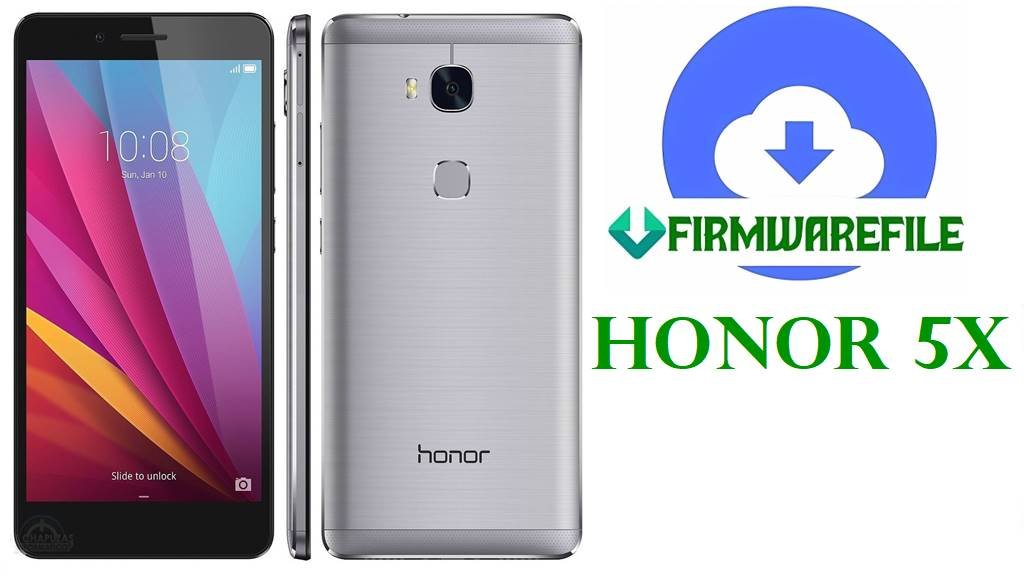
Honor 5X Safe Firmware Download & Flashing Guide (All Variants: L21, L24, TL00, AL10, CL00, UL00, More)
Do you own a Huawei Honor 5X (known internationally as KIW-L21/L24, KIW-TL00, KIW-AL10, KIW-CL00, KIW-UL00)? Is your device bricked, stuck on the Honor logo, showing the dreaded bootloop, or suffering random system crashes after a failed update? This in-depth guide provides official, board-level, and regional firmware for every major Honor 5X variant, so you can safely restore full device function.
Due to the regional differences in China, USA, Europe, and others, restoring the Honor 5X can be complex. Flashing the wrong variant (e.g., L21 firmware on a TL00 device) may permanently brick your phone. Follow each section closely—choose the exact firmware for your hardware, and read our real-world troubleshooting below.
Flashing the wrong regional firmware (e.g. L24 on L21, TL00 on AL10) can permanently brick your Honor 5X due to partition/table mismatches. Always match your EXACT model number (see below) before proceeding. If your phone will not boot, find the model on the SIM tray or under the battery.
Honor 5X Variant & Device Details
| Variant/Model | Region | Main Carrier | Chipset | Latest Android/EMUI | Notes |
|---|---|---|---|---|---|
| KIW-L21 KIW-L24 KIW-UL00 | Europe/Middle East/Global USA China (Open markets) | EEA, MTN, US, Global | Qualcomm Snapdragon 616 Adreno 405 | 6.0.1 / EMUI 4.0 | Main “Global” variant, unlocked LTE bands |
| KIW-TL00 KIW-TL00H | China Telecom (CDMA) | China Telecom | Qualcomm Snapdragon 616 | 6.0 / EMUI 4.0 | Dedicated to China region, CDMA support |
| KIW-AL10 KIW-CL00 | China All-Net/China Unicom | China Mobile/Unicom/All Netcom | Qualcomm Snapdragon 616 | 6.0 / EMUI 4.0 | All-Netcom, often Chinese bloat, some only 3G/LTE |
Firmware Download Table (Organized by Variant)
| Filename | Model(s) | Region/Board | Android/EMUI | Build # | Size | Type | Download | Remarks |
|---|---|---|---|---|---|---|---|---|
| KIW-TL00_C01B443 Firmware China Nonspecific Android 6.0 EMUI 4.0 05013YUC.zip | KIW-TL00 | China | 6.0 / 4.0 | C01B443 | 1.45GB | UPDATE.APP (dload) | Google Drive | Official China firmware for TL00 (CDMA only). Not for L21/L24/AL10. |
| Honor_5X_KIW-CL00_C92B437_Firmware_China_Nonspecific_Android_6.0_EMUI_4.0_05013YUB_Dload.zip | KIW-CL00 | China | 6.0 / 4.0 | C92B437 | 1.62GB | UPDATE.APP (dload) | Google Drive | All-Netcom, China Mainland; not cross-compatible |
| Honor_5X_KIW-UL00_C00B167_Board_Software_China_Channel-Others_Android_5.1.1_EMUI_3.1_05021UHV_HMT.zip | KIW-UL00 | China Open Markets | 5.1.1 / 3.1 | C00B167 | 776MB | Board/Boot software | Google Drive | Restores hard-bricked UL00, early Android |
| Honor_5X_KIW-L22_C900B076_Board_Software_West_European_Region_Android5.1.1_EMUI_3.1_MFU_HMT.zip | KIW-L22 | West Europe | 5.1.1 / 3.1 | C900B076 | 743MB | Board/Boot software | Google Drive | For advanced board repairs/DFU mode. |
| Honor_5X_KIW-L21_5.1.1_EMUI_3.1_05021UMN_Dump_HMT.zip | KIW-L21 | Europe/Global | 5.1.1 / 3.1 | 05021UMN | 743MB | ROM Dump | Google Drive | For unbricking, board repairs |
| Huawei_KIW-TL00H_KIW-TL00HC00B236_5.1.1.zip.rar | KIW-TL00H/TL00H | China (Public) | 5.1.1 / 3.1 | C00B236 | 1.3GB | dload | AndroidFileHost | Special variant for TL00H; do not flash on TL00/CL00/L21/L24 |
| Huawei_KIW-AL10_KIW-AL10C92B430_China_6.0.1.zip.rar | KIW-AL10 | China (Netcom) | 6.0.1 / 4.0 | C92B430 | 1.5GB | dload | AndroidFileHost | Netcom support. Bricks if cross-flashed. |
| 2018-07-29–05-04-15_KIW-L21C432B370.zip | KIW-L21 | Europe (C432) | 6.0.1 / 4.0 | C432B370 | 1.8GB | dload | AndroidFileHost | Latest European release. Stable, preferred for EU/ROW L21 |
| 2018-07-29–06-23-50_KIW-L21C432B371.zip | KIW-L21 | Europe (C432) | 6.0.1 / 4.0 | C432B371 | 1.7GB | dload | AndroidFileHost | Incremental fix build, only for L21C432B370 → B371 update |
| Huawei 5X KIW-L21_ Android 6.0.1 C185B310.7z | KIW-L21 | Middle East (C185) | 6.0.1 / 4.0 | C185B310 | 1.3GB | dload | AndroidFileHost | Middle Eastern build; do not use on EU/US/China models |
| 2016-07-31–08-05-19_KIW-L24C567B331.7z | KIW-L24 | USA (C567) | 6.0.1 / 4.0 | C567B331 | 1.4GB | dload | AndroidFileHost | For US only; may brick EEA/China variants |
| Honor_5X_Firmware_KIW-L21_Android_6.0.1_EMUI_4.0_C432B330CUSTC432D001.zip | KIW-L21 | EU/Global (C432) | 6.0.1 / 4.0 | C432B330 | 1.7GB | dload | AndroidFileHost | Major EU update, for KIW-L21 only |
| Honor 5X_Firmware_KIW-L24_Android 6.0.1_EMUI 4.0_C567B331_United States.zip | KIW-L24 | USA (C567) | 6.0.1 / 4.0 | C567B331 | 1.6GB | dload | AndroidFileHost | For L24 (US); avoid on others |
| 2016-07-02–08-28-34_KIW-L24C567B151.zip | KIW-L24 | USA (C567) | 5.1.1 / 3.1 | C567B151 | 1.5GB | dload | AndroidFileHost | Old Lollipop build, only for downgrade/board repair (L24) |
| KIW-L21C432B130CUSTC432D005.dload.modaco.zip | KIW-L21 | EU/Global (C432) | 5.1.1 / 3.1 | C432B130 | 1.4GB | dload | AndroidFileHost | Early L21 Lollipop build; for downgrade only |
| KIW-L24-B151-Stock.Rooted.DeOdexed.2.zip | KIW-L24 | USA | 5.1.1 / 3.1 | B151 | 1.5GB | Rooted/Custom | AndroidFileHost | Rooted/deodexed L24 only, NOT stock |
| KIW-L24.B151.Stock.Rom.zip | KIW-L24 | USA | 5.1.1 / 3.1 | B151 | 1.2GB | dload | AndroidFileHost | Stock ROM, for L24 only |
| Honor%205X_Firmware_KIW-L24_Android%205.1_EMUI%203.1_C567B151_United%20States_Channel-Others.zip | KIW-L24 | USA | 5.1.1 / 3.1 | C567B151 | 1.5GB | dload | AndroidFileHost | Oldest L24 build, board repair only |
| Honor 5x Firmware_KIW-L24_Android 5.1_EMUI 03.1_C567B140.zip | KIW-L24 | USA | 5.1.1 / 3.1 | C567B140 | 1.4GB | dload | AndroidFileHost | Very old (board only, L24 USA) |
| Huawei_Honor_5X_KIW-CL00_C92B437_Firmware_China_Nonspecific_Android_6.0_EMUI_4.0_05013YUB_Dload.zip | KIW-CL00 | China | 6.0 / 4.0 | C92B437 | 1.62GB | dload | Google Drive | China regional variant; not for international |
How to Choose?
- Check the bottom or SIM slot of your phone for the exact model (example: KIW-L21, KIW-TL00, etc.)
- China-only firmware (AL10, TL00, CL00) is not compatible with European “L21” or US “L24” units and vice versa.
- Use board/boot ROMs only if your device is “hard bricked” and not booting at all.
- If your device shipped with EMUI 4.0/Android 6, do not downgrade to Lollipop (5.1) unless for board-level recovery.
Before You Begin ⚙️
- Backup everything! All data is wiped during this process.
- Charge battery to at least 50% (100% safest).
- Only use a high-quality microSD card (class 10 recommended) for “dload” method.
- Install HiSuite/Huawei drivers if using PC-based utilities.
- Double-check download file matches your model to prevent permanent damage.
Quick Flashing Guide (SD Card “dload” Method)
- Download the correct firmware ZIP for your model (e.g.,
KIW-L21C432B370.zip) and extract it on your PC. Inside, find UPDATE.APP. - Place UPDATE.APP inside a new folder named dload on your microSD card (root of the card, not inside any additional folder).
- Insert SD card into your Honor 5X (powered off).
- Initiate upgrade: Hold Volume UP + Volume DOWN + Power until the phone vibrates and the update starts. Release buttons.
- The phone will install the firmware. Wait (may take 10-15 minutes). Device will reboot when finished!
For full instructions (multiple flashing modes, Board Software, HiSuite flashing), see the pillar guide:
How to Flash Firmware to Huawei Smartphone (Full Guide)
Frequently Asked Questions (FAQs)
- Q1. My phone says “Update failed” or gets stuck during the dload process. What now?
- Be sure you’re using the correct region/model firmware. Try another SD card (format FAT32, class 10 if possible). If still failing, try a lower (older) build first, then upgrade—it may need to go through incremental builds.
- Q2. Will flashing this way remove the FRP lock or Google account?
- No, dload flashing does not bypass FRP. It restores factory firmware, but if your phone has FRP lock, you will still need original credentials on setup.
- Q3. Why does my fingerprint sensor fail after flashing?
- This is a common real device problem! After dload flash, some users lose fingerprint function. Make sure you use all software updates after flashing, and do a factory reset from recovery BEFORE adding fingerprints. If it still fails, it may be a hardware sensor issue.
- Q4. My Honor 5X is in a bootloop after flashing. What do I do?
- Double-check you used the correct regional/board firmware. Try a lower Android version as a “board recovery” (e.g., 5.1 then upgrade). Recovery from severe brick may require board-level test point flashing—seek a repair shop if recovery fails.