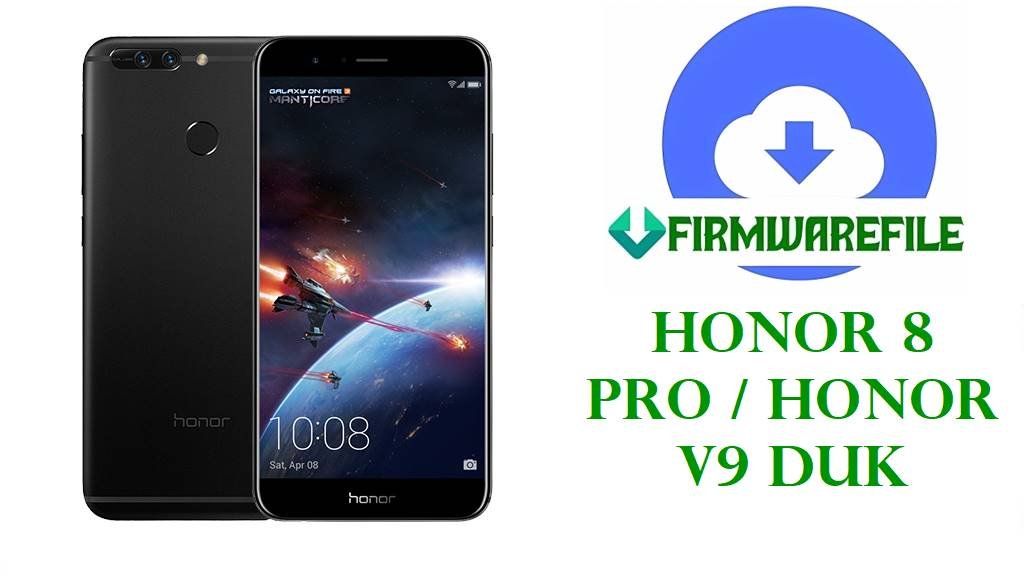
Honor 8 Pro / Honor V9 DUK Firmware Download Files
If your Honor 8 Pro is stuck in a bootloop, failed an OTA, or went soft-brick after the wrong package, the files below are the ones to sort through before you start random flashing. This DUK family is not hard to repair when the model is matched correctly. It gets ugly when people assume every Duke build fits every Duke phone.
Some of these are straightforward dload-type recovery candidates. Some are just full firmware archives that need to be opened first so you can see what Huawei actually packed inside.
Included Models
- DUK-L09
- DUK-AL20
- DUK-AL30
- DUK-TL30
Firmware by Model navigation
DUK-L09
The easiest file to read here is the European DUK-L09 dload build at 8.0.0.377 C432. The filename already tells you what it is, and that matters. When an L09 still reacts like a normal software failure, this is the sensible place to begin.
The later 9.1.0.215 package is different. It belongs to a newer software line, so I would only lean that way if the phone was already on the later branch or you are fixing a device that got mangled during an upgrade.
DUK-AL20
This is where the page stops being neat.
AL20 has Oreo files at 8.0.0.347 and 8.0.0.351, older Nougat builds like B113, B160, B181, then a B208 package marked high-dimensional disabled, and finally a much newer-looking 102.0.0.140 build. The filenames alone tell you these archives did not all come from the same recovery situation.
For normal repair work on a China C00 phone, the 8.0.0.347 and 8.0.0.351 files look like the more ordinary stock choices. B113 is old enough that I would keep it for rollback-style recovery or for devices that absolutely refuse later branches. B160 and B181 sit in the middle and make more sense when you are trying to rebuild a phone that was already living on EMUI 5.1.
The B208 file with that unusual label is not something I would hand to a casual user first. That kind of naming usually means there is a story behind it.
DUK-AL30
AL30 only shows one model-specific package here: 8.0.0.322 C00. Small section, because that is really the only clean AL30-only file in the list.
There is also the shared B360 archive that mentions AL30 together with TL30 and AL20. That can be useful, but it is also the sort of thing people flash far too confidently.
DUK-TL30
TL30 gets the shared B360 package and nothing else in this batch. So if you are working on a TL30, verify the exact handset first, then inspect the inside of that archive before deciding the path.
Firmware Table
| Model | Filename | Version | Region | Android Base | ROM Type | Size | Notes | Target User | Download Link |
|---|---|---|---|---|---|---|---|---|---|
| DUK-L09 | Honor_8_Pro_DUK-L09_HW_EU_8.0.0.377_C432_8.0.0_r1_EMUI8.0_05014LJG_Dload.zip | 8.0.0.377 | HW_EU / C432 | Android 8.0 | Dload package | 3.4GB | Explicit European dload build | User fixing failed OTA, bootloop, or soft brick on a DUK-L09 C432 unit | Download |
| DUK-AL20 | DUK-AL20_8.0.0.351(C00)_all_cn_Firmware_8.0.0_EMUI8.0_05014GJR.rar | 8.0.0.351 | C00 / China | Android 8.0 | Factory stock package | 4.6GB | China Oreo branch packed as RAR | User restoring a China-market AL20 after bad flash or broken system update | Download |
| DUK-AL20 | DUK-AL20 8.0.0.347(C00)_Firmware_Android8.0_EMUI 8.0.0.0_05014GJR.zip | 8.0.0.347 | C00 | Android 8.0 | Full firmware zip | 4.66GB | Slightly older Oreo build than 351 | User who needs a close-stock AL20 recovery package without jumping branches | Download |
| DUK-AL20 | DUK-AL20高维禁用Duke-AL20C00B208_Firmware_China_Nonspecific_Android 7.0_EMUI5.0_05014GJR.zip | B208 | China | Android 7.0 | Specialized full firmware zip | 4.65B | Listed size looks incomplete; filename suggests a special-purpose package | Advanced repair user dealing with a very specific AL20 software state | Download |
| DUK-AL20 | Duke-AL20_C00B113_Firmware_China_Android 7.0_EMUI 5.0_05014GJR.zip | B113 | C00 / China | Android 7.0 | Full firmware zip | 4.06GB | Older Nougat branch | User returning AL20 to an earlier stock base for recovery or rollback work | Download |
| DUK-AL20 | Duk-AL20_C00B181_Firmware_China_Nonspecific_Android 7.0_EMUI 5.1_05014GJR.zip | B181 | C00 / China | Android 7.0 | Full firmware zip | 6.05GB | Large EMUI 5.1 package | User trying to stabilize an AL20 already tied to the later Nougat branch | Download |
| DUK-AL20 | Duk-AL20_C00B160_Firmware_China_Nonspecific_Android 7.0_EMUI 5.1_05014GJR.zip | B160 | C00 / China | Android 7.0 | Full firmware zip | 4.02GB | Earlier EMUI 5.1 stop than B181 | User who needs a lower AL20 stock point instead of forcing Oreo | Download |
| DUK-AL20 | DUK-AL20 102.0.0.140(C00E140R1P3).zip | 102.0.0.140 | C00E140R1P3 | Full firmware zip | 3.5GB | Newer numbering style than the older B-build packages | User who already knows the phone belongs on this later AL20 branch | Download | |
| DUK-AL30 | DUK-AL30-AL30 8.0.0.322(C00)-EMUI5.1-Android8.0.rar | 8.0.0.322 | C00 | Android 8.0 | Factory stock package | 1.56GB | AL30-specific Oreo archive with sparse naming | User fixing an AL30 and wanting a model-specific package first | Download |
| DUK-TL30 / DUK-AL30 / DUK-AL20 | DUK-TL30C01GTB360 (8.0.0.360) DUK-AL30C01GTB360 (8.0.0.360) DUK-AL20C01GTB360 (8.0.0.360).zip | 8.0.0.360 | C01GT | Android 8.0 | Shared full firmware zip | 1.95GB | One archive names three different DUK variants | Repair user who has confirmed exact support before touching a shared package | Download |
| DUK-L09 | DUK-L09 9.1.0.215(C10E2R1P6T8)_Firmware_9.0.0_r3_EMUI9.1.0_05014JVY.zip | 9.1.0.215 | C10E2R1P6T8 | Android 9.0 | Full firmware zip | 3.6GB | Later L09 branch on EMUI 9.1 | User recovering a DUK-L09 that was already updated beyond the Oreo line | Download |
Device & Firmware Overview
DUK-L09 is the Honor 8 Pro branch, while DUK-AL20 belongs to the Honor V9 line, and both sit under Huawei’s Duke platform naming.
The DUK family runs on Huawei’s Kirin 960 platform, which is consistent across the Honor 8 Pro and Honor V9 variants surfaced in these model listings.
Honor 8 Pro launched on Android 7.0 and later received EMUI 8 and Android Pie-era updates, which fits the spread from older Nougat packages to later EMUI 9 files in this firmware set.
Compatibility Warning
- Do not cross-flash DUK-L09 and DUK-AL20 because they share the Duke family name. Model code and region still decide whether the phone survives the flash.
- C432 is Europe. C00 is China. Ignore that and you can end up with a phone that boots worse than it did before.
- The shared B360 archive needs extra care because it names TL30, AL30, and AL20 in one file. Verify support before you flash, not after.
- I would avoid the B208 high-dimensional disabled package unless you know exactly why you need it.
Preparation Before Flashing
- Check the exact DUK model from the phone label, fastboot screen, or the original box. Guessing from memory is how these repairs go sideways.
- Extract the ZIP or RAR first and inspect the inside. If you find a proper dload folder and UPDATE.APP, the method is obvious. If not, do not try to fake it.
- Note the current build if the phone still boots. That helps when choosing between Android 7, Android 8, and later EMUI 9 packages.
- Back up anything still accessible. Full Huawei rebuild archives do not care about preserving user data.
- Use a reliable cable and charge the battery before starting. Big packages plus unstable USB is a stupid way to create a new problem.
Quick Flash Instructions
- For the DUK-L09 dload archive, or any package that extracts into Huawei’s normal dload structure, use the Huawei method here: Download and flash with Huawei dload method.
- If the phone still boots and the failure started after an OTA, stay close to the branch already on the device instead of jumping across Android versions for no reason.
- RAR and full ZIP archives should be unpacked first. Some will still lead to a standard Huawei update layout. Others are better treated as factory rebuild material.
- For the shared B360 file, confirm exact model support inside the archive before you commit. That one is not a blind flash candidate.
FAQ
Which file should I try first for a DUK-L09 bootloop?
If it is a European C432 phone and still acts like a normal software brick, start with the 8.0.0.377 dload package.
Can I use DUK-AL20 firmware on DUK-L09?
No. Same hardware family does not mean same firmware target.
What is the safer AL20 choice for routine repair?
The 8.0.0.347 and 8.0.0.351 China Oreo files look like the more ordinary starting points for a stock rebuild. I would keep the stranger B208 file out of the first attempt.
Why is the B360 package risky?
Because it is shared across three DUK variants. Shared packages are fine only when you already know the exact phone belongs there.
Do I need to use every file in order from B113 upward?
No. Pick the package that matches the phone’s actual branch and the problem in front of you. Repair work is not a museum tour.