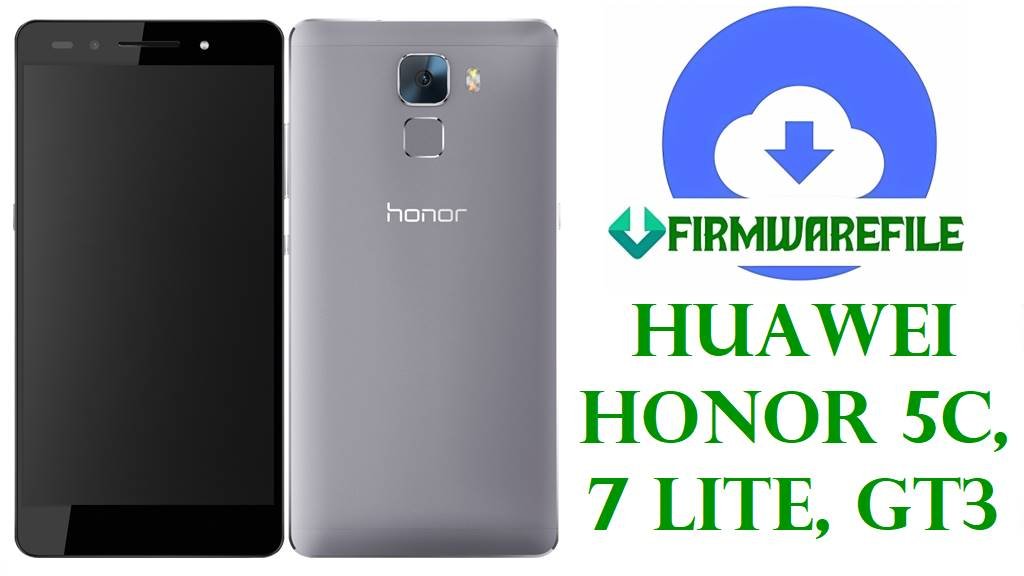
Huawei Honor 5C, 7 Lite, GT3 All Firmwares (NEM, NMO, NEM-TL00) — Official EMUI 4.0/4.1 Stock ROM Restore & Fix Guide
Is your Huawei Honor 5C, 7 Lite, or GT3 (model NEM-AL10, NEM-UL00, NEM-L22, NEM-TL00, NMO-L31, NMO-L22, NMO-L23, GT3) bootlooping, stuck on the logo, or refusing to update/downgrade? If you have repeated errors updating EMUI, failed boot after flashing, or “No Service” following a wrong firmware flash, you’re not alone—these are common problems for this Kirin 650-powered family.
This guide offers a complete overview of every official firmware for Honor 5C, Honor 7 Lite, and GT3 devices (NEM and NMO models), with real-world solutions for region-related issues, dload compatibility, and bricked/unresponsive devices.
- Recover Honor 5C / 7 Lite / GT3 from firmware and boot issues
- Choose the correct stock ROM for your device and region
- Safely downgrade EMUI 4.1 to 4.0 or Marshmallow to Nougat
- Restore to factory stock software for resale/rebranding
We’ve merged the latest trusted files for each variant, showing which regions and changelogs work for EU, Asia, CN, global, and Middle East devices.
Huawei Honor 5C / 7 Lite / GT3 firmware is highly region-specific! The dload or OTA method can brick your device if you flash the wrong region or variant (e.g., C00 China on NEM-L22 Asia or NMO-L31 EU). Always confirm your model and base version before flashing. Mismatched firmware—especially cross-flashing “AL10 ↔ UL00” or “TL00 ↔ L22/NMO” files—can leave your device unbootable or with lost IMEI/network.
Honor 5C / 7 Lite / GT3 Device & Firmware Information
| Detail | Information |
|---|---|
| Device Name | Huawei Honor 5C / 7 Lite / GT3 |
| Supported Models | NEM-AL10, NEM-UL00, NEM-L22, NEM-TL00, NMO-L31, NMO-L22, NMO-L23, GT3 |
| Chipset | HiSilicon Kirin 650 (16nm), Octa-core Cortex-A53, Mali-T830 MP2 GPU |
| Display | 5.2″ 1080p Full-HD IPS LCD |
| Battery | 3000 mAh, Li-Po |
| Camera | 13MP rear (f/2.0), 8MP front |
| Android Version | Android 6.0 Marshmallow, EMUI 4.0/4.1 — upgradable to EMUI 5.0 (limited) |
| File Types | ZIP/RAR/Board Software (‘UPDATE.APP’) for dload flashing; Stock OTA for SDCard update |
| Base Flash Method | Huawei Dload/OTA Flash Guide |
| Region/Variant Notes | Strict region lock: C00/AL10 (China), UL00 (Asia), L22/GT3 (Global), TL00 (China Telecom), NMO (Europe). |
Full Honor 5C / 7 Lite / GT3 Firmware Table: Versions & Expert Comparison
| File / Build | Model(s) | Android/EMUI | Region | Build Type | File Size | Key Notes & Usage | Download |
|---|---|---|---|---|---|---|---|
| NEM-AL10-C00B171-170105.zip | NEM-AL10 | 6.0 / 4.0 | China | Main Update | 1.08GB | Stable base China firmware, best for complete restoration & unbricking of factory units. Secure fallback build. Best for: rollbacks and “pure” factory reset. | Baidu |
| NEM-AL10-B160.zip | NEM-AL10 | 6.0 / 4.x | China | Incremental Update | 1.02GB | Earlier update. Use only if B171 & B192 fail. May not flash over newer builds without version check errors. | Baidu |
| NEM-AL10 EMUI4.1 B192-wanmei.zip | NEM-AL10 | 6.0 / 4.1 | China | Main Update | 1.02GB | Newer, more feature-rich (EMUI 4.1). Prefer this for users wanting updated security and usability. Recommended for daily drivers. | Baidu |
| NEM-AL10-C00B192e2.zip | NEM-AL10 | 6.0 / 4.1 | China (Standard) | Special/Global Board | 1.13GB | Standard/Global service “board” build for deeper recoveries, typically resolves failed flashes and hard-bricked units. For advanced recovery. | Baidu |
| Honor_5C_NEM-UL00_Board_Software_Android_6.0_EMUI_4.1_HMT.zip | NEM-UL00 | 6.0 / 4.1 | Asia/Global | Board / Deep Recovery | 629MB | Used for full unbrick/board recovery—restores devices that won’t boot or are missing IMEI/NVRAM. Asia/Global region only. | GDrive |
| NEM-UL00 EMUI4.0 B120-wanmei.zip | NEM-UL00 | 6.0 / 4.0 | Asia/Intl | Main Update (Older) | 961MB | Original, oldest stable build. Only use for rolling back to factory (rare), or if newer B170 fails. | Baidu |
| NEM-UL00_B170.zip | NEM-UL00 | 6.0 / 4.1 | Asia/Intl | Incremental Update | 928MB | Intermediate update, for users needing a “middle” EMUI version or when B120 is too old and newer builds not suitable for your security patch/state. | Baidu |
| Honor_5C_NEM-AL00_MAA001023_Board_Software_China_Nonspecific_05021XWU_HMT.zip | NEM-AL00 | 6.0 / 4.1 (Service) | China | Board/Generic | 924MB | Service “board” reset package – best for “no boot” or IMEI fixing; not an update, but a repair tool. | GDrive |
| Honor_5C_NMO-L31_Board_Software_Android_6.0_EMUI_4.1_HMT.zip | NMO-L31 (7 Lite/GT3) | 6.0 / 4.1 | Europe/MidEast | Board/Deep Recovery | 630MB | Europe/Global deep board recovery; safely restores from any soft-brick, including failed OTA/dload attempts. Best for: full EU unbrick. | GDrive |
| Huawei_GR5_Mini_NMO-L31_C636B355_Firmware_Bangladesh_Nepal_Sri-Lanka_Cambodia_Lao_Peoples_Democratic_Republic_Myanmar_Vietnam_Dload.zip | NMO-L31 (GT3) | 7.0 / 5.0 | South Asia | Main Update (Major Version Jump) | 4.27GB | Major update: Android 7.0/EMUI 5 for regional NMO-L31 models. For those seeking the latest features. Region locked: Do not cross-flash. | GDrive |
| Huawei_GT3_NMO-L31C432B363_Firmware_Android_7.0_EMUI_5.0.3_05013TBF.zip | GT3 (NMO-L31) | 7.0 / 5.0.3 | Europe | Main Update (Major Version Jump) | 4.38GB | Latest Europe stock for GT3 – Android 7.0 Nougat/EMUI 5, stable and recommended for EU. Not for Asia-models due to partition map. Best for: performance, security. | GDrive |
| Huawei_GT3_NMO-L31_Board_Software_Middle_East_Android_6.0_EMUI_4.1_TMBA001026_05021XJA_HMT.zip | NMO-L31 (GT3) | 6.0 / 4.1 | Middle East | Board/Deep Recovery | 623MB | Specialized board flash for Middle East GT3; fixes “No Service” after failed or wrong region flash. | GDrive |
| Huawei_GT3_NMO-L31_TMBA001026_Board_Software_Middle_East_Android_6.0_EMUI_4.1_HMT.zip | NMO-L31 (GT3) | 6.0 / 4.1 | Middle East | Board/Deep Recovery | 623MB | Essentially the same as above, minor naming difference. Use either for full MEA board repair. | GDrive |
| Honor_7_Lite_NMO-L23_C432B351_Dload.zip | NMO-L23 | 7.0 / 5.0.3 | EU/CEE | Main Update | 2.8GB | Full region update for Honor 7 Lite (CEE/EU). Cross-flashing may be possible with NMO-L31 of the same region—but always back up first. | GDrive |
| Honor_7_Lite_NMO-L23_C432B352_Firmware_Serbia_Poland_Romania_Denmark_Finland_Greece_Norway_Dload.zip | NMO-L23 | 7.0 / 5.0.3 | EU/CEE | Incremental Update | 2.82GB | Minor update, patches, and security improvements—use if you specifically need Serbia/Poland build. Otherwise, B351/B360 are more stable for non-regional users. | GDrive |
| Honor_7_Lite_NMO-L23_C432B360_Firmware_Android7.0_EMUI5.0.3_Serbia_Croatia_Finland_Denmark_Austria_Poland_Dload.zip | NMO-L23 | 7.0 / 5.0.3 | EU/CEE | Main Update | 2.84GB | Another latest patch set for this region. For best security, get the freshest B360 or B364 if on these networks. | GDrive |
| Honor_7_Lite_NMO-L23_C432B361_Firmware_Android7.0_EMUI5.0.3_05013TED_Dload.zip | NMO-L23 | 7.0 / 5.0.3 | EU/CEE | Latest Stable | 2.84GB | Most recent stable for Honor 7 Lite NMO-L23—recommended for all EU users unless a carrier-specific build required. | GDrive |
| Honor_7_Lite_NMO-L23_C432B364_Firmware_7.0.0_R1_EMUI5.0_05013TED_Dload.zip | NMO-L23 | 7.0.0 / 5.0 | EU/CEE | Latest Patch/R1 | 2.85GB | Latest patch version for R1 region—choose for up-to-date security if device is compatible. | GDrive |
| nem-tl00h_B361_root.zip | NEM-TL00H | 7.0 / 5.0.3 (Root) | China | Rooted/Custom | 1.16GB | Rooted build—for experienced users only! Not for standard recovery. May cause security or banking app issues. | Baidu |
| Honor_5C_NEM-L22_Board_Software_Android_6.0_EMUI_4.1_HMT.zip | NEM-L22 | 6.0 / 4.1 | APAC (Asia, Pacific, Australia) | Board / Deep Recovery | 930MB | Recommended for APAC/Intl NEM-L22 full restoration. Will fix NVRAM and most software failures. | GDrive |
| Huawei_GT3_Mini_NMO-L22_Board_Software_Android_6.0_EMUI_4.1_HMT.zip | NMO-L22 (GT3 Mini) | 6.0 / 4.1 | APAC | Board / Deep Recovery | 630MB | Service/board flash; fixes “no boot” and network errors. Not for NMO-L31/L23/EU models. | GDrive |
Expert Opinions & Build Comparison
- Board/Service firmwares (Board_Software files) are SAFEST for reviving dead/broken NVRAM, “no service”/“null IMEI” phones, or after failed cross-region flashes.
- Use “Bxxx” incremental updates only for matching base versions—don’t try to flash B191 on a device with B120 base, for example.
- For stability, always choose the build matching your current region code (e.g., C432 for EU, C00 for China).
- Rooted builds (like nem-tl00h_B361_root.zip) are only for users who understand risks—they can break OTA, banking, and safety features.
- Major Android/EMUI jumps (e.g., 6.0/4.1 → 7.0/5.0) require correct region/model and sometimes bootloader unlock—never force-update with the wrong file.
Before You Begin ⚙️
- 💾 Backup Your Data: Restores will wipe ALL files and settings.
- 🔋 Charge at Least 50%: Prevent battery shutdown mid-flash.
- 🧑💻 Model & Region: Identify exact model (Settings → About Phone)
- 🧩 MicroSD Required for dload: Use at least a 4GB SD card for UPDATE.APP files.
📱 Quick Flashing Guide
- Download your correct firmware file (e.g.,
NEM-AL10-C00B171-170105.ziporHonor_5C_NEM-UL00_Board_Software_Android_6.0_EMUI_4.1_HMT.zip) and extract it on your PC. - Copy UPDATE.APP to a folder named
dloadon your SD card. - Insert SD Card and power off the phone completely.
- Press and hold Volume Up + Volume Down + Power until the update begins. Wait for the progress bar to finish and device to reboot.
- If this fails or reports a version error, double-check your region/model.
For more advanced methods, recovery tricks, and troubleshooting, see the full pillar guide:
Complete Huawei Flash Guide: Dload, Board Software & OTA Methods
Frequently Asked Questions (FAQs)
- Q1. Can I flash “Global” firmware to a Chinese Honor 5C or vice versa?
- No—region restrictions are enforced. Flashing EU/Global (C432) firmware onto a Chinese NEM-AL10/UL00/TL00 (C00) device nearly always fails with “version incompatible” errors. Use only your model’s matching region for stock recovery flashing. [see discussion]
- Q2. Why does my Honor 5C stop booting or lose network after flashing?
- This usually happens from mis-matched firmware (wrong region), or cross-variant board dumping. If your IMEI shows “null” or network is lost, you’ll need correct “Board Software” for your exact model and possibly a service tool to rebuild NVRAM. [see forum advice]
- Q3. What’s the difference between Board Software, dload, and OTA packages?
- Board Software contains a full device filesystem and boot (for unbricked/dead recovery). Dload/OTA is standard update format, used only when device is semi-working. Both require matching region/model versions and a working SD card slot.
- Q4. Can I downgrade or upgrade EMUI? Will data remain?
- Downgrade is possible only within the same region and base version. Firmware flashing erases all user data—always backup before proceeding.