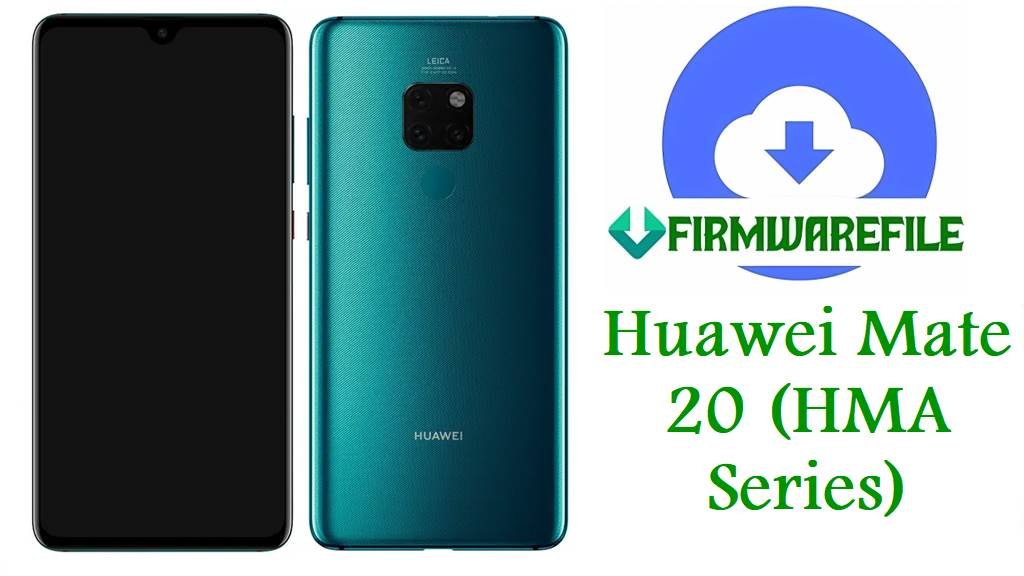
Huawei Mate 20 HMA-L29/AL00/AL00B/L09/Hima-L29CA Firmware Flash/Unbrick Guide: EMUI 10.1, 10.0, 9.0 All Regions
Is your Huawei Mate 20 stuck in a bootloop, freezing after update, or failing stock ROM flashes? This series (HMA-L29, HMA-L09, HMA-AL00, HMA-AL00B, Hima-L29CA/AL00B) requires region-locked EMUI firmware and precise flashing steps—especially for Latin America, China, and EU (C605, C00, C432, C652 codes). This guide covers verified regional downloads and researched issues including conversion, bricking, and safe board repair.
⚠️
CRUCIAL WARNING: – Never cross-flash between L29, L09, AL00, AL00B, or Hima-CA China/global variants. Different partition layouts, carrier modem, and security will brick device or break LTE/SIM/fingerprint.
– Use exact C-code firmware (C605 = Latin America, C432 = Europe, C652 = Hong Kong, C00 = China, C55 = Chinese/Asia special builds). See Settings > About > Build number or fastboot.
– Board software (“BD”, “Board Dump”) is strictly for deep unbrick, not upgrades—wrong use can erase calibration/NVRAM.
“Software Install Failed” on Dload is usually wrong region/model/package, corrupted SD or battery below 60%. If bricked, attempt boot with charger connected.
– Use exact C-code firmware (C605 = Latin America, C432 = Europe, C652 = Hong Kong, C00 = China, C55 = Chinese/Asia special builds). See Settings > About > Build number or fastboot.
– Board software (“BD”, “Board Dump”) is strictly for deep unbrick, not upgrades—wrong use can erase calibration/NVRAM.
“Software Install Failed” on Dload is usually wrong region/model/package, corrupted SD or battery below 60%. If bricked, attempt boot with charger connected.
Huawei Mate 20 HMA-Series Model
| Variant | Region/C-code | Description | Notes |
|---|---|---|---|
| HMA-L29 | C605, C432, C652, C55 | Dual SIM Global, Latin America/EU/HK/Asia builds | Most conversions possible between C605/432/652 board, but never to AL00/AL00B |
| HMA-L09 | C605, C432 | Single SIM Global | Can use L29 C-code firmware with caution, but never AL00 conversion |
| HMA-AL00 / AL00B | C00 | China market, special carrier lock, unique modem | No Google services; never flash global ROMs |
| Hima-L29CA / Hima-AL00B | C652, C55 | Special board service/repair, Hong Kong/Asia | Only use board dumps for unbrick, not daily update |
Official Huawei Mate 20 (HMA/Hima) Firmware Downloads
| Filename | Model/C-code | Android/EMUI | Type | Size | Download |
|---|---|---|---|---|---|
| HMA-L29 10.0.0.210(C605E4R1P5)_Firmware_EMUI10.0.0_05015KHL.zip | L29 C605 (LatAm) | EMUI 10.0.0 | Dload ZIP | 4.19GB | Google Drive |
| Huawei_Mate_20_HMA-L29_BD_1.0.0.68_9.0.0_R3_EMUI9.0.0_05022KJE_9.0_HMT.zip | L29 C605 (LatAm) BD (“Board Dump”) | EMUI 9.0.0 | Unbrick/board | 2.02GB | Google Drive |
| HMA-L29 10.0.0.180(C432E8R1P5).zip | L29 C432 (EU) | EMUI 10.0.0 | Dload ZIP | 4.1GB | AndroidFileHost |
| HMA-L29 10.1.0.288(C432E8R1P5).zip | L29 C432 (EU) | EMUI 10.1.0 | Dload ZIP | 4.4GB | AndroidFileHost |
| HMA-L29 Hima-L29CA 9.0.0.108D(C652E12R1P16) Firmware 9.0.0 r3 EMUI9.0.0 05015KLL.zip | L29CA C652 (HK/Asia Board) | EMUI 9.0.0 | Dload/repair | 5.84GB | Google Drive |
| Huawei_Mate_20_HMA-L09_BD_1.0.0.68_9.0.0_R3_EMUI9.0.0_05022KJE_9.0_HMT.zip | L09 C605/GLOBAL BD Unbrick | EMUI 9.0.0 | Unbrick/board | 2.02GB | Google Drive |
| Huawei_Mate_20_Hima-AL00_Hima-AL00B-BD_1.0.0.43_Board_Software_General_9.0.0_R3_EMUI_9.0.0_05022KJE_HMT.zip | AL00/AL00B China BD | EMUI 9.0.0 | Unbrick/board | 1.98GB | Google Drive |
| Huawei_Mate_20_Hima-L29CA_10.1.0.328_C55E9R1P5_Dload.zip | Hima-L29CA C55 (Asia) | EMUI 10.1.0 | Dload ZIP | 4.62GB | Google Drive |
| Huawei_Mate_20_Hima-AL00_10.0.0.188_C00_EMUI10.0.0_Dload.zip | AL00 China (C00) | EMUI 10.0.0 | Dload ZIP | 4.73GB | Google Drive |
| Huawei_Mate_20_Hima-AL00B_BD_1.0.0.68_9.0.0_R3_EMUI9.0.0_05022KJE_9.0_HMT.zip | AL00B China BD | EMUI 9.0.0 | Unbrick/board | 2.02GB | Google Drive |
| HMA-AL00_Hima-AL00_10.0.0.188_C00_all_cn_Firmware_EMUI10.0.0.rar | AL00 China (C00) | EMUI 10.0.0 | Dload ZIP | 4.73GB | Google Drive |
Never attempt board-dump or service ROMs for daily upgrades. Convert only within your C-code group (e.g. C605 to C432, not C605 to C00). If unsure, check in fastboot/ProjectMenu or with a repair professional.
Before You Begin ⚙️
- 💾 Backup personal data. Flashing wipes everything.
- 🔋 Charge to 60%+, keep on charger during flash.
- 💻 Format SD Card FAT32 (genuine card, 8–32GB); avoid exFAT and counterfeit media.
- 🧩 Identify C-code, device, and variant (Settings > About, *#*#2846579#*#* ProjectMenu, bootloader).
- ❌ Never force-flash another region’s firmware. Partition and modem differences risk permanent brick.
📱 Quick Flashing Guide (Dload Method for All HMA/Hima Models)
- Extract until you see
dloadfolder or UPDATE.APP inside package. - Copy
dload(all contents) to a clean FAT32 microSD card (root, not subfolder). - Insert SD card, turn phone off.
- Hold Volume Up + Volume Down + Power until you see “Updating…” process.
- Let process finish, phone will reboot. If failed, retry fresh SD, check C-code, redownload.
For deep unbrick and advanced region conversion guides, see: Huawei Flashing Guide
Frequently Asked Questions (FAQs)
- Q1. Can I turn a China AL00/AL00B Mate 20 into a global L29?
- No—partition, modem, and secure boot differ. Only qualified SMT/board repair tools or full service conversion can sometimes succeed, but risks perma-brick/fingerprint fail.
- Q2. Why does the phone fail update with “Software Install Failed”?
- Most common reasons are wrong C-code, wrong variant, incompatible SD card, or low battery. Retry with exact firmware and a new SD.
- Q3. What is “Board Software” and when should I use it?
- Board/BD/Board Dump ROMs are only for dead-brick (no boot, no recovery) repair, not standard upgrades.
- Q4. Will flashing remove FRP or network lock?
- No—stock firmware will not bypass FRP/network locks on Mate 20. Use official Huawei unlock if needed.