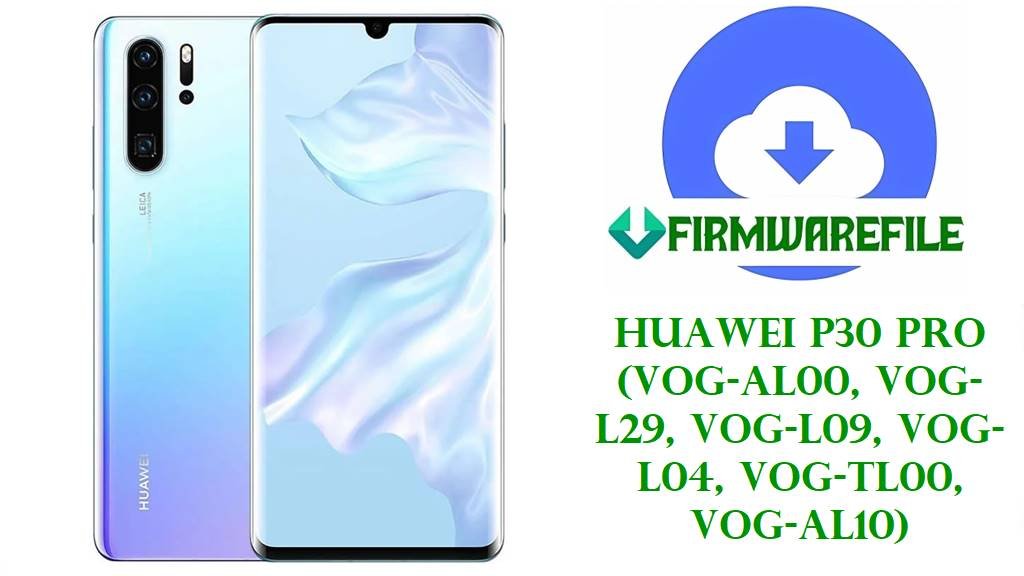
Huawei MediaPad M5 Lite (BAH2‑W19 / BAH2‑L09) & MediaPad M5 Lite 8 (JDN2‑W09 / JDN2‑L09 / JDN2‑ALxx) Official Firmware Download and Safe Flashing Guide
Huawei’s MediaPad M5 Lite family covers two closely related tablet lines: the 10.1‑inch MediaPad M5 Lite based on the Kirin 659 platform (models such as BAH2‑W19 and BAH2‑L09) and the 8‑inch MediaPad M5 Lite 8 based on the Kirin 710 (JDN2‑W09 Wi‑Fi, JDN2‑L09 LTE, and China variants like JDN2‑AL00B / AL50C).
Owners typically reinstall stock firmware on these tablets to fix bootloops after failed updates, resolve “software install failed” errors, restore a specific regional build (for example C432 Europe or C10 Russia), or bring a China‑market unit back to a clean EMUI setup using SD‑card dload and official update packages.
File Selection Guide
Before downloading, identify both the product name and variant: MediaPad M5 Lite 10.1 uses codes like BAH2‑W19 (Wi‑Fi) and BAH2‑L09 (LTE), while MediaPad M5 Lite 8 uses JDN2‑W09 (Wi‑Fi), JDN2‑L09 (LTE), and China‑specific JDN2‑ALxx codes (Jordan2).
Match the full build string on your tablet (for example 9.1.0.192(C432E3R1P3) or 8.0.0.151(C10)) with the packages below, paying attention to region codes such as C432 (Europe), C10 (Russia / CIS), and C00 (China); mixing regions can break OTA updates and, on some devices, modem or feature behaviour.
For first‑time users, a safe strategy is: use the dload‑tagged zips whose model and region exactly match your tablet when performing a full restore, and reserve the other China ROMs or major‑version changes for cases where you understand the limitations (for example reduced Google services on C00 builds or the need to stay on the same EMUI major line).
MediaPad M5 Lite / M5 Lite 8 Firmware Download
The following table groups your files by device family, region, and intended flashing method; most are dload‑ready packages meant for SD‑card installation from stock recovery.
| Model | Build / Name | Android / EMUI | Region | Size | File Type | Notes | Flashing Method | Download |
|---|---|---|---|---|---|---|---|---|
| MediaPad M5 Lite 8 JDN2‑W09 (Wi‑Fi) | Huawei_MediaPad_M5_Lite_JDN2-W09_9.1.0.192_C432E3R1P3_Dload | Android 9.0 / EMUI 9.1.0 | C432 (Europe, Wi‑Fi‑only) | 3.0 GB | .zip (dload) | European EMUI 9.1.0.192 full dload firmware for the 8‑inch Wi‑Fi model JDN2‑W09; good for restoring EU units and fixing failed OTA updates. | SD‑card dload via stock recovery | Download JDN2-W09 9.1.0.192 C432 |
| MediaPad M5 Lite 8 JDN2‑L09 (LTE) | Huawei_MediaPad_M5_Lite_8_JDN2-L09_9.1.0.151_C10E3R1P2_9.0.0_R3_EMUI9.1.0_05015RVP_Dload | Android 9.0 / EMUI 9.1.0 | C10 (Russia / CIS LTE) | 3.08 GB | .zip (dload) | C10 EMUI 9.1.0.151 firmware for the 8‑inch LTE model; typically used for Russian/CIS devices to restore stock OS and keep regional network settings intact. | SD‑card dload via stock recovery | Download JDN2-L09 9.1.0.151 C10 |
| MediaPad M5 Lite 8 China Jordan2 JDN2‑AL00BHN | Jordan2_JDN2-AL00BHN 9.1.0.370(C00E133R1P73)_Firmware_EMUI9.1.0_05015RLE | Android 9.0 / EMUI 9.1.0 | C00 (China, carrier/online variant) | 3.0 GB | .zip (firmware) | China C00 EMUI 9.1.0.370 firmware for JDN2‑AL00BHN; suitable for Chinese units where you need the latest EMUI 9.1 features and C00 region apps, usually without Google services. | SD‑card dload / eRecovery on China ROM | Download JDN2-AL00BHN 9.1.0.370 C00 |
| MediaPad M5 Lite 8 China Jordan2 JDN2‑AL50C | Jordan2-JDN2-AL50C 9.1.0.192(C00E123R1P72)_Firmware_EMUI9.1.0_05016ACQ | Android 9.0 / EMUI 9.1.0 | C00 (China variant) | 3.12 GB | .zip (firmware) | Another China EMUI 9.1 build for the Jordan2 series; usually used on JDN2‑AL50C units to restore or maintain a specific C00 firmware line. | SD‑card dload / eRecovery on China ROM | Download JDN2-AL50C 9.1.0.192 C00 |
| MediaPad M5 Lite 8 China Jordan2 JDN2‑AL00B | Jordan2-JDN2-AL00B 9.1.0.181(C00E123R1P71)_Firmware_EMUI9.1.0_05016ACQ | Android 9.0 / EMUI 9.1.0 | C00 (China, earlier build) | 3.13 GB | .zip (firmware) | Slightly older EMUI 9.1.0.181 firmware for JDN2‑AL00B; can be used as a rollback or staging build before moving to newer C00 releases. | SD‑card dload / eRecovery on China ROM | Download JDN2-AL00B 9.1.0.181 C00 |
| MediaPad M5 Lite 10.1 BAH2‑W19 (Wi‑Fi) | BAH2-W19_Bach2-W19C_8.0.0.322(OCEC10)_hw_ru_Firmware_EMUI8.0_05015GMF | Android 8.0 / EMUI 8.0 | OCEC10 (Russia / CIS Wi‑Fi) | 3.09 GB | .rar (full firmware) | EMUI 8.0.0.322 full firmware for the Wi‑Fi model BAH2‑W19 targeted at the Russian/CIS region; useful for full restoration on older EMUI 8 builds. | SD‑card dload / HiSuite‑style recovery | Download BAH2-W19 8.0.0.322 OCEC10 |
| MediaPad M5 Lite 10.1 BAH2‑W19 (Wi‑Fi) | Huawei_MediaPad_M5_Lite_BAH2-W19_8.0.0.151_C10_R1_EMUI8.0_05015GMF_8.0.0_OTA | Android 8.0 / EMUI 8.0 | C10 (Russia / CIS Wi‑Fi) | 1.75 GB | .zip (OTA) | Smaller C10 EMUI 8.0.0.151 OTA‑style package for BAH2‑W19; typically applied from stock recovery or system updater when the tablet still boots. | Stock recovery OTA / local update | Download BAH2-W19 8.0.0.151 C10 OTA |
| MediaPad M5 Lite 10.1 BAH2‑L09 (LTE) | Huawei_MediaPad_M5_Lite_BAH2-L09_8.0.0.217_OCEC432_HW_RU_Firmware_8.0.0_R1_EMUI8.0_05016DJU_Dload | Android 8.0 / EMUI 8.0 | OCEC432 (Europe / Russia LTE) | 3.02 GB | .zip (dload) | EMUI 8.0.0.217 dload firmware for the LTE model BAH2‑L09; good for full clean install when the device is stuck or heavily modified. | SD‑card dload via stock recovery | Download BAH2-L09 8.0.0.217 OCEC432 |
| MediaPad M5 Lite 10.1 China Bach2‑AL10D | Bach2-AL10D 9.1.0.156(C00E134R1P7T8)_Firmware_EMUI9.1.0_05015FXA | Android 9.0 / EMUI 9.1.0 | C00 (China LTE) | 3.27 GB | .zip (firmware) | China EMUI 9.1.0.156 firmware for the Bach2‑AL10D variant of the 10‑inch M5 Lite; used to move a China unit from EMUI 8 to EMUI 9.1 while staying on C00 region. | SD‑card dload / eRecovery on China ROM | Download Bach2-AL10D 9.1.0.156 C00 |
Device and Firmware Summary
This table outlines the key hardware traits of the MediaPad M5 Lite 10.1 and M5 Lite 8 lines and how they relate to the EMUI firmware files above.
| Parameter | MediaPad M5 Lite 10.1 (BAH2‑xx) | MediaPad M5 Lite 8 (JDN2‑xx / Jordan2) |
|---|---|---|
| Models in this guide | BAH2‑W19 (Wi‑Fi), BAH2‑L09 (LTE), Bach2‑AL10D (China) | JDN2‑W09 (Wi‑Fi), JDN2‑L09 (LTE), JDN2‑AL00B / AL00BHN / AL50C (China) |
| Display | 10.1‑inch IPS, 1920 × 1200, ~224 ppi | 8.0‑inch IPS, 1920 × 1200, higher pixel density around 283 ppi. |
| Chipset | Kirin 659, octa‑core (4 × 2.36 GHz + 4 × 1.7 GHz), Mali‑T830 MP2 GPU. | Kirin 710, octa‑core up to 2.2 GHz, Mali‑G51 MP4 GPU; supports GPU Turbo 2.0 in EMUI 9.1. |
| Memory options | 3/32 GB or 4/64 GB with microSD expansion. | 3/32 GB or 4/64–128 GB with microSD expansion. |
| Battery | 7500 mAh Li‑Po, 18 W charging. | 5100 mAh Li‑Po, tuned for 8‑inch form factor. |
| Base software | Ships with Android 8.0 EMUI 8.0; firmware here includes EMUI 8.0 (8.0.0.xxx) and China EMUI 9.1 (9.1.0.xxx). | Ships around Android 9.0 EMUI 9.0; firmware here focuses on EMUI 9.1 (9.1.0.xxx) in EU, C10 and C00 regions. |
| Region codes in this guide | C10 / OCEC10 / OCEC432 (Russia / CIS / EU), C00 (China) | C432 (Europe), C10 (Russia / CIS), C00 (China) with E‑ and R‑segment numbers. |
| Firmware types | Dload full firmware zips and OTA zips for BAH2‑W19 / BAH2‑L09; China 9.1 for Bach2‑AL10D. | Dload zips for JDN2‑W09 / JDN2‑L09; China EMUI 9.1 firmwares for JDN2‑AL00B / AL00BHN / AL50C. |
| Recommended flashing approach | Use SD‑card dload or stock recovery / HiSuite depending on package type and whether the tablet still boots. | Use SD‑card dload for C432/C10 builds; for C00 China builds, use dload or eRecovery mechanisms under EMUI 9.1. |
How to Flash MediaPad M5 Lite / M5 Lite 8 Firmware
Huawei uses UPDATE.APP‑style dload packages and EMUI recovery for most firmware installation; these tablets do not rely on generic fastboot flashing for full updates, so the SD‑card method and eRecovery are the main supported routes.
Method 1 – SD‑Card dload for JDN2 / BAH2 dload Packages
Use this method for files explicitly labelled “Dload.zip,” such as the JDN2‑W09 C432, JDN2‑L09 C10, and BAH2‑L09 OCEC432 firmwares.
- On a PC, extract the downloaded dload archive (for example Huawei_MediaPad_M5_Lite_JDN2-W09_9.1.0.192_C432…) and locate the dload folder or UPDATE.APP file included inside.
- Format a microSD card to FAT32, create a folder named dload at the root of the card, and copy the UPDATE.APP or full dload content into that folder exactly as provided.
- Insert the card into your MediaPad M5 Lite / M5 Lite 8, power the tablet off, then hold Volume Up + Volume Down + Power until the dload installation screen appears.
- Let the tablet verify and install the firmware; do not remove the SD card, press buttons, or unplug power until the progress bar completes and the device reboots.
- After boot, check Settings > About tablet to confirm that the build number now matches the C432 / C10 / OCEC/ C00 version you targeted.
A detailed walkthrough of extracting Huawei UPDATE.APP and using the dload process is available here:
Flash Huawei firmware using dload / eRecovery.
Method 2 – Stock Recovery / Local Update for OTA‑Style Zips
Smaller OTA packages like Huawei_MediaPad_M5_Lite_BAH2-W19_8.0.0.151_C10_R1_EMUI8.0_…_OTA.zip are intended to be applied from the system updater or recovery when the tablet can still boot.
- Copy the OTA zip (for example the BAH2‑W19 8.0.0.151 C10 file) to the internal storage or SD card without renaming it unless a specific naming rule is provided.
- Boot the tablet normally, go to Settings > System > Software update (or Updater), and look for a “local update” / “three‑dot” menu that allows choosing a package from storage.
- If the device cannot boot Android, use Volume Up + Power to enter stock recovery and check whether a “apply update from SD card” or similar option is available for your firmware.
- Select the OTA zip, confirm the installation, and wait while EMUI verifies and updates the system; keep the battery charged during the process.
- After reboot, confirm the updated EMUI version and build number under Settings > About tablet.
For broader no‑PC update approaches (local packages and sideload), see:
Android firmware installation without PC (OTA / local update / sideload).
Method 3 – eRecovery / Online Repair for China C00 Builds
China‑region models such as JDN2‑AL00B / AL50C and Bach2‑AL10D can often use Huawei’s eRecovery to re‑download or repair EMUI 9.1 C00 builds when dload fails or the device is partially bricked.
- With the tablet powered off, hold Volume Up + Power to enter EMUI recovery, then follow any on‑screen link for eRecovery or “download latest version and recovery.”
- Connect the MediaPad to a reliable Wi‑Fi network, sign in or confirm the region if requested, and let eRecovery search Huawei’s servers for a compatible EMUI 9.1 package for your C00 model.
- When a package is found, start the download and leave the tablet connected to power until the download, verification and installation steps finish.
- After the automatic reboot, check that the EMUI 9.1 build (for example 9.1.0.181 or 9.1.0.370) now appears correctly in Settings > About tablet.
More background on Huawei’s eRecovery behaviour, including supported key combinations, is discussed in generic guides like the dload/eRecovery article above.
Frequently Asked Questions
How do I confirm whether my tablet is 10.1‑inch BAH2‑xx or 8‑inch JDN2‑xx before flashing?
Check the underside label, box, or Settings > About tablet; the 10.1‑inch model uses codes like BAH2‑W19 / BAH2‑L09, while the 8‑inch variant uses JDN2‑W09 / JDN2‑L09 / JDN2‑ALxx, and firmware must match this code exactly.
Can I install a C432 (European) JDN2 firmware on a C10 or C00 tablet?
Cross‑region flashing between C432, C10 and C00 is not officially supported and may break OTA updates or cause region‑specific issues; you should stay with the same region code your tablet shipped with unless you fully understand the consequences and recovery options.
Will dload flashing erase my data on MediaPad M5 Lite?
Full dload and major EMUI version upgrades typically perform a factory reset, so you should always assume that apps and internal storage may be wiped and back up important files whenever the device still boots.
Does EMUI 9.1 firmware improve gaming or battery life on these tablets?
EMUI 9.1 for Kirin 710 devices like the M5 Lite 8 introduces GPU Turbo 3.0 and other optimizations that can improve efficiency, but the overall experience still depends mostly on the tablet’s mid‑range hardware and proper app management.
What should I do if the tablet does not enter dload mode with the three‑button combo?
Try another microSD card and re‑check the dload folder structure; if it still fails, use standard recovery/eRecovery or HiSuite‑based restore where supported, and only as a last resort look into service tools that require deeper technical knowledge.
Can I downgrade from EMUI 9.1 back to EMUI 8.0 on MediaPad M5 Lite?
Downgrades across EMUI generations are restricted and may require special rollback packages; flashing an older UPDATE.APP directly over a newer EMUI version is risky and should only be attempted when Huawei provides an official rollback path for that exact model.