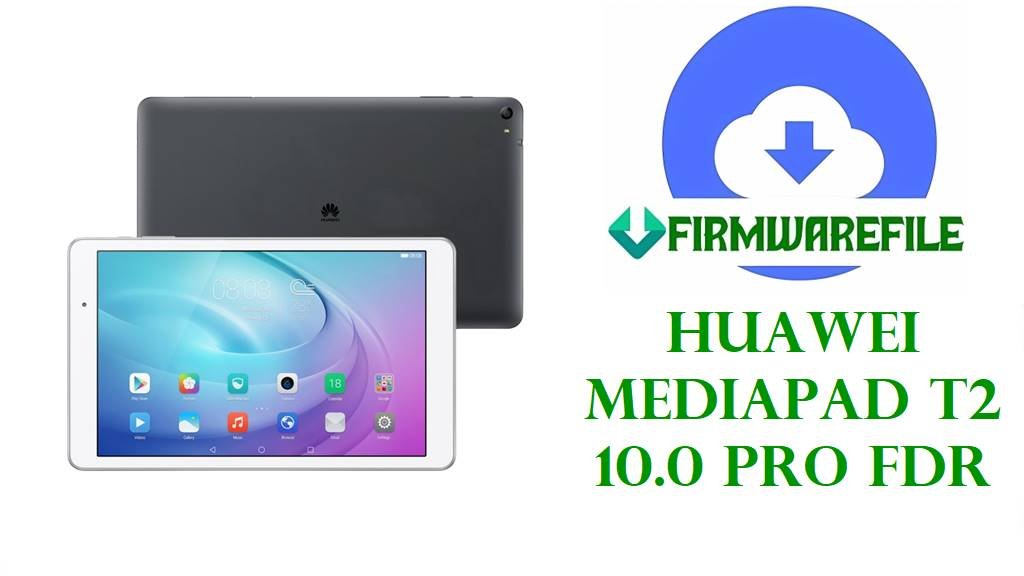
Huawei MediaPad T2 10.0 Pro FDR Firmware Download Files
If your MediaPad T2 10.0 Pro is stuck after a failed OTA, hanging on the Huawei logo, or acting worse after the wrong flash, sort the model first and the build second. This FDR lineup looks simple until you mix A01L, A01W, A03L, A04L, and A05L, and then the repair goes sideways fast.
Most of the files here are regular stock packages for Android 5.1.1 and EMUI 3.1. One A05L archive is clearly marked as board software, which puts it in a different lane from the normal update files.
Included Models
- FDR-A01L
- FDR-A01W
- FDR-A03L
- FDR-A04L
- FDR-A05L
Firmware by Model navigation
FDR-A01L
The A01L files are the easiest place to start reading because the naming is mostly clean. You have the C170B002 dload package, the same Russian-tagged C170B002 archive in a different wrapper, and then a separate C100B009 build with almost no extra help in the filename.
If the tablet still behaves like a normal recovery case, the dload-style C170B002 package is the obvious first look. The C100B009 file is not useless, just less descriptive, so I would inspect the archive before deciding anything clever.
FDR-A01W
Only one A01W file shows up here: C233B008 on Android 5.1.1. Short section, because the filename already says most of what matters.
Just do not treat A01W like A01L because the letter difference looks small. It is still a separate target.
FDR-A03L
A03L has the most clutter in this batch. There is B010, B012, a B010 youth-edition package, and a C640B001 full-network version file. That usually means you stop pretending one A03L archive fits every A03L repair scenario.
The standard C233 builds are the more ordinary choices for stock recovery work. The youth-edition file is the sort of package I would only use when the tablet in front of me clearly belongs to that branch. Same thing with the C640 full-network archive.
People skip that step, then blame the cable.
FDR-A04L
The A04L entry is plain: C001B023 and not much else. No extra labeling, no regional story spelled out in the filename, no board warning either.
FDR-A05L
This one splits in two directions. FDR-A05L_C500B007_Board_Software_China_Android_5.1_HMT.zip is not a normal consumer update package, and the HMT board label tells you that immediately. Then there is FDR-A05LC301B027.zip, which reads more like a standard stock build.
If the tablet still has a normal update path, I would keep my hands off the board package at first. When recovery is gone or the software state is already ugly, that is when the service file starts making sense.
Firmware Table
| Model | Filename | Version | Region | Android Base | ROM Type | Size | Notes | Target User | Download Link |
|---|---|---|---|---|---|---|---|---|---|
| FDR-A01L | Huawei_MediaPad_T2_10.0_Pro_FDR-A01L_5.1.1_EMUI_3.1_C170B002CUSTC170D001_Dload.zip | B002 | C170 | Android 5.1.1 | Dload package | 1.8GB | Clear dload naming with full CUST string | User fixing failed OTA or bootloop on an exact FDR-A01L that still responds normally | Download |
| FDR-A01W | FDR-A01w_FDR-A01wC233B008_5.1.1_2017.05.22.zip | B008 | C233 | Android 5.1.1 | Full firmware zip | 1.08GB | Simple A01W build with date-stamped filename | User restoring stock software on an FDR-A01W without crossing into A01L files | Download |
| FDR-A01L | Huawei_MediaPad T2 10 Pro_Firmware_FDR-A01L_Android 5.1.1_EMUI 3.1-C170B002CUSTC170D001_Nonspecific(Russian).zip | B002 | C170 / Russian | Android 5.1.1 | Full firmware zip | 1.79GB | Same C170B002 branch presented as Russian nonspecific build | User needing an alternate source for the A01L C170B002 line | Download |
| FDR-A01L | FDR-A01LC100B009.zip | B009 | C100 | Full firmware zip | 1.4GB | Minimal filename; inspect contents before choosing flash route | User who already knows the tablet belongs on the C100 branch | Download | |
| FDR-A03L | FDR-A03L_FDR-A03LC233B010_5.1.1_2017.04.28.zip | B010 | C233 | Android 5.1.1 | Full firmware zip | 1.1GB | Standard C233 branch | User doing a routine stock restore on FDR-A03L | Download |
| FDR-A03L | FDR-A03LC233B012.zip | B012 | C233 | Full firmware zip | 1.16GB | Slightly later C233 build than B010 | User who needs a newer A03L stock point without changing branch | Download | |
| FDR-A03L | FDR-A03L_FDR-A03LC233B010【青春版】_5.1.1.zip | B010 | C233 | Android 5.1.1 | Full firmware zip | 1.22GB | Youth-edition package | User who has already verified the tablet is on the youth-edition branch | Download |
| FDR-A03L | Huawei_FDR-A03L_FDR-A03LC640B001【Full Network Version】_China_5.1.1.zip | B001 | C640 / China | Android 5.1.1 | Full firmware zip | 1.22GB | Explicit full-network version build | User needing the China full-network A03L branch, not a regular C233 package | Download |
| FDR-A05L | Huawei_MediaPad_T2_10.0_Pro_FDR-A05L_C500B007_Board_Software_China_Android_5.1_HMT.zip | B007 | C500 / China | Android 5.1 | Board software (HMT) | 730MB | Service-side board package, not a routine update file | Technician handling a badly bricked A05L with broken normal recovery | Download |
| FDR-A05L | FDR-A05LC301B027.zip | B027 | C301 | Full firmware zip | 1.4GB | Regular-looking A05L stock build | User returning an FDR-A05L to stock before considering board software | Download | |
| FDR-A04L | FDR-A04LC001B023.zip | B023 | C001 | Full firmware zip | 1.4GB | Sparse naming, but looks like a standard stock branch | User who needs an exact FDR-A04L stock rebuild without crossing to other FDR variants | Download |
Device & Firmware Overview
The MediaPad T2 10.0 Pro family was sold under model codes including FDR-A01L, FDR-A03L, and FDR-A04L, while public listings also show an FDR-A01W variant and community ROM support groups A01L, A01W, and A03L together under the same tablet line.
This tablet family shipped on Android 5.1.1 with EMUI 3.1, which matches the software base shown across most of the filenames in this set.
Public specs for the FDR-A01L point to Qualcomm Snapdragon 615/616-class hardware, 10.1-inch 1920×1200 display hardware, and LTE-capable variants, so service packages on this family need to stay model-matched even when the outside shell looks identical.
Compatibility Warning
- Do not cross-flash A01L, A01W, A03L, A04L, and A05L because they all say MediaPad T2 10 Pro somewhere.
- C170, C100, C233, C640, C500, C301, and C001 are branch markers, not filler. Ignore them and you can create a worse brick than the one you started with.
- The FDR-A05L HMT board package belongs in the rescue lane. If the tablet still has a normal update path, keep that file for later.
- Youth-edition and full-network-version A03L packages should only go onto tablets that actually match those branches.
Preparation Before Flashing
- Check the exact model on the rear label or in fastboot before you do anything else. Tablet repairs go wrong quickly when people guess from memory.
- Open the archive first. If you find a normal Huawei dload structure with UPDATE.APP, use the standard path. If the contents look like service files instead, do not force them into a dload folder.
- Charge the battery properly and use a stable cable. These older Huawei tablets hate being interrupted halfway through a rebuild.
- Back up any readable data before flashing. Stock packages are there to repair the system, not preserve whatever is left on internal storage.
- On A05L, work with the normal stock branch before jumping to board software unless recovery is already gone.
Quick Flash Instructions
- For archives that extract into Huawei’s usual dload layout, use the Huawei method here: Download and flash with Huawei dload method.
- The FDR-A01L C170B002 dload package is the clearest example of that route in this list.
- If an extracted package contains Qualcomm service files rather than UPDATE.APP, use a Qualcomm flashing workflow here: Flash with QFIL.
- The FDR-A05L HMT board archive should be treated like a service package, not a casual local update.
FAQ
Which file should I try first for a failed OTA on FDR-A01L?
The C170B002 dload package is the best first look if the tablet still reacts like a normal recovery case.
Can I flash FDR-A03L firmware on FDR-A01L?
No. Same tablet family, wrong target.
What is different about the FDR-A05L board package?
It is labeled board software and HMT in the filename, which usually means deeper service work rather than a normal stock update.
Are the two A01L C170B002 files different?
They point to the same branch, but not necessarily the same archive structure. Check the contents before assuming they behave identically.
Should I use the A03L youth-edition file on any A03L tablet?
Only if the tablet actually belongs to that branch. That extra label is there for a reason.