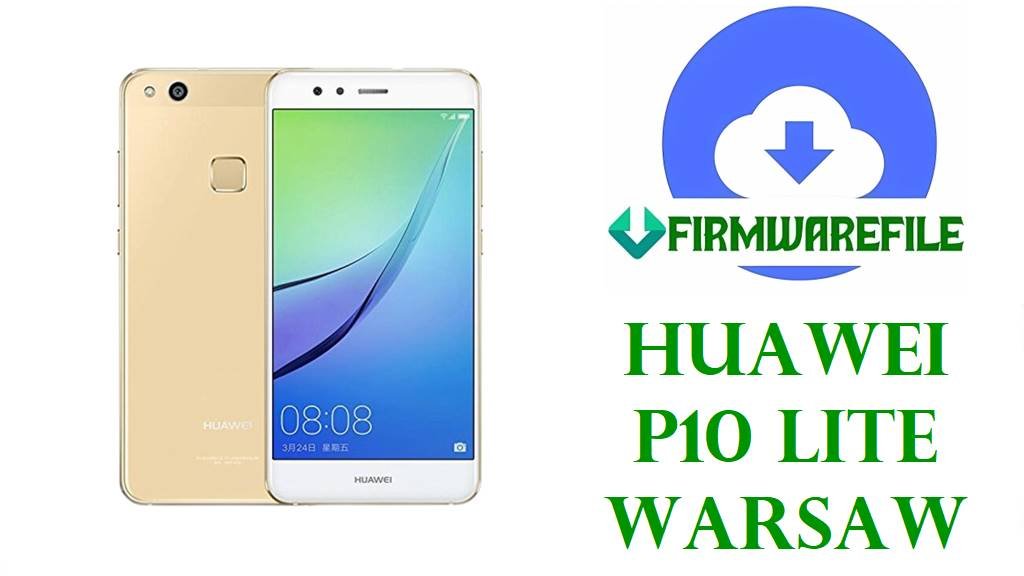
Huawei P10 Lite Firmware Download (WAS-LX1, WAS-L21, WAS-LX3, WAS-AL00)
This page provides Huawei P10 Lite stock firmware packages for multiple Warsaw-family variants, including EMEA, Asia, Japan, Americas, and China branches in one repair-focused resource. Public device references list the Huawei P10 Lite family under model groups such as WAS-LX1 or WAS-LX1A, WAS-LX2, WAS-LX2J, WAS-LX3, WAS-L03T, WAS-AL00, and WAS-TL10, and they identify the platform as Kirin 658 hardware originally launched on Android 7.0 with an upgrade path to Android 8.0 and EMUI 8.
The packages in this batch are intended for stock software restoration, failed update recovery, bootloop repair, and software unbrick work across the Huawei P10 Lite line. Several filenames explicitly indicate dload-style packages, and the non-dload archives should still be extracted and checked carefully before flashing so you do not cross-flash the wrong regional or model branch.
Included Models
- WAS-LX1A
- WAS-L21A
- WAS-LX1
- WAS-L21
- WAS-L01
- WAS-LX2J
- WAS-L22J
- WAS-LX2
- WAS-L22
- WAS-LX3
- WAS-L03
- WAS-L23
- WAS-AL00
- WAS-TL10
The order above keeps the shared firmware branches grouped by related model families so the same sequence can be followed in navigation and the download table.
Firmware by Model
- WAS-LX1A Firmware
- WAS-L21A Firmware
- WAS-LX1 Firmware
- WAS-L21 Firmware
- WAS-L01 Firmware
- WAS-LX2J Firmware
- WAS-L22J Firmware
- WAS-LX2 Firmware
- WAS-L22 Firmware
- WAS-LX3 Firmware
- WAS-L03 Firmware
- WAS-L23 Firmware
- WAS-AL00 Firmware
- WAS-TL10 Firmware
WAS-LX1A Firmware
WAS-LX1A is part of the Huawei P10 Lite Warsaw family, and this batch includes a dedicated Android 8.0.0.371 C185 dload package for stock restore and repair work.
WAS-L21A Firmware
WAS-L21A appears here with the same Android 8.0.0.371 C185 dload branch as WAS-LX1A, so the exact model label on the phone should still be checked before flashing.
WAS-LX1 Firmware
WAS-LX1 is one of the main Huawei P10 Lite regional variants listed in public device references, and this batch contains a separate Android 8.0.0.394 C432 dload package for it.
WAS-L21 Firmware
WAS-L21 uses its own Android 8.0.0.394 C432 dload package in this batch and should not be assumed interchangeable with other CUST branches just because the base device name is still P10 Lite.
WAS-L01 Firmware
WAS-L01 is covered by a dedicated Android 8.0.0.394 C432 dload package in this collection, which makes exact model matching important during stock ROM restoration.
WAS-LX2J Firmware
WAS-LX2J is one of the Japan-market P10 Lite variants listed in public references, and this batch pairs it with WAS-L22J on Android 8.0.0.371 C635 firmware.
WAS-L22J Firmware
WAS-L22J shares the same C635 Android 8.0.0.371 package as WAS-LX2J in this batch, so technicians should confirm the exact printed model before selecting the shared archive.
WAS-LX2 Firmware
WAS-LX2 belongs to the Asia branch listed for Huawei P10 Lite, and this batch includes a separate Android 8.0.0.370 C569 package that is shared with WAS-L22.
WAS-L22 Firmware
WAS-L22 is bundled here with WAS-LX2 on the same C569 Android 8.0.0.370 firmware, so the package should only be used on phones that identify with one of those exact models.
WAS-LX3 Firmware
WAS-LX3 is one of the P10 Lite variants listed in public references, and this batch includes a shared Android 8.0.0.374 C45 package for WAS-LX3 and WAS-L03.
WAS-L03 Firmware
WAS-L03 is covered by the same 8.0.0.374 C45 archive as WAS-LX3 in this collection, which should be treated as a shared model-specific branch rather than a generic P10 Lite file.
WAS-L23 Firmware
WAS-L23 has its own Android 8.0.0.370 C605 dload package in this batch and should be flashed only when the handset reports that exact model code.
WAS-AL00 Firmware
WAS-AL00 is one of the China variants listed in public device references, and this batch includes both an older Android 7.0 EMUI 5.1 dload package and a newer Android 8.0.0.355 shared package with WAS-TL10.
WAS-TL10 Firmware
WAS-TL10 is also listed as a China branch for Huawei P10 Lite, and the batch includes a shared Android 8.0.0.355 package covering both WAS-TL10 and WAS-AL00.
Firmware Download Table
| Model | Filename | Version | Region | Android Base | ROM Type | Size | Notes | Target User | Download Link |
|---|---|---|---|---|---|---|---|---|---|
| WAS-LX1A | Huawei_P10_Lite_WAS-LX1A_8.0.0.371_C185_Firmware_8.0.0_R1_EMUI8.0_05014KAT_Dload.zip | 8.0.0.371 | C185 | Android 8.0 / EMUI 8.0 | Huawei stock ROM (dload package) | 3.21GB | Dedicated WAS-LX1A dload build. Use only on WAS-LX1A devices that need full stock ROM restoration, especially after failed updates or bootloops. | Repair users restoring a WAS-LX1A phone to stock firmware. | Download |
| WAS-L21A | Huawei_P10_Lite_Warsaw-L21A_8.0.0.371_C185_Firmware_8.0.0_R1_EMUI8.0_05014KAT_Dload.zip | 8.0.0.371 | C185 | Android 8.0 / EMUI 8.0 | Huawei stock ROM (dload package) | 3.21GB | Separate WAS-L21A package even though it shares the same branch level as WAS-LX1A. Match the printed model carefully before flashing. | Technicians repairing a WAS-L21A handset with stock firmware. | Download |
| WAS-LX1 | Huawei_P10_Lite_WAS-LX1_8.0.0.394_C432_Dload.zip | 8.0.0.394 | C432 | Android 8.0 / EMUI 8.0 | Huawei stock ROM (dload package) | 3.27GB | Dedicated WAS-LX1 C432 Oreo dload build. This branch is separate from C185, C569, C605, C635, and China variants. | WAS-LX1 users recovering from soft brick, system corruption, or failed OTA installation. | Download |
| WAS-L21 | Huawei_P10_Lite_WAS-L21_8.0.0.394_C432_Dload.zip | 8.0.0.394 | C432 | Android 8.0 / EMUI 8.0 | Huawei stock ROM (dload package) | 3.26GB | Dedicated WAS-L21 C432 dload firmware. Keep it separate from the similarly named WAS-LX1, WAS-L01, and C185 packages unless the exact model and branch match. | WAS-L21 repair and stock restore scenarios. | Download |
| WAS-L01 | Huawei_P10_Lite_WAS-L01_8.0.0.394_C432_Dload.zip | 8.0.0.394 | C432 | Android 8.0 / EMUI 8.0 | Huawei stock ROM (dload package) | 3.27GB | Dedicated WAS-L01 C432 build. Use this file only when the device reports WAS-L01 and requires a full stock recovery package. | Users repairing or unbricking a WAS-L01 phone. | Download |
| WAS-LX2J / WAS-L22J | WAS-LX2JC635B371 (8.0.0.371) WAS-L22JC635B371 (8.0.0.371).zip | 8.0.0.371 | C635 | Android 8.0 / EMUI 8.0 | Huawei stock ROM (archive package; inspect extracted contents before flashing) | 1.74GB | Shared Japan-branch package for the J-suffixed pair. The exact model on the handset must be confirmed before use. | WAS-LX2J or WAS-L22J devices needing stock recovery. | Download |
| WAS-LX2 / WAS-L22 | WAS-LX2C569B370 (8.0.0.370) WAS-L22C569B370 (8.0.0.370).zip | 8.0.0.370 | C569 | Android 8.0 / EMUI 8.0 | Huawei stock ROM (archive package; inspect extracted contents before flashing) | 1.77GB | Shared package for WAS-LX2 and WAS-L22. Do not substitute it for C432, C185, C605, C635, or China firmware branches. | WAS-LX2 or WAS-L22 owners fixing bootloops or restoring original firmware. | Download |
| WAS-LX3 / WAS-L03 | WAS-LX3C45B374 (8.0.0.374) WAS-L03C45B374 (8.0.0.374).zip | 8.0.0.374 | C45 | Android 8.0 / EMUI 8.0 | Huawei stock ROM (archive package; inspect extracted contents before flashing) | 1.75GB | Shared package for the WAS-LX3 and WAS-L03 branch. Use only when one of those exact model codes is present on the phone. | WAS-LX3 or WAS-L03 repair users needing the 8.0.0.374 stock branch. | Download |
| WAS-L23 | Huawei_P10_Lite_WAS-L23_8.0.0.370_C605_090419_Dload.zip | 8.0.0.370 | C605 | Android 8.0 / EMUI 8.0 | Huawei stock ROM (dload package) | 2.46GB | Dedicated WAS-L23 dload build on C605. Treat it as its own branch and avoid mixing it with LX3, L03, or C432 packages. | WAS-L23 devices requiring stock restore, failed update recovery, or software repair. | Download |
| WAS-AL00 | Huawei_WAS-AL00_C00B110_Android7.0_EMUI5.1_Dload.zip | C00B110 | C00 | Android 7.0 / EMUI 5.1 | Huawei stock ROM (dload package) | 3.26GB | Older Nougat-era China firmware for WAS-AL00. This can be relevant when downgrading, reviving a phone on an older branch, or returning to a lower stock baseline. | WAS-AL00 users who specifically need the Android 7.0 base package. | Download |
| WAS-TL10 / WAS-AL00 | WAS-TL10C01B355 (8.0.0.355) WAS-AL00C01B355 (8.0.0.355) WAS-TL10C00B355 (8.0.0.355) WAS-AL00C00B355 (8.0.0.355).zip | 8.0.0.355 | C01 / C00 | Android 8.0 / EMUI 8.0 | Huawei stock ROM (archive package; inspect extracted contents before flashing) | 1.69GB | Shared China-branch Oreo package covering WAS-TL10 and WAS-AL00 on C01 or C00. Keep it separate from all non-China P10 Lite variants. | China-market devices needing Oreo stock firmware for recovery or reinstall. | Download |
These packages are original stock ROMs mirrored for preservation, as the manufacturer no longer provides public downloads for these models.
Device & Firmware Overview
| Device family | Huawei P10 Lite, also documented as part of the Warsaw family in public device references. |
|---|---|
| Included models | WAS-LX1A, WAS-L21A, WAS-LX1, WAS-L21, WAS-L01, WAS-LX2J, WAS-L22J, WAS-LX2, WAS-L22, WAS-LX3, WAS-L03, WAS-L23, WAS-AL00, and WAS-TL10. |
| Chipset platform | Public specifications identify the Huawei P10 Lite family with the HiSilicon Kirin 658 chipset. |
| Android / OEM version | Public references list the phone as launching on Android 7.0 with EMUI 5.1 and upgrading to Android 8.0 with EMUI 8, which matches the Android 7 and Android 8 package mix in this batch. |
| Firmware format | This batch contains both explicit dload packages and archive packages that should be extracted first to confirm the exact flashing structure. |
| Typical firmware size | The packages in this batch range from 1.69GB to 3.27GB, which is typical of full stock firmware archives rather than small OTA patches. |
| Region branches | C45, C569, C605, C635, C185, C432, C00, and C01 all appear in this batch, so both model code and CUST branch should be matched before flashing. |
| Flashing method | Dload packages should follow Huawei dload or eRecovery procedures, while non-dload archives should be unpacked and inspected before any flash attempt. |
Compatibility Warning
Do not flash Huawei P10 Lite firmware by device name alone. Public references show that the family spans multiple regional variant groups, including EMEA, Asia, Japan, USA, and China model branches, so exact model matching is essential.
Do not mix WAS-AL00 or WAS-TL10 China packages with non-China variants, and do not assume that a C432, C185, C569, C605, C635, or C45 package is safe just because it is still labeled P10 Lite.
Preparation Before Flashing
- Check the exact model code from the phone label, recovery screen, fastboot screen, or original software information page before downloading any package.
- Match the model first and the CUST branch second, because this batch includes many Huawei P10 Lite regional variations under similar names.
- Extract non-dload archives before flashing and verify whether the package contains a standard Huawei dload structure.
- Back up user data if the phone still boots, because stock ROM restoration commonly wipes user partitions.
- Charge the battery adequately and use a stable storage card or USB connection before starting the repair process.
- Never cross-flash China variants onto non-China phones or jump between different model prefixes without an exact match.
Quick Flash Instructions
- Download the row that matches the exact Huawei P10 Lite model code and firmware branch shown on the handset.
- If the archive is labeled dload or extracts to a standard Huawei dload structure, use the Huawei flashing guide here: Huawei (dload method).
- If the package is not a standard dload bundle, extract it first and inspect the contents before proceeding.
- For local update or sideload-style recovery paths, use this guide: OTA / Sideload / Local Update.
- After flashing, allow the first boot to complete fully, then verify the installed build number in system information.
FAQ
Can I flash any Huawei P10 Lite firmware on any WAS model?
No. Public device references show multiple regional variant groups under the P10 Lite family, so firmware must be matched to the exact model code and branch.
What is the main software difference in this batch?
This batch includes both Android 7.0 EMUI 5.1 and Android 8.0 EMUI 8.0 firmware, so it contains both older baseline packages and newer Oreo-era restoration files.
Why do some files say dload while others do not?
The filenames indicate that some archives are already labeled as dload packages, while others need to be extracted and checked before you choose a flashing workflow.
Is WAS-AL00 the same as WAS-LX1 or WAS-L21?
No. Public variant listings place WAS-AL00 in the China branch, while WAS-LX1, WAS-LX2, and WAS-LX3 belong to other regional groups.
Can these files fix a bootloop after a failed OTA update?
Yes, if the exact model and firmware branch are matched correctly. Stock ROM packages are commonly used to recover from failed updates, software corruption, or soft-brick conditions.
Should I match the CUST code as well as the model number?
Yes. This batch contains many different CUST branches, so matching only the device name is not enough for safe flashing.