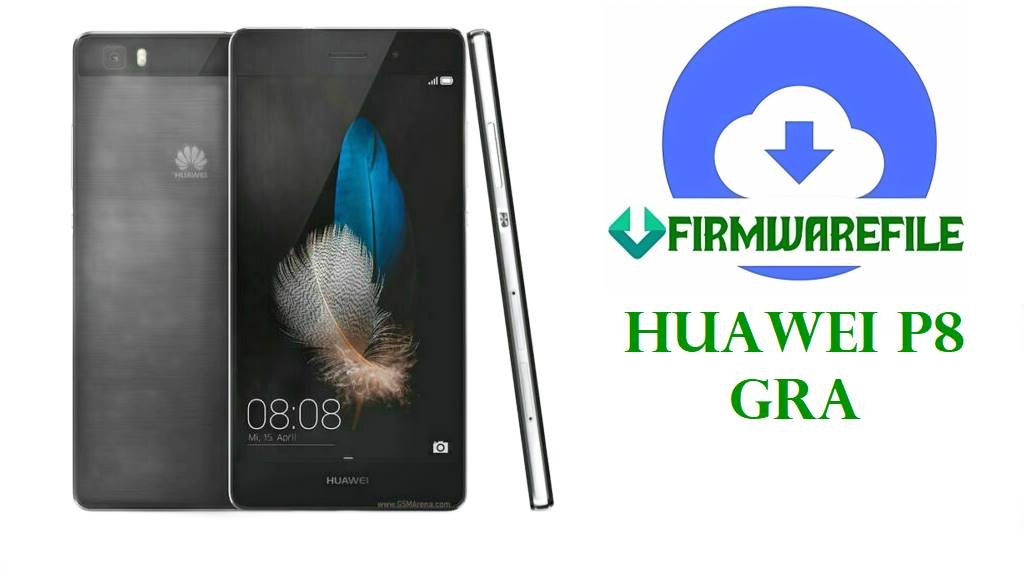
Huawei P8 GRA Firmware Download Files for Bootloop and Unbrick Repair
If your Huawei P8 is stuck on the logo, failed an OTA, or started looping after the wrong package, the files below cover the main GRA branches without dumping every variant into one blind flash list. Some are plain dload-friendly archives. Others need to be opened first so you can see whether they really contain a proper Huawei update structure.
This phone is old enough that people usually meet it only when something already went wrong. That changes how you choose the file.
Included Models
- GRA-L09
- GRA-CL00
- GRA-CL10
- GRA-TL00
- GRA-UL00
- GRA-UL10
- GRA-L03 reference branch
GRA-L09
The L09 side is fairly clean. You have a proper C432B222 dload package for the European line, then a C900B151 BeST archive that looks more like a general stock restore bundle than a neat consumer update zip.
If the phone still boots to stock recovery or at least reacts to the three-button update routine, the C432B222 dload file is the obvious first shot for a Europe handset. The C900B151 file is the sort of archive I would inspect before getting ambitious.
GRA-CL00
CL00 is more mixed. There is an older C92B141 package, a shared CL00/CL10 C92B230 archive on Android 5.0 and EMUI 3.1, then newer-looking B363, B366, and B370 files that clearly sit later in the software line.
The B363 archive at least tells you it is Android 6.0. The B366 and B370 files are shorter and less descriptive, which usually means the inside of the archive matters more than the label outside.
Do not treat the shared C92B230 package like a universal fix just because it mentions both CL00 and CL10.
GRA-CL10
CL10 is the thin section here. One file is bundled with CL00 at C92B230. The other two are B366 and B370 builds with stripped-down names and smaller sizes.
Nothing fancy to explain. Match the exact carrier branch first, then compare what the archive actually contains.
GRA-TL00
The TL00 branch is easier to read because the progression makes sense on paper: B230 on Android 5.0.1, then B358, B364, and a later B376 dload package on Android 6.0 / EMUI 4.0. If a TL00 came in after a failed Marshmallow-era update or a half-done restore, B376 is the cleanest-looking stock return path in this set.
The older B230 package still matters for phones that were never moved cleanly onto the later branch. That happens more than people admit.
GRA-UL00
UL00 is the branch where people get sloppy because one file even mentions GRA-L03 in brackets. Do not let that tempt you into guesswork. The set here includes an older 5.0.1 package, a China C00B370 Android 6.0 build, a general UL00/UL10 C900B141 archive, and a C185B361 Middle East package labeled as GRA-UL00(GRA-L03).
That is a lot of regional spread for one model family. If the phone still behaves normally, use the branch it actually came from instead of chasing whichever build looks newest.
GRA-UL10
UL10 has the widest regional spread on this page. There is a plain B370 file, a C636B371 dload package for the Southeast Asia line, a C185B391 package aimed at markets like Iran, Pakistan, Saudi Arabia, Egypt, Zambia, and Mauritius, then a C432B520 Android 6.0 / EMUI 4.0.3 build for the Europe side.
This section is where wrong-region flashing usually starts. A C636 phone is not secretly a C432 phone because both boot to the same Huawei logo.
Firmware Table
| Model | Filename | Version | Region | Android Base | ROM Type | Size | Notes | Target User | Download Link |
|---|---|---|---|---|---|---|---|---|---|
| GRA-L09 | Huawei_P8_GRA-L09_C432B222_Firmware_CEE_Nordic_European_Channel-Others_Andriod5.0.1_EMUI3.1_05012XMN_Dload.zip | B222 | C432 / Europe | Android 5.0.1 | Dload package | 1.56GB | Clear European dload build | User fixing bootloop or failed OTA on an exact GRA-L09 Europe unit | Download |
| GRA-L09 | Huawei_P8_GRA-L09_V100R001C900B151_BeST.rar | B151 | C900 | Factory stock package | 1.34GB | General-looking BeST archive, not a neatly labeled dload file | User who needs a stock rebuild on GRA-L09 and plans to inspect the archive first | Download | |
| GRA-CL00 | HUAWEI P8 GRA-CL00 (V100R001C92B141).zip | B141 | C92 | Full firmware zip | 1.34GB | Older CL00 stock branch | User restoring an early CL00 build after soft brick or broken system files | Download | |
| GRA-CL00 / GRA-CL10 | GRA-CL00_CL10_EMUI3.1_Android5.0_C92B230.zip | B230 | C92 | Android 5.0 | Full firmware zip | 1.53GB | Shared package across CL00 and CL10 | User who has confirmed the handset actually belongs to the shared C92 branch | Download |
| GRA-CL00 | GRA-Cl00-B366.zip | B366 | Full firmware zip | 1.01GB | Later CL00 build with sparse filename | User repairing a CL00 that likely belongs on a later branch but needs archive verification | Download | ||
| GRA-CL00 | GRA-CL00 EMUI4.0 B370-wanmei.zip | B370 | Full firmware zip | 1.02GB | EMUI 4.0 branch; wanmei label suggests a packaged rebuild set | User dealing with a CL00 that needs a later stock branch, not the older Android 5 line | Download | ||
| GRA-CL00 | GRA-CL00_C92B363_6.0.rar | B363 | C92 | Android 6.0 | Factory stock package | 1.13GB | Marshmallow-era CL00 file with clearer naming than B366/B370 | User recovering a CL00 after failed Marshmallow update or partial flash | Download |
| GRA-CL10 | GRA-CL10_B370_71231Lx.zip | B370 | Full firmware zip | 880MB | Compact later CL10 build | User who already knows the phone is on the CL10 B370 line and needs a direct rebuild file | Download | ||
| GRA-CL10 | GRA-CL10_B366_71226Lx.zip | B366 | Full firmware zip | 865MB | Earlier CL10 build than B370 | User needing a lower CL10 branch instead of forcing the newer file | Download | ||
| GRA-UL00 (GRA-L03 reference) | HUAWEI_P8_Firmware_GRA-UL00(GRA-L03)_C185B361_middle East.zip | B361 | C185 / Middle East | Full firmware zip | 1.57GB | Middle East branch; filename references GRA-L03 relation | User repairing a C185-market UL00/L03-related device and avoiding China or Europe branches | Download | |
| GRA-TL00 | GRA-TL00_GRA-C00B230_5.0.1.rar | B230 | C00 | Android 5.0.1 | Factory stock package | 1.1GB | Older TL00 stock point | User returning a TL00 to an early working branch after soft brick or rollback need | Download |
| GRA-TL00 | GRA-TL00_C01B364_Android6.0_EMUI4.0_05012QKS.rar | B364 | C01 | Android 6.0 | Factory stock package | 1.38GB | Clear Marshmallow TL00 build | User fixing a TL00 already updated beyond Android 5 and needing a same-branch reinstall | Download |
| GRA-TL00 | GRA – TL00 _C01B358_Android6.0_EMUI4.0_05012QKS.rar | B358 | C01 | Android 6.0 | Factory stock package | 1.34GB | Slightly earlier Android 6 TL00 branch than B364 | User who needs a lower TL00 Marshmallow build to stabilize a phone after update problems | Download |
| GRA-TL00 | Huawei_P8_GRA-TL00_C01B376_Firmware_6.0.0_R1_EMUI4.0_05012QKS_Dload.zip | B376 | C01 | Android 6.0 | Dload package | 1.57GB | Later TL00 dload package; easiest TL00 file here for standard recovery use | User handling failed OTA, logo hang, or soft brick on a TL00 that still accepts dload recovery | Download |
| GRA-UL00 | Huawei_P8_GRA-UL00_30092015_5.0.1.zip | Android 5.0.1 | Full firmware zip | 1.3GB | Older UL00 package with date-style naming | User returning a UL00 to an early stock base after bad modifications or broken updates | Download | ||
| GRA-UL00 | GRA-UL00_C00B370_Firmware_China_中国联合网络通信有限公司_Android6.0_EMUI4.0.2_05012QKX.zip | B370 | C00 / China | Android 6.0 | Full firmware zip | 1.7GB | China UL00 Marshmallow build with carrier labeling | User repairing a China-market UL00 already on the Android 6 line | Download |
| GRA-UL00 / GRA-UL10 | Huawei P8 GRA-UL00&UL10 V100R001C900B141 Firmware general Android 5.0 EMUI 3.1 05012WQE.zip | B141 | C900 | Android 5.0 | Full firmware zip | 1.68GB | General shared package for UL00 and UL10 | User who has verified the phone fits the shared C900 branch before flashing | Download |
| GRA-UL10 | GRA-UL10_B370_81003Lx.zip | B370 | Full firmware zip | 904MB | Later UL10 build with stripped filename | User repairing a UL10 and wanting a compact later branch package | Download | ||
| GRA-UL10 | Huawei_P8_GRA-UL10_C636B371_Firmware_Myanmar_HongKong_SriLanka_LaoPeoples Democratic Republic_VietNam_Bangladesh_Cambodia_Nepal_Thailand_Singapore_Nonspecific_Dload.zip | B371 | C636 / South & Southeast Asia | Dload package | 1.62GB | Wide regional C636 dload build | User fixing a UL10 from the C636 sales line that still accepts standard recovery flashing | Download | |
| GRA-UL10 | GRA-UL10C185B391_Firmware_Iran_Pakistan_Saudi_Arabia_Egypt_Zambia_Mauritius.rar | B391 | C185 | Factory stock package | 1.38GB | Middle East / Africa branch | User rebuilding a C185 UL10 without crossing to Europe or Asia firmware | Download | |
| GRA-UL10 | GRA-UL10C432B520_Firmware_Android 6.0_EMUI 4.0.3_05013CXP.zip | B520 | C432 / Europe | Android 6.0 | Full firmware zip | 1.7GB | Later European UL10 Marshmallow branch | User who needs a same-region UL10 Europe rebuild after failed update or random instability | Download |
Device & Firmware Overview
Public model listings for the Huawei P8 include GRA-UL00, GRA-L09, GRA-UL10, GRA-TL00, and GRA-CL10, which fits the spread of variants in this file set.
Those same device references place the P8 family on Huawei’s Kirin 930 hardware platform, which is why these packages stay firmly in the Huawei update lane rather than Qualcomm tool workflows.
Marshmallow-era community update references for the P8 tie EMUI 4.x to the Android 6 branch on this model, so the later B3xx packages are not just random numbering noise.
Compatibility Warning
- Do not cross-flash L09, CL00, CL10, TL00, UL00, and UL10 because they all say Huawei P8 on the box.
- C432, C900, C92, C01, C00, C636, and C185 are not decoration. On old Huawei firmware they usually decide whether the phone accepts the package cleanly or turns the repair into more work.
- Shared archives like CL00/CL10 B230 or UL00/UL10 C900B141 should only be used after you verify the exact branch on the phone itself.
- If the phone still has stock recovery and only suffered a failed OTA, do not jump across regions just because another build number looks newer.
Preparation Before Flashing
- Check the model from the rear label, fastboot screen, or original box before doing anything else. On P8 repairs, one wrong suffix is enough to waste the session.
- Extract the archive first and look for a proper dload folder with UPDATE.APP. If that structure is missing, stop assuming the flash method.
- Back up anything still accessible. These are full stock packages, not friendly patches.
- Charge the battery properly and use a stable cable. Old Huawei phones love failing at the dumbest point possible.
- Try the same region and same branch family first, especially on bootloop and failed OTA cases. That fixes more phones than random branch-hopping ever will.
Quick Flash Instructions
- For archives that unpack into Huawei’s normal dload structure, use the Huawei dload/eRecovery method here: Download and flash with Huawei dload method.
- The clearest dload candidates in this list are GRA-L09 C432B222, GRA-TL00 C01B376, and GRA-UL10 C636B371.
- For ZIP or RAR packages that are not already obvious dload bundles, open them first and confirm the internal structure before picking a path.
- If the phone only needs recovery from a soft brick or failed OTA, stay close to the installed branch. Save cross-branch experiments for phones that are already beyond the clean route.
FAQ
Which file should I try first for a failed OTA?
Use the exact model and region match that still gives you a normal stock recovery path. On this page, that usually means the dload packages or the cleanest same-branch stock archive.
Can I flash GRA-UL10 firmware on GRA-L09?
No. Same phone family, wrong target.
What if I only know the phone says Huawei P8?
Then stop there and confirm the full model first. Flashing before that is how a simple bootloop becomes a bigger repair.
Are the smaller CL10 and UL10 files incomplete?
Not necessarily. Older Huawei collections often repack the same branch in different ways, so size alone does not tell the whole story.
When should I use the shared UL00/UL10 C900B141 package?
Only when you have already confirmed the handset belongs on that shared C900 branch and the archive structure makes sense for the repair you are doing.