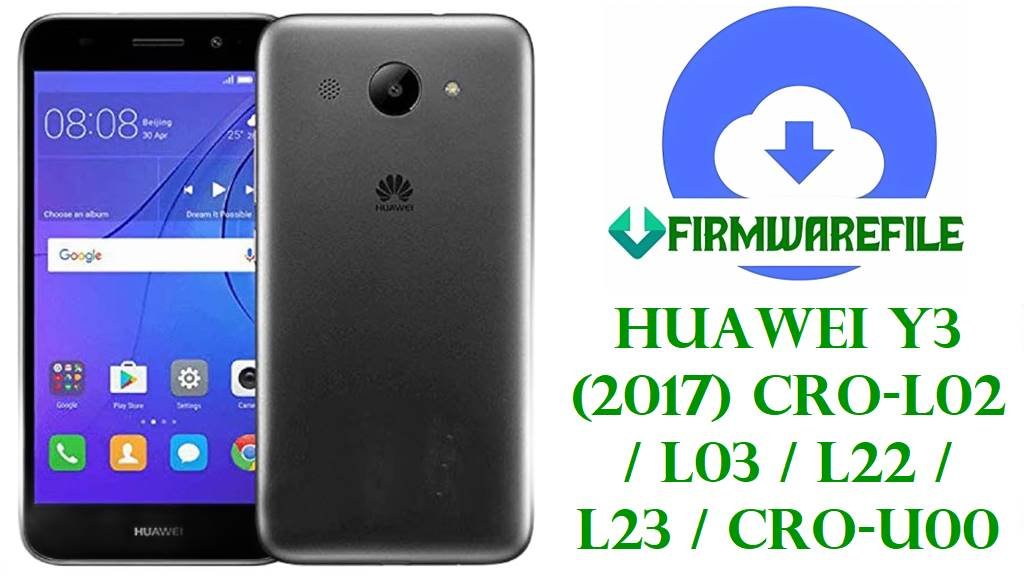
Huawei Y3 (2017) CRO-L02 / L03 / L22 / L23 / CRO-U00 Official Stock Firmware Download and Safe Flashing Guide
The Huawei Y3 (2017) series (models CRO-L02, CRO-L03, CRO-L22, CRO-L23 and CRO-U00) is an entry‑level 5‑inch Android 6.0 Marshmallow phone with EMUI 4.1 Mini, a low‑resolution IPS panel, 1 GB RAM and 8–32 GB storage, powered by MediaTek MT6737M on LTE variants and MT6580M on the 3G‑only CRO‑U00.
Owners usually flash stock firmware on this device to recover from bootloops, fix “software install failed” errors, repair corrupted system partitions, restore a branded regional build (for example Mexico or Egypt), or revive an unresponsive handset using SD‑card dload or SP Flash Tool where board software images are provided.
File Selection Guide
The Y3 (2017) family splits into two hardware lines: CRO‑L02/L03/L22/L23 that use LTE‑capable MT6737M and CRO‑U00 that uses MT6580M (3G‑only), so you must never flash CRO‑U00 firmware on LTE models or vice versa.
Once you know the exact model (printed in Settings > About phone or on the label under the battery), choose a firmware whose file name starts with the same code (for example Cairo‑L03 for CRO‑L03 or Cairo‑U00 for CRO‑U00) and whose region code matches your original sales area whenever possible (for example C185 for Middle East / Africa or C469 for Latin America).
For first‑time users, a good approach is: use the large “Firmware_6.0.0_r1_EMUI4.1” packages when you need a full dload restore for a branded region, and use the smaller “Board_Software” or MT6580/MT6737M packages only when you have a clear SP Flash Tool or board‑recovery procedure to follow.
Huawei Y3 (2017) Firmware Download
The table below groups your files by model and intended purpose; some are SD‑card dload firmware for end users, and others are service‑style board software or SP Flash Tool packages used in deeper repair scenarios.
| Model | Build / Name | Android / EMUI | Region | Size | File Type | Notes | Flashing Method | Download |
|---|---|---|---|---|---|---|---|---|
| CRO-L03 | Cairo-L03C521B125_Firmware_6.0.0_r1_EMUI4.1_05014MKU | Android 6.0, EMUI 4.1 | C521 (Latin America / carrier‑related, L03 LTE) | 4.19 GB | .zip (full firmware) | Large C521 dload‑style package for CRO‑L03; suitable for full restore of Latin‑American L03 units that need a clean EMUI 4.1 system. | SD‑card dload / Huawei dload recovery | Download Cairo-L03C521B125 |
| CRO-L02 | Cairo-L02C106B121_Firmware_6.0.0_r1_EMUI4.1_05014MDY | Android 6.0, EMUI 4.1 | C106 (China / Asian LTE variant) | 2.61 GB | .rar (full firmware) | China‑market CRO‑L02 firmware; useful when restoring L02 devices sold in Asia that shipped with an EMUI 4.1 C106 build. | SD‑card dload / Huawei dload recovery | Download Cairo-L02C106B121 |
| CRO-L22 | Cairo-L22_C185B125_Firmware_Egypt_Oman_Algeria_Morocco_Iraq_Kuwait_Jordan_Tunisia_Pakistan_Qatar_Zimbabwe_Bahrain_Zambia_South Africa_Reunion_Mauritius_Madagascar_Botswana_Lebanon_Ethiopia_Iran | Android 6.0, EMUI 4.1 | C185 (Middle East / Africa multi‑country) | 2.11 GB | .zip (full firmware) | Multi‑country C185 firmware for CRO‑L22 with extensive MENA/AF listings; recommended for L22 units from these markets that require stock dload recovery. | SD‑card dload / Huawei dload recovery | Download Cairo-L22_C185B125 |
| CRO-L03 | Huawei_Y3_2017_CRO-L03_MT6737M_S001001_C00SMT_China_Nonspecific_6.0_EMUI4.1_05022HPW_SPMDT | Android 6.0, EMUI 4.1 | China, C00SMT (service board / MT6737M) | 425 MB | .zip (board software / SPMDT) | Compact MT6737M board software package for CRO‑L03, intended for deeper repair with SP MDT or similar MTK engineering tools rather than standard dload. | SP Flash / SP MDT board‑level flashing | Download CRO-L03 MT6737M Board SW |
| CRO-L03 | Cairo-L03_C007B102_Firmware_Mexico_Default_Android 6.0_EMUI 4.1_05014QRV | Android 6.0, EMUI 4.1 | C007 (Mexico default) | 2.04 GB | .zip (full firmware) | Mexico‑specific CRO‑L03 firmware; used to restore local carrier settings and Spanish language defaults for Mexican Y3 (2017) units. | SD‑card dload / Huawei dload recovery | Download Mexico C007B102 |
| CRO-L23 | Cairo-L23_C469B104_Firmware_Colombia_Bolivia_Panama_Chile_…_05014MRP | Android 6.0, EMUI 4.1 | C469 (Latin‑America multi‑country) | 2.04 GB | .zip (full firmware) | Latin‑America C469 package for CRO‑L23, covering markets like Colombia and Chile; recommended for restoring L23 units used in that region. | SD‑card dload / Huawei dload recovery | Download Cairo-L23_C469B104 |
| CRO-U00 | Huawei_Y3_2017_CRO-U00_MT6580_180122_6.0 | Android 6.0, EMUI 4.1 | Generic CRO‑U00 (3G‑only) | 1008–1013 MB | .zip (SP Flash ROM) | Full MT6580 flash file for CRO‑U00, widely used as the main unbrick and restore ROM for the 3G‑only variant; includes scatter for SP Flash Tool. | SP Flash Tool (MTK scatter) | Download CRO-U00 180122 (Drive) Download CRO-U00 180122 (MediaFire) |
| CRO-U00 | Huawei_Y3_2017_CRO-U00_CAIROU00S001002_MT6580_Board_Software_Android_6.0_EMUI_4.1_05022HQA | Android 6.0, EMUI 4.1 | Board software (generic / C185 variant) | 413–424 MB | .zip (board software) | Smaller MT6580 board software for CRO‑U00 (two nearly identical variants), typically used to recover bricked boards at service level when the full 1 GB ROM is not required. | SP Flash Tool (board‑level flash) | Download Board SW (generic) Download Board SW C185 |
Huawei Y3 (2017) and Firmware Summary
This summary ties the hardware platforms of the Huawei Y3 (2017) family to the firmware types above so you can quickly verify compatibility before flashing.
| Parameter | Details |
|---|---|
| Series name | Huawei Y3 (2017) |
| Models covered | CRO-L02, CRO-L03, CRO-L22, CRO-L23 (LTE, MT6737M) and CRO-U00 (3G, MT6580M). |
| Chipset | MT6737M quad‑core 1.1 GHz Cortex‑A53 with Mali‑T720MP2 GPU (L‑series); MT6580M quad‑core 1.3 GHz Cortex‑A7 with Mali‑400MP2 GPU (CRO‑U00). |
| Display | 5.0‑inch IPS LCD, 480 × 854 pixels, ~196 ppi. |
| Memory | 1 GB RAM with 8 or 32 GB internal storage, microSDXC expansion. |
| Battery | 2200 mAh Li‑Ion, non‑removable. |
| Software base | Android 6.0 Marshmallow with EMUI 4.1 Mini (all firmware packages listed). |
| LTE bands (L‑series) | Typical FDD/TD‑LTE coverage with variants: CRO‑L03/L23 FDD; CRO‑L02/L22 FDD/TD (depends on market). |
| Firmware types above | Full dload region firmware (Cairo‑LxxCxxxBxxx) and MTK SP Flash / board software (CRO‑L03 MT6737M, CRO‑U00 MT6580). |
| Recommended tools | dload / eRecovery for official UPDATE.APP‑style firmwares; SP Flash Tool/SP MDT for MTK board software and CRO‑U00 scatter ROM. |
How to Flash Huawei Y3 (2017) Firmware
Huawei Y3 (2017) devices accept different flashing approaches depending on the package type: dload SD‑card updates for standard Cairo‑Lxx firmwares and SP Flash Tool (or similar) for MTK scatter / board software, especially on CRO‑U00.
Method 1 – SD‑Card dload Firmware (Cairo‑L02 / L03 / L22 / L23)
Use this for full “Firmware_6.0.0_r1_EMUI4.1” Cairo‑Lxx packages when your phone can at least power on into dload or recovery mode.
- On a PC, extract the downloaded Cairo‑Lxx firmware (for example Cairo‑L22_C185B125) and locate the UPDATE.APP file inside its dload folder.
- Format a microSD card to FAT32, create a folder named dload in the root, and copy the UPDATE.APP file into that folder.
- Insert the card in your Huawei Y3 (2017), power it off completely, then hold Volume Up + Volume Down + Power together until the dload update screen appears.
- Wait while the phone verifies and installs the firmware; do not interrupt the process or remove the battery until it finishes and reboots.
- After reboot, go to Settings > About phone to confirm that the build number now matches the CxxxBxxx version you just installed.
For more background on extracting Huawei UPDATE.APP files and using the dload process, see:
Flash Huawei firmware using dload / eRecovery.
Method 2 – SP Flash Tool for CRO-U00 MT6580 Firmware
For Huawei Y3 (2017) CRO‑U00 (3G, MT6580M), the 1 GB “Huawei‑Y3_2017_CRO‑U00_MT6580_180122_6.0.zip” and the board software packages are flashed using SP Flash Tool with a scatter file.
- Install MediaTek VCOM/USB drivers on your PC, then extract the CRO‑U00 firmware archive until you see the MT6580 scatter file and partition images.
- Open SP Flash Tool on Windows, click “Scatter‑loading,” and select the MT6580 scatter file from the firmware folder, verifying that the device is correctly recognized as CRO‑U00.
- Choose a safe mode such as Download Only and, unless you have a specific reason, keep the default partition selection so system, boot and recovery are written correctly.
- With the phone powered off, click “Download” in SP Flash Tool, then connect the Y3 (2017) CRO‑U00 via USB and wait for the progress bar and “Download OK” message.
- Disconnect the cable, power on the phone, and allow a few extra minutes for first boot after a full flash; then confirm the software version in Settings.
For a step‑by‑step SP Flash Tool explanation on MediaTek phones, you can follow:
How to flash MediaTek firmware using SP Flash Tool.
Method 3 – eRecovery / OTA and No‑PC Update (When the Phone Still Boots)
If your Huawei Y3 (2017) still boots into EMUI or stock recovery, you may be able to fix minor issues with eRecovery or standard OTA/local update instead of a full dload or SP Flash operation.
- From EMUI, open Settings > Updater (or System update) and check for official OTA updates for your model; apply them directly when they match your current region.
- If the system is unstable, power off the phone, then use Volume Up + Power to enter stock recovery or Volume Up + Volume Down + Power for dload/eRecovery depending on build.
- In recovery, you can first try “wipe cache partition” and then “reboot system now”; if a local update option exists and you have a matching UPDATE.APP or zip on SD, select it for installation.
- Leave the phone connected to a charger and do not interrupt the process; after the update or repair completes, reboot and re‑check the build in Settings > About phone.
For general no‑PC flashing options (local update, sideload, OTAs), you can read:
Android firmware installation without PC (OTA / local update / sideload).
Frequently Asked Questions
How do I confirm whether my Y3 (2017) is CRO-Lxx or CRO-U00?
Check Settings > About phone for the model string (for example CRO‑L22 or CRO‑U00) or read the label under the battery; you can also run adb shell getprop ro.product.model from a PC to identify the variant before choosing firmware.
Can I use a CRO-L03 firmware on CRO-L22 or CRO-L23?
Even though these share the same MT6737M platform, their LTE band and region configurations differ, so cross‑flashing between L03, L22 and L23 can break network connectivity; it is best to keep the Cairo‑Lxx build that matches your original model and region code.
When should I choose the CRO-U00 1 GB ROM instead of the smaller board software?
Use the full 1 GB “Huawei‑Y3_2017_CRO‑U00_MT6580_180122_6.0.zip” when the whole system is corrupted or the phone is stuck on logo, and reserve the 400 MB board software packages for low‑level repairs where only core board‑level partitions need to be restored.
Will flashing these firmwares wipe my data on Huawei Y3 (2017)?
A full dload update or SP Flash Tool “Download Only” that includes system and userdata usually erases apps and user data; treat these operations as factory resets and back up anything important whenever the device is still able to boot.
Can these ROMs upgrade my Y3 (2017) beyond Android 6.0?
All official firmwares listed for CRO‑Lxx and CRO‑U00 are based on Android 6.0 Marshmallow with EMUI 4.1, so flashing them will only reinstall or update Marshmallow, not upgrade the phone to later Android or EMUI major versions.
What should I do if the phone does not enter dload mode with the three‑button combo?
First try another SD card and re‑check folder structure; if dload still fails, you may need to use standard recovery/eRecovery, HiSuite recovery on supported models, or fall back to MTK‑level tools like SP Flash Tool for CRO‑U00 and service firmware for L‑series units.