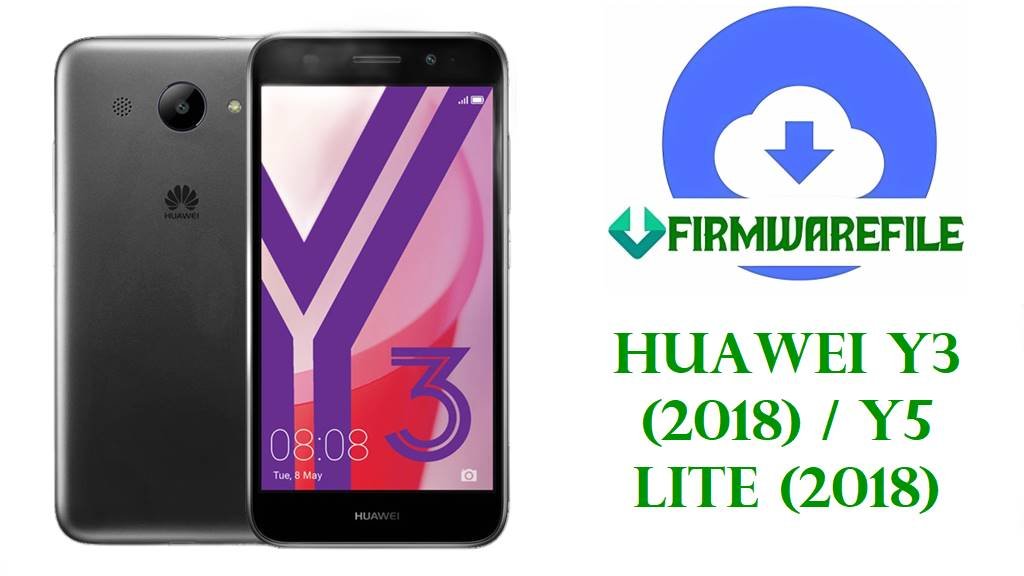
Huawei Y3 (2018) / Y5 Lite (2018) Firmware Download (CAG-L02, CAG-L22, CAG-L03, CAG-L23)
This page consolidates stock firmware for the Huawei CairoGO family shown in this batch, covering CAG-L02, CAG-L03, CAG-L22, and CAG-L23 packages. Public model references place CAG-L02 and CAG-L22 under Huawei Y3 (2018), while CAG-L03 and CAG-L23 appear under regional Huawei Y5 Lite (2018) listings.
These files are relevant for full stock restore work after a bootloop, failed OTA, soft brick, startup crash, or other software corruption. The filenames also show multiple customer branches such as C185, C461, C469, C25, and B048 service builds, so branch matching matters as much as the base model number.
Included Models
- CAG-L02
- CAG-L03
- CAG-L22
- CAG-L23
Firmware by Model
CAG-L02 Firmware
CAG-L02 is listed in public references for the Huawei Y3 (2018) line, and the files in this batch point to the CairoGO MT6737M platform used on this generation. The available B048 packages look like full service firmware or board-software archives, which are more suitable for repair work than for a small incremental update.
CAG-L03 Firmware
CAG-L03 appears in public device databases as a Huawei Y5 Lite (2018) regional branch, but its package naming still points to the same CairoGO MT6737M service-family layout seen across related models in this batch. That shared platform naming does not make it safe to flash onto a different CAG model without checking the exact device code and package contents first.
CAG-L22 Firmware
CAG-L22 is commonly listed as a Huawei Y3 (2018) variant with Android 8.1 Go Edition and the Mediatek MT6737 family platform. The files here show at least two separate customer branches, C461B152 and C185B144, so technicians should treat them as different stock lines rather than interchangeable upgrades.
CAG-L23 Firmware
CAG-L23 appears in public references as a Huawei Y5 Lite (2018) regional model, and the firmware names in this batch show a C469 customer branch with B126 and B129 builds. That usually means the packages are related within one branch, but version order alone is not enough to prove safe cross-flashing if the original software channel is unknown.
| Model | Filename | Version | Region | Android Base | ROM Type | Size | Notes | Target User | Download Link |
|---|---|---|---|---|---|---|---|---|---|
| CAG-L02 | Huawei_Y3_2018_CAG-L02_MT6737M_B048_170428.zip | B048 | General / service build | Android 8.1 | Scatter firmware (SP Flash Tool ZIP) | 1.15GB | The MT6737M naming matches the Mediatek platform used in public Y3 (2018) references, and B048 appears to be an early full recovery build rather than a small OTA. | Best for confirmed CAG-L02 units needing a clean stock restore after boot failure, malware cleanup, or partition damage. | Download |
| CAG-L02 | Huawei_Y3_2018_CAG-L02_CairoGO-L22-B048_MT6737M_Board_Software_General_Android_8.1_05022KSE.zip | B048 | General board software | Android 8.1 | Scatter firmware (board software / SP Flash Tool ZIP) | 1.15GB | The board-software wording and CairoGO platform naming align with service packages documented for this family, but the shared CairoGO-L22 string means package contents should be checked carefully before flashing preloader-related partitions. | Useful for technicians performing deeper repair work when a lighter update package is not enough. | Download |
| CAG-L03 | Huawei_Y3_2018_CAG-L03_CairoGO-L22_B048_MT6737M_Board_Software_General_Android_8.1_05022KSE.zip | B048 | General board software | Android 8.1 | Scatter firmware (board software / SP Flash Tool ZIP) | 1.15GB | Public references list CAG-L03 under the Y5 Lite (2018) naming branch, while this archive still uses CairoGO platform labeling, so match the hardware code before treating it as interchangeable with CAG-L02 or CAG-L22. | Suitable for CAG-L03 devices that need full software recovery after a failed flash, persistent bootloop, or damaged system partition. | Download |
| CAG-L03 | Huawei_Y5_Lite_2018_CAG-L03_MT6737M_L03C25B127_09202018.zip | L03C25B127 | C25 | Android 8.1 | Scatter firmware (SP Flash Tool ZIP) | 921MB | This file is tied to the C25 customer branch, which should be preferred over a generic B048 package when the device already reports the same software line. | Recommended for CAG-L03 phones needing branch-matched stock restoration instead of a broader service image. | Download |
| CAG-L22 | CAG-L22_CairoGO-L22C461B152_Firmware_8.1.0_r1_05015ANC.rar | L22C461B152 | C461 | Android 8.1.0 | Huawei stock ROM (service firmware RAR) | 1.50GB | This is a full branch-specific firmware archive for the C461 line, and it should not be treated as the same software channel as the C185 build listed below. | Best for confirmed CAG-L22 units on the C461 branch that need a full stock reflash after update failure or severe software corruption. | Download |
| CAG-L22 | Huawei_Y3_2018_CAG-L22_MT6737M_L22C185B144.zip | L22C185B144 | C185 | Android 8.1 | Scatter firmware (SP Flash Tool ZIP) | 821MB | C185 is a different customer branch from C461, so this package is the safer choice only when the handset originally belongs to the C185 software line. | For CAG-L22 repairs where the original branch is C185 and the goal is to return to stock software without mixing regional customizations. | Download |
| CAG-L22 | Huawei_Y3_2018_CAG-L22_MT6737M_L22C185B144_08212018.zip | L22C185B144 | C185 | Android 8.1 | Scatter firmware (SP Flash Tool ZIP) | 821MB | This appears to be the same base B144 branch with a date-stamped archive name, so it is best treated as an alternate mirror of the same firmware line. | Helpful when the first B144 mirror is unavailable and the target phone is still a confirmed CAG-L22 C185 device. | Download |
| CAG-L23 | Huawei_Y5_Lite_2018_CAG-L23_MT6737M_L23C469B126_09182018.zip | L23C469B126 | C469 | Android 8.1 | Scatter firmware (SP Flash Tool ZIP) | 822MB | Public references place CAG-L23 under Y5 Lite (2018) regional listings, and this file is tied to the C469 branch. | Use for confirmed CAG-L23 devices on the C469 line that need stock recovery after boot errors, failed modifications, or software instability. | Download |
| CAG-L23 | CAG-L23_CairoGO-L23C469B129CUSTC469D001_Firmware_8.1.0_r1_05015CNR.rar | L23C469B129 | C469 | Android 8.1.0 | Huawei stock ROM (service firmware RAR) | 1.6GB | This larger archive is still within the C469 customer family, but B129 should be treated as its own full branch package rather than as a guaranteed safe upgrade target from every earlier build. | Useful for advanced service recovery on CAG-L23 when a full archive is preferred over a smaller ZIP package. | Download |
| CAG-L23 | Huawei_Y5_Lite_2018_CAG-L23_MT6737M_L23C469B126.zip | L23C469B126 | C469 | Android 8.1 | Scatter firmware (SP Flash Tool ZIP) | 822MB | This is another mirror of the same B126 branch and is mainly useful as a backup download source. | For technicians who need the same CAG-L23 B126 firmware from an alternate link. | Download |
These packages are original stock ROMs mirrored for preservation, as the manufacturer no longer provides public downloads for these models.
Device & Firmware Overview
| Device family | Huawei CairoGO family covering Y3 (2018) and Y5 Lite (2018) naming branches. |
|---|---|
| Included models | CAG-L02, CAG-L03, CAG-L22, CAG-L23. |
| Chipset platforms | The filenames repeatedly reference MT6737M, and public model references for Y3 (2018) and CAG-L03 also point to the Mediatek MT6737 family. |
| Android / OEM version | Android 8.1 Go Edition is listed for Huawei Y3 (2018), and multiple filenames in this batch explicitly include Android 8.1 or 8.1.0. |
| Firmware format | ZIP and RAR service packages, including board-software style archives and branch-specific full firmware files. |
| Typical firmware size | 821MB to 1.6GB across the files provided. |
| Region branches | C25, C185, C461, C469, plus B048 service-style builds. |
| Flashing method | These filenames most strongly match Mediatek service firmware workflows, so SP Flash Tool is the main starting point for technician-side flashing on this batch. |
Compatibility Warning
Do not choose a file by marketing name alone. Public references split this family across Huawei Y3 (2018) and Huawei Y5 Lite (2018) naming, while the firmware names themselves show a shared CairoGO platform.
- Match the exact hardware model first: CAG-L02, CAG-L03, CAG-L22, or CAG-L23.
- Prefer the same customer branch already shown on the phone, such as C185, C461, C469, or C25.
- Treat B048 board-software packages as service images, not as routine OTA replacements.
- If the package includes a preloader or low-level partition files, avoid forcing them onto a different CAG variant just because the platform string looks similar.
- When the device is unreadable, confirm the code from the label, original box, prior service notes, or a hardware readout before flashing.
Preparation Before Flashing
- Back up user data, NVRAM-related information, and any service partitions you can still access.
- Charge the battery sufficiently before starting the flash.
- Extract the archive and inspect the contents before choosing a tool; Mediatek scatter files point to SP Flash Tool, while a dload folder or UPDATE.APP points to a Huawei recovery-style method.
- Compare the extracted package name with the handset model and branch code before loading any files.
- Use a known-good USB cable and install the correct Huawei / Mediatek drivers on the PC.
- For hard-brick recovery, start with the least risky restore path and only flash preloader-related partitions when the package is clearly confirmed for the exact target model.
Quick Flash Instructions
- Download the correct archive from the table above and extract it on a Windows PC.
- If the extracted firmware contains a Mediatek scatter file, follow the SP Flash Tool guide here: SP Flash Tool flashing guide.
- If the extracted package instead contains Huawei dload files or an UPDATE.APP package, use this guide: Huawei dload / eRecovery guide.
- If the firmware is only a normal OTA-style update and the device still boots into recovery, this guide may help: OTA / sideload / local update guide.
- After flashing, boot the phone fully, complete initial setup, and confirm the software version before returning it to the user.
Because these filenames repeatedly reference MT6737M and CairoGO service packaging, SP Flash Tool is the most likely primary workflow for this batch.
FAQ
Can I flash CAG-L22 firmware on CAG-L23?
No. Even though the filenames show a related CairoGO platform, public references place CAG-L22 and CAG-L23 under different commercial branches, and the listed firmware also uses different customer codes.
What is the difference between B048, B126, B127, B129, B144, and B152?
They are different software builds, and in several cases they also belong to different customer branches such as C25, C185, C461, or C469. A higher number may indicate a later build within the same branch, but it is not proof that flashing across branches is safe.
Why are some packages around 821MB and others over 1.5GB?
Smaller files are often branch-matched ZIP service packages, while larger RAR or board-software archives usually indicate fuller repair-oriented bundles with more partitions or additional service files.
Can these files fix a bootloop or failed update?
Yes, these are the kinds of stock packages technicians use for restoring factory software after bootloops, failed updates, and general software damage, especially when a full service image is required instead of a minor OTA patch.
Which file should I choose first?
Start with the exact model match, then match the customer branch, and only then choose between a branch ZIP and a larger service archive. For example, a CAG-L22 on C185 should start with an L22C185 package, not the C461 firmware or a different CAG variant.