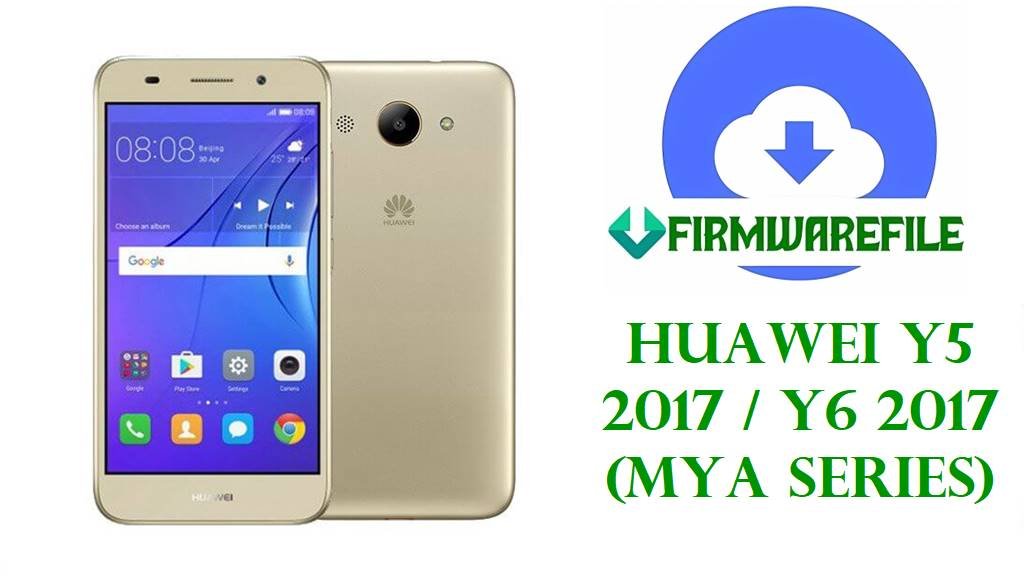
Huawei Y5 2017 / Y6 2017 (MYA Series) Firmware Download & Flash Files
The Huawei Y5 2017 and Y6 2017 (Maya series, including MYA-TL10, MYA-L03, MYA-L11, MYA-L22, MYA-L41, MYA-U29, MYA-AL10, and MYA-L13) are among Huawei’s most popular budget smartphones, known for their reliable performance, intuitive EMUI 4.1 interface based on Android 6.0 Marshmallow, and broad global availability across multiple regions. Despite their durability, users frequently encounter persistent software and hardware-related issues—including severe battery drain, charging failures, system bootloops, network connectivity drops, storage problems, and update failures—often requiring a firmware restoration or complete software reflash to restore full device functionality.
Huawei Maya/Y5/Y6 2017 Firmware Details
| Device Name | Huawei Y5 2017, Y6 2017, Maya Series |
|---|---|
| Model Identifiers | MYA-TL10, MYA-L03, MYA-L11, MYA-L22, MYA-L41, MYA-U29, MYA-AL10, MYA-L13 (regional and carrier variants) |
| Chipset | MediaTek MT6737T (quad-core) or MediaTek MT6580 (quad-core), MTK architecture only, no Qualcomm |
| Display | 5.0–5.5-inch IPS LCD, 720×1280 resolution |
| Battery | 3000–3100mAh capacity, non-removable |
| Camera | 8 MP main sensor + 5 MP front-facing camera |
| Original Software | EMUI 4.1 (Emotion UI 4.1) based on Android 6.0 Marshmallow |
| Main User Issues | Battery drain/not charging, bootloops, black screen/stuck logo, network/SIM issues, storage problems, eRecovery loops, failed OTA updates. |
| Flash Method Required | SP Flash Tool (MediaTek-specific flashing utility), Qualcomm tools do NOT apply to these models |
| File Applications | Unbrick dead devices, fix bootloops, recover failed OTA attempts, restore regional variants, resolve software faults, repair battery and network issues. |
| Critical Notes | Always match exact model code (Settings → About Phone), regional CUST code (e.g., C185, C432, C636), and chipset (MT6737T vs. MT6580) to prevent permanent damage. |
Download Official Firmware for Huawei Maya/Y5/Y6 2017
| Filename | Model Code | Region/CUST | Chipset | File Size | Build Date | Build Version | Android/EMUI | Notes | Download Link |
|---|---|---|---|---|---|---|---|---|---|
| Huawei_MYA-TL10_Maya-TL10C01B131_6.0.zip.rar | MYA-TL10 | China (C01) | MT6737T | 1.45GB | 2017 | B131 | 6.0 / EMUI 4.1 | Full ROM unbrick; China regional; C01 CUST only | Download (Google Drive) |
| Huawei_Y5_2017_MYA-L03_MT6737T_C469B129_16082017.zip | MYA-L03 | Latin America (C469) | MT6737T | 1.53GB | 2017-08-16 | B129 | 6.0 / EMUI 4.1 | LatAm variant; fixes bootloop and regional issues | Download (Google Drive) |
| MYA-L11 Maya-L11C33B125 Firmware 6.0.0 r1 EMUI4.1 05014QQK.zip | MYA-L11 | China (C33) | MT6737T | 4.65GB | 2017 | B125 | 6.0 / EMUI 4.1 | Full service package; large file for comprehensive repair | Download (Google Drive) |
| Huawei_Y6_2017_MYA-L11_(Maya-L11C432B306).zip | MYA-L11 | Western Europe (C432) | MT6737T | 1.5GB | 2018 | B306 | 6.0 / EMUI 4.1 | Stable EU build; latest tested version for MYA-L11 C432 | Download (AndroidFileHost) |
| Huawei_Y6_2017_MYA-L11_MT6737T_C368B124_14092018.zip | MYA-L11 | Singapore/APAC (C368) | MT6737T | 1.41GB | 2018-09-14 | B124 | 6.0 / EMUI 4.1 | APAC region variant; Asia-Pacific optimizations | Download (Google Drive) |
| Huawei_Y5_2017_MYA-L02_MT6737T_C636B126_12072017.zip | MYA-L02 | Asia Pacific/AU (C636) | MT6737T | 1.58GB | 2017-07-12 | B126 | 6.0 / EMUI 4.1 | Australia/SEA; widely used for unbricking global units | Download (Google Drive) |
| Mya_L13_Android_6.0_EMUI_4.1_SPVersion.rar | MYA-L13 | Global/General | MT6737T | 952MB | 2017 | Unknown | 6.0 / EMUI 4.1 | Rare model variant; compact size for service/repair | Download (AndroidFileHost) |
| Huawei_Y5_2017_MYA-L22_MT6737_C185B123_090618.zip | MYA-L22 | Africa/Middle East (C185) | MT6737 | 1.53GB | 2018-06-09 | B123 | 6.0 / EMUI 4.1 | MENA region; resolves bootloop and network faults | Download (Google Drive) |
| Huawei_Y5_2017_MYA-L23_MT6737T_26092018_6.0.zip | MYA-L23 | Americas (C00) | MT6737T | 1.48GB | 2018-09-26 | Unknown | 6.0 / EMUI 4.1 | LatAm/US market; tested for bootloop recovery | Download (Google Drive) |
| Huawei_Y5_MYA-U29_MT6580_29012018.zip | MYA-U29 | Global/Multiple regions | MT6580 | 1.31GB | 2018-01-29 | Unknown | 6.0 / EMUI 4.1 | MT6580 ONLY — NOT for MT6737T models; dead boot repair | Download (Google Drive) |
| MYA-Maya-L41C432B136.zip | MYA-L41 | Western Europe (C432) | MT6737T | 1.49GB | 2017 | B136 | 6.0 / EMUI 4.1 | EU variant; tested and verified stable | Download (Google Drive) |
| Huawei_Mya-AL10_Maya-AL10C00B127_6.0.zip | MYA-AL10 | China (C00) | MT6737T | 1.46GB | 2017 | B127 | 6.0 / EMUI 4.1 | Chinese variant; board-level unbrick; service tool | Download (Google Drive) |
Before You Begin ⚙️
- 💾 Backup Data: Flashing will completely erase all files, contacts, messages, photos, and apps on your phone.
- 🔋 Charge Battery: Ensure your device battery is at least 50% charged to prevent power loss during flashing.
- 💻 Use a Computer: You will need a Windows PC and an original or compatible USB cable.
- 🧩 Install MediaTek Drivers: Download and install MediaTek USB drivers to ensure proper device communication with SP Flash Tool.
- 📥 Download SP Flash Tool: Obtain the latest version of SP Flash Tool (MediaTek-specific flashing utility) for your operating system.
- 📦 Extract Firmware: Unzip/extract your downloaded firmware file completely before flashing.
How to Flash the Firmware
📱 SP Flash Tool (MediaTek MTK) Flashing Guide
- Prepare Files: Extract the firmware.zip file and SP Flash Tool on your PC.
- Load Scatter File: Open SP Flash Tool, click “Scatter-loading”, and select the scatter
.txtor.xmlfile from the extracted firmware folder. - Set Options: In the top menu, ensure “Download Only” is selected (not “Download & Format”).
- Power Off Phone: Turn your Huawei Y5/Y6 completely off (do not use sleep mode).
- Start Flashing: Click the green “Download” button in SP Flash Tool, then immediately connect your powered-off phone via USB cable. Tool will begin flashing automatically.
- Wait for Completion: Tool will display a green checkmark when flashing finishes. Unplug the phone and power it on normally.
Refer to the complete SP Flash Tool tutorial below, which includes driver installation, troubleshooting, and step-by-step screenshots:
Full Tutorial: How to Flash MediaTek Firmware with SP Flash Tool
Alternative Method: SD Card Dload Flashing (if applicable)
Some Huawei Y5/Y6 variants support SD card-based flashing through the dload folder:
SD Card Flashing Guide for Huawei Devices
Frequently Asked Questions (FAQs)
What devices and problems do these firmwares fix?
These official firmwares are designed for Huawei Y5 2017 and Y6 2017 (Maya series models: MYA-TL10, MYA-L03, MYA-L11, MYA-L22, MYA-L41, MYA-U29, MYA-AL10, MYA-L13). They resolve bootloops, black screens, battery failures, network connectivity issues, dead/bricked devices, eRecovery loops, and post-update system corruption.
How do I know which firmware is for my phone?
Go to Settings → About Phone and note your exact model code (e.g., MYA-L11) and regional CUST code (visible as C###, e.g., C432). Download only the firmware matching both your model and CUST version. Flashing the wrong variant will cause permanent bricking.
What is the difference between MT6737T and MT6580 files?
These are different MediaTek chipsets. The MYA-U29 file is exclusively for MT6580 devices. Most other Maya models use MT6737T. Using the wrong chipset firmware will brick your phone permanently. Check your phone’s chipset under Settings → About Phone before downloading.
Why is the MYA-L11 C33 file 4.65GB while others are ~1.5GB?
The larger 4.65GB package is a comprehensive service-level firmware image that includes full board repair files and extended recovery data, making it suitable for severe hardware/software failures and professional service centers.
Will flashing erase my personal data?
Yes. All user data—photos, videos, messages, apps, contacts, and settings—will be permanently deleted during flashing. Always backup your important files to a cloud service or computer before proceeding.
Can I downgrade or upgrade between different build versions?
Generally, you should flash the version closest to or matching your current CUST region without attempting major downgrades, as Huawei’s bootloader restrictions may prevent this. Verify your current build before flashing to avoid complications.
What if my phone is completely dead (no response, won’t charge)?
If your device shows no signs of life, attempt SP Flash Tool flashing. If still unresponsive after multiple attempts, the device may have hardware failure (battery, motherboard, or charging port) requiring professional repair service.
What are MediaTek tools and why not Qualcomm tools?
Your Huawei Y5/Y6 2017 uses MediaTek chipsets (MT6737T or MT6580), not Qualcomm. Only MediaTek-specific tools like SP Flash Tool work for these devices. Qualcomm tools (QFIL, QPST) are incompatible and will not function with your phone.
Is flashing safe for my warranty?
Official firmware flashing typically voids your device warranty. However, using the correct, official firmware from Huawei reduces the risk of permanent damage compared to using unofficial or modified ROMs.
Where can I get recovery drivers and the SP Flash Tool?
See the “How to Flash” section above for download links. Alternatively, search “SP Flash Tool download” or “MediaTek drivers” on trusted ROM sites or XDA Forums.
Meta Title (65 characters): Official Huawei Y5/Y6 2017 Maya Series Firmware Download & Full Guide Meta Description (160 characters): Official firmware for Huawei Y5 2017/Y6 2017 Maya series—fix bootloops, dead phones, battery & network issues. Tested downloads for all regions, SP Flash Tool guide included.