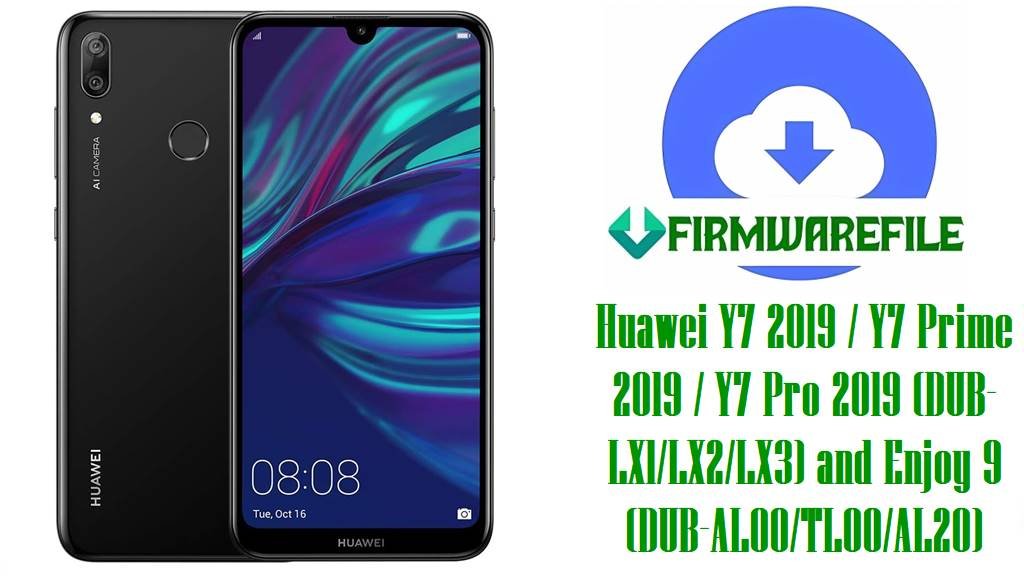
Huawei Y7 2019 / Y7 Prime 2019 / Y7 Pro 2019 (DUB‑LX1/LX2/LX3) and Enjoy 9 (DUB‑AL00/TL00/AL20) Stock Firmware and Board Software [EMUI 8.2, Snapdragon 450]
The Huawei Y7 2019 family (including Y7 Prime 2019 and Y7 Pro 2019) and the China variant Enjoy 9 all run EMUI 8.2 on Android 8.1 and are built on the Qualcomm Snapdragon 450 platform, so recovery packages must match a Qualcomm flashing workflow rather than MediaTek or Kirin methods.
The packages include QPST/QFIL firehose builds, factory “Board Software” (BD 1.0.0.xx) for deep unbrick via EDL 9008, and full region builds (C432/C605/C636/C185) for normal restore or dload updates.
CRUCIAL WARNING: “Board Software” BD 1.0.0.5x/6x requires Qualcomm EDL (HS‑USB QDLoader 9008) access via testpoint on DUB mainboards; do not attempt SP Flash Tool or Kirin-only methods on these Snapdragon devices.
Flashing a mismatched region (cust) can switch the phone to C900 “open market” and disable OTA updates; stay within your cust (e.g., C432 EU, C605 LATAM, C636 Asia‑Pacific, C185 Middle East/Africa) to keep OTA continuity.
If you see “Software install failed” during dload/eRecovery, it typically indicates version or cust/anti‑rollback mismatch—use a same‑or‑newer build for your exact cust and retry with the proper update method.
Hardware differences matter: Y7 Pro 2019 (DUB‑LX2) launched without a fingerprint reader while Y7/Y7 Prime variants include it—firmware will not add missing hardware features.
Device information
| Detail | Information |
|---|---|
| Device family | Huawei Y7 2019 / Y7 Prime 2019 / Y7 Pro 2019; Huawei Enjoy 9 (China) |
| Models in scope | DUB‑LX1 (Prime), DUB‑LX2 (Pro), DUB‑LX3 (Prime LATAM), DUB‑AL00/DUB‑TL00/DUB‑AL20 (Enjoy 9) |
| Chipset | Qualcomm SDM450 Snapdragon 450, octa‑core 1.8 GHz Cortex‑A53, Adreno 506 GPU |
| Software | Android 8.1 (Oreo), EMUI 8.2 across this series at launch |
| Region codes (cust) | C432 (Europe), C605 (Latin America), C636 (Asia Pacific), C185 (Middle East/Africa) |
| Package types | QPST/QFIL firehose packages; Board Software BD 1.0.0.xx for EDL; full dload/update builds per cust |
| Recommended tools | QFIL/QPST for EDL 9008 unbrick; Huawei dload/eRecovery for full update packages |
| Notable hardware note | DUB‑LX2 (Y7 Pro 2019) lacks fingerprint reader vs Y7/Prime siblings |
Download packages
Select the build that matches your exact model and cust; use Board Software for deep unbrick in EDL, QPST/QFIL zips for firehose flashing, and full cust builds for region‑correct restores or dload updates.
| File | Type | Target models | Region/CUST | Size | Notes |
|---|---|---|---|---|---|
| DUB‑LX1/LX2/LX3/AL00 BD 1.0.0.58 Board Software | Board Software (BD) | DUB‑LX1/LX2/LX3/AL00 | General (BD) | 1.1 GB | EDL 9008 unbrick via testpoint; use QFIL firehose from package |
| DUB‑LX BD 1.0.0.61 Board Software | Board Software (BD) | DUB‑LX series | General (BD) | 1.1 GB | For hard‑brick recovery when only 9008 is detected |
| Enjoy 9 DUB‑AL00/TL00 8.2.0.130D | Full firmware (dload) | DUB‑AL00/DUB‑TL00 | C00 (China) | 1.75 GB | China build; install via dload/eRecovery on Enjoy 9 |
| DUB‑AL00/TL00 8.2.0.127(C00) all_cn | Full firmware (dload) | DUB‑AL00/DUB‑TL00 | C00 (China) | 4.12 GB | Multi‑carrier China package for Enjoy 9 |
| DUB‑LX1/L21 8.2.0.147(C432) | Full firmware (dload) | DUB‑LX1/DUB‑L21 | C432 (Europe) | 4.65 GB | EU region build; preserves OTA when flashing same cust |
| DUB‑LX1 8.2.0.176(C185).zip | Full firmware (dload) | DUB‑LX1 | C185 (MEA) | 6.12 GB | MEA package for SD‑card dload update |
| DUB‑LX1 8.2.0.176(C185CUSTC185D1) | Full firmware (dload) | DUB‑LX1 | C185 (MEA) | 2.6 GB | Alternate MEA build; match cust to avoid C900 |
| DUB‑LX/AL00 BD 1.0.0.58 (duplicate) | Board Software (BD) | DUB‑LX/AL00 | General (BD) | 1.1 GB | Duplicate of first BD entry; same use case |
| DUB‑LX2 BD 1.0.0.61 | Board Software (BD) | DUB‑LX2 (Y7 Pro 2019) | General (BD) | 1.11 GB | EDL board repair for LX2; no FP hardware on Pro variant |
| DUB‑LX2 8.2.0.130(C636) | Full firmware (dload) | DUB‑LX2 | C636 (APAC) | 2.67 GB | Asia‑Pacific region build for Y7 Pro 2019 |
| DUB‑LX2 8.2.0.142(C636) | Full firmware (dload) | DUB‑LX2 | C636 (APAC) | 2.63 GB | Newer APAC build; use same‑or‑newer to avoid install fail |
| Huawei_Y7_Pro_DUB‑LX2_C636_QPST.zip | QPST/QFIL package | DUB‑LX2 | C636 (APAC) | 3.56 GB | Flash in EDL 9008 with QFIL programmer and XMLs |
| DUB‑LX3 8.2.0.138(C605) QPST.zip | QPST/QFIL package | DUB‑LX3 | C605 (LATAM) | 1.73 GB | LATAM firehose build for QFIL unbrick/restore |
| DUB‑LX3 8.2.0.144(C605) Dead‑Boot Fix | Recovery pack (EDL) | DUB‑LX3 | C605 (LATAM) | 3.2 GB | Use for dead boot auto‑recovery on LX3 LATAM |
| DUB‑LX3/L03 8.2.0.130(C45) Dead‑Boot Fix | Recovery pack (EDL) | DUB‑LX3/DUB‑L03 | C45 (carrier LATAM) | 3.2 GB | Carrier‑specific LATAM recovery pack variant |
| DUB‑LX1 8.2.0.152(C185) QFIL.zip | QPST/QFIL package | DUB‑LX1 | C185 (MEA) | 4.2 GB | Use firehose programmer included; match cust C185 |
| DUB‑AL20 8.2.0.127(C00) all_cn | Full firmware (dload) | DUB‑AL20 (Enjoy 9) | C00 (China) | 2.84 GB | China build for AL20; install via dload/eRecovery |
| DUB‑LX1/L21 8.2.0.147(C432) (duplicate) | Full firmware (dload) | DUB‑LX1/DUB‑L21 | C432 (Europe) | 4.65 GB | Duplicate of EU build above for convenience |
| DUB‑LX3/L23 8.2.0.144(C605) | Full firmware (dload) | DUB‑LX3/DUB‑L23 | C605 (LATAM) | 3.10 GB | LATAM customization build for SD‑card update |
| DUB‑L22 8.2.0.107(C636) | Full firmware (dload) | DUB‑L22 | C636 (APAC) | 2.63 GB | Asia‑Pacific build; ensure cust alignment before flashing |
Before you begin
- Back up personal data; deep repairs and dload rewrites will erase user partitions during restore.
- Charge to 50%+ and use a known‑good USB cable to avoid EDL interruptions or dload power loss.
- Install Qualcomm HS‑USB QDLoader drivers and verify the device enumerates as 9008 in EDL mode.
- Match your cust/region carefully to avoid C900 conversion and lost OTA capability post‑flash.
Quick flashing guide
QPST/QFIL (EDL 9008) — unbrick
- Extract the chosen Qualcomm package, e.g.,
Huawei_Y7_Pro_DUB-LX2_C636_QPST.zip, and install QPST/QFIL on your PC. - Put phone into EDL 9008 via testpoint, then confirm Windows shows Qualcomm HS‑USB QDLoader 9008 in Device Manager.
- In QFIL, select the programmer (prog_emmc/prog_ufs firehose) from the package, load XMLs when prompted, and keep Download mode as Flat Build.
- Click Download and wait until QFIL completes without errors; the phone may reboot or remain in EDL—disconnect and boot normally.
- If Sahara/Firehose fails, recheck drivers, testpoint contact, and use the exact programmer from the same package variant.
For a full Qualcomm walk‑through, follow the QFIL guide and return here for model‑specific files: QFIL detailed tutorial.
Huawei dload update — full cust packages
- Extract a full cust build, e.g.,
Huawei_Y7_2019_DUB-LX1_8.2.0.176_C185.zip, to get the dload folder/update file and place it on a microSD. - Power off, insert the SD card, then hold Volume Up + Volume Down + Power to start the three‑button dload update.
- Wait for verification and installation to finish; do not interrupt power during flash.
- If “Software install failed” appears, switch to the correct region/version or use eRecovery to match the device’s cust/version.
See the Huawei flashing method overview for dload/eRecovery tips, then use the exact region build above for your model: Huawei method (dload/eRecovery).
Troubleshooting notes
- EDL/testpoint location: DUB boards expose testpoints under the back cover; short the documented pins with battery disconnected to enter 9008.
- “Software install failed”: clear System Update app data and retry with matching cust/version, or switch from dload to EDL restore when partitions are corrupted.
- Region drift to C900 after flashing: reflash correct cust preload/customization to regain OTA, avoiding cross‑cust mixes that trigger open‑market C900.
- Sahara/Firehose handshake errors: typically driver, cable, or wrong programmer choice—reinstall QDLoader drivers and retry with the package’s own firehose.
Frequently asked questions
- Will flashing LX1/LX3 firmware add a fingerprint reader to LX2?
- No—Y7 Pro 2019 (DUB‑LX2) shipped without a fingerprint sensor, and firmware cannot add missing hardware even though LX1/LX3 support it.
- Why did my phone become C900 after a flash and stop getting OTA?
- C900 indicates an open‑market/cross‑cust state from mismatched region components; re‑flash the correct cust (e.g., C432/C605/C636/C185) to restore normal OTA flow.
- When should I use Board Software BD 1.0.0.xx vs a full cust build?
- Use Board Software BD packages when the device is hard‑bricked or only enumerates as 9008; use full cust builds via dload or QFIL when partitions are readable and region alignment is needed.
- How do I enter EDL 9008 on DUB‑series boards?
- Use testpoint on the mainboard to short the documented pins and connect USB; Windows should detect Qualcomm HS‑USB QDLoader 9008 before using QFIL/QPST.