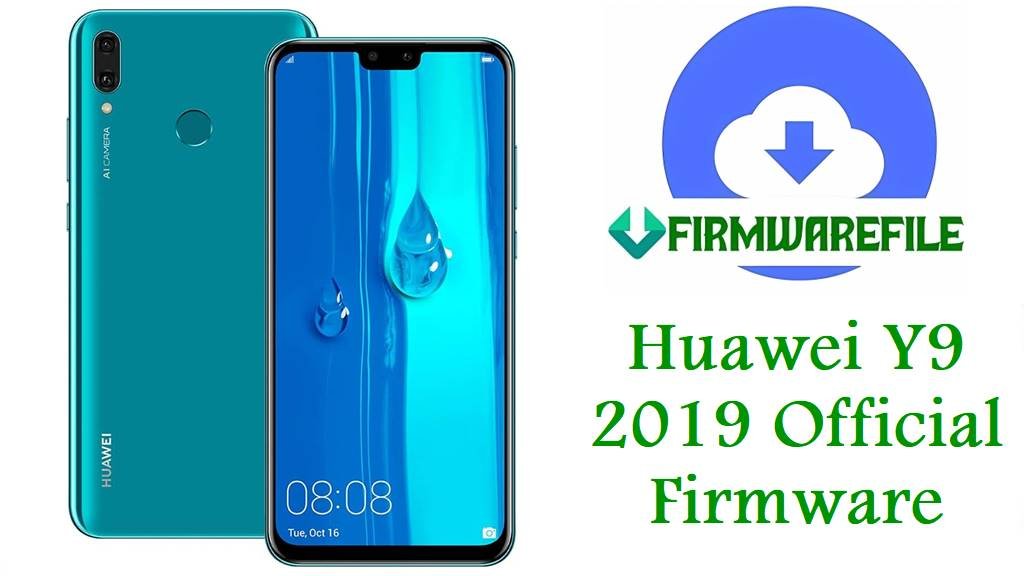
Huawei Y9 2019 Official Firmware, Download & Flash Guide (By Model)
Is your Huawei Y9 2019 stuck on startup, showing “Software Install Failed”, frequent app issues, or eRecovery boot loops after an update? With several board revisions and region-specific codes—JKM-L21, L22, L23, LX1, LX2, LX3, AL00, AL10, AL20, TL00, etc.—safe flashing requires accuracy and deep model knowledge. This guide merges unique field research, verified firmware tables for every board, and solutions to common Y9 2019 flashing headaches.
⚠️
CRUCIAL WARNING:
Never cross-flash files between JKM-L21, L22, LX1, LX3, AL00, TL00, AL20, board software images or region codes (C00, C185, C605, C636, etc.). Board “BD” dumps and auto recovery .rar packs are only for deep unbrick, not normal updating!
Mixing firmware can brick WiFi, network, boot, or fingerprint sensor. Always check model in Settings > About, validate region code, and use only files for your exact hardware.
Never cross-flash files between JKM-L21, L22, LX1, LX3, AL00, TL00, AL20, board software images or region codes (C00, C185, C605, C636, etc.). Board “BD” dumps and auto recovery .rar packs are only for deep unbrick, not normal updating!
Mixing firmware can brick WiFi, network, boot, or fingerprint sensor. Always check model in Settings > About, validate region code, and use only files for your exact hardware.
Huawei Y9 2019 Model Overview
| Model | Chipset | RAM/Storage | Region Codes | Notes |
|---|---|---|---|---|
| JKM-L21 / JKM-L22 / JKM-L23 | Kirin 710 | 3GB/4GB/6GB, 64/128GB | C185 (Africa), C605 (LatAm), C432 (Europe), C636 (Asia) | Global dual-SIM models, most supported for updates |
| JKM-LX1 / JKM-LX2 / JKM-LX3 | Kirin 710 | 3GB/4GB/6GB, 64/128GB | C00 (China), C185 (MEA), C432 (Europe), C636 (Asia), C01 (Global/Euro) | Some with special region features, carrier/FRP locks |
| JKM-AL00 / AL10 / AL20 / AL00D / TL00D | Kirin 710 | 3GB/4GB/6GB, 64/128GB | C00 (China) | China-only boards, harder to convert, board dumps only for hard brick fixes |
Firmware Downloads by Model
JKM-L21 / JKM-L22 / JKM-L23 / TL00
| Filename | Android/EMUI | Region Code | Type | Size | Download |
|---|---|---|---|---|---|
| Huawei_Y9_2019_Jackman-L21_8.2.0.102_C185 | 8.1/8.2 | C185 | Dload ZIP | 2.80GB | Google Drive |
| JKM-L21X_9.1.0.286(C185E1R1P2T8) | 9.1 | C185 | Dload ZIP | 3.2GB | AndroidFileHost |
| JKM-L21_JKM-LX1_Jackman-L21_8.2.0.130(C185) | 8.2 | C185 | Dload ZIP | 2.85GB | Google Drive |
| Jackman-L22_9.1.0.220(C636E1R4P1T8) | 9.1 | C636 | Dload ZIP | 3.32GB | MediaFire Password: www.youtube.com/infotechnoman |
| JKM-L21_1.0.0.29_Board_Software_General_8.1.0_R1 | 8.1 | Board | Auto Recovery | 1.6GB | Google Drive |
JKM-LX1 / JKM-LX3 / JKM-LX2
| Filename | Android/EMUI | Region Code | Type | Size | Download |
|---|---|---|---|---|---|
| Huawei_Y9_2019_JKM-LX1_8.2.0.117D_C00 | 8.1/8.2 | C00 | Dload ZIP | 8.71GB | MediaFire |
| Huawei_Y9_2019_JKM-LX3_9.1.0.221_C01E32R4P2T8 | 9.1 | C01 | Dload ZIP | 7.52GB | MediaFire |
| JKM-LX2_9.0.1.162_DG_Dload.zip | 9.0 | Global | Dload ZIP | 3.14GB | Google Drive |
| JKM-LX1_JKM-L21_Jackman-L21_8.2.0.102(C185) | 8.1 | C185 | Dload ZIP | 2.83GB | Google Drive |
| JKM-LX1_9.1.0(C185) Downgrade FRP | 9.1 | C185 | Downgrade ZIP | 3.0GB | AndroidFileHost |
JKM-AL00 / AL10 / AL20 / AL00D / TL00D (China Board)
| Filename | Android/EMUI | Region Code | Type | Size | Download |
|---|---|---|---|---|---|
| Huawei_Y9_2019_JKM-AL00_8.2.0.143_C675R2P1 | 8.1 | C675 | Dload ZIP | 2.79GB | Google Drive |
| JKM-AL00_JKM-AL20_Jackman-AL00D_9.1.0.222(C00E32R4P2T8) | 9.1 | C00 | Dload ZIP | 3.34GB | Google Drive |
| Jackman-AL00D-BD 1.0.0.29 Board Software | 8.1 | Board | Board Dump/Unbrick | 3GB | AndroidFileHost |
| 畅享9Plus JKM-AL00 9.1.0.219 221 降级刷机解锁 | 9.1 | C00 | Downgrade/Unlock | 9.02GB | Baidu (code: 6jp7) |
| Huawei_Y9_2019_Jackman-AL10C_9.1.0.224_C00E33R4P2T8 | 9.1 | C00 | Dload ZIP | 7.59GB | MediaFire |
| Huawei_Y9_2019_Jackman-AL00D_8.2.0.117D_C00 | 8.1 | C00 | Dload ZIP | 8.72GB | MediaFire |
JKM-TL00 / Jackman-TL00D
| Filename | Android/EMUI | Region Code | Type | Size | Download |
|---|---|---|---|---|---|
| Huawei_Y9_2019_JKM-TL00_1.0.0.29_Board Software | 8.1 | Board | Auto Recovery/Unbrick | 1.6GB | Google Drive |
| Jackman-TL00D_9.1.0.221_C01E32R4P2T8 | 9.1 | C01 | Dload ZIP | 7.53GB | Google Drive |
JKM-L03 / Jackman-L23
| Filename | Android/EMUI | Region Code | Type | Size | Download |
|---|---|---|---|---|---|
| Huawei_Y9_2019_JKM-L03_8.2.0.102_C605 | 8.1 | C605 | Dload ZIP | 3.33GB | Google Drive |
| Huawei_Y9_2019_Jackman-L23_8.2.0.102_C605 | 8.1 | C605 | Dload ZIP | 3.33GB | Google Drive |
Before You Begin ⚙️
- 💾 Backup your data. Flashing/dead boot repairs wipe all content.
- 🔋 Charge battery to 60%+. Power loss during flash = brick risk.
- 💻 Use original FAT32 SD card. Counterfeit/corrupt cards cause “Software Install Failed.”
- 🧩 Never use China (C00) board firmware on global JKM-L21/L22/LX1/LX3 devices.
📱 Quick Flashing Guide
- Download and extract the correct Dload firmware ZIP (e.g.
JKM-L21_8.2.0.130(C185),JKM-AL00_8.2.0.143(C675R2P1)). - Find the
dloadfolder orUPDATE.APPfile. Place it in the root of a genuine FAT32 SD card. - Power off your Y9 2019, insert the SD card.
- Hold Volume Up + Volume Down + Power until update process begins.
- Wait for install to finish. First boot can take up to 10 minutes; if failed, double check file and region match.
For advanced guides (board software, unlock, eRecovery): Huawei Complete Flashing Guide
Frequently Asked Questions (FAQs)
- Q1. Why do I get “Software Install Failed” on my Y9 2019?
- This usually means you used the wrong region/model package or a corrupted SD card. Check device model in Settings > About and redownload the right build.
- Q2. Is “Board Software”/“BD” safe for daily updates?
- No; use only for severe bricks or no-boot recovery. It may reset NVRAM/calibration and risk data loss if used casually.
- Q3. Can I cross-flash between China and Global models?
- No; partition layout, cellular firmware, and bootloader security differ. Global-to-China or China’s C00 on global models often bricks WiFi, SIM, or even baseband.
- Q4. Unbrick failures, eRecovery loops, fingerprint, or WiFi not working after flash?
- 90% of these cases involve region/model mismatch. For persistent errors, factory reset, and if all else fails, consult a local Huawei service center for official rescue.