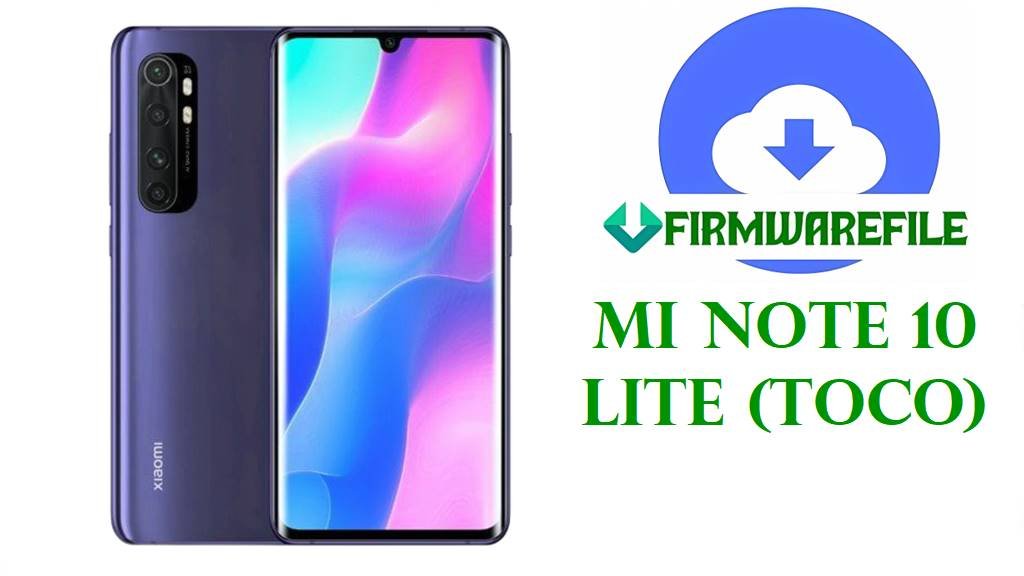
Mi Note 10 Lite (toco) MIUI 13 Android 12 Fastboot & Custom ROM Downloads
The Xiaomi Mi Note 10 Lite, codename toco, is a mid‑range phone built around a curved 6.47‑inch AMOLED display, Snapdragon 730G chipset, up to 8 GB RAM, UFS 2.1 storage and a 5260 mAh battery with 30 W fast charging, making it a popular choice for camera and media‑focused users.
Over time, owners commonly report problems like high battery drain, random overheating, the screen becoming stuck or unresponsive, and occasional boot‑loop or stability issues after major MIUI updates.
The official MIUI 13 Android 12 Fastboot ROMs, the xiaomi.eu multi‑language fastboot build and a dedicated TWRP package listed below give toco users several clean firmware options to fix software corruption, stabilize performance and apply recent security patches such as the October 2022 update included in V13.0.4.0 and V13.0.6.0 releases.
Download Official Firmware for Xiaomi Mi Note 10 Lite (toco)
MIUI update trackers confirm that V13.0.4.0.SFNMIXM (Global), V13.0.6.0.SFNEUXM (EEA) and V13.0.3.0.SFNTRXM (Turkey) are Android 12‑based MIUI 13 stable builds for Mi Note 10 Lite, all carrying an updated October 2022 security patch and “increased system security” in their changelogs. The Fastboot packages hosted on Xiaomi’s bigota servers are ideal for full clean installs and unbricking, while the community xiaomi.eu fastboot ROM and TWRP package allow advanced users to move to a multi‑language, debloated MIUI experience or maintain custom recoveries for further modding.
| Filename | Region / ROM Type | Build Version | Android / MIUI | Build Date | File Size | Flashing Type | Notes | Download Link |
|---|---|---|---|---|---|---|---|---|
| toco_global_images_V13.0.4.0.SFNMIXM_20221026.0000.00_12.0_global_3da65774e7.tgz | Global Stable – Mi Note 10 Lite Global (SFNMIXM) | V13.0.4.0.SFNMIXM | Android 12, MIUI 13 | 2022‑10‑26 | 4.38 GB | Official Fastboot ROM (.tgz) | Global MIUI 13 stable Fastboot build; changelog highlights an October 2022 security patch and increased system security for toco. | Download V13.0.4.0 SFNMIXM Global (Xiaomi server) |
| toco_ru_global_images_V13.0.4.0.SFNRUXM_20221031.0000.00_12.0_global_b8fef95050.tgz | Russia Stable – Mi Note 10 Lite RU (SFNRUXM) | V13.0.4.0.SFNRUXM | Android 12, MIUI 13 | 2022‑10‑31 | 3.98 GB | Official Fastboot ROM (.tgz) | Russian MIUI 13 Android 12 Fastboot package with the same security patch level and core features as the global ROM, tuned for RU network regulations. | Download V13.0.4.0 SFNRUXM Russia (Xiaomi server) |
| toco_eea_global_images_V13.0.6.0.SFNEUXM_20230112.0000.00_12.0_eea_d2f56fd4e9.tgz | EEA Stable – Mi Note 10 Lite Europe (SFNEUXM) | V13.0.6.0.SFNEUXM | Android 12, MIUI 13 | 2023‑01‑12 | 4.18 GB | Official Fastboot ROM (.tgz) | Newer EEA MIUI 13 build; update trackers show the same October 2022 patch and security improvements, packaged with EU‑specific compliance and localization. | Download V13.0.6.0 SFNEUXM EEA (Xiaomi server) |
| xiaomi.eu_multi_MINote10LITE_V13.0.4.0.SFNMIXM_v13-12-fastboot.zip | xiaomi.eu Custom ROM – Multilingual MIUI 13 (based on SFNMIXM) | V13.0.4.0.SFNMIXM (xiaomi.eu) | Android 12, MIUI 13 (modified) | 2022‑11 (forum release) | 3.35 GB | Fastboot ROM (.zip, scripts inside) | Community MIUI 13 build derived from official base with multi‑language support, Google apps and various tweaks; installed via included fastboot scripts, not Mi Flash. | Download xiaomi.eu V13.0.4.0 fastboot (SourceForge) |
| toco_tr_global_images_V13.0.3.0.SFNTRXM_20221031.0000.00_12.0_global_05b936812b.tgz | Turkey Stable – Mi Note 10 Lite TR (SFNTRXM) | V13.0.3.0.SFNTRXM | Android 12, MIUI 13 | 2022‑10‑31 | 3.77 GB | Official Fastboot ROM (.tgz) | Turkish MIUI 13 stable Fastboot ROM mirroring the October 2022 security patch and Android 12 base for locally sold devices. | Download V13.0.3.0 SFNTRXM Turkey (Xiaomi server) |
| MiNote10Lite_toco_TWRP_MIUI12_MiFirm.net.zip | Custom Recovery – TWRP package for Mi Note 10 Lite (MIUI 12 base) | TWRP build for toco | N/A (recovery only) | Original upload around MIUI 12 era | 36 MB | Recovery image (.zip /.img inside) | TWRP custom recovery image used to flash ZIP‑based ROMs or backups on Mi Note 10 Lite; typically installed via fastboot flash recovery or an existing custom recovery. | Download Mi Note 10 Lite TWRP package (AndroidFileHost) |
Mi Note 10 Lite (toco) Firmware Details
| Device Name | Xiaomi Mi Note 10 Lite |
|---|---|
| Codename | toco – official internal codename used by all listed MIUI 13 Android 12 builds and custom ROMs for this model. |
| Model Identifiers | M2002F4LG and related global variants documented in firmware and spec databases. |
| Chipset | Qualcomm Snapdragon 730G (8 nm), octa‑core Kryo 470 CPU and Adreno 618 GPU for gaming‑oriented mid‑range performance. |
| Display | 6.47‑inch curved AMOLED, 1080 × 2340, HDR10, Gorilla Glass 5 front and back. |
| Battery & Charging | 5260 mAh Li‑Po battery with 30 W wired fast charging, often delivering a full day of heavy use but prone to faster drain under gaming or poor signal. |
| Cameras | Quad rear camera: 64 MP main + 8 MP ultrawide + 5 MP macro + 2 MP depth, plus a 16 MP selfie camera with 1080p video. |
| Software Families | Originally shipped with Android 10 / MIUI 11, later updated to MIUI 12 / 12.5 and finally to MIUI 13 Android 12 via builds like V13.0.4.0.SFNMIXM and V13.0.6.0.SFNEUXM. |
| Main Issues Reported | Users frequently mention high battery drain, random overheating, screen freezes or unresponsiveness, and boot‑screen loops after problematic updates or heavy use. |
| What These ROMs Improve | The MIUI 13 Android 12 updates add the October 2022 security patch and security hardening, while a clean Fastboot flash can eliminate bugs caused by corrupted or outdated MIUI 11/12 installs. |
| File Types | Official Xiaomi Fastboot archives (.tgz) for stock ROMs, plus a xiaomi.eu fastboot .zip and a TWRP recovery package for advanced users. |
| Required Tools | Mi Flash Tool or fastboot scripts for the Fastboot ROMs; custom recovery (TWRP) or fastboot for the TWRP and xiaomi.eu packages. |
| Bootloader Status | Bootloader must be unlocked to flash any Fastboot or custom ROM; stock OTA MIUI updates normally require a locked, unmodified system. |
| Use Cases for These Files | Unbrick bootloops, recover from failed updates, solve persistent lag or battery problems tied to old firmware, and switch to cleaner multi‑language MIUI via xiaomi.eu if desired. |
Before You Begin ⚙️
- 💾 Backup data: Fastboot and custom ROM flashes can erase apps, accounts and internal storage; copy your photos and files first.
- 🔋 Charge battery: Ensure your Mi Note 10 Lite has at least 50 % charge to avoid shutdowns and potential hard bricks while flashing.
- 💻 Use a PC and proper drivers: You need a Windows PC, Xiaomi USB/ADB drivers and a reliable USB‑C cable for Mi Flash or fastboot scripts.
- 🔓 Unlock the bootloader: Use Xiaomi’s official unlock tool and confirm the codename is toco before flashing any of these ROMs.
📱 How to Flash the Firmware
Method 1: Xiaomi Mi Flash Tool (Official Fastboot ROMs)
- Download and extract a Fastboot ROM: Get the correct toco_*_images_V13.0.x.0.SFN* .tgz for your region, then extract it to a simple folder path such as C:\ROM\toco on your PC.
- Install tools and drivers: Install Xiaomi USB/ADB drivers and the official Mi Flash Tool on your Windows computer.
- Enter fastboot mode: Power off the phone, hold Volume Down + Power until the fastboot screen appears, then connect it to your PC via USB‑C.
- Flash the ROM: Open Mi Flash, click Select and choose the extracted ROM folder, select the “clean all” option and press Flash, then wait while all partitions are written.
- Reboot and update: When Mi Flash finishes, let the phone reboot into MIUI 13, complete setup, and then check for further OTA updates from Settings → About phone → System update.
For a more detailed, step‑by‑step Mi Flash tutorial with screenshots and troubleshooting, follow: Full Tutorial: Flash Xiaomi Firmware with Mi Flash Tool.
Method 2: xiaomi.eu & TWRP / Fastboot Scripts
- Prepare the ROM and tools: Download the xiaomi.eu_multi_MINote10LITE_V13.0.4.0.SFNMIXM_v13-12-fastboot.zip or the TWRP package, then extract xiaomi.eu to see the included Windows fastboot scripts.
- Boot into fastboot: With the bootloader unlocked, start the phone in fastboot mode and connect it to the PC as in Method 1.
- Run the correct script: For xiaomi.eu, use the provided windows_fastboot_first_install_with_data_format.bat for a clean install or windows_fastboot_update_rom.bat to update an existing xiaomi.eu system; for TWRP, flash the recovery image via fastboot flash recovery or an existing custom recovery.
- Wait for flashing to finish: Do not disconnect the phone until the script or recovery reports success and the device reboots or returns to the recovery menu.
- Complete setup and test: After reboot, finish Android setup, then test battery life, performance and touch responsiveness over a few days to confirm that previous software issues are resolved.
For more background on fastboot script flashing and its options, see: Full Tutorial: Flash Stock Firmware Using a Fastboot Script (flash_all.bat).
Frequently Asked Questions (FAQs)
What Mi Note 10 Lite problems can these MIUI 13 ROMs fix?
A clean flash of the correct MIUI 13 Android 12 ROM often fixes bootloops, random reboots, freezes, UI lag and some battery or overheating issues that appeared after years of updates or failed modifications.
How do I choose the right firmware file for my device?
Check Settings → About phone → MIUI version or use fastboot getvar product to confirm the codename toco and region suffix (SFNMIXM, SFNEUXM, SFNRUXM, SFNTRXM), then only flash ROMs whose codes match exactly.
What is the difference between official MIUI 13 and xiaomi.eu ROM?
Official MIUI 13 builds come directly from Xiaomi with regional customizations and OTA support, while xiaomi.eu is a community ROM based on Xiaomi firmware that adds multi‑language support and other tweaks but is not officially supported by Xiaomi.
Can MIUI 13 improve my battery life on Mi Note 10 Lite?
MIUI 13 includes newer security patches and under‑the‑hood optimizations, and a clean install can remove misbehaving apps or leftover bugs, but battery life still depends heavily on usage patterns and background app control.
Is it safe to stay on older MIUI 12.5 instead of updating?
Older MIUI versions may feel stable but lack recent security patches and can carry unresolved bugs; moving to the latest stable MIUI 13 build for your region is generally safer if you flash it correctly and then monitor performance.