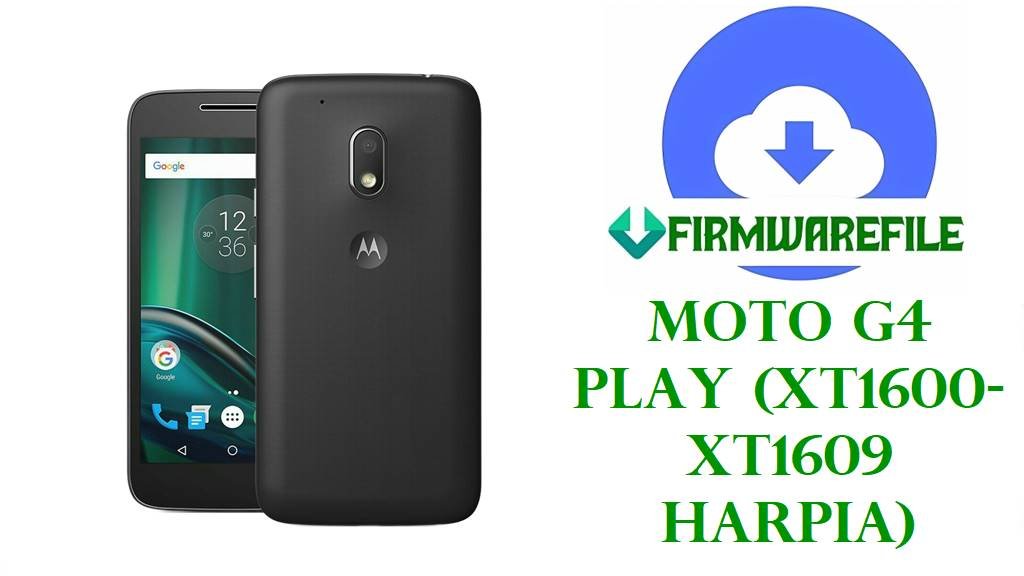
Motorola Moto G4 Play (XT1600 / XT1601 / XT1602 / XT1603 / XT1604 / XT1607 / XT1609) Official Stock Firmware Download and Safe Flashing Guide
The Motorola Moto G4 Play with codename harpia is a compact 5‑inch budget phone built around the Snapdragon 410 platform, a 720p IPS display, 1–2 GB RAM, 8–16 GB storage, and a 2800 mAh removable battery.
Users typically reinstall the stock firmware on this model to recover from bootloops, fix startup failed or “failed to validate boot image” errors, undo custom ROMs or root, restore original carrier branding (for example TIMBR, TEFBR, VFGB, VZW), or update from Marshmallow 6.0.1 to the official Nougat 7.1.1 builds using fastboot firmware packages.
File Selection Guide
The Moto G4 Play is sold under multiple model numbers—XT1600, XT1601, XT1602, XT1603, XT1604, XT1607 and XT1609—and each firmware is tied to a specific model plus customer ID (CID) and subsidy tag such as RETLA, RETUS, RETGB, TIMBR, VZW, VFGB or LATAM.
Before downloading, check your exact model and carrier region from Settings > About phone (if the device still boots) or from the bootloader/fastboot screen; then choose a package whose filename starts with that model (for example XT1601) and whose subsidy string (RETLA, TIMBR, VFGB, etc.) matches how your phone was originally sold, to keep radios and OTAs working as expected.
For first‑time users the safest path is: pick the Marshmallow 6.0 / 6.0.1 firmware when you need an initial clean base or a downgrade, and use the NPIS26.48‑43‑2 Nougat packages that exactly match your model and subsidy when you are ready to move to Android 7.1.1 or need to repair an already‑updated device.
Moto G4 Play harpia Firmware Download
The list below groups your files by model, Android version, and region/carrier; all are official‑style fastboot/CFC firmware packages designed for repair and full restores.
| Model | Build / Filename | Android Version | Region / Subsidy | Size | File Type | Notes | Flashing Method | Download |
|---|---|---|---|---|---|---|---|---|
| XT1600 | Motorola_Moto_G4_Play_XT1600_Harpia_MPI24.241-2.35-1_CID50_6.0 | Android 6.0 Marshmallow | CID50 generic (XT1600) | 1.02 GB | .zip (fastboot) | Base 6.0 firmware for XT1600; good for full stock restore or downgrade from Nougat before troubleshooting. | Fastboot script / manual fastboot | Download XT1600 MPI24.241-2.35-1 |
| XT1600 | Motorola_Moto_G4_Play_XT1600_Harpia_NPIS26.48-43-2_CID50_7.1.1 | Android 7.1.1 Nougat | CID50 generic (XT1600) | 874 MB | .zip (fastboot) | Official 7.1.1 NPIS26.48‑43‑2 firmware for XT1600; standard upgrade path from 6.0 to Nougat for unbranded devices. | Fastboot script / manual fastboot | Download XT1600 NPIS26.48-43-2 |
| XT1600 | XT1600_HARPIA_TIMBR_7.1.1_NPIS26.48-43-2_cid50_subsidy-DEFAULT_CFC.xml | Android 7.1.1 Nougat | TIMBR (TIM Brazil) | 855 MB | .xml.zip (CFC) | Brazil TIM‑branded 7.1.1 firmware for XT1600; keeps TIM customizations and OTA channel. | Fastboot using XML script | Download XT1600 TIMBR 7.1.1 |
| XT1600 | XT1600_HARPIA_TEFBR_7.1.1_NPIS26.48-43-2_cid50_CFC.xml | Android 7.1.1 Nougat | TEFBR (Telefónica/Vivo Brazil) | 855 MB | .xml.zip (CFC) | Telefónica Brazil‑oriented Nougat ROM; use when restoring a TEFBR‑sold device. | Fastboot using XML script | Download XT1600 TEFBR 7.1.1 |
| XT1600 | XT1600_HARPIA_OIBR_7.1.1_NPIS26.48-43-2_cid50_CFC.xml | Android 7.1.1 Nougat | OI Brazil | 855 MB | .xml.zip | OI‑branded Nougat firmware; best choice for OI‑locked XT1600 units. | Fastboot using XML script | Download XT1600 OIBR 7.1.1 |
| XT1600 | XT1600_HARPIA_AMXBR_7.1.1_NPIS26.48-43-2_cid50_CFC.xml | Android 7.1.1 Nougat | AMXBR (Claro Brazil) | 855 MB | .xml.zip | Claro Brazil firmware for XT1600; used to re‑apply carrier customizations and keep Claro OTA path. | Fastboot using XML script | Download XT1600 AMXBR 7.1.1 |
| XT1601 | Motorola_Moto_G4_Play_XT1601_Mexico_Harpia_MPIS24.241-15.3-7_6.0.1 | Android 6.0.1 Marshmallow | Mexico (RETMX / carrier Mexico) | 1.02 GB | .zip (fastboot) | Mexico‑specific 6.0.1 base for XT1601; good for returning Mexican units to stock Marshmallow. | Fastboot script / manual fastboot | Download XT1601 Mexico 6.0.1 |
| XT1601 | Motorola_Moto_G4_Play_XT1601_Harpia_NPIS26.48-43-2_CID50_7.1.1 | Android 7.1.1 Nougat | CID50 generic (XT1601) | 874 MB | .zip (fastboot) | Generic official 7.1.1 upgrade firmware for XT1601; use when you want a clean, unbranded Nougat ROM. | Fastboot script / manual fastboot | Download XT1601 NPIS26.48-43-2 |
| XT1601 | XT1601_HARPIA_WOMCL_7.1.1_NPIS26.48-43-2_CFC.xml | Android 7.1.1 | WOM Chile | 855 MB | .xml.zip | WOM Chile carrier‑specific Nougat; retains operator apps and tuning for that network. | Fastboot using XML script | Download XT1601 WOMCL 7.1.1 |
| XT1601 | XT1601_HARPIA_TEFCO_7.1.1_NPIS26.48-43-2_CFC.xml | Android 7.1.1 | Telefónica Colombia | 855 MB | .xml.zip | Telefónica CO‑focused ROM; restores stock for XT1601 units sold by TEFCO. | Fastboot using XML script | Download XT1601 TEFCO 7.1.1 |
| XT1601 | XT1601_HARPIA_RETMX_MPIS24.241-15.3-7_CFC.xml | Android 6.0.1 | RETMX (Retail Mexico) | 1.02 GB | .xml.zip | Retail Mexico Marshmallow ROM; good starting point before applying Mexico 7.1.1 OTAs. | Fastboot using XML script | Download XT1601 RETMX 6.0.1 |
| XT1601 | XT1601_HARPIA_RETLA_7.1.1_NPIS26.48-43-2_CFC.xml | Android 7.1.1 | RETLA (Latin America retail) | 855 MB | .xml.zip | Unbranded Latin‑America Nougat firmware; ideal generic choice for many XT1601 LATAM phones. | Fastboot using XML script | Download XT1601 RETLA 7.1.1 |
| XT1601 | XT1601_HARPIA_RETCA_7.1.1_NPIS26.48-43-2_CFC.xml | Android 7.1.1 | RETCA (Retail Canada) | 855 MB | .xml.zip | Canadian retail 7.1.1 firmware for XT1601; matches devices sold unlocked in Canada. | Fastboot using XML script | Download XT1601 RETCA 7.1.1 |
| XT1601 | XT1601_HARPIA_RETAR_7.1.1_NPIS26.48-43-2_CFC.xml | Android 7.1.1 | RETAR (Retail Argentina) | 855 MB | .xml.zip | Retail Argentina Nougat ROM; recommended for XT1601 units sold directly in AR. | Fastboot using XML script | Download XT1601 RETAR 7.1.1 |
| XT1601 | XT1601_HARPIA_NIIPE_7.1.1_NPIS26.48-43-2_CFC.xml | Android 7.1.1 | NII Peru | 855 MB | .xml.zip | Peru carrier‑tuned ROM, used to restore NIIPE‑sold devices. | Fastboot using XML script | Download XT1601 NIIPE 7.1.1 |
| XT1601 | XT1601_HARPIA_MOVSTLA_7.1.1_NPIS26.48-43-2_subsidy-MOVSTLA_CFC.xml | Android 7.1.1 | MOVSTLA (Movistar Latin America) | 866 MB | .xml.zip | Movistar Latin America firmware; keep this on MOVSTLA devices to maintain branding and OTAs. | Fastboot using XML script | Download XT1601 MOVSTLA 7.1.1 |
| XT1601 | XT1601_HARPIA_LATAM_7.1.1_NPIS26.48-43-2_subsidy-LATAM_SELFPERSO_CFC.xml | Android 7.1.1 | LATAM self‑personalized | 866 MB | .xml.zip | Generic Latin‑America 7.1.1 with SELFPERSO designation; useful for unbranded LATAM kits. | Fastboot using XML script | Download XT1601 LATAM 7.1.1 |
| XT1601 | XT1601_HARPIA_IUSMXLA_7.1.1_NPIS26.48-43-2_subsidy-IUSMXLA_CFC.xml | Android 7.1.1 | IUSACELL / AT&T Mexico | 866 MB | .xml.zip | Firmware aligned to IUSMXLA operator requirements; best for Iusacell/AT&T Mexico XT1601 units. | Fastboot using XML script | Download XT1601 IUSMXLA 7.1.1 |
| XT1601 | XT1601_HARPIA_BELL_MPIS24.241-15.3-7_subsidy-BELLCA_CFC.xml | Android 6.0.1 | Bell Canada | 1.02 GB | .xml.zip | Bell‑branded Marshmallow firmware; base image for Canadian Bell customers. | Fastboot using XML script | Download XT1601 BELL 6.0.1 |
| XT1601 | XT1601_HARPIA_AMXBR_7.1.1_NPIS26.48-43-2_CFC.xml | Android 7.1.1 | AMXBR (Claro Brazil, XT1601) | 855 MB | .xml.zip | Claro Brazil oriented 7.1.1 firmware for XT1601; keep for Brazilian Claro units. | Fastboot using XML script | Download XT1601 AMXBR 7.1.1 |
| XT1602 | Motorola_Moto_G4_Play_XT1602_Harpia_NPIS26.48-43-2_CID50_7.1.1 | Android 7.1.1 | CID50 generic XT1602 | 874 MB | .zip | Generic dual‑SIM XT1602 Nougat firmware; common choice for Europe/India/Australia XT1602 devices. | Fastboot script / manual fastboot | Download XT1602 NPIS26.48-43-2 |
| XT1602 | Motorola_Moto_G4_Play_Dual_XT1602_Harpia_MPI24.241-15.3_CID50 | Android 6.0 Marshmallow | CID50 dual‑SIM | 1.0 GB | .zip | Dual‑SIM base Marshmallow firmware for XT1602; good starting point for unbranded regions. | Fastboot script / manual fastboot | Download XT1602 MPI24.241-15.3 |
| XT1603 | Motorola_Moto_G4_Play_XT1603_Harpia_NPIS26.48-43-2_CID50_7.1.1 | Android 7.1.1 | Brazil variant XT1603 | 874 MB | .zip | Official Nougat firmware for XT1603, generally targeting Brazilian markets. | Fastboot script / manual fastboot | Download XT1603 7.1.1 |
| XT1604 | XT1604_HARPIA_VF_7.1.1_NPIS26.48-43-2_subsidy-VFGB_CFC.xml | Android 7.1.1 | Vodafone UK / VFGB | 837 MB | .xml.zip | Vodafone‑branded UK firmware for XT1604; keeps VF apps and OTA path. | Fastboot using XML script | Download XT1604 VFGB 7.1.1 |
| XT1604 | XT1604_HARPIA_TESCOIE_7.1.1_NPIS26.48-43-2_subsidy-TESCOIE_CFC.xml | Android 7.1.1 | Tesco Ireland | 866 MB | .xml.zip | Carrier‑specific firmware for Tesco IE XT1604 models. | Fastboot using XML script | Download XT1604 TESCOIE 7.1.1 |
| XT1604 | XT1604_HARPIA_RETGB_7.1.1_NPIS26.48-43-2_CFC.xml | Android 7.1.1 | RETGB (Retail UK) | 855 MB | .xml.zip | Unbranded UK/GB retail firmware; ideal if your XT1604 came factory unlocked in the UK. | Fastboot using XML script | Download XT1604 RETGB 7.1.1 |
| XT1604 | XT1604_HARPIA_7.1.1_ORA_NPIS26.48-43-2_CFC.xml | Android 7.1.1 | Orange (EU) | 843 MB | .xml.zip | Orange‑branded EU firmware; preserves Orange customization. | Fastboot using XML script | Download XT1604 ORA 7.1.1 |
| XT1604 | XT1604_HARPIA_O2_7.1.1_NPIS26.48-43-2_subsidy-O2GB_CFC.xml | Android 7.1.1 | O2 UK | 831 MB | .xml.zip | O2 UK‑tuned firmware for XT1604; keep for O2‑locked units. | Fastboot using XML script | Download XT1604 O2GB 7.1.1 |
| XT1604 | XT1604_HARPIA_3IE_7.1.1_NPIS26.48-43-2_subsidy-3IE_CFC.xml | Android 7.1.1 | 3 Ireland | 866 MB | .xml.zip | 3 Ireland carrier ROM, matching XT1604 phones from that network. | Fastboot using XML script | Download XT1604 3IE 7.1.1 |
| XT1607 | XT1607_HARPIA_USC_7.1.1_NPIS26.48-43-2_subsidy-USC_CFC.xml | Android 7.1.1 | US Cellular | 855 MB | .xml.zip | US Cellular tuned Nougat; flash only on USC models. | Fastboot using XML script | Download XT1607 USC 7.1.1 |
| XT1607 | XT1607_HARPIA_RETUS_7.1.1_NPIS26.48-43-2_CFC.xml | Android 7.1.1 | RETUS (USA retail) | 855 MB | .xml.zip | Unbranded US retail firmware for XT1607; suitable for unlocked US units. | Fastboot using XML script | Download XT1607 RETUS 7.1.1 |
| XT1607 | XT1607_HARPIA_LRA_7.1.1_NPIS26.48-43-2_CFC.xml | Android 7.1.1 | LRA / regional US carrier | 855 MB | .xml.zip | Regional US carrier build; only appropriate for XT1607 sold under LRA. | Fastboot using XML script | Download XT1607 LRA 7.1.1 |
| XT1607 | XT1607_HARPIA_CCAWS_7.1.1_NPIS26.48-43-2_subsidy-CCAWS_CFC.xml | Android 7.1.1 | Amazon / CCAWS | 866 MB | .xml.zip | Ad‑supported / Amazon‑linked firmware for CCAWS XT1607 devices. | Fastboot using XML script | Download XT1607 CCAWS 7.1.1 |
| XT1607 | XT1607_HARPIA_AMZ_7.1.1_NPIS26.48-43-2_cid18_CFC.xml | Android 7.1.1 | AMZ (Amazon retail) | 1002 MB | .xml.zip | Amazon‑specific variant with cid18; targeted at Prime Exclusive XT1607 units. | Fastboot using XML script | Download XT1607 AMZ 7.1.1 |
| XT1607 | XT1607_HARPIA_ACG-3G_MPI24.241-2.47_CFC.xml | Android 6.0 | ACG‑3G (US regional) | 1.05 GB | .xml.zip | 3G‑centric ACG firmware for XT1607; used for specific smaller carriers. | Fastboot using XML script | Download XT1607 ACG-3G 6.0 |
| XT1609 | XT1609_HARPIA_VZW_7.1.1_NPIS26.48-43-2_cid2_subsidy-VZW_CFC.xml | Android 7.1.1 | Verizon Wireless (USA) | 1.04 GB | .xml.zip | CDMA/LTE Verizon‑specific firmware for XT1609; only use on VZW‑branded phones. | Fastboot using XML script | Download XT1609 VZW 7.1.1 |
Moto G4 Play (harpia) and Firmware Summary
This summary ties the Moto G4 Play hardware platform to the stock firmwares above so you can verify that your device and chosen ROM belong to the same family before flashing.
| Parameter | Details (Moto G4 Play harpia) |
|---|---|
| Device name | Motorola Moto G4 Play |
| Models covered | XT1600, XT1601, XT1602, XT1603, XT1604, XT1607, XT1609. |
| Codename | harpia |
| Chipset | Qualcomm Snapdragon 410 MSM8916, quad‑core 1.2 GHz Cortex‑A53, Adreno 306 GPU. |
| Display | 5.0‑inch IPS LCD, 720 × 1280 (HD) at about 294 ppi. |
| Memory | 1–2 GB RAM, 8–16 GB internal storage, dedicated microSD slot. |
| Battery | 2800 mAh Li‑Po, removable. |
| Software base | Android 6.0/6.0.1 Marshmallow originally, with official upgrade to Android 7.1.1 Nougat via NPIS26.48‑43‑2 builds. |
| Firmware format | Fastboot zips and CFC xml packages containing system, boot, modem, and other images for service flashing. |
| Recommended tools | Lenovo Rescue and Smart Assistant for automatic recovery, or fastboot (via flashfile.bat/xml) for manual installation. |
How to Flash Moto G4 Play harpia Firmware
G4 Play stock ROMs are flashed with fastboot: either automatically using a batch/xml script from the firmware package or via Lenovo Rescue and Smart Assistant, or manually with individual fastboot commands when you need granular control.
Method 1 – Lenovo Rescue and Smart Assistant (Recommended for Non‑Experts)
Lenovo’s Rescue and Smart Assistant (RSA) can automatically download and flash the correct signed firmware for many Motorola phones, including Moto G4 Play, when the device can still enter fastboot mode.
- Install Lenovo Rescue and Smart Assistant on a Windows PC and open the tool.
- With the Moto G4 Play powered off, hold Volume Down + Power to enter the bootloader/fastboot screen, then connect the phone to the PC via USB.
- In RSA, select the Motorola brand and choose the rescue or software repair option; the tool should detect your harpia model and show the available stock firmware.
- Confirm the operation and wait while RSA downloads and flashes the firmware over fastboot; do not disconnect the phone or close the program during this process.
- When the tool reports success and the phone reboots, verify the new build number and Android version in Settings > About phone.
For detailed Motorola‑specific instructions and requirements, see:
How to flash Motorola firmware (Fastboot, Rescue Assistant & RSD Lite).
Method 2 – flashfile.bat / CFC XML Fastboot Script
Most harpia firmware packages come with a flashfile.bat (for Windows) or flashfile.xml that defines the correct sequence of fastboot commands to fully restore the device.
- Install Motorola USB drivers and platform‑tools (fastboot) on your PC, then extract the chosen harpia firmware zip into a simple folder (for example
C:\harpia_fw). - Power off the Moto G4 Play, hold Volume Down + Power to enter fastboot mode, and connect it to the PC with a reliable USB cable.
- If the package contains
flashfile.bat, open a command prompt in the firmware folder and run the batch file to start automated flashing of all partitions. - If you have only flashfile.xml, convert it to a batch script or follow an XML‑to‑batch approach, then run the generated script so all listed
fastboot flashcommands execute in order. - After the script finishes without errors, reboot the phone with
fastboot rebootor let it restart automatically; the first boot may take several minutes while Android optimizes apps.
A generic overview of this fastboot‑script workflow is covered here:
How to flash stock firmware using fastboot and in the Motorola firmware guide on FlashGuideHub.
Method 3 – Manual Fastboot Flash (Advanced, Selective Repair)
If you need to repair specific partitions (for example, to fix a boot image validation error) rather than reflash everything, you can manually send selected fastboot commands using images from the correct firmware for your harpia variant.
- Extract the firmware zip and identify key images like
boot.img,system.img,modem.img, and any oem/vendor images referenced in the XML. - Boot the Moto G4 Play into fastboot (Volume Down + Power) and connect it to the PC; verify with
fastboot devicesthat the device is detected. - Flash only the needed partitions using the syntax in Moto guides, for example:
fastboot flash boot boot.imgfastboot flash system system.imgfastboot flash modem NON-HLOS.bin
(adjusting filenames to match your package). - Optionally run
fastboot erase cacheandfastboot erase userdataif you want a fresh start and accept data loss. - Use
fastboot rebootto restart the phone and let Android finish booting; then confirm that errors such as “failed to validate boot image” or bootloop symptoms are resolved.
For more examples of manual Motorola flashing and troubleshooting boot loops, see:
Flash Motorola firmware (Fastboot, Rescue Assistant & RSD Lite).
Frequently Asked Questions
How do I confirm which exact Moto G4 Play variant I have?
Check the model label printed under the battery or in Settings > About phone; you can also read the product line in fastboot mode where Product/Variant: harpia XT160x is shown, and this must match the firmware you use.
Can I flash RETUS or RETGB firmware on a carrier‑locked harpia unit?
Cross‑flashing between different subsidies (for example VZW or VFGB to RETUS) is not guaranteed and may break network provisioning or OTAs, so generally you should stick to the firmware whose subsidy string matches your original carrier when possible.
Does flashing stock firmware unlock or relock my bootloader?
Stock firmware restores the system and boot images but usually does not change the bootloader lock state; locking or unlocking still requires Motorola’s official process plus explicit fastboot oem unlock or fastboot oem lock commands.
Will flashing these ROMs erase my data on Moto G4 Play?
Many harpia flash scripts and XMLs include userdata wipes, and even when they do not, mixing major builds can cause instability if old data is kept, so you should plan for a full data wipe and back up anything important in advance.
Can these packages upgrade my phone beyond Android 7.1.1?
Official Moto G4 Play support stops at Android 7.1.1, so these firmwares only provide Marshmallow or Nougat; any Android version above 7.1.1 requires custom ROMs, which are outside the scope of this stock guide.
What if Rescue and Smart Assistant refuses to service my device?
In cases where RSA cannot proceed—often with modified or region‑mismatched devices—you can download the appropriate harpia firmware from a trusted mirror and flash it manually with the included fastboot script, as many community guides recommend.