Motorola Moto G4 (XT1621 / XT1622 / XT1624 / XT1625 / XT1626) Official Stock Firmware Download and Safe Flashing Guide
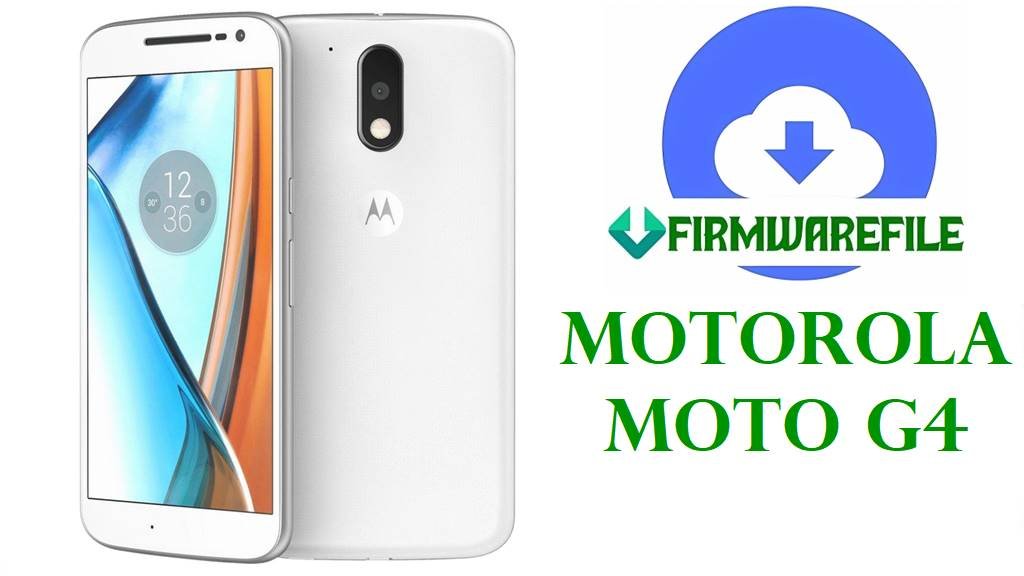
The Motorola Moto G4, codename athene, is a 2016 mid‑range phone based on the Snapdragon 617 platform with a 5.5‑inch Full HD IPS display, 2 GB RAM, 16–32 GB storage, and a 3000 mAh battery.
Users typically reinstall stock firmware on this model to fix bootloops, recover from failed OTAs, remove custom ROMs or root, repair persistent system bugs, or restore the original regional software on carrier‑branded units, often using fastboot flash commands or Lenovo’s Rescue and Smart Assistant tool.
File Selection Guide
The Moto G4 is sold under several model numbers—XT1621, XT1622, XT1624, XT1625 and XT1626—and each firmware package is tied to both a specific model and customer ID (CID) plus a subsidy/carrier tag such as RETUS, MOVSTLA, TESCOEU, CCAWS or LATAM.
Before flashing, confirm the exact model (for example XT1625) and region/carrier string from fastboot mode or Settings, then pick a firmware whose filename starts with that model and whose “subsidy‑” and region tags match your current configuration; mixing firmwares across models or very different regions can break radio behaviour or prevent OTAs.
First‑time users should generally choose a complete, tested build that matches their model and region (for example XT1625 RETUS or XT1622 TESCOEU) and only use slightly different CFC XML packages when they understand how to read and flash fastboot XML scripts safely.
Moto G4 athene Firmware Download
The table below groups the provided firmware images by device variant, Android version, and intended region/operator; all are factory fastboot packages suitable for restoring stock Moto G4 software.
| Model | Build / Filename | Android Version | Region / Subsidy | Size | File Type | Notes | Flashing Method | Download |
|---|---|---|---|---|---|---|---|---|
| XT1621 | Motorola_Moto_G4_XT1621_ATHENE_MPJ24.139-23.4_CID50_6.0.1 | Android 6.0.1 Marshmallow | Generic CID50, base Marshmallow | 1.05 GB | .zip (fastboot package) | Original 6.0.1 MPJ24.139‑23.4 firmware for XT1621; useful for full clean restore or downgrade from early Nougat if needed. | Fastboot script / manual fastboot | Download XT1621 MPJ24.139-23.4 |
| XT1621 | Motorola_Moto_G4_XT1621_ATHENE_MSTLA_NPJS25.93-14-10_CID50_7.0 | Android 7.0 Nougat | MSTLA, CID50 (Latin America variant) | 1.06 GB | .zip (fastboot package) | Nougat NPJS25.93‑14‑10 firmware for XT1621; good for updating a Marshmallow device to official MSTLA 7.0 or repairing soft bricked Nougat installations. | Fastboot script / manual fastboot | Download XT1621 NPJS25.93-14-10 |
| XT1621 | XT1621_ATHENE_LATAM_7.0_NPJS25.93-14-15_cid50_subsidy-LATAM_regulatory-DEFAULT_CFC.xml | Android 7.0 Nougat | LATAM (subsidy-LATAM, CID50) | 1.07 GB | .xml.zip (CFC fastboot script) | LATAM carrier‑aligned 7.0 package with CFC XML script; suited to XT1621 units sold in wider Latin‑America region that need a consistent regulatory and subsidy profile. | Fastboot using XML‑driven script | Download XT1621 LATAM NPJS25.93-14-15 |
| XT1621 | XT1621_ATHENE-MOVLA_MPJ24.139-23.4_cid50_subsidy-MOVSTLA_CFC.xml | Android 6.0.1 Marshmallow | MOVSTLA (Latin America operator) | 1.06 GB | .xml.zip (CFC fastboot script) | Carrier‑branded Marshmallow firmware for MOVSTLA‑subsidised XT1621 units; typically used when returning a customized phone to operator stock software. | Fastboot using XML‑driven script | Download XT1621 MOVSTLA MPJ24.139-23.4 |
| XT1625 | Motorola_Moto_G4_XT1625_ATHENE-RETUS_MPJ24.139-48_cid50 | Android 6.0.1 Marshmallow | RETUS (US retail, unlocked) | 1.05 GB | .zip (fastboot package) | US retail MPJ24.139‑48 firmware for XT1625; a common base image for restoring unlocked North‑American Moto G4 units. | Fastboot script / manual fastboot | Download XT1625 RETUS MPJ24.139-48 |
| XT1625 | Motorola_Moto_G4_XT1625_ATHENE_AMZ_7.0_NPJ25.93-14.7_cid50_7.0 | Android 7.0 Nougat | AMZ / CCAWS (Amazon‑related builds) | 1.30 GB | .zip (fastboot package) | Amazon‑linked 7.0 firmware for XT1625 with specific preloads; choose this only for Moto G4 units originally sold as Amazon/CCAWS variants. | Fastboot script / manual fastboot | Download XT1625 AMZ NPJ25.93-14.7 |
| XT1625 | XT1625_ATHENE_CCAWS_7.0_NPJS25.93-14.7-5_cid50_subsidy-CCAWS_regulatory-DEFAULT_CFC.xml | Android 7.0 Nougat | CCAWS (Amazon / ad‑supported group) | 1.06 GB | .xml.zip (CFC fastboot script) | CFC XML firmware for XT1625 with subsidy‑CCAWS, used to restore the Amazon‑ad / CCAWS configuration and keep OTA compatibility for that channel. | Fastboot using XML‑driven script | Download XT1625 CCAWS NPJS25.93-14.7-5 |
| XT1622 | Motorola_Moto_G4_XT1622_ATHENE_MPJ24.139-23.4_CID50_6.0.1 | Android 6.0.1 Marshmallow | Generic CID50 (often Europe/other markets) | 1.06 GB | .zip (fastboot package) | Base 6.0.1 firmware for XT1622; suitable for full restore or downgrade prior to installing a TESCO or other regional Nougat package. | Fastboot script / manual fastboot | Download XT1622 MPJ24.139-23.4 |
| XT1622 | XT1622_ATHENE_TESCOEU_7.0_NPJS25.93-14-18_cid50_subsidy-TESCOEU_regulatory-DEFAULT_CFC.xml | Android 7.0 Nougat | TESCOEU (Tesco UK / EU) | 1.07 GB | .xml.zip (CFC fastboot script) | Carrier‑specific Tesco EU Nougat firmware for XT1622; designed to keep Tesco branding, APNs and OTA compatibility on UK and some European units. | Fastboot using XML‑driven script | Download XT1622 TESCOEU NPJS25.93-14-18 |
| XT1624 | Motorola_Moto_G4_XT1624_ATHENE_7.0_NPJ25.93-11_CID50 | Android 7.0 Nougat | CID50 (generic / regional XT1624) | 1.05 GB | .zip (fastboot package) | Generic 7.0 NPJ25.93‑11 firmware for XT1624; ideal as a stable Nougat stock image for this dual‑SIM or regional variant. | Fastboot script / manual fastboot | Download XT1624 NPJ25.93-11 |
| XT1624 | Motorola_Moto_G4_XT1624_ATHENE_NPJS25.93-14-18_CID50 | Android 7.0 Nougat | CID50 (later Nougat build) | 1.07 GB | .zip (fastboot package) | Later NPJS25.93‑14‑18 firmware for XT1624, analogous to the G4 Plus update branch; often chosen for security patch updates while remaining on stock. | Fastboot script / manual fastboot | Download XT1624 NPJS25.93-14-18 |
| XT1626 | Motorola_Moto_G4_XT1626_ATHENE_6.0.1_MPJ24.139-23.1_cid50_6.0.1 | Android 6.0.1 Marshmallow | CID50 (XT1626 regional variant) | 1.10 GB | .zip (fastboot package) | Base Marshmallow MPJ24.139‑23.1 firmware for XT1626; provides a clean starting point for this less common variant before OTAs or manual updates. | Fastboot script / manual fastboot | Download XT1626 MPJ24.139-23.1 |
Device and Firmware Summary
This summary highlights the Moto G4 hardware platform and how it interacts with the fastboot firmware packages above, so you can double‑check compatibility before flashing.
| Parameter | Details (Moto G4 athene) |
|---|---|
| Device name | Motorola Moto G4 (4th generation) |
| Models covered | XT1621, XT1622, XT1624, XT1625, XT1626 (all athene family, different regions/carriers). |
| Chipset | Qualcomm Snapdragon 617 MSM8952, octa‑core Cortex‑A53 CPU, Adreno 405 GPU. |
| Display | 5.5‑inch IPS LCD, 1080 × 1920 resolution, ~401–403 ppi, Gorilla Glass 3. |
| Memory | 2 GB RAM with 16 or 32 GB internal storage, microSDXC support. |
| Battery | 3000 mAh Li‑ion, non‑removable, with TurboPower fast charging support. |
| Camera | 13 MP rear camera with dual‑LED flash, 1080p video; 5 MP front camera. |
| Software base | Originally Android 6.0.1 Marshmallow; official updates to Android 7.0 Nougat (NPJ/NPJS branches) via these fastboot packages and OTAs. |
| Firmware format | Fastboot‑flashable zips and CFC XML packages containing partition images (system, boot, modem, etc.). |
| Recommended tools | Motorola/Lenovo Rescue and Smart Assistant (RSA) for automated recovery, or manual fastboot with factory firmware. |
How to Flash Moto G4 athene Firmware
Moto G4 stock images are flashed over fastboot, either using an XML‑driven script provided with the firmware or manual fastboot commands; for non‑technical users, Lenovo’s Rescue and Smart Assistant offers a safer, guided alternative.
Method 1 – Lenovo Rescue and Smart Assistant (Beginner‑friendly)
This method automatically downloads and flashes the correct signed firmware for your Moto G4, making it a good first option if the phone still enters fastboot mode.
- Install Lenovo’s Rescue and Smart Assistant (RSA) on a Windows PC, then launch it and sign in if required.
- With the phone powered off, hold Volume Down + Power to enter fastboot mode on the Moto G4, then connect it to the PC with a reliable USB cable.
- In RSA, choose the appropriate rescue or firmware recovery option for Motorola phones; the tool will detect your model and offer an available stock build.
- Confirm the download and flashing operation, then wait while RSA pulls the firmware, reboots the device as needed, and flashes it via fastboot without further manual commands.
- When RSA reports completion and the Moto G4 reboots, go to Settings > About phone and verify the new build number and Android version.
A general overview of using Rescue and Smart Assistant for Motorola unbricking is available here:
How to flash Motorola firmware (Fastboot, Rescue Assistant & RSD Lite).
Method 2 – Fastboot Script / XML Flash (Factory Package)
Most of the athene firmware zips contain a flashfile.xml or batch script that defines the correct sequence of fastboot commands; this is the standard service‑style way to reinstall stock software.
- Install Motorola USB drivers and platform‑tools (fastboot) on your PC, then extract the chosen Moto G4 firmware zip into a simple folder path (for example
C:\athene_fw). - Power off the Moto G4, hold Volume Down + Power to enter the bootloader/fastboot screen, and connect the phone to the PC via USB.
- If your package contains a ready batch or script file (such as
flashfile.batconverted from flashfile.xml), open a command prompt in that folder and run the script to automatically flash all partitions. - Alternatively, advanced users can open the flashfile.xml and manually run the listed
fastboot flashcommands one by one, making sure not to skip critical partitions like gpt, bootloader, system and modem. - After the script finishes, issue
fastboot rebootor let the phone reboot automatically, then wait for the first boot to complete and check the system version in Settings.
For a detailed explanation of fastboot‑based Motorola flashing (including example command sets), see:
How to flash stock firmware using fastboot and the specific Motorola flashing guide:
Flash Motorola firmware (Fastboot, Rescue Assistant & RSD Lite).
Method 3 – Manual Fastboot Commands (Advanced Control)
In cases where you only need to refresh key partitions (for example system and boot) or fix a semi‑bricked device, you can selectively flash images from the Moto G4 firmware package using individual fastboot commands.
- Extract the firmware zip and locate critical images such as
gpt.bin,bootloader.img,boot.img,system.img, and any modem or vendor partitions included. - Enter fastboot mode on the Moto G4 (Volume Down + Power) and connect to the PC; in a command prompt opened in the firmware folder, confirm connection with
fastboot devices. - Flash core partitions using the order suggested in Moto G4 guides, for example:
fastboot flash partition gpt.binfastboot flash bootloader bootloader.imgfastboot flash boot boot.imgfastboot flash system system.img
(plus any radio or oem partitions present in your package). - Once flashing is complete and there are no errors, run
fastboot erase cache(and optionallyfastboot erase userdataif you want a clean reset), then typefastboot rebootto restart the phone. - Allow extra time for the first boot after a full system flash, then verify that Android and security patch levels match the chosen firmware.
For example command lists and unbrick flows, you can refer to Moto G4 community guides and stock firmware tutorials like:
Flash Motorola firmware (Fastboot, Rescue Assistant & RSD Lite).
Frequently Asked Questions
How can I confirm my exact Moto G4 model (XT1621, XT1622, XT1624, XT1625, XT1626)?
You can check the model label under the SIM tray or in Settings > About phone when the device still boots; in fastboot mode, the top line also shows the model and product, which must match the firmware you choose.
Is it safe to cross‑flash XT1625 RETUS firmware on another Moto G4 variant?
Cross‑flashing between athene variants is risky due to subtle hardware and regional differences, and best practice is to stay within your exact model and matching subsidy/region string (for example XT1622 TESCOEU on Tesco devices) to preserve modem and OTA behaviour.
Will flashing these stock packages unlock or relock my Moto G4 bootloader?
Fastboot firmware restores stock partitions but does not normally change the bootloader unlock state; unlocking and relocking still require Motorola’s official unlock token process and explicit fastboot lock/unlock commands.
Does flashing stock firmware wipe my personal data?
Many fastboot scripts include fastboot erase userdata, which performs a factory reset; even when it is absent, changing major builds often leads to instability if data is kept, so you should plan as if your apps and internal storage will be wiped.
Can these firmwares upgrade my Moto G4 beyond Android 7.0?
Official athene firmware stops at Android 7.0 Nougat, so these factory images only reinstall Marshmallow or Nougat; later Android versions require custom ROMs, not stock Motorola packages.
What should I do if the phone does not enter fastboot mode or appears as Qualcomm “blank” device?
In deep‑brick cases where the device only shows up as a Qualcomm loader, you may need a blank‑flash package and a more advanced unbrick procedure before using normal fastboot firmware, as described in dedicated Moto G4 unbrick guides.