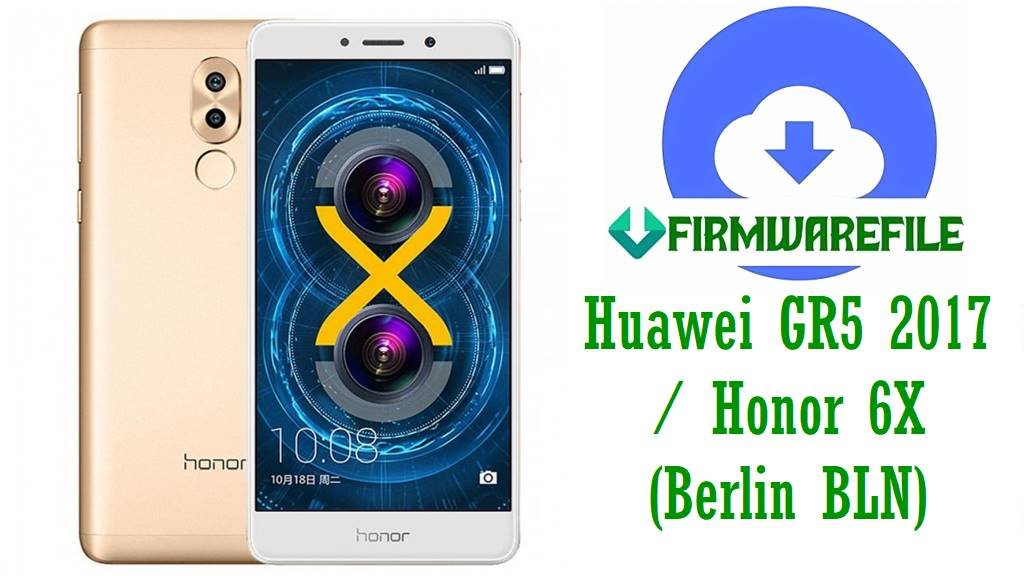
Official Huawei GR5 2017 / Honor 6X (Berlin BLN) Firmware to Fix Bootloops, Lag & Update Failures
The Huawei GR5 2017 and Honor 6X (codenamed “Berlin”, models BLN‑L21, BLN‑L22, BLN‑L23, BLN‑AL10/20/30/40, BLN‑TL00/10, plus related GR5 KII‑L21) share a solid mid‑range hardware platform built around the HiSilicon Kirin 655 chipset, 5.5‑inch Full HD display, 3–4 GB RAM, 32–64 GB storage, dual‑camera system, and a 3340 mAh battery, originally shipping with Android 6.0 / EMUI 4.1 and upgradable to EMUI 5 and EMUI 8 on supported variants.
Over time, many users report serious software issues after updates—such as bootloops, “unknown model” bugs, failed Nougat/Oreo upgrades, random restarts, heavy lag, and battery drain—that often cannot be fully solved by simple factory resets and require clean stock firmware flashing to restore stability. Based on real user feedback and repair guides, common GR5 2017 / Honor 6X issues include:
- Bootloops and devices stuck on the Honor/Huawei logo after EMUI 5/8 OTA updates or failed SD‑card upgrades.
- “Unknown model” or “test‑keys” build number after custom ROMs or partial updates, breaking OTA and SafetyNet.
- Battery draining much faster than expected, device warming up, and random shutdowns on older batteries.
- System lag, app installation failures, Play Store errors, and crashes in heavy apps or games.
- Network issues like SIM not detected, unstable mobile data, or call/SMS problems; some units lose IMEI after bad flashes.
The official firmware packages listed below help by:
- Reinstalling clean EMUI 4.1 / 5.0 / 5.0.1 / 5.0.3 / 5.0.4 / 8.0 system images to fix bootloops, “unknown model” bugs and corrupted updates.
- Restoring correct regional CUST (C10, C185, C636, C675, C730, C752, etc.) so OTA updates and features work properly again.
- Improving stability, performance, and battery behavior compared to broken or heavily modified firmware.
- Unbricking devices stuck after failed Nougat/Oreo upgrades and reviving phones that only boot into eRecovery or Fastboot.
- Providing board‑software images for deep‑level repairs on BLN‑AL10/L24/L41/L42 when normal dload flashing is not enough.
Huawei GR5 2017 / Honor 6X Firmware Details
| Device Names | Huawei GR5 2017, Huawei GR5 (KII‑L21 legacy), Honor 6X |
|---|---|
| Codenames | Berlin (BLN‑series), earlier GR5 as KII‑L21 |
| Model Identifiers | BLN‑L21, BLN‑L22, BLN‑L23, BLN‑AL10, BLN‑AL20, BLN‑AL30, BLN‑AL40, BLN‑TL00, BLN‑TL10, BLN‑L24/L41/L42 (board SW) and KII‑L21 |
| Chipsets | HiSilicon Kirin 655 (Honor 6X / GR5 2017, BLN); Qualcomm Snapdragon 616/Kirin 620 class on older GR5 KII‑L21 |
| Display | 5.5‑inch IPS LCD, 1080×1920 resolution |
| Battery | 3340 mAh typical (Honor 6X / GR5 2017) with fast charging |
| Cameras | Dual 12 MP + 2 MP rear, 8 MP front (Honor 6X); 13 MP rear, 5 MP front on older GR5 |
| Software Versions | Android 6.0 / EMUI 4.1.3; Android 7.0 / EMUI 5.0, 5.0.1, 5.0.3, 5.0.4; Android 8.0 / EMUI 8.0 on selected BLN‑AL/ TL variants |
| Main Issues Reported | Post‑update bootloops, failed Nougat/Oreo upgrades, “unknown model”/test‑keys builds, battery drain, app install errors, random reboots, network & SIM problems |
| Primary Flash Methods | SD‑card dload (UPDATE.APP), EMUI recovery “3‑button” upgrade, Huawei dload method, Huawei Smartphone Multi Download Software, OTA sideload (for some.zip OTAs) |
| Best Use Cases | Unbrick soft‑ and some hard‑bricked units, fix bad OTAs, move between EMUI 4.1 & 5.0/5.0.4/8.0 on supported models, restore correct region firmware and board information |
Download Official Firmware for Huawei GR5 2017 / Honor 6X (Berlin BLN & KII‑L21)
| Filename | Model | Region / CUST | Size | Build / Version | Android / EMUI | Type | Notes | Download |
|---|---|---|---|---|---|---|---|---|
| Huawei_GR5_BLN-L21_Berlin-L21_C10B382_EMUI5.0.1_Uzbekistan_7.0_Dload.zip | BLN‑L21 (GR5 2017 / Honor 6X) | Uzbekistan (C10) | 1.62GB | B382 | Android 7.0 / EMUI 5.0.1 | Dload | Uzbekistan regional build; good for fixing Nougat update failures and bootloops. | Local (Google Drive / host) |
| BLN-AL40_Berlin-AL40B_8.0.0.532(C00)_all_cn_Firmware_8.0.0_r1_EMUI8.0_05014JKY.rar | BLN‑AL40 | China (C00) | 4.75GB | 8.0.0.532 | Android 8.0 / EMUI 8.0 | Full firmware | Chinese all‑net variant; full EMUI 8 upgrade package. | Download (Google Drive) |
| Huawei_Berlin-L22_C636B394_R1_EMUI5.0.3_05014BSP_7.0.0_Dload.zip | BLN‑L22 | Asia Pacific (C636) | 1.63GB | B394 | Android 7.0 / EMUI 5.0.3 | Dload | Late stable APAC build; fixes many Nougat bugs and lag. | Download (Google Drive) |
| Huawei_GR5_2017_Berlin-L22_C636B393_Firmware_Android_7.0_EMUI_5.0.3_05014CFP_Dload.zip | BLN‑L22 | Asia Pacific (C636) | 2.69GB | B393 | Android 7.0 / EMUI 5.0.3 | Dload | Full GR5 2017 APAC package; for upgrade and recovery. | Download (Google Drive) |
| Huawei_GR5_BLN-TL00_8.0.0.528_C01_EMUI8.0_05014NUS_8.0_OTA.zip | BLN‑TL00 | China / CMCC (C01) | 453MB | 8.0.0.528 | Android 8.0 / EMUI 8.0 | OTA | Incremental OTA for TL00; requires correct base build. | Download (Google Drive) |
| Huawei_GR5_BLN-L23_Berlin-L23_C730B112CUSTC730D001_EMUI4.1.3_05014KMJ_6.0_Dload.zip | BLN‑L23 | Latin America (C730) | 1.98GB | B112 | Android 6.0 / EMUI 4.1.3 | Dload | Initial Marshmallow firmware; good for full downgrade or clean base. | Download (Google Drive) |
| KII-L21_C464B310_Firmware_Android5.1_EMUI3.1.rar | KII‑L21 (older GR5) | Region C464 | 1.22GB | B310 | Android 5.1 / EMUI 3.1 | Full firmware | Legacy GR5 model; used to restore stock Lollipop/EMUI 3.1. | Download (Google Drive) |
| Berlin-L21C185B382_hw_meafnaf_Firmware_7.0.0_r1_EMUI5.0.4_05014BXJ.rar | BLN‑L21 | Middle East & Africa (C185) | 2.44GB | B382 | Android 7.0 / EMUI 5.0.4 | Full firmware | MEAFNAF regional build; stable EMUI 5.0.4 for GR5 2017/Honor 6X. | Download (Google Drive) |
| Honor_6X_BLN-AL10B_C00B172_Firmware_China_Nonspecific_Board_Software_General_Android_6.0_EMUI_4.1_05013QEU_Dload.zip | BLN‑AL10B | China (board SW) | 2.06GB | B172 | Android 6.0 / EMUI 4.1 | Board / Dload | Board‑level repair package for Chinese Honor 6X AL10. | Download (Google Drive) |
| Honor_6X_BLN-L24_L41_L42_HL2BLNTMBD001051_Board_Software_Android_6.0_HMT.zip | BLN‑L24/L41/L42 | Board software | 699MB | HMT | Android 6.0 base | Board SW | Service‑grade board software for TM variants; used with pro tools. | Download (Google Drive) |
| BLN-AL30_Berlin-AL30A_8.0.0.532(C00)_all_cn_Firmware_8.0.0_r1_EMUI8.0_05014JKX.rar | BLN‑AL30A | China (C00) | 4.75GB | 8.0.0.532 | Android 8.0 / EMUI 8.0 | Full firmware | Full EMUI 8 upgrade for AL30A; all‑net Chinese model. | Download (Google Drive) |
| BLN-AL20_Berlin-AL20B_8.0.0.528(C00)_all_cn_Firmware_Android_8.0_EMUI8.0_05014NVG.rar | BLN‑AL20B | China (C00) | 4.65GB | 8.0.0.528 | Android 8.0 / EMUI 8.0 | Full firmware | Chinese AL20B EMUI 8 package; for upgrade and recovery. | Download (Google Drive) |
| BLN-AL10_Berlin-AL10A_8.0.0.532(C00)_all_cn_Firmware_8.0.0_r1_EMUI8.0_05014NVD.rar | BLN‑AL10A | China (C00) | 4.75GB | 8.0.0.532 | Android 8.0 / EMUI 8.0 | Full firmware | Full Oreo package for Chinese AL10A; dual‑SIM variant. | Download (Google Drive) |
| BLN-L22_Berlin-L22HN_C675B330CUSTC675D001_channel_in_Firmware_India_Nonspecific_Android7.0_EMUI5.0_05014FLA.rar | BLN‑L22HN | India (C675) | 2.26GB | B330 | Android 7.0 / EMUI 5.0 | Full firmware | Indian channel firmware; solves many local network/bug issues. | Download (Google Drive) |
| BLN-L21_Berlin-L21HN_C432B382_hw_eu_Firmware_7.0.0_r1_EMUI5.0.3_05014DSN.rar | BLN‑L21HN | Europe (C432) | 2.46GB | B382 | Android 7.0 / EMUI 5.0.3 | Full firmware | EU build; good base to recover soft‑bricked European Honor 6X. | Download (Google Drive) |
| BLN-TL10_Berlin-TL10_8.0.0.532(C752)_cmcc_cn_Firmware_8.0.0_r1_EMUI8.0_05014JMM.rar | BLN‑TL10 | China CMCC (C752) | 3.07GB | 8.0.0.532 | Android 8.0 / EMUI 8.0 | Full firmware | Carrier‑branded CMCC Oreo firmware; for TL10 models. | Download (Google Drive) |
| BLN-TL00_Berlin-TL00_8.0.0.532(C01)_cmcc_cn_Firmware_8.0.0_r1_EMUI8.0_05014NUT.rar | BLN‑TL00 | China CMCC (C01) | 3.07GB | 8.0.0.532 | Android 8.0 / EMUI 8.0 | Full firmware | Another CMCC Oreo package; for TL00 dual‑SIM. | Download (Google Drive) |
| Huawei_Honor_6X_BLN-L22_EMUI4.1_C675B132_India_6.0_Dload.zip | BLN‑L22 | India (C675) | 1.7GB | B132 | Android 6.0 / EMUI 4.1 | Dload | Original Indian Marshmallow firmware; perfect downgrade base. | Download (Google Drive) |
| Huawei_Honor_6X_BLN-AL30_8.0.0.532_8.0.0_EMUI8.0_05014JKX_OTA.zip | BLN‑AL30 | China (C00) | 782MB | 8.0.0.532 | Android 8.0 / EMUI 8.0 | OTA | Incremental Oreo OTA on supported AL30 base build. | Download (Google Drive) |
| Huawei_Honor_6X_Huawei_BLN-AL10_8.0.0.532_8.0.0_EMUI8.0_05014JKX_OTA.zip | BLN‑AL10 | China (C00) | 782MB | 8.0.0.532 | Android 8.0 / EMUI 8.0 | OTA | Oreo OTA for AL10 on matching EMUI 5 base. | Download (Google Drive) |
| Huawei_Honor_6X_BLN-AL30_8.0.0.528_C00_MUI8.0_05014NVG_8.0_OTA.zip | BLN‑AL30 | China (C00) | 769MB | 8.0.0.528 | Android 8.0 / EMUI 8.0 | OTA | Alternative AL30 Oreo OTA build; C00 specific. | Download (Google Drive) |
| BLN-L21C185B380.zip | BLN‑L21 | Middle East & Africa (C185) | 1.6GB | B380 | Android 7.0 / EMUI 5.x | Dload | Popular C185 GR5 2017/Honor 6X build; fixes many MEA bugs. | Download (AndroidFileHost) |
| Huawei_GR5_BLN-L21HN_HNC185B386_EMUI5.0.4_05014CMP_7.0_Dload.zip | BLN‑L21HN | Middle East & Africa (C185) | 1.63GB | B386 | Android 7.0 / EMUI 5.0.4 | Dload | Later MEA build; stability and security improvements. | Download (Google Drive) |
| Huawei_GR5_BLN-TL10_8.0.0.528_C01_EMUI8.0_05014NUS_8.0_OTA.zip | BLN‑TL10 | China (C01) | 1.68GB | 8.0.0.528 | Android 8.0 / EMUI 8.0 | OTA | Oreo OTA for TL10; requires correct EMUI 5 base. | Download (Google Drive) |
| Honor_6X_BLN-L22_C675B320CUSTC675D002_EMUI5.0_05014GGY_7.0_Dload.zip | BLN‑L22 | India (C675) | 738MB | B320 | Android 7.0 / EMUI 5.0 | Dload | Indian Nougat build; common fix for OTA bootloops. | Download (Google Drive) |
| Honor_6X_Berlin-TL10_C01B172_EMUI4.1_05013WBG_6.0_Dload.zip | Berlin‑TL10 | China (C01) | 2.06GB | B172 | Android 6.0 / EMUI 4.1 | Dload | Base Marshmallow firmware for TL10; downgrade or clean install. | Download (Google Drive) |
| Honor_6X_BLN-L21_Berlin-L21HN_C10B383_EMUI5.0.1_05014CXK_7.0_Dload.zip | BLN‑L21HN | Uzbekistan (C10) | 1.61GB | B383 | Android 7.0 / EMUI 5.0.1 | Dload | Uzbekistan build; updated EMUI 5.0.1 for BLN‑L21HN. | Download (Google Drive) |
Flashing Requirements
Before You Begin ⚙️
- 💾 Backup Data: Flashing will erase apps, messages, photos, and internal storage. Back up to a PC, SD card, or cloud first.
- 🔋 Charge Battery: Ensure at least 50–60% battery to avoid shutdown during flashing.
- 💻 Use a PC & SD Card: You will need a Windows PC for extracting files and a quality microSD card (8–32 GB, FAT32) for dload.
- 🧩 Correct Drivers: Install Huawei USB drivers or HiSuite so your PC can recognize the phone in recovery/fastboot modes.
- 📦 Extract Firmware: Unzip or unrar the downloaded package; for dload you need the UPDATE.APP or dload folder content.
- 🆔 Match Model & CUST: Double‑check Settings → About phone (if accessible) or back‑label for exact model and CUST (C10, C185, C636, C675, etc.).
How to Flash the Firmware
📱 Quick Flashing Guides
Method 1: SD‑Card Dload (Most BLN & KII‑L21 Dload Files)
- Prepare SD Card: Format a microSD card as FAT32. Create a folder named de>dload in the root directory.
- Copy Firmware: From the extracted firmware, copy the de>UPDATE.APP (or full dload content) into the de>dload folder.
- Insert & Power Off: Insert the SD card into your Honor 6X / GR5 2017 or GR5 (KII‑L21) and power the phone off completely.
- 3‑Button Upgrade: Hold Volume Up + Volume Down + Power together until the update screen appears, then release. The phone will search the SD card and start flashing automatically.
- Wait & Reboot: Do not interrupt. When progress reaches 100% the device will reboot. First boot after flashing can take 5–10 minutes.
For a detailed, step‑by‑step EMUI dload guide with screenshots, use: Full Tutorial: How to Flash Stock Firmware on Huawei via SD Card (dload)
Method 2: Huawei Smartphone Multi Download / Service Tools (Board Firmware)
- Install Huawei Smartphone Multi Download Software and Huawei drivers on your PC.
- Extract the board or full firmware package and load the correct configuration/XML inside the tool.
- Power off the device. Some deep‑brick cases require test‑point or special key combinations to enter download mode.
- Connect the phone to your PC via USB and start flashing from the tool interface.
- Wait until the tool reports success, then disconnect and boot the phone.
For step‑by‑step instructions: Full Guide: Huawei Smartphone Multi Download Software
Method 3: OTA Zip Sideload (Some 8.0.0.x OTA Files)
- Ensure you are on the correct base EMUI 5 build required by the OTA file.
- Copy the OTA.zip to your SD card or internal storage (do not extract).
- Boot into recovery (Volume Up + Power) and select Apply update or Install from SD/USB.
- Choose the OTA.zip and confirm. The system will patch existing firmware to EMUI 8.0.
- Reboot once the installation completes.
For generic OTA sideloading on Android, see: OTA Sideload: Install Stock Firmware on Android
Frequently Asked Questions (FAQs)
What problems can these GR5 2017 / Honor 6X firmwares fix?
They can fix bootloops after failed Nougat/Oreo OTAs, eRecovery loops, “unknown model” or test‑keys builds, severe lag, app crashes, installation errors, battery drain caused by corrupted system files, and many network/SIM detection issues.
How do I choose the correct file for my BLN or KII device?
Check your model (BLN‑L21/L22/L23/AL10/AL20/AL30/TL00/TL10 or KII‑L21) and CUST code (C10, C185, C636, C675, C730, C752, etc.) in Settings → About phone (if bootable) or from the box/back label. Only flash firmware where both model and CUST match perfectly; otherwise you risk hard‑bricking the device.
Can I upgrade directly from EMUI 4.1 to EMUI 8.0 on Honor 6X?
No, you must usually go stepwise: EMUI 4.1 (Android 6.0) → EMUI 5.x (Android 7.0) using the correct dload firmware, then apply the EMUI 8.0 full or OTA packages designed for your specific Chinese BLN‑AL/TL variant. Skipping steps or mixing regions can cause bootloops.
What if my GR5 2017 / Honor 6X is totally dead or not detected?
First, try SD‑card dload with a matching full firmware. If the device is still not detected, you may need board software plus professional tools (test‑point, Huawei service boxes, or local repair shops) to recover the boot chain, especially for BLN‑L24/L41/L42 or AL10 board packages.
Why does my phone show “unknown model” after flashing custom ROMs or wrong firmware?
This happens when OEMINFO and product data are corrupted or mismatched. Flashing the correct UPDATE.APP that matches your original BLN model and region (as described in Honor 6X repair guides) usually restores the proper model name and build number.
Can I use Qualcomm or SP Flash Tool on these devices?
No. The Honor 6X / GR5 2017 (BLN series) use HiSilicon Kirin 655, not MediaTek, and standard tools are Huawei’s dload method, HiSuite, and Huawei Multi Download Software—not SP Flash Tool or Xiaomi/Qualcomm tools. The older GR5 KII‑L21 is Qualcomm‑based but still normally flashed via dload/HiSuite.
Why is the phone laggy or draining battery even after a clean flash?
Aging batteries, background apps, and newer apps targeting modern hardware can still stress this mid‑range Kirin 655 SoC. Check battery health, disable bloatware, reduce background sync, and keep to a stable EMUI build known to perform well for your region.
Is it safe to downgrade from EMUI 8.0 back to EMUI 5.0 or 4.1?
Downgrades are possible but risky. Use only official rollback/downgrade packages for your exact model and CUST when available. A wrong or incomplete downgrade can soft‑brick the device or break future updates.