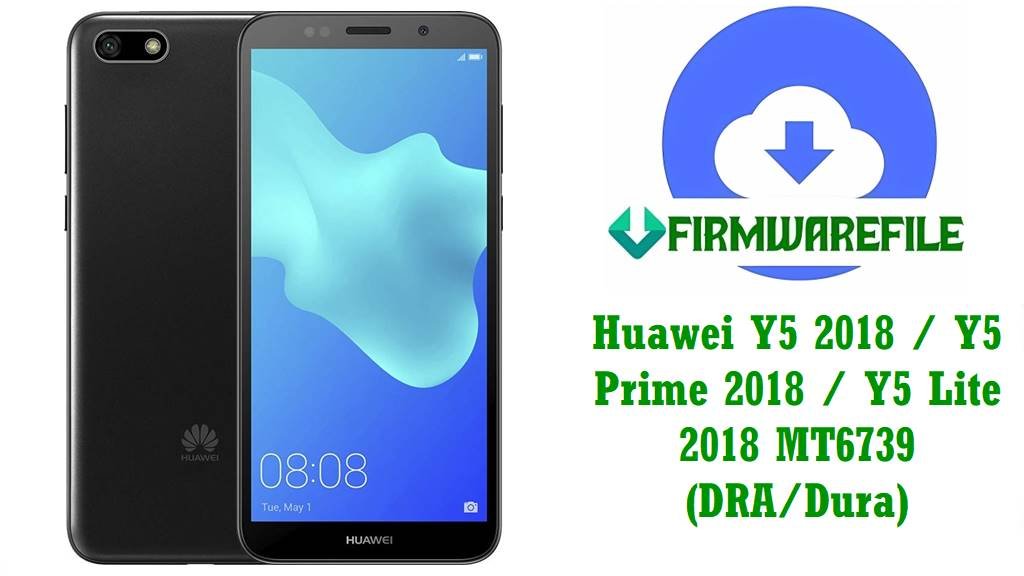
Official Huawei Y5 2018 / Y5 Prime 2018 / Y5 Lite 2018 MT6739 Firmware (DRA/Dura) – Unbrick, Fix Lag & Bootloops
Huawei Y5 2018, Y5 Prime 2018 and Y5 Lite 2018 (DRA‑L01/L21/L22/L23/LX2/LX3/LX5, Dura‑L21/L22/L42/AL00B) are entry‑level phones built on the MediaTek MT6739 quad‑core chipset, 5.45‑inch 18:9 HD+ display, 1–2 GB RAM and Android 8.1 Oreo with EMUI 8.x. These budget models are popular in Africa, Asia, Europe and Latin America but many users report serious issues such as slow performance, bootloops, failed updates, battery problems and “dead boot” after bad flashes.
Typical Y5 2018 / Prime / Lite problems seen in real‑world reports:
- Very slow performance, keyboard lag, apps taking long to open or refusing to install or run at all.
- Bootloop or stuck on Huawei logo after OTA update, reset or unsuccessful flash; some units only show Fastboot/Recovery.
- High battery drain, overheating and random restarts even on light usage.
- Dead boot / no power after wrong firmware or interrupted flashing (common on DRA‑LX5/L42 “dead boot auto recovery” cases).
- Network / Wi‑Fi issues, system errors and Google app problems caused by corrupted system partitions.
How the official DRA/Dura MT6739 firmwares below help:
- Restore clean stock EMUI 8.1 system, fixing bootloops, dead boot and serious software corruption.
- Repair slow devices by reinstalling all system apps, libraries and vendor partitions correctly.
- Fix battery and performance bugs introduced by bad OTAs or modified firmware builds.
- Unbrick MT6739 devices using tested scatter ROMs and special “Dead Boot Auto Recovery Fix” packages for DRA‑LX5/L42.
- Provide correct regional firmware (C185, C461, C25, C10, C150, C469, C432, C00, etc.) so updates and local features work as expected.
Huawei Y5 2018 / Y5 Prime / Y5 Lite Firmware Details
| Device Names | Huawei Y5 2018, Huawei Y5 Prime 2018, Huawei Y5 Lite 2018 |
|---|---|
| Main Model Codes | DRA‑L01, DRA‑L21, DRA‑L22, DRA‑L23, DRA‑LX2, DRA‑LX3, DRA‑LX5, DRA‑AL00, DRA‑TL00, Dura‑L21, Dura‑L22, Dura‑L42, Dura‑AL00B |
| Chipset | MediaTek MT6739, quad‑core Cortex‑A53 1.5 GHz, PowerVR GE8100 GPU |
| Display | 5.45‑inch IPS, 1440×720 (HD+), 18:9 aspect ratio |
| RAM / Storage | Y5 2018 / Prime: 2 GB RAM, 16 GB ROM; Y5 Lite: 1 GB RAM, 16 GB ROM (Android Go) |
| Software | Android 8.1 Oreo / EMUI 8.0 or 8.1, with regional CUST builds like C185, C461, C25, C10 etc. |
| Main Issues Reported | Lag and slow response, app compatibility issues, bootloops, “dead boot”, battery drain, update failures, network/Wi‑Fi glitches. |
| Flash Methods | SP Flash Tool (scatter ROMs, MT6739), SD‑card dload for some UPDATE.APP packs, professional MTK tools for secure boot / auth. |
| Best Use Cases | Unbrick MT6739 boards, recover from logo hang / Fastboot only, fix slow and buggy systems, restore correct region firmware and security patches. |
Download Official Firmware for Huawei Y5 2018 / Y5 Prime 2018 / Y5 Lite 2018 (MT6739 DRA/Dura)
| Filename | Model / Variant | Region / CUST | Size | Build / Version | Android / EMUI | Flash Type | Notes | Link |
|---|---|---|---|---|---|---|---|---|
| Huawei_Y5_Prime_2018_DRA-L22_MT6739_1.0.0.150_C185_110918_8.1.0.zip | DRA‑L22 (Y5 Prime 2018) | Middle East / Africa (C185) | 2.09GB | 1.0.0.150 (2018‑09‑11) | Android 8.1 / EMUI 8.x | Scatter (SP Flash) | Stable C185 build for Prime 2018; good for unbrick and lag fixes. | Download (Google Drive) |
| Huawei-Y5-2018-Android8.1.0-DRA-LX2_DRA-L22_hw_cea_hw_eu_normal_HLRCF_Dura-L22_1.0.0.139_C461.rar | DRA‑LX2 / DRA‑L22 / Dura‑L22 | CEA / EU (C461) | 6.2GB | 1.0.0.139 | Android 8.1 / EMUI 8.x | Factory / service dump | Huge multi‑variant package; ideal for deep repair and cross‑region service. | Download (Google Drive) |
| Huawei_Y5_Prime_2018_Dura-L22_MT6739_27032019.zip | Dura‑L22 (Prime 2018) | Global | 1.57GB | 2019‑03‑27 build | Android 8.1 / EMUI 8.x | Scatter (SP Flash) | Updated 2019 firmware; good for refreshing older devices. | Download (Google Drive) |
| Huawei_Y5_Lite_2018_DRA-LX5_MT6739_1.0.0.143_C185_200417_8.1.0.zip | DRA‑LX5 (Y5 Lite 2018) | C185 (MEA) | 752MB | 1.0.0.143 (2020‑04‑17) | Android 8.1 Go / EMUI 8 | Scatter (SP Flash) | Lightweight Go build; suitable for slow Lite devices in MEA. | Download (Google Drive) |
| Huawei Y5 2018 DRA-LX5 DRA-L42… Dura-L42 1.0.0.129(C10) Scatter Firmware Dead Boot Auto Recovery Fix.zip | DRA‑LX5, DRA‑L42, Dura‑L42 | C10 (RU / EU) | 2.8GB | 1.0.0.129 | Android 8.1 / EMUI 8.x | Scatter (SP Flash) | Special “Dead Boot Auto Recovery Fix” scatter for hard‑bricked DRA‑LX5/L42 devices. | Download (AndroidFileHost) |
| DRA-LX5_Dura-L42_1.0.0.139(C461)_hw_cea_Firmware_05015KMA.rar | DRA‑LX5 / Dura‑L42 | CEA (C461) | 1.51GB | 1.0.0.139 | Android 8.1 / EMUI 8 | Scatter (SP Flash) | EU/CEA build; use for performance and boot fixes on LX5/L42. | Download (Google Drive) |
| Huawei_Y5_2018_DRA-L21_MT6739_HLRCF_1.0.0.154_C432_Firmware_8.1.0_R1_NA_05015EKP.zip | DRA‑L21 | Europe (C432) | 1.57GB | 1.0.0.154 | Android 8.1 / EMUI 8.x | Scatter (SP Flash) | Stable EU firmware; fixes bootloops and update issues on DRA‑L21. | Download (Google Drive) |
| Huawei_Y5_2018_DRA-AL00_MT6739_1.0.0.111_C00_Firmware_Android_8.1_05015ARQ.zip | DRA‑AL00 | China (C00) | 1.3GB | 1.0.0.111 | Android 8.1 / EMUI 8 | Scatter | Chinese single/dual‑SIM model; base firmware for AL00. | Download (Google Drive) |
| Huawei-Y5-2018-DRA-LX2-Android8.1.0-BD 1.0.0.31_180921032300.rar | DRA‑LX2 | Board / service (BD) | 1.6GB | 1.0.0.31 (2018‑09‑21) | Android 8.1 / EMUI 8 | Board / service | Board‑level package for deep unbrick of DRA‑LX2. | Download (Google Drive) |
| DRA-LX2 DRA-L42 Dura-L42 1.0.0.120(C461) Firmware 8.1.0 r1 NA 05015KMA.zip | DRA‑LX2 / DRA‑L42 / Dura‑L42 | CEA (C461) | 1.76GB | 1.0.0.120 | Android 8.1 / EMUI 8 | Scatter | Shared EU/CEA firmware for LX2/L42; good general repair image. | Download (Google Drive) |
| DRA-LX2 DRA-L42 Dura-L42 1.0.0.101(C185) Firmware 8.1.0 r1 NA 05015KMB.zip | DRA‑LX2 / DRA‑L42 / Dura‑L42 | MEA (C185) | 1.75GB | 1.0.0.101 | Android 8.1 / EMUI 8 | Scatter | Middle East / Africa package; early but stable base. | Download (Google Drive) |
| Huawei_Y5_Prime_2018_DRA-LX2_MT6739_27032019.zip | DRA‑LX2 (Prime 2018) | Global | 1.57GB | 2019‑03‑27 build | Android 8.1 / EMUI 8 | Scatter | Updated Prime 2018 ROM; use after severe lag or app issues. | Download (Google Drive) |
| Huawei_Y5_2018_DRA-L01_MT6739_1.0.0.132_C150_Firmware_8.1.0_R1_NA_05015HAJ.zip | DRA‑L01 | C150 | 1.56GB | 1.0.0.132 | Android 8.1 / EMUI 8 | Scatter | Firmware for single‑SIM variant used in selected markets. | Download (Google Drive) |
| Huawei_Y5_2018_DRA-L23_MT6739_1.0.0.130_C469_Firmware_8.1.0_R1_NA_05015EJG.zip | DRA‑L23 | Latin America (C469) | ≈951MB | 1.0.0.130 | Android 8.1 / EMUI 8 | Scatter | LatAm firmware; restores correct regional apps and network profiles. | Download (Google Drive) |
| Huawei_Y5_2018_DRA-LX3_MT6739_1.0.0.130_C25_Firmware_8.1.0_R1_NA_05015ELT.zip | DRA‑LX3 | C25 | ≈1.0GB | 1.0.0.130 | Android 8.1 / EMUI 8 | Scatter | Firmware for LX3; used in specific carrier/regional markets. | Download (Google Drive) |
| Huawei_Y5_2018_DRA-TL00_MT6739_1.0.0.111_C01_Firmware_Android_8.1_05015AWK.zip | DRA‑TL00 | China (C01) | 1.34GB | 1.0.0.111 | Android 8.1 / EMUI 8 | Scatter | Chinese TL00 variant; useful for China Telecom / CMCC models. | Download (Google Drive) |
| Huawei_Y5_Lite_2018_Dura-L42HN_MT6739_1.0.0.175_C10_05016DLP.zip | Dura‑L42HN (Y5 Lite) | C10 | 1.76GB | 1.0.0.175 | Android 8.1 Go / EMUI 8 | Scatter | Updated Lite firmware; good for fixing extreme slowness on Dura‑L42HN. | Download (Google Drive) |
| Huawei_Y5_Prime_2018_Dura-L21_MT6739_1.0.0.155_C432_Firmware_8.1.0.zip | Dura‑L21 (Prime 2018) | Europe (C432) | 4.53GB | 1.0.0.155 | Android 8.1 / EMUI 8 | Service / full | Large full‑image ROM; ideal for deep repair and region restore on Dura‑L21. | Download (Google Drive) |
| Huawei_Y5_2018_Dura-AL00B_MT6739_1.0.0.113_C00_Firmware_Android_8.1_05015FCF.zip | Dura‑AL00B | China (C00) | 1.29GB | 1.0.0.113 | Android 8.1 / EMUI 8 | Scatter | Base Dura‑AL00B firmware for Chinese Google‑free builds. | Download (Google Drive) |
| Dura-AL00B 1.0.0.160(C00)_Firmware_8.1.0_r1_Google_05015AWJ.zip | Dura‑AL00B | China (C00, Google) | 3.5GB | 1.0.0.160 | Android 8.1 / EMUI 8 | Service / full | Later AL00B build with Google services; ideal upgrade for Chinese units. | Download (Google Drive) |
Flashing Requirements
Before You Begin ⚙️
- 💾 Backup all data: SP Flash Tool / dload flashing will erase apps, messages and internal storage. Use Google backup or copy files to a PC first.
- 🔋 Battery charge: Make sure the Y5 2018 / Prime / Lite has at least 50–60% battery to avoid shutdown while flashing.
- 💻 Windows PC: You need a Windows computer, USB cable and MediaTek VCOM/Preloader drivers installed.
- 🧩 Correct firmware: Confirm exact model (DRA‑L22, DRA‑LX5, Dura‑L21, etc.) and region CUST (C185, C461, C432, C10, C469, C00…) before choosing a file.
- 📦 Extract packages: Unzip/Unrar firmware completely to get the MT6739 scatter (de>MT6739_Android_scatter.txt) or dload/UPDATE.APP content.
- 🔐 Secure/Authorized MTK: Some newer security patches may require MTK auth bypass or professional tools if SP Flash reports auth errors.
How to Flash the Firmware
📱 Quick Flashing Guides
Method 1: SP Flash Tool (Scatter ROM – All MT6739 DRA/Dura)
- Install drivers & tool: Install MTK USB VCOM drivers, then download and extract the latest SP Flash Tool on your PC.
- Load scatter file: Open SP Flash Tool → choose “Download” tab → click “Scatter‑loading” and select the de>MT6739_Android_scatter.txt from your extracted firmware folder.
- Select mode: Ensure “Download Only” is selected (not “Format All + Download”) unless you know you need a full format.
- Connect phone: Power the phone off completely. Click “Download” in SP Flash, then connect the phone via USB. The tool should detect the preloader port and start flashing.
- Wait for green check: When flashing is complete you’ll see a green tick. Disconnect the phone and boot it; first boot may take several minutes.
For a thorough, image‑based SP Flash Tool tutorial (drivers, errors, tips), follow: Full Tutorial: How to Flash MediaTek Firmware with SP Flash Tool
Method 2: SD‑Card Dload (Only If a Dload/UPDATE.APP Package Is Provided)
- Create a de>dload folder on a FAT32‑formatted microSD card and copy the UPDATE.APP or dload files inside.
- Insert SD card, power off the phone, then hold Volume Up + Volume Down + Power together until the update screen appears.
- The phone will find the firmware and install it automatically. Do not interrupt. When it finishes, it will reboot into EMUI.
More dload details: Guide: Flash Huawei Stock Firmware via SD Card (Dload)
Need MTK Auth Bypass or Advanced Repair?
If SP Flash Tool shows auth/SECURE error or device is totally dead, specialized MTK tools and auth bypass may be required: Secure MTK Auth Bypass & Flashing Guide
Frequently Asked Questions (FAQs)
What issues can these Y5 2018 / Prime / Lite firmwares fix?
They can fix bootloops, Huawei logo hang, Fastboot‑only or eRecovery‑only states, dead boot on MT6739, severe lag, app crashes, charging/battery bugs caused by software, and many network/Wi‑Fi issues by restoring a clean stock EMUI 8.1 system.
How do I pick the right file for my device?
Check Settings → About phone (if possible) or the label under the battery/box for exact model (e.g., DRA‑LX5, DRA‑L22, Dura‑L21, Dura‑L42) and CUST (e.g., C185, C461, C432, C10, C469, C00). Only flash firmware where both model and CUST match your phone. Never cross‑flash between Lite/Prime/normal variants or wrong CUST regions.
My Y5 Lite DRA‑LX5 is extremely slow. Will firmware flashing make it fast?
A clean flash of the correct Y5 Lite firmware (such as DRA‑LX5 C185 1.0.0.143 or Dura‑L42HN C10 1.0.0.175) often improves speed by removing bloat, malware and app conflicts. However, hardware limits (1 GB RAM, MT6739) mean it will never feel as fast as mid‑range or flagship phones.
What is the “Dead Boot Auto Recovery Fix” scatter for DRA‑LX5/DRA‑L42?
That special scatter ROM is a tested package that rewrites critical preloader and boot partitions to revive phones that no longer power on or only show a brief MTK port, especially after failed flashes on DRA‑LX5/DRA‑L42. Use it carefully, and only for those exact models.
Can I root or unlock bootloader on Huawei Y5 2018 / Lite / Prime?
Newer Huawei policies mean official bootloader unlock codes are no longer provided, so most MT6739 Y5 devices cannot be unlocked or rooted easily. Focus on clean stock firmware flashing instead of custom ROMs.
What if SP Flash Tool doesn’t detect my phone?
Install MTK drivers again, use a different USB port (preferably USB 2.0), try another cable, and make sure the phone is fully powered off before connecting. On some units you may need to hold Volume Up or Down while plugging in so that the preloader port appears.