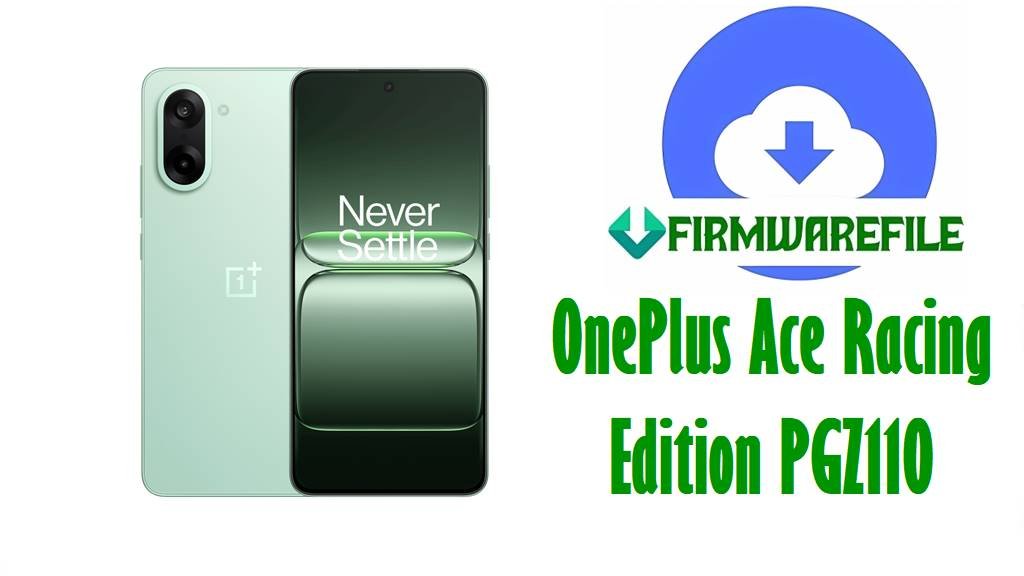
OnePlus Ace Racing Edition PGZ110 Stock Firmware Download
If your OnePlus Ace Racing Edition is stuck on the boot logo, broke after a failed OTA, or got worse after the wrong flash, these PGZ110 domestic packages are the files you sort first. They all belong to the China branch, and the main decision is not whether to flash, but which build gets the phone back onto the same software line without making the mess bigger.
This page is not for random cross-region experimenting. PGZ110 is already picky enough when the software is half-broken.
Included Models
- PGZ110
- OnePlus Ace Racing Edition
- China domestic firmware branch
Firmware by Model navigation
PGZ110 A.08
A.08 is the earliest branch in this set, and that matters if the phone was never updated properly or if someone already forced a newer package and the device started acting strange afterward. Early builds are not glamorous, but they are sometimes the only clean way back when later packages refuse to sit properly on a badly mismatched system.
There are two A.08-style archives here. One is the shorter PGZ110_By_GsmMafia file, the other is the larger OnePlus_Ace_Racing_Edition_PGZ110_MT6895_Domestic build. Same branch idea, different packaging.
PGZ110 A.11
A.11 is the middle-ground option, which is usually where a lot of repair work lands. Not too old, not the latest branch either. Good for phones that were running fine until an update failed or somebody tried to “upgrade” them with the wrong archive.
Again, there are two versions of the same branch in this list. That usually means mirrored packaging rather than two different software lines.
PGZ110 A.14
A.14 is the cleaner late-ColorOS-11 style branch in this set before the jump to the much newer 15.0.0.700CN01 file. If the phone still boots far enough to show signs of life and you just need a proper stock rebuild on the same older family, this is one of the more sensible branches to keep in mind.
PGZ110 15.0.0.700CN01
This is the newest package listed here, and also the biggest. That does not automatically make it the right first flash.
The 15.0.0.700CN01 build makes more sense when the phone already belonged on that newer branch or when you are deliberately rebuilding a device that was updated into that line before it failed. Flashing it onto a phone that lived on the older A-series branch just because the version looks newer is exactly the kind of shortcut that causes second repairs.
Firmware Table
| Model | Filename | Version | Region | Android Base | ROM Type | Size | Notes | Target User | Download Link |
|---|---|---|---|---|---|---|---|---|---|
| PGZ110 | PGZ110domestic_11_15.0.0.700CN01_2025032700200111.zip | 15.0.0.700CN01 | China Domestic | Full stock firmware zip | 8.5GB | Newest branch in this set; very large full package | User rebuilding a PGZ110 already on the newer software line after failed update or soft brick | Download | |
| PGZ110 | PGZ110domestic_11_A.14_2023041319140131.rar | A.14 | China Domestic | Factory stock package | 6.44GB | Late older-branch package before the jump to 15.0.0.700CN01 | User restoring stock software on a PGZ110 that likely stayed on the older domestic branch | Download | |
| PGZ110 | PGZ110domestic_11_A.11_2022122212170000.rar | A.11 | China Domestic | Factory stock package | 6.46GB | Mid-branch domestic package | User fixing a bootlooped PGZ110 without jumping too far forward or backward | Download | |
| PGZ110 | PGZ110_By_GsmMafia_11_A.08_20220920.rar | A.08 | China Domestic | Factory stock package | 6.32GB | Early branch; repacked naming | User who needs an older PGZ110 stock point for rollback-style recovery | Download | |
| PGZ110 | OnePlus_Ace_Racing_Edition_PGZ110_MT6895_Domestic_11_A.08_220920.zip | A.08 | China Domestic | Full stock firmware zip | 7.20GB | Same early branch with clearer device and chipset naming | User who wants the A.08 package in a more descriptive archive format | Download | |
| PGZ110 | OnePlus_Ace_Racing_Edition_PGZ110_MT6895_Domestic_11_A.11_221222.zip | A.11 | China Domestic | Full stock firmware zip | 7.37GB | Same branch as the A.11 RAR, different package wrapper | User who needs a second source for the A.11 domestic branch | Download |
Device & Firmware Overview
PGZ110 is the OnePlus Ace Racing Edition model number, and public device listings tie it to the Dimensity 8100 Max / MT6895 platform and the China-market Ace Racing naming.
The phone launched on Android 12 with ColorOS 12.1, which fits the older A.08, A.11, and A.14 domestic branch files shown here before the later 15.0.0.700CN01 package.
Public firmware listings for this model also show the same domestic A.08, A.11, A.14, and 15.0.0.700CN01 branches, so the filenames in this set are consistent with the known PGZ110 stock firmware line.
Compatibility Warning
- These are domestic PGZ110 files. Do not treat them like generic OnePlus packages for some other Ace model just because the hardware sounds similar.
- Do not jump from the older A-series branch to 15.0.0.700CN01 unless you already know the phone belongs there or you are deliberately rebuilding that newer line.
- RAR and ZIP do not mean the same flashing path automatically. The archive contents decide that.
- If the phone still boots and only failed during an OTA, stay on the same branch family first. Random “newer is better” flashing is how a soft brick becomes a longer job.
Preparation Before Flashing
- Confirm the device is really PGZ110 from the sticker, fastboot info, or original box. OnePlus model confusion wastes time fast.
- Extract the archive before choosing the tool. On MediaTek packages, the inside matters more than the outside filename.
- If you find a scatter-based layout, treat it like a MediaTek service package and use the proper tool path. If the package contains a vendor-specific update structure instead, do not force it into a scatter workflow.
- Back up anything still accessible. Full stock rebuilds are there to repair software, not rescue your files.
- Charge the battery and use a stable cable. Big packages plus a flaky USB connection is a stupid combination.
Quick Flash Instructions
- Start with the same software family already on the phone. If the device was on A.11 and broke during update, try the matching A.11 branch before you get creative.
- If the extracted package contains MediaTek scatter firmware files, use the SP Flash Tool route here: Download and flash with SP Flash Tool.
- If the phone still boots and the package turns out to be a local-update style archive instead of a service flash layout, use the no-PC update path here: Install firmware with local update / sideload methods.
- Do not switch tools halfway through because the first attempt looks slow. Finish the right method once.
FAQ
Which build should I try first for a failed OTA?
The same branch the phone was already running. A.08 goes back to A.08, A.11 goes back to A.11, and so on. Keep the repair boring first.
Is 15.0.0.700CN01 always the best choice because it is newer?
No. Newer is not the same thing as safer when the phone is already unstable or coming from an older branch.
Can I use these files on another OnePlus Ace model?
No. These are for PGZ110. Close enough is how people brick things twice.
When should I move to the earliest A.08 file?
Mostly when the device was on that old branch to begin with, or when later files keep refusing to rebuild a phone that has already been mismatched.