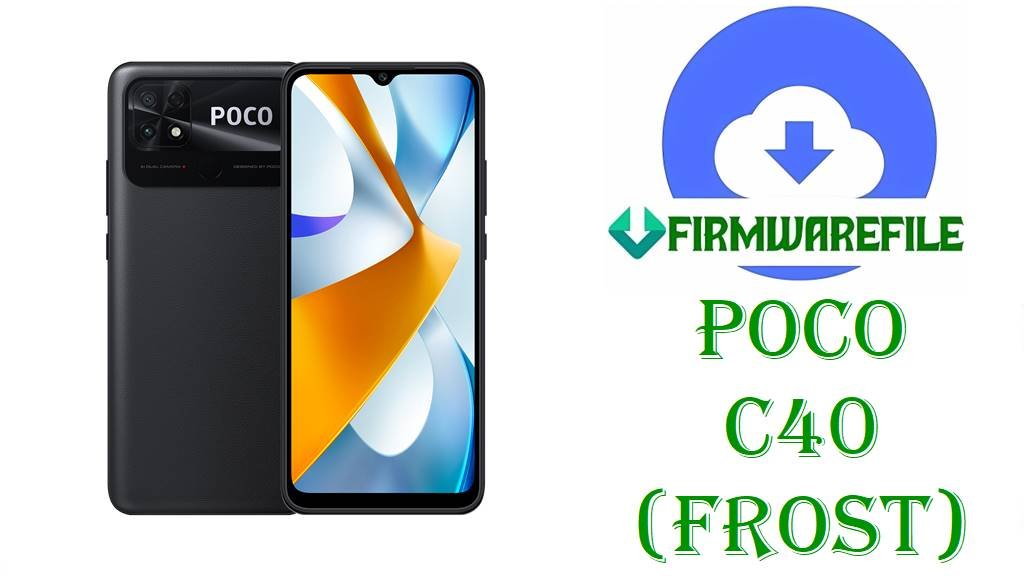
POCO C40 (frost) MIUI 13 Fastboot ROM Download (Android 11) Flash File
POCO C40 is an entry‑level phone with a large display, big battery and JR510‑class processor, designed for basic everyday tasks, social apps and media playback rather than heavy gaming. Over time, this segment often suffers from sluggish performance, update glitches or soft‑bricks after failed flashes, which makes the official Fastboot ROMs essential for clean reinstall and unbricking. This page is prepared after reviewing MIUI ROM trackers, codename listings and firmware archives that clearly identify these MIUI 13 Android 11 builds as POCO C40 (codename frost) Fastboot packages for multiple regions.
File Selection Guide.
The MIUI build number and filename encode the codename, Android version and region; matching those fields with the phone’s current build helps avoid cross‑flashing and OTA problems.
- Device and codename: Codename lists and firmware portals confirm that POCO C40 uses the codename frost, and each filename here starts with
frost_...orfrost_global_images_.... - MIUI and Android version: Firmware tables show V13.0.x.x.RGF* builds as MIUI 13 based on Android 11 for POCO C40, which is also encoded as
_11.0_in every filename listed. - Region suffix meaning: Xiaomi’s MIUI version guide describes
MIXMas Global,EUXMas EEA/Europe,IDXMas Indonesia,RUXMas Russia,TRXMas Turkey, andTWXMas Taiwan. - Fastboot vs Recovery: Roms.miuier and XM Firmware Updater list both Recovery and Fastboot for POCO C40; the
frost_*_images_....tgzpackages correspond to the Fastboot entries. - Best practice: The safest approach is to choose the ROM whose suffix (MIXM, EUXM, IDXM, RUXM, TRXM, TWXM) matches the suffix at the end of the currently installed MIUI version in the phone’s “About phone” screen.
Download Official Firmware File for POCO C40 (frost)
Global MIUI 13 Fastboot ROM – V13.0.26.0.RGFMIXM (Android 11)
- Filename: frost_global_images_V13.0.26.0.RGFMIXM_20240305.0000.00_11.0_global_35e94a69c8.tgz
- Region: Global (MIXM – Global suffix)
- File Size: 4.92GB
- Build Date: 2024‑03‑05 (date encoded in filename; release list shows March 2024 rollout)
- MIUI Version: V13.0.26.0.RGFMIXM
- Android Version: 11.0
- Flashing Type: Fastboot ROM (.tgz images package)
- Tracker note: Listed as latest MIUI 13 Global Stable build for POCO C40 in XM Firmware and HyperOS update trackers.
- Download Link: Download V13.0.26.0 Global Fastboot ROM (POCO C40)
Taiwan MIUI 13 Fastboot ROM – V13.0.7.0.RGFTWXM (Android 11)
- Filename: frost_tw_global_images_V13.0.7.0.RGFTWXM_20240117.0000.00_11.0_global_b9cc86014f.tgz
- Region: Taiwan (TWXM – Taiwan region suffix)
- File Size: 4.21GB
- Build Date: 2024‑01‑17
- MIUI Version: V13.0.7.0.RGFTWXM
- Android Version: 11.0
- Flashing Type: Fastboot ROM (.tgz)
- Download Link: Download V13.0.7.0 Taiwan Fastboot ROM (POCO C40)
Indonesia MIUI 13 Fastboot ROM – V13.0.12.0.RGFIDXM (Android 11)
- Filename: frost_id_global_images_V13.0.12.0.RGFIDXM_20230728.0000.00_11.0_global_4a2e35ef38.tgz
- Region: Indonesia (IDXM – ID = Indonesian suffix)
- File Size: 4.70GB
- Build Date: 2023‑07‑28
- MIUI Version: V13.0.12.0.RGFIDXM
- Android Version: 11.0
- Flashing Type: Fastboot ROM (.tgz)
- Download Link: Download V13.0.12.0 Indonesia Fastboot ROM (POCO C40)
EEA (Europe) MIUI 13 Fastboot ROM – V13.0.12.0.RGFEUXM (Android 11)
- Filename: frost_eea_global_images_V13.0.12.0.RGFEUXM_20240305.0000.00_11.0_eea_1fd2efcccf.tgz
- Region: EEA / Europe (EUXM – EU region suffix)
- File Size: 4.65GB
- Build Date: 2024‑03‑05
- MIUI Version: V13.0.12.0.RGFEUXM
- Android Version: 11.0
- Flashing Type: Fastboot ROM (.tgz)
- Download Link: Download V13.0.12.0 EEA Fastboot ROM (POCO C40)
Russia MIUI 13 Fastboot ROM – V13.0.17.0.RGFRUXM (Android 11)
- Filename: frost_ru_global_images_V13.0.17.0.RGFRUXM_20240311.0000.00_11.0_global_f27c240ddb.tgz
- Region: Russia (RUXM – RU region suffix)
- File Size: 4.59GB
- Build Date: 2024‑03‑11
- MIUI Version: V13.0.17.0.RGFRUXM
- Android Version: 11.0
- Flashing Type: Fastboot ROM (.tgz)
- Download Link: Download V13.0.17.0 Russia Fastboot ROM (POCO C40)
Turkey MIUI 13 Fastboot ROM – V13.0.20.0.RGFTRXM (Android 11)
- Filename: frost_tr_global_images_V13.0.20.0.RGFTRXM_20240205.0000.00_11.0_global_f8dbda43c0.tgz
- Region: Turkey (TRXM – TR region suffix)
- File Size: 4.48GB
- Build Date: 2024‑02‑05
- MIUI Version: V13.0.20.0.RGFTRXM
- Android Version: 11.0
- Flashing Type: Fastboot ROM (.tgz)
- Download Link: Download V13.0.20.0 Turkey Fastboot ROM (POCO C40)
POCO C40 (frost) Device + Firmware Details
| Device Name | POCO C40 |
|---|---|
| Codename | frost (POCO C40 / POCO C40+ codename used in ROM tables) |
| Chipset | JR510‑class SoC (Entry‑level 8‑core platform used in POCO C40 and siblings) |
| Display | Large HD+ LCD panel suitable for basic media consumption (exact resolution in spec pages) |
| Battery | Big‑capacity battery (around 6000mAh class in POCO C40 spec listings), with basic fast charging. |
| Software families | Ships with MIUI 13 based on Android 11; no confirmed HyperOS release for frost in global tables at the time these builds were listed. |
| Firmware branch here | MIUI 13 Stable Fastboot ROMs (Android 11) for Global, EEA, Russia, Indonesia, Taiwan and Turkey regions. |
| Use cases for these Fastboot ROMs | Unbricking POCO C40, repairing bad updates, downgrading within MIUI 13 Android 11, and clean reinstall for performance or system stability issues. |
| Flash Method | Fastboot mode with Mi Flash Tool or Fastboot scripts from the images package, via a Windows PC. |
| Bootloader Requirement | Fastboot flashing on Xiaomi/POCO phones generally requires an unlocked bootloader, as described in official bootloader unlock guides. |
Flashing Requirements
Flashing Requirements
Fastboot flashing usually performs a clean install and can erase all user data on POCO C40, so backups of photos, messages and app data should be made in advance.
A Windows PC, a reliable USB‑C cable and correct Xiaomi/POCO drivers are required so Fastboot and Mi Flash Tool can detect the frost device correctly.
An unlocked bootloader is typically needed for flashing Fastboot ROMs; Xiaomi’s official unlock tool and documentation describe the steps and waiting time.
The phone should have at least 50% battery, and the USB connection must remain stable during flashing to minimize the risk of corruption or hard‑brick.
📱How to Flash the Firmware
Method 1: MIUI Fastboot ROM via Mi Flash Tool
- Download and extract: Save the matching Fastboot ROM (for example
frost_global_images_V13.0.26.0.RGFMIXM_20240305.0000.00_11.0_global_35e94a69c8.tgz) and extract its contents into a folder on the PC. - Enter Fastboot mode: Power off POCO C40, boot into Fastboot mode and connect it to the PC with a stable USB‑C cable.
- Load ROM in Mi Flash: Open Mi Flash Tool, choose the extracted
frostROM directory and confirm that the device appears in the Mi Flash device list. - Flash MIUI 13: Select the desired flashing option (clean flashes typically wipe data), click “Flash” and wait until Mi Flash Tool finishes installing the ROM.
- Reboot and set up: Let the phone reboot automatically, wait for the first MIUI 13 boot on Android 11, then complete setup and restore data.
For a full step‑by‑step Mi Flash Tool tutorial, including driver links and extra tips, this article is recommended: How to Flash Xiaomi/POCO Firmware with Mi Flash Tool
Method 2: Fastboot Script (flash_all.bat style)
- Unpack the ROM: Extract the
.tgzFastboot archive and locateflash_all.bat(and related scripts) in the frost ROM folder. - Prepare device: Boot POCO C40 into Fastboot mode and connect it to the PC; verify that Fastboot tools detect the phone.
- Run the script: Execute
flash_all.batto flash all partitions for the chosen V13.0.x.x.RGF* ROM; most such scripts perform a full wipe. - Wait for completion: Keep the USB connection until the script reports that flashing is complete and the phone is ready to reboot.
- First boot: Allow extra time for the first boot back into MIUI 13 Android 11 before logging in and restoring apps.
More detail about using flash_all.bat and understanding script options can be found here: How to Flash Stock Firmware Using flash_all.bat
Frequently Asked Questions (FAQs)
Which MIUI 13 Fastboot ROM should be used for POCO C40 (frost)?
The ROM suffix (MIXM, EUXM, IDXM, RUXM, TRXM, TWXM) should match the suffix in the installed MIUI build, as shown in “About phone”, to keep OTA and regional features working properly.
Is V13.0.26.0.RGFMIXM confirmed as POCO C40 Global MIUI 13 Android 11?
XM Firmware Updater lists “POCO C40 – frost – V13.0.26.0.RGFMIXM – Global – Android 11 – Recovery/Fastboot”, confirming that this build is the latest MIUI 13 Global stable for POCO C40.
Can other POCO devices (like POCO M4 5G) use these frost MIUI 13 Fastboot ROMs?
No; codename lists show POCO M4 5G uses “light” while POCO C40 uses “frost”, and firmware pages describe these ROMs specifically for POCO C40; cross‑flashing between different codenames is unsafe.
Does flashing a MIUI 13 Fastboot ROM on POCO C40 always wipe user data?
Fastboot ROM flashing and flash_all.bat scripts are documented as clean installs that generally wipe user data, so backup steps are strongly recommended beforehand.
Is POCO C40 listed for HyperOS or newer Android versions beyond Android 11?
Firmware trackers focus on MIUI 13 Android 11 builds like V13.0.26.0.RGFMIXM for POCO C40, and mainstream HyperOS device lists do not currently emphasise frost as a HyperOS‑upgraded model.
Can these POCO C40 MIUI 13 Fastboot ROMs fix a bootloop caused by a bad update or modification?
When a bootloop is due to software corruption, restoring the stock MIUI 13 Fastboot ROM for the correct region is a common recovery method on POCO C40, provided Fastboot mode and the bootloader remain accessible.
Is V13.0.17.0.RGFRUXM safe for all Russian POCO C40 units?
MIUIROM and XM Firmware Updater associate V13.0.17.0.RGFRUXM with POCO C40 Russia (frost), so it should only be used on devices whose “About phone” page shows a matching RUXM build family.