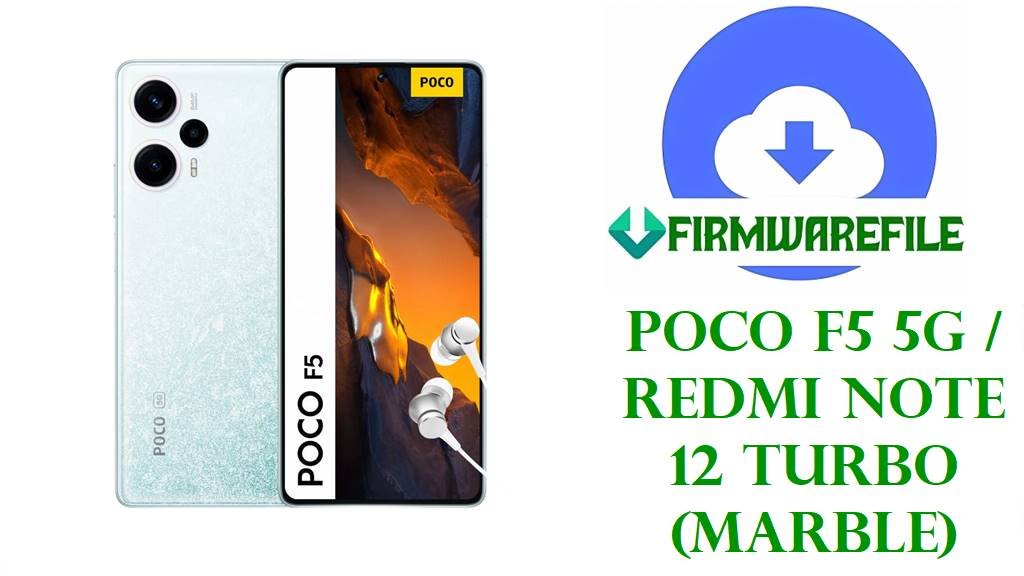
POCO F5 5G / Redmi Note 12 Turbo (marble) HyperOS Fastboot Firmware
The POCO F5 5G and Redmi Note 12 Turbo share the codename marble, pairing a Snapdragon 7+ Gen 2, 6.67‑inch 120 Hz AMOLED display, and large battery to target upper mid‑range gaming and performance use cases. This hardware pushes HyperOS hard, so reliable stock firmware matters for users who experiment with custom ROMs, unlock the bootloader, or tune performance beyond factory limits.
Owners typically flash marble HyperOS fastboot ROMs to unbrick the phone from a bootloop, revert from a custom ROM back to stock, fix persistent software glitches, or convert between official regional builds such as China, Global, EEA, India, or Indonesia. The same fastboot images are also a prerequisite base for many custom or Xiaomi.eu ROM setups, which expect specific HyperOS 2 Android 15 partitions on this platform.
File Selection Guide
Confirm first that the device is actually a POCO F5 5G or Redmi Note 12 Turbo and that its codename is marble (visible in fastboot devices lists and many ROM tools), because flashing marble images on a different Xiaomi model can permanently brick the phone. Be careful not to confuse marble with closely related platforms like marblein or other Note 12 variants that share similar names but different firmware trees.
The region suffixes in the build IDs indicate target markets: VMRCNXM is Chinese firmware, VMRMIXM is standard Global, VMREUXM is EEA, VMRINXM is India, VMRIDXM is Indonesia, VMRRUXM is Russia, VMRTRXM is Turkey, and VMRTWXM is Taiwan. These differences cover modem configs, regulatory defaults, and preloaded apps, so staying with the original region is safest unless you deliberately intend to convert and understand the impact on networks and OTA behavior.
All fastboot packages listed here are HyperOS 2 on Android 15 (indicated by OS2.0.x and 15.0 in the filename) and come as full factory images in .tgz format for Mi Flash or fastboot flashing. The xiaomi.eu_MARBLE_OS2.0.213.0.VMRCNXM_15.zip file is a Xiaomi.eu custom ROM built over the CN HyperOS base, flashed via custom recovery (OrangeFox/TWRP) rather than Mi Flash, so it is not interchangeable with stock fastboot firmware.
Device Firmware Download
The table below lists major HyperOS 2 Android 15 fastboot ROMs for marble across regions, plus the Xiaomi.eu ROM and recovery images. Each entry notes the intended user, key behavior, and recommended flashing route for this performance‑focused phone.
| Device Model | Codename | Region | Carrier | Build | Android Version | OEM UI Version | Release Date | Notes | Filename | Size | File Format | Checksum | Mirror | Flashing Method | Tool | Bootloader Required | Data Wipe | Downgrade Allowed | Tested | Known Issues | Download Label |
|---|---|---|---|---|---|---|---|---|---|---|---|---|---|---|---|---|---|---|---|---|---|
| Redmi Note 12 Turbo (China) | marble | CN | Unlocked | OS2.0.213.0.VMRCNXM | Android 15 | HyperOS 2.0 CN | 2025‑11‑18 | Latest Chinese fastboot ROM; best base for a pure CN setup or as the foundation for Xiaomi.eu builds on marble. | marble_images_OS2.0.213.0.VMRCNXM_20251118.0000.00_15.0_cn_fea73635ba.tgz | ≈ 7.16 GB | .tgz (fastboot) | Verify MD5/SHA from a trusted HyperOS ROM index before flashing. | Official Xiaomi CDN | Full fastboot ROM flashed via Mi Flash or bundled fastboot scripts. | Mi Flash Tool / fastboot | Unlocked bootloader recommended for conversions and deep restores; EDL is typically reserved for service centers. | Yes, “clean all” operations erase user data and apps. | Downgrading below anti‑rollback threshold or to earlier Android versions is unsafe. | Commonly used as a reference base for modding communities and Xiaomi.eu. | CN apps and services; Google components often need manual setup. | Download CN Fastboot |
| POCO F5 5G / Redmi Note 12 Turbo | marble | Global | Unlocked | OS2.0.211.0.VMRMIXM | Android 15 | HyperOS 2.0 Global | 2025‑11‑05 | Standard Global fastboot ROM; suited for international POCO F5 units needing full restore or recovery from custom ROMs. | marble_global_images_OS2.0.211.0.VMRMIXM_20251105.0000.00_15.0_global_c38fc90076.tgz | ≈ 7.33 GB | .tgz (fastboot) | Check hash values where provided by firmware trackers or Xiaomi tools. | Official Xiaomi CDN | Flashed as factory fastboot ROM with Mi Flash or HyperOS fastboot scripts. | Mi Flash Tool / fastboot | Unlocked bootloader needed for cross‑region moves; in‑region restores can often be done on locked units through official channels. | Typically wipes user data when using clean all or equivalent modes. | Not recommended to downgrade to OS1.x or Android 14‑based builds unless anti‑rollback compatibility is confirmed. | Good daily‑driver base for global users and gamers who prefer official OTA support. | Switching from CN may change LTE/5G band behavior and preloaded apps. | Download Global Fastboot |
| POCO F5 5G / Redmi Note 12 Turbo | marble | Russia | RU region | OS2.0.206.0.VMRRUXM | Android 15 | HyperOS 2.0 Russia | 2025‑10‑21 | RU‑specific HyperOS build tuned for Russian market regulations and services. | marble_ru_global_images_OS2.0.206.0.VMRRUXM_20251021.0000.00_15.0_ru_809b0bc75e.tgz | ≈ 7.91 GB | .tgz (fastboot) | Use ROM catalogs to confirm checksums before use, especially on slow links. | Official Xiaomi CDN | Fastboot factory image for full restore on RU‑branded F5 units. | Mi Flash Tool / fastboot | Unlocked bootloader recommended for switching in or out of RU firmware tracks. | Plan for complete data removal on clean all restore. | Anti‑rollback still applies; avoid major version downgrades across HyperOS generations. | Favored by regional technicians needing consistent RU stock behavior. | Includes regional apps and content; may differ from Global feature set. | Download RU Fastboot |
| POCO F5 5G / Redmi Note 12 Turbo | marble | Indonesia | ID region | OS2.0.209.0.VMRIDXM | Android 15 | HyperOS 2.0 Indonesia | 2025‑10‑17 | ID‑targeted firmware; appropriate for F5 units originally sold in Indonesia or configured for local carriers. | marble_id_global_images_OS2.0.209.0.VMRIDXM_20251017.0000.00_15.0_id_cc41449155.tgz | ≈ 7.22 GB | .tgz (fastboot) | Checksum verification is advised from HyperOS index pages. | Official Xiaomi CDN | Standard fastboot restore to fix OTA failures or software corruption. | Mi Flash Tool / fastboot | Bootloader unlock simplifies moving between ID and other global regions. | Clean all mode wipes data; consider backup if the phone still boots. | Not meant as a downgrade target from much newer OS2.x levels. | Solid base if you rely on ID‑specific VoLTE or regional apps. | Regional differences vs Global/EEA may affect app availability. | Download ID Fastboot |
| POCO F5 5G / Redmi Note 12 Turbo | marble | India | IN region | OS2.0.207.0.VMRINXM | Android 15 | HyperOS 2.0 India | 2025‑11‑24 | India‑optimized HyperOS ROM; aligns with Indian carriers and content services on marble. | marble_in_global_images_OS2.0.207.0.VMRINXM_20251124.0000.00_15.0_in_2194d0f37d.tgz | ≈ 6.39 GB | .tgz (fastboot) | Cross‑check hashes with firmware updater scripts when possible. | Official Xiaomi CDN | Flashed as full fastboot ROM with Mi Flash for IN devices. | Mi Flash Tool / fastboot | Unlocked bootloader is generally needed for switching from Global or CN into IN build. | Full wipe typical; recommended when moving from custom ROMs back to stock. | Do not treat as a downgrade from new OS2.1+ builds without checking ARB. | Good baseline for Indian users prioritising banking apps and OTT compatibility. | Some system apps and recommendations may be India‑specific. | Download IN Fastboot |
| POCO F5 5G / Redmi Note 12 Turbo | marble | EEA | EU region | OS2.0.207.0.VMREUXM | Android 15 | HyperOS 2.0 EEA | 2025‑10‑18 | EEA firmware for European POCO F5 units; tailored to EU regulations and privacy defaults. | marble_eea_global_images_OS2.0.207.0.VMREUXM_20251018.0000.00_15.0_eea_ab8f5e6caf.tgz | ≈ 6.83 GB | .tgz (fastboot) | Checksum comparison with EEA HyperOS listings is recommended. | Official Xiaomi CDN | Mi Flash fastboot ROM; useful after repeated OTA or app‑level issues. | Mi Flash Tool / fastboot | Bootloader unlock usually needed for region conversion; same‑region refresh sometimes possible on locked devices via official tools. | Fastboot clean all will reset the device completely. | Anti‑rollback still prevents arbitrary downgrades; stick with equal or newer OS2 builds. | Preferred for owners in EU who want stable updates and compliance‑aligned defaults. | EEA OTAs may lag slightly behind or ahead of Global depending on rollout. | Download EEA Fastboot |
| POCO F5 5G / Redmi Note 12 Turbo | marble | Turkey | TR region | OS2.0.210.0.VMRTRXM | Android 15 | HyperOS 2.0 Turkey | 2025‑11‑25 | Turkey‑specific HyperOS firmware; appropriate for TR market devices and carriers. | marble_tr_global_images_OS2.0.210.0.VMRTRXM_20251125.0000.00_15.0_tr_951c11d1c2.tgz | ≈ 7.04 GB | .tgz (fastboot) | Use HyperOS firmware trackers to confirm file integrity. | Official Xiaomi CDN | Standard fastboot package via Mi Flash for TR region devices. | Mi Flash Tool / fastboot | Unlocked bootloader advisable when not on original TR firmware. | Full flash will erase user and app data. | Cross‑generation downgrades are discouraged due to ARB and partition changes. | Reliable recovery image for TR market owners after experimental changes. | TR track may include local apps or minor feature differences. | Download TR Fastboot |
| POCO F5 5G / Redmi Note 12 Turbo | marble | Taiwan | TW region | OS2.0.206.0.VMRTWXM | Android 15 | HyperOS 2.0 Taiwan | 2025‑10‑21 | Taiwan‑optimised HyperOS ROM; designed for TW networks and services. | marble_tw_global_images_OS2.0.206.0.VMRTWXM_20251021.0000.00_15.0_tw_228bd33c58.tgz | ≈ 6.35 GB | .tgz (fastboot) | Checksum validation recommended from HyperOS archives. | Official Xiaomi CDN | Mi Flash fastboot install for TW devices needing a clean software state. | Mi Flash Tool / fastboot | Unlocked bootloader simplifies conversion between TW and other global regions. | Clean install will factory‑reset the phone. | Avoid reverting to older Android generations without ARB checks. | Useful for users who need a stable TW base with official updates. | Feature set and preinstalled apps may differ slightly from Global / EEA. | Download TW Fastboot |
| POCO F5 5G / Redmi Note 12 Turbo | marble | CN base, multi‑region users | Unlocked | OS2.0.213.0.VMRCNXM (Xiaomi.eu) | Android 15 | Xiaomi.eu HyperOS 2.0 | 2025‑XX‑XX | Community Xiaomi.eu ROM built on CN HyperOS; aims for debloated multi‑language experience while retaining HyperOS features for marble. | xiaomi.eu_MARBLE_OS2.0.213.0.VMRCNXM_15.zip | ≈ 5.35 GB | .zip (recovery ROM) | Checksum available on Xiaomi.eu release pages; verification is recommended. | SourceForge mirror | Flashed through custom recovery after preparing matching CN fastboot base. | OrangeFox / TWRP | Unlocked bootloader mandatory; Xiaomi.eu does not support locked devices. | Usually requires data wipe when migrating from stock HyperOS or other ROMs. | Not an official upgrade/downgrade path; mixing with Mi Flash can lead to conflicts. | Popular among advanced users who accept manual update processes. | SafetyNet and banking app behaviour may vary and require extra configuration. | Download Xiaomi.eu ROM |
| Recovery for marble | marble | N/A | N/A | OrangeFox R11.3‑25 (Unofficial) | Recovery‑level | Custom recovery | Latest posted build | Touch‑based OrangeFox recovery used for flashing Xiaomi.eu or other custom ROMs, and for backup/restore on marble. | OrangeFox-R11.3-25-Unofficial-marble.zip | ≈ 44 MB | .zip (recovery installer) | Verify hash from the project’s SourceForge page if available. | SourceForge mirror | Flashed from an existing custom recovery or installed after booting image via fastboot. | Fastboot / recovery | Requires unlocked bootloader; cannot be permanently installed on locked retail units. | No wipe by itself, but recovery operations can erase data if misused. | Not a firmware downgrade mechanism; only a tool to install other packages. | Widely adopted by modders for HyperOS‑era Xiaomi devices. | Incorrect partition wipes or format actions here can brick the device. | Download OrangeFox |
| Recovery for marble | marble | N/A | N/A | TWRP 3.7.1_12‑v9.0_A15 | Recovery‑level | Custom recovery | Latest posted build | TWRP image adapted for Android 15‑level encryption and partitions on marble; suitable for flashing Xiaomi.eu and other ROMs. | twrp-3.7.1_12-v9.0_A15-marble-skkk.img | ≈ 100 MB | .img (recovery image) | Hash verification on project page is recommended before use. | SourceForge mirror | Boot once with fastboot boot or flash to recovery partition on unlocked devices. | Fastboot | Unlocked bootloader required; not usable on fully locked stock phones. | Booting TWRP alone does not wipe, but actions inside can; follow ROM‑specific instructions. | Does not change HyperOS version; only provides an installation environment. | Well‑known tool for custom ROM communities on Qualcomm Xiaomi hardware. | Encryption support may vary; always keep a fastboot ROM handy in case of issues. | Download TWRP |
Device + Firmware Summary
The following summary aligns the marble hardware profile with the HyperOS fastboot and recovery images above, with emphasis on performance‑oriented users and cross‑region flashing concerns. This helps decide whether to stay on official HyperOS or transition to Xiaomi.eu or other custom builds.
| Parameter | POCO F5 5G / Redmi Note 12 Turbo (marble) Details |
|---|---|
| Model names | POCO F5 5G (global) and Redmi Note 12 Turbo (China), sharing the marble platform and firmware tree. |
| Codename | marble – printed in device trees and firmware listings; critical for picking correct ROMs and recoveries. |
| Chipset | Qualcomm Snapdragon 7+ Gen 2 (SM7475‑AB) with Adreno 725 GPU, positioned for high‑FPS gaming and efficiency. |
| Memory / storage | 8/12/16 GB LPDDR5 RAM and up to 1 TB UFS 3.1 storage, supporting heavy multitasking and large game installs. |
| Display and battery | 6.67‑inch 120 Hz AMOLED and 5000 mAh battery with 67 W charging; firmware affects panel drivers and power tuning. |
| Firmware base | HyperOS 2.0 running on Android 15 for OS2.0.x builds, following MIUI 14 Android 13 launch firmware. |
| Supported regions | China, Global, EEA, India, Indonesia, Russia, Turkey, and Taiwan, each with its own HyperOS track. |
| ROM formats | Fastboot .tgz factory images for Mi Flash; recovery .zip for Xiaomi.eu and some official builds. |
| Flashing tools | Mi Flash Tool / fastboot for official ROMs; OrangeFox or TWRP for Xiaomi.eu and other custom ROMs. |
| Bootloader policy | Unlock required for cross‑region flashing and any custom ROM; CN‑to‑Global moves and Xiaomi.eu installs depend on it. |
| Data impact | Fastboot clean all wipes data; recovery flashes may allow dirty updates but are safest after wiping when changing ROM families. |
| Target users | Power users, gamers, and modders who demand stable performance and are comfortable handling bootloader unlock and ROM flashing. |
Flashing Requirements & Risks
Flashing HyperOS fastboot ROMs on marble requires a Windows PC, recent Qualcomm/Xiaomi USB drivers, a reliable USB‑C cable, and sufficient battery charge to avoid power loss during partition updates. Because marble uses dynamic partitions and anti‑rollback, partial flashes or mismatched OS versions can lead to non‑booting states that may only be recoverable with another full fastboot flash or, in extreme cases, authorised EDL access.
For a gaming‑focused device like POCO F5/Redmi Note 12 Turbo, improper firmware combinations can also affect GPU drivers, thermal limits, and modem calibration, causing stutters, overheating, or connectivity drops. Cross‑region conversions may change 5G band availability and VoLTE provisioning, and mixing Xiaomi.eu with Mi Flash incorrectly can break OTA paths or lead to data loss, so keeping a known‑good fastboot ROM available before experimenting is important.
How to Flash
On marble, typical flashing workflows are: Mi Flash with official HyperOS fastboot ROMs, generic fastboot scripts without Mi Flash, and custom recovery installation for Xiaomi.eu. Each path assumes an unlocked bootloader for anything beyond a same‑region stock restore.
Method 1: Flash Official marble HyperOS Fastboot ROM with Mi Flash
- Install Xiaomi/Qualcomm USB drivers and Mi Flash Tool on a Windows PC, then fully extract your chosen marble
.tgzfastboot ROM into a simple directory path. - Boot the POCO F5 / Redmi Note 12 Turbo into fastboot mode (Power + Volume Down) and connect it to the PC via USB.
- Open Mi Flash, click Select and choose the extracted ROM folder, then press Refresh to verify that the device is detected.
- Choose the desired flashing mode (normally “clean all” when recovering from bootloops or custom ROMs) and click Flash, waiting until Mi Flash reports success.
- Disconnect the phone and allow HyperOS to boot; the first startup may take longer as the system optimizes apps and rebuilds caches.
A detailed Xiaomi fastboot walkthrough that applies to marble is available in the dedicated Mi Flash article at this Xiaomi Mi Flash guide.
Method 2: Flash marble Fastboot ROM via Generic Fastboot Scripts
- Install Android platform‑tools on your PC, extract the marble fastboot ROM, and move its contents into an accessible folder alongside
fastbootbinaries. - Reboot the device into fastboot mode and confirm connectivity with
fastboot devicesin a terminal or command prompt. - Run the ROM’s bundled script (for example,
flash_all.bator platform‑specific equivalents) or carefully follow documented fastboot commands to flash all required partitions. - Avoid editing partition lists or skipping super/system/vendor images, as marble’s dynamic partitions depend on complete, consistent flashing.
- Once the script completes without error, execute
fastboot rebootand wait for HyperOS to load and settle.
For a generic fastboot reference and script‑based details, see the external tutorials at this fastboot firmware guide and this fastboot script guide.
Method 3: Prepare CN Base and Flash Xiaomi.eu on marble via Custom Recovery
- With the bootloader unlocked, flash the recommended CN HyperOS fastboot ROM (for example OS2.0.213.0.VMRCNXM) using Method 1 or 2, then let it boot once to confirm stability.
- Boot TWRP or OrangeFox for marble temporarily using
fastboot boot twrp-...imgor similar, and if desired, flash the recovery to the recovery partition. - Copy
xiaomi.eu_MARBLE_OS2.0.213.0.VMRCNXM_15.zipto internal storage, then in recovery create a backup of key partitions where supported. - Wipe only the recommended partitions (often Data, Cache, Dalvik/ART) for Xiaomi.eu, then flash the ROM zip and monitor for installation errors.
- Reboot to system and allow extra time for first HyperOS + Xiaomi.eu boot and app optimisation before restoring backups or heavy apps.
For Xiaomi.eu‑specific HyperOS installation techniques, including both fastboot and TWRP methods, consult the Xiaomi.eu flashing overview referenced in guides like this Mi Flash article alongside community Xiaomi.eu instructions.
Frequently Asked Questions
Which marble HyperOS region is best for gaming on the POCO F5?
For most players, the best gaming stability comes from staying on the region that matches the phone’s original sales market (Global, EEA, India, etc.), as those builds ship with tuned modem and thermal profiles for that hardware combination. Xiaomi.eu can feel slightly lighter due to reduced bloat and tweaks, but it requires manual updates and sometimes extra work to keep banking apps and certifications intact.
Can I safely convert a Chinese Redmi Note 12 Turbo (VMRCNXM) to Global HyperOS (VMRMIXM)?
Conversion from CN to Global is technically possible via fastboot ROMs, but it usually requires an unlocked bootloader, careful attention to anti‑rollback, and acceptance that some 5G bands or region‑specific features may behave differently. Users who do not need full Google integration or global services may be better off staying on updated CN firmware and using it as a base for Xiaomi.eu instead.
Does flashing HyperOS fastboot ROMs affect the Snapdragon 7+ Gen 2 performance profile?
Official HyperOS fastboot ROMs contain kernel, scheduler, and thermal configurations that directly influence CPU/GPU boosting behaviour on the Snapdragon 7+ Gen 2. Re‑flashing a clean stock build can restore intended performance if previous tweaks or custom ROMs caused throttling or instability, but it will not exceed the hardware’s designed limits.
What is the safest way to recover if a Xiaomi.eu install goes wrong on marble?
If Xiaomi.eu fails to boot or the system becomes unstable, the safest path is to flash a full official marble fastboot ROM (preferably the CN build matched to the Xiaomi.eu version) using Mi Flash or fastboot scripts, then confirm the device boots cleanly. Only after that should another recovery‑based Xiaomi.eu attempt be made, and always with verified ROM zips and a recent backup.
Will switching HyperOS regions change 5G/VoLTE behaviour on the POCO F5?
Region changes can load different modem configuration files and carrier profiles, which may improve or reduce 5G band support and VoLTE performance depending on your network. For critical connectivity, keeping the ROM region aligned with the device’s original market and your primary carrier is usually the most predictable option.