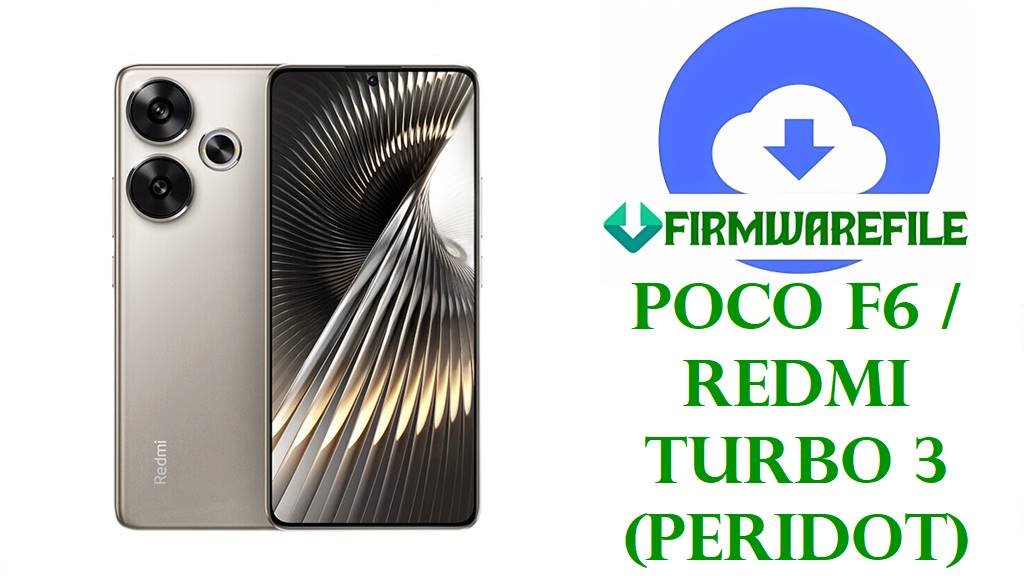
POCO F6 / Redmi Turbo 3 (peridot) HyperOS 2 Android 15 Fastboot & Xiaomi.eu ROMs
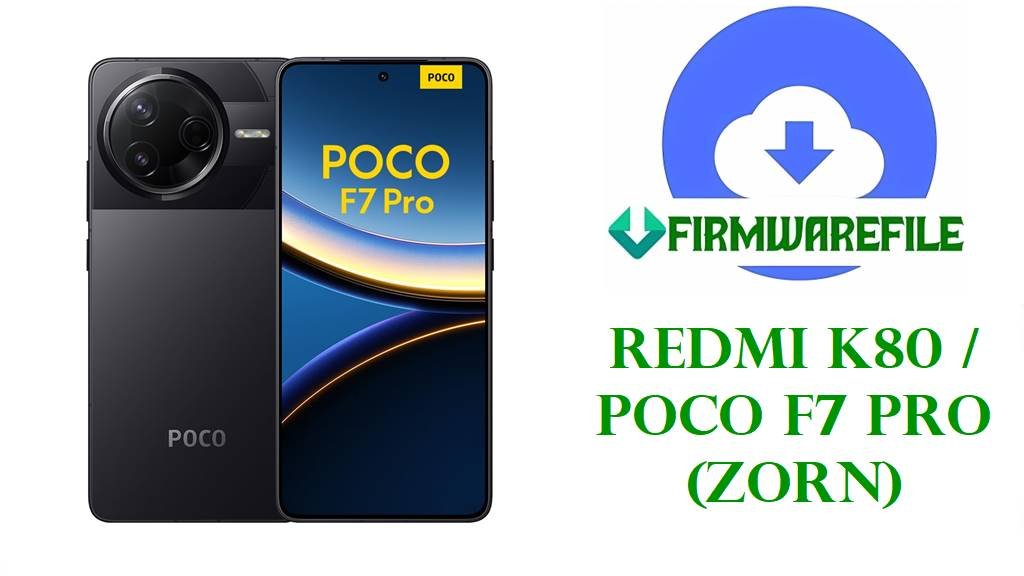
The POCO F6 and Redmi Turbo 3 share the codename peridot and pack a 6.67‑inch 1.5K 120 Hz AMOLED display, Snapdragon 8s Gen 3 chipset, up to 16 GB LPDDR5X RAM, UFS 4.0 storage and a 5000 mAh battery with 90 W turbo charging, making them flagship‑class all‑rounders for gaming and content creation.
The official Android 15 HyperOS 2 Fastboot ROMs below, together with the xiaomi.eu custom build, give peridot users clean system images to unbrick devices, fix bad OTAs, reduce lag and stabilize thermals on this powerful but hot‑running platform.
Download Official Firmware for POCO F6 / Redmi Turbo 3 (peridot)
Codename databases and firmware trackers confirm that peridot covers Redmi Turbo 3 for China and POCO F6 for global regions, with Android 15 HyperOS 2 stable lines identified by VNPCNXM (China), VNPMIXM (Global), VNPRUXM (Russia), VNPINXM (India), VNPEUXM (EEA), VNPIDXM (Indonesia) and VNPTWXM (Taiwan).
The files listed here are full Fastboot ROMs from Xiaomi’s bigota/hugeota CDN and one xiaomi.eu custom fastboot package; the official images are ideal for Mi Flash or fastboot‑script flashing on an unlocked bootloader, while the xiaomi.eu build targets users who want a debloated, multi‑language experience based on the latest Chinese firmware.
| Filename | Region / ROM Type | Build Version | Android / HyperOS | Build Date | File Size | Flashing Type | Notes | Download Link |
|---|---|---|---|---|---|---|---|---|
| peridot_images_OS2.0.207.0.VNPCNXM_20251031.0000.00_15.0_cn_9588361a38.tgz | China – Redmi Turbo 3 CN (VNPCNXM) | OS2.0.207.0.VNPCNXM | Android 15, HyperOS 2.0 China | 2025‑10‑31 | 8.04 GB | Official Fastboot ROM (.tgz) | Latest listed Chinese Android 15 Fastboot package for peridot; trackers mark OS2.0.207.0 as a stable HyperOS 2 build with updated security and performance tuning. | Download OS2.0.207.0 VNPCNXM China (Xiaomi server) |
| peridot_global_images_OS2.0.207.0.VNPMIXM_20251031.0000.00_15.0_global_a38efb9456.tgz | Global – POCO F6 Global (VNPMIXM) | OS2.0.207.0.VNPMIXM | Android 15, HyperOS 2.0 Global | 2025‑10‑31 | 8.37 GB | Official Fastboot ROM (.tgz) | Recent Global Android 15 Fastboot build; ROM pages describe OS2.0.207.0.VNPMIXM as a stable HyperOS 2 release for POCO F6 with late‑2025 security patches. | Download OS2.0.207.0 VNPMIXM Global (Xiaomi server) |
| peridot_ru_global_images_OS2.0.205.0.VNPRUXM_20251031.0000.00_15.0_ru_96a9430d90.tgz | Russia – POCO F6 / Redmi Turbo 3 RU (VNPRUXM) | OS2.0.205.0.VNPRUXM | Android 15, HyperOS 2.0 Russia | 2025‑10‑31 | 8.65 GB | Official Fastboot ROM (.tgz) | Russian HyperOS 2 Fastboot ROM; archives show a VNSPRUXM Android 15 branch with OS2.0.205.0 among the latest stable builds. | Download OS2.0.205.0 VNPRUXM Russia (Xiaomi server) |
| peridot_in_global_images_OS2.0.205.0.VNPINXM_20251031.0000.00_15.0_in_13b2c7213d.tgz | India – POCO F6 India (VNPINXM) | OS2.0.205.0.VNPINXM | Android 15, HyperOS 2.0 India | 2025‑10‑31 | 7.15 GB | Official Fastboot ROM (.tgz) | Indian HyperOS 2 Android 15 Fastboot image; firmware trackers list OS2.0.205.0.VNPINXM as a refined update over earlier 2.0.20x builds for POCO F6 India. | Download OS2.0.205.0 VNPINXM India (Xiaomi server) |
| peridot_eea_global_images_OS2.0.207.0.VNPEUXM_20251031.0000.00_15.0_eea_6d956a55e2.tgz | EEA – POCO F6 / Redmi Turbo 3 EEA (VNPEUXM) | OS2.0.207.0.VNPEUXM | Android 15, HyperOS 2.0 EEA | 2025‑10‑31 | 7.83 GB | Official Fastboot ROM (.tgz) | European HyperOS 2 Android 15 Fastboot build; VNPEUXM 2.0.207.0 is tracked as the current EEA stable with regional compliance and updated security patches. | Download OS2.0.207.0 VNPEUXM EEA (Xiaomi server) |
| peridot_id_global_images_OS2.0.205.0.VNPIDXM_20251031.0000.00_15.0_id_e67ab0bed2.tgz | Indonesia – POCO F6 / Redmi Turbo 3 ID (VNPIDXM) | OS2.0.205.0.VNPIDXM | Android 15, HyperOS 2.0 Indonesia | 2025‑10‑31 | 7.93 GB | Official Fastboot ROM (.tgz) | Indonesian Android 15 Fastboot ROM; VNPIDXM appears as the dedicated ID branch with OS2.0.205.0 among the latest stable HyperOS 2 releases. | Download OS2.0.205.0 VNPIDXM Indonesia (Xiaomi server) |
| peridot_tw_global_images_OS2.0.205.0.VNPTWXM_20251031.0000.00_15.0_tw_d116080f54.tgz | Taiwan – POCO F6 / Redmi Turbo 3 TW (VNPTWXM) | OS2.0.205.0.VNPTWXM | Android 15, HyperOS 2.0 Taiwan | 2025‑10‑31 | 7.88 GB | Official Fastboot ROM (.tgz) | Taiwan‑specific Fastboot ROM mirroring the global feature set while adapting apps and services for this market. | Download OS2.0.205.0 VNPTWXM Taiwan (Xiaomi server) |
| xiaomi.eu_PERIDOT_OS2.0.207.0.VNPCNXM_15.zip | xiaomi.eu Custom ROM – Multilingual HyperOS 2.0 (peridot) | OS2.0.207.0.VNPCNXM (xiaomi.eu) | Android 15, HyperOS 2.0 (modified) | Based on 2025‑10‑31 CN build | 6.03 GB | Fastboot ROM (.zip with scripts) | Community ROM derived from Chinese VNPCNXM firmware, offering multi‑language support, Google services and reduced bloat while keeping HyperOS features; flashed with included fastboot scripts. | Download xiaomi.eu OS2.0.207.0 peridot (SourceForge) |
POCO F6 / Redmi Turbo 3 (peridot) Firmware Details
| Device Names | POCO F6 (global/India) and Redmi Turbo 3 (China). |
|---|---|
| Codename | peridot – internal codename for all listed HyperOS 2 Android 15 builds and custom ROMs. |
| Model Identifiers | Examples include 24069PC21G (POCO F6 Global), 24069PC21I (POCO F6 India) and 24069RA21C (Redmi Turbo 3 China). |
| Chipset | Qualcomm Snapdragon 8s Gen 3 (4 nm) with Cortex‑X4 prime core, Cortex‑A720 performance cores and Cortex‑A520 efficiency cores plus Adreno 735 GPU. |
| Display | 6.67‑inch Flow AMOLED, 1220 × 2712 (1.5K), 120 Hz refresh rate with Gorilla Glass Victus protection. |
| Battery & Charging | 5000 mAh battery with 90 W wired turbo charging, capable of very fast top‑ups but also generating extra heat under heavy gaming or benchmarks. |
| Cameras | Rear: 50 MP main (OIS) + 8 MP ultrawide; Front: 20 MP selfie, supporting up to 4K rear video and 1080p front in most regional variants. |
| Software Families | Launched with Android 14 + HyperOS 1; updated to Android 15 HyperOS 2 through OS2.0.10x–207.0.VNP* builds for China and global markets. |
| Main Issues Reported | Community feedback highlights high temperatures in games and even light browsing, faster‑than‑expected battery drain and some HyperOS 2 bugs until the system “learns” usage or is debloated. |
| What These ROMs Improve | Later Android 15 HyperOS 2 builds like OS2.0.205.0/207.0 include newer security patches and stability tweaks, and a clean Fastboot flash (stock or xiaomi.eu) removes leftover bugs and bloat that often cause heat, lag and drain. |
| File Types | Official Xiaomi Fastboot archives (.tgz) plus one xiaomi.eu fastboot .zip with its own flashing scripts. |
| Required Tools | Mi Flash Tool on Windows for official Fastboot ROMs, or fastboot (platform‑tools) to run flash_all.bat / xiaomi.eu scripts manually. |
| Bootloader Status | An unlocked bootloader is mandatory for all Fastboot and xiaomi.eu flashes; OTA/recovery updates for the same versions target locked stock devices only. |
| Use Cases | Unbrick bootloops, fix failed HyperOS 2 updates, clean up performance and battery issues on peridot, or move from Chinese ROM to global/xiaomi.eu software while keeping Android 15 and HyperOS features. |
Before You Begin ⚙️
- 💾 Backup your data: Fastboot and xiaomi.eu flashes often wipe apps, accounts and internal storage, so save your photos and files first.
- 🔋 Charge the phone: Make sure your POCO F6 / Redmi Turbo 3 has at least 50 % battery to avoid shutdowns and hard‑brick risk.
- 💻 Use a Windows PC & drivers: Install Xiaomi USB/ADB drivers, Android platform‑tools and use a good USB‑C cable.
- 🔓 Unlock the bootloader: Use Xiaomi’s official unlock tool and confirm the product is peridot with the same region suffix as your chosen ROM.
📱 How to Flash the Firmware
Method 1: Xiaomi Mi Flash Tool (Official Fastboot ROMs)
- Download & extract: Grab the correct peridot_*_images_OS2.0.20x.0.VNP* .tgz file for your region and extract it to a simple folder such as C:\ROM\peridot on your PC.
- Install Mi Flash & drivers: Install Xiaomi USB/ADB drivers and Mi Flash Tool on your Windows computer.
- Enter fastboot mode: Power off the phone, hold Volume Down + Power until the fastboot logo appears, then connect it via USB‑C.
- Flash the ROM: Open Mi Flash, click Select and choose the extracted ROM folder, select “clean all” (do not relock), then click Flash and wait while all partitions are written.
- Reboot & update: When Mi Flash shows success, let the phone reboot into Android 15 HyperOS 2, finish setup and then check for any newer OTAs in Settings → About phone → System update.
For a full Mi Flash walkthrough with screenshots and troubleshooting, see: Full Tutorial: Flash Xiaomi Firmware with Mi Flash Tool.
Method 2: Fastboot Scripts & xiaomi.eu ROM
- Prepare tools & ROM: Install Android platform‑tools on your PC and download either an official Fastboot ROM or xiaomi.eu_PERIDOT_OS2.0.207.0.VNPCNXM_15.zip, then extract the archive so you can see flash_all.bat or the xiaomi.eu scripts.
- Connect in fastboot: Boot peridot into fastboot mode, connect it via USB‑C and verify that fastboot devices lists your phone.
- Run the script: For stock ROMs, run the flash_all.bat script that keeps the bootloader unlocked; for xiaomi.eu, use the included “first install with data format” script for a clean install.
- Wait for completion: Do not disconnect or close the window until the script finishes and the phone reboots or shows a success message.
- Finish setup & optimize: Complete Android setup, then debloat or adjust background apps to reduce HyperOS 2 battery drain and heating.
For more detail on fastboot scripts and safety tips, refer to: Full Tutorial: Flash Stock Firmware Using a Fastboot Script (flash_all.bat).
Frequently Asked Questions (FAQs)
What problems can these peridot HyperOS 2 Android 15 ROMs fix?
A clean flash of the correct regional ROM often fixes bootloops, failed HyperOS 2 OTAs, random reboots, heavy lag from corrupted system files and some overheating or battery drain caused by buggy updates or bloat.
How do I know which peridot firmware is right for my phone?
Check Settings → About phone → Version or run fastboot getvar product to confirm codename peridot and region suffix (VNPCNXM, VNPMIXM, VNPRUXM, VNPINXM, VNPEUXM, VNPIDXM, VNPTWXM), then only flash ROMs whose codes match exactly.
What are the benefits of the xiaomi.eu peridot ROM?
The xiaomi.eu build based on OS2.0.207.0.VNPCNXM keeps Android 15 and HyperOS features but adds multi‑language support, Google services and reduced bloat compared to the stock Chinese ROM, which can help smoothness and battery life.
Can these updates stop my POCO F6 from overheating so much?
Newer HyperOS 2 builds and a clean install can reduce unnecessary CPU wake‑ups and background tasks, but Snapdragon 8s Gen 3 still runs hot in demanding games, so lowering graphics, limiting background apps and debloating remain important.
Is it safe to cross‑flash China VNPCNXM on a Global VNPMIXM phone?
Cross‑flashing may boot on an unlocked device, but it can break OTA updates, payments and regional services and is risky if you ever relock the bootloader, so sticking to your native region code is strongly recommended.
Why is the Fastboot ROM size around 8 GB?
These packages include full system, vendor, firmware, pre‑installed apps and sometimes multiple language assets for a flagship‑class device, so complete images naturally approach 7–9 GB.