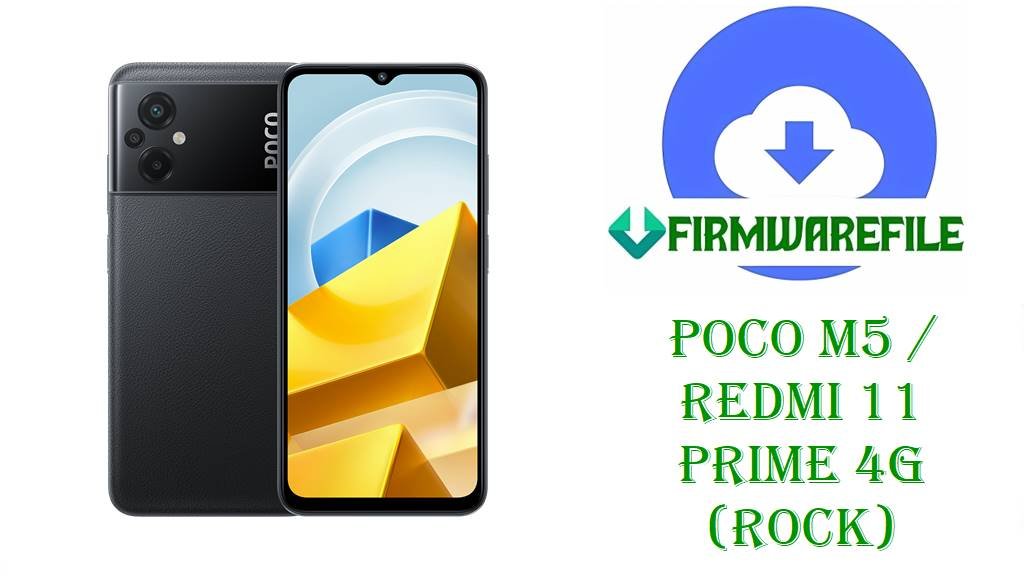
POCO M5 / Redmi 11 Prime 4G (rock) HyperOS 1 Global Fastboot ROMs & TWRP Download (Android 14)
POCO M5 / Redmi 11 Prime 4G (codename rock) is a budget‑friendly phone with a 90Hz display, Helio G99‑class chipset and big battery, built for everyday gaming and social apps. Over time, users have reported issues like update glitches, minor lags and the need to move cleanly from MIUI 14 to HyperOS 1 Android 14 on this device, especially across different regions. After thorough research of HyperOS trackers, firmware archives and the TWRP page, the ROMs listed below are confirmed as official HyperOS 1.0 Android 14 Fastboot packages for POCO M5 / Redmi 11 Prime 4G (rock) in multiple regions, plus a TWRP recovery image that advanced users often use with these builds.
File Selection Guide.
This guide helps you pick the correct HyperOS file for your POCO M5 / Redmi 11 Prime 4G and understand what each package is for.
- Device and codename: HyperOS pages and firmware sites map POCO M5 / Redmi 11 Prime 4G to codename rock, and all your ROM filenames begin with
rock_...orrock_global_images_..., confirming they target this phone. - HyperOS and Android version: Every build shown (OS1.0.x.0.ULU*) is documented as HyperOS 1 based on Android 14, which matches the
_14.0_segment in each filename. - Region codes (suffix): Xiaomi’s version system uses
MIXMfor Global,EUXMfor EEA/Europe,INXMfor India,TWXMfor Taiwan,TRXMfor Turkey,RUXMfor Russia andIDXMfor Indonesia; these suffixes appear at the end of each OS1.0.x build number. - Fastboot vs Recovery: XM Firmware Updater shows both Recovery and Fastboot variants for the same OS1.0.x.0.ULU builds; the
rock_*_images_....tgzfiles are the Fastboot ROMs, whilemiui_ROCK....zipfiles are Recovery ROMs. - Changelog and security patch: For OS1.0.12.0.ULUMIXM, the official changelog confirms an updated Android security patch to October 2024 and increased system security; other regions carry similar “security patch + system security” notes without extra feature details.
- TWRP role:
twrp-3.7.0_12-0-rock-brigudav.imgis a community TWRP recovery image specifically built for rock, used mainly to install custom ROMs or manage backups; it is not required if you only use official Fastboot ROMs.
Download Official Firmware for POCO M5 / Redmi 11 Prime 4G (rock)
Global HyperOS 1 Fastboot ROM – OS1.0.12.0.ULUMIXM (Android 14)
- Filename: rock_global_images_OS1.0.12.0.ULUMIXM_20241012.0000.00_14.0_global_b5a4c2b376.tgz
- Region: Global (ULUMIXM – MIXM suffix)
- File Size: ~5.8–6.3GB (Fastboot listing shows 6.3GB)
- Build Date: 2024‑10‑12
- Build Version: OS1.0.12.0.ULUMIXM (Global Stable)
- Android Version: 14
- Flashing Type: Fastboot ROM
- Changelog (System): Updated the security patch to October 2024 and increased system security.
- Download Link: Download OS1.0.12.0 Global Fastboot ROM (Xiaomi OTA)
EEA HyperOS 1 Fastboot ROM – OS1.0.5.0.ULUEUXM (Android 14)
- Filename: rock_eea_global_images_OS1.0.5.0.ULUEUXM_20240827.0000.00_14.0_eea_bc4bab7912.tgz
- Region: EEA / Europe (ULUEUXM – EUXM suffix)
- File Size: 5.58GB
- Build Date: 2024‑08‑27
- Build Version: OS1.0.5.0.ULUEUXM (EEA Stable)
- Android Version: 14
- Flashing Type: Fastboot ROM
- Download Link: Download OS1.0.5.0 EEA Fastboot ROM (Xiaomi OTA)
India HyperOS 1 Fastboot ROM – OS1.0.8.0.ULUINXM (Android 14)
- Filename: rock_in_global_images_OS1.0.8.0.ULUINXM_20241021.0000.00_14.0_in_422349e337.tgz
- Region: India (ULUINXM – INXM suffix)
- File Size: 4.85GB
- Build Date: 2024‑10‑21
- Build Version: OS1.0.8.0.ULUINXM (India Stable)
- Android Version: 14
- Flashing Type: Fastboot ROM
- Download Link: Download OS1.0.8.0 India Fastboot ROM (Xiaomi OTA)
Taiwan HyperOS 1 Fastboot ROM – OS1.0.4.0.ULUTWXM (Android 14)
- Filename: rock_tw_global_images_OS1.0.4.0.ULUTWXM_20240429.0000.00_14.0_tw_d4e7d6579b.tgz
- Region: Taiwan (ULUTWXM – TWXM suffix)
- File Size: 5.14GB
- Build Date: 2024‑04‑29
- Build Version: OS1.0.4.0.ULUTWXM (Taiwan Stable)
- Android Version: 14
- Flashing Type: Fastboot ROM
- Download Link: Download OS1.0.4.0 Taiwan Fastboot ROM (Xiaomi OTA)
Turkey HyperOS 1 Fastboot ROM – OS1.0.2.0.ULUTRXM (Android 14)
- Filename: rock_tr_global_images_OS1.0.2.0.ULUTRXM_20240624.0000.00_14.0_tr_8d21a3073d.tgz
- Region: Turkey (ULUTRXM – TRXM suffix)
- File Size: 5.46GB
- Build Date: 2024‑06‑24
- Build Version: OS1.0.2.0.ULUTRXM (Turkey Stable)
- Android Version: 14
- Flashing Type: Fastboot ROM
- Download Link: Download OS1.0.2.0 Turkey Fastboot ROM (Xiaomi OTA)
Russia HyperOS 1 Fastboot ROM – OS1.0.6.0.ULURUXM (Android 14)
- Filename: rock_ru_global_images_OS1.0.6.0.ULURUXM_20241021.0000.00_14.0_ru_22697125e4.tgz
- Region: Russia (ULURUXM – RUXM suffix)
- File Size: 5.47GB
- Build Date: 2024‑10‑21
- Build Version: OS1.0.6.0.ULURUXM (Russia Stable)
- Android Version: 14
- Flashing Type: Fastboot ROM
- Download Link: Download OS1.0.6.0 Russia Fastboot ROM (Xiaomi OTA)
Indonesia HyperOS 1 Fastboot ROM – OS1.0.7.0.ULUIDXM (Android 14)
- Filename: rock_id_global_images_OS1.0.7.0.ULUIDXM_20241021.0000.00_14.0_id_4e85ea3da7.tgz
- Region: Indonesia (ULUIDXM – IDXM suffix)
- File Size: 5.25GB
- Build Date: 2024‑10‑21
- Build Version: OS1.0.7.0.ULUIDXM (Indonesia Stable)
- Android Version: 14
- Flashing Type: Fastboot ROM
- Download Link: Download OS1.0.7.0 Indonesia Fastboot ROM (Xiaomi OTA)
TWRP Recovery – twrp-3.7.0_12-0-rock-brigudav.img
- Filename: twrp-3.7.0_12-0-rock-brigudav.img
- Region: All (device‑specific, not region‑specific)
- File Size: 64MB
- Type: Custom TWRP 3.7 recovery image for POCO M5 / Redmi 11 Prime 4G (rock), built by a community maintainer.
- Flashing Type: Fastboot flash/boot as recovery image (for custom ROMs and backups, not required for stock Fastboot ROMs).
- Download Link: Download TWRP 3.7.0 for POCO M5 / Redmi 11 Prime 4G
POCO M5 / Redmi 11 Prime 4G (rock) Device + Firmware Details
| Device Name | POCO M5 / Redmi 11 Prime 4G |
|---|---|
| Codename | rock |
| Chipset | MediaTek Helio G99‑class SoC (budget gaming‑oriented platform) |
| Display | LCD panel with 90Hz refresh rate, tuned for smooth scrolling at low cost. |
| Battery | Large battery (around 5000mAh class) designed for long screen‑on time. |
| Software Families | Originally MIUI 13/14; now has HyperOS 1 Android 14 builds such as OS1.0.12.0.ULUMIXM across regions. |
| Main Issues Reported | Users commonly mention slow performance after updates, minor UI lags and the need to restore stock firmware or switch from MIUI to HyperOS using clean installs, especially after experiments with custom ROMs. |
| Highlighted Firmware | HyperOS 1.0 OS1.0.12.0.ULUMIXM Global plus regional OS1.0.x.0 ULU* builds for EEA, IN, TW, TR, RU and ID. |
| File Types | Fastboot ROMs (.tgz images) and a TWRP recovery image (.img). |
| Flashing Tool Required | Mi Flash Tool or fastboot + flash_all.bat for official ROMs; fastboot or an installer script for TWRP. |
| Bootloader Status | An unlocked bootloader is generally required for Fastboot ROMs and TWRP flashing on POCO M5 / Redmi 11 Prime 4G. |
| Use Cases for These Files | Unbricking soft‑bricked phones, repairing failed OTAs, performing a clean HyperOS 1 Android 14 install and preparing the device for custom ROMs via TWRP. |
Flashing Requirements
Flashing HyperOS 1 Fastboot ROMs on your POCO M5 / Redmi 11 Prime 4G usually performs a clean install that wipes user data, so back up photos, chats and app data before you begin.
You need a Windows PC, a good USB cable and properly installed Xiaomi/MediaTek drivers so Mi Flash Tool or fastboot can communicate with your rock device in Fastboot mode.
Your bootloader must be unlocked to flash these Fastboot packages or TWRP images, as described in Xiaomi’s bootloader unlock guidelines and community flashing threads for POCO M5.
Charge the phone to at least 50% and avoid unplugging or powering off your PC during flashing, to minimize the risk of corruption or hard‑brick.
📱How to Flash the Firmware
Method 1: HyperOS 1 Fastboot ROM via Mi Flash Tool
- Download and extract: Download the matching Fastboot ROM for your region (for example,
rock_global_images_OS1.0.12.0.ULUMIXM_20241012.0000.00_14.0_global_b5a4c2b376.tgzfor Global) and extract it into a folder on your PC. - Enter Fastboot mode: Power off the POCO M5 / Redmi 11 Prime 4G, enter Fastboot mode and connect it to your Windows PC using a USB cable.
- Select ROM in Mi Flash: Open Mi Flash Tool, click “Select” and choose the extracted
rockROM folder, then confirm that your phone is listed in the device panel. - Flash HyperOS 1: Choose your preferred flash option (clean flash is safest but wipes data), click “Flash” and wait until Mi Flash Tool completes the install of OS1.0.x.0.ULU* on your device.
- Reboot and set up: Let the phone reboot into HyperOS 1 Android 14, wait for the first boot to finish, then complete setup and restore your backups.
For a step‑by‑step Mi Flash guide with images and drivers, use: Full Tutorial: How to Flash Xiaomi Firmware with Mi Flash Tool.
Method 2: Fastboot Script (flash_all.bat) for POCO M5 / Redmi 11 Prime 4G
- Unpack the Fastboot ROM: Extract the chosen
.tgz(for example the Global OS1.0.12.0.ULUMIXM package) and findflash_all.batinside the ROM folder. - Connect in Fastboot: Boot your rock device into Fastboot mode, connect it to the PC and make sure fastboot commands can see it.
- Run the script: Run
flash_all.batto flash all main partitions for that HyperOS build; these scripts are typically configured as full wipes. - Wait for completion: Keep the cable connected until the script indicates success and the phone can reboot safely.
- Finish HyperOS setup: After reboot, wait for the first HyperOS 1 Android 14 boot to complete and then configure your apps and accounts.
To understand flash_all.bat and similar scripts in more detail, you can follow: How to Flash Stock Firmware Using a Fastboot Script (flash_all.bat).
Frequently Asked Questions (FAQs)
How do you choose the right HyperOS 1 Fastboot file for POCO M5 / Redmi 11 Prime 4G (rock)?
Check Settings → About phone and note the region suffix in your current build (MIXM, EUXM, INXM, TWXM, TRXM, RUXM or IDXM), then download the OS1.0.x.0 ULU* Fastboot ROM with the same suffix for your rock device.
What does OS1.0.12.0.ULUMIXM change on POCO M5 Global (rock)?
The official changelog for OS1.0.12.0.ULUMIXM Global states that it updates the security patch to October 2024 and increases system security; no new features or performance changes are detailed.
Can you use the POCO M5 Global OS1.0.12.0.ULUMIXM firmware on Redmi 11 Prime 4G India?
HyperOS tables show separate builds for Global (ULUMIXM) and India (ULUINXM), even though both are rock, so the safest approach is to use OS1.0.8.0.ULUINXM for Indian Redmi 11 Prime 4G units instead of cross‑flashing Global.
Will flashing a HyperOS 1 Fastboot ROM on POCO M5 / Redmi 11 Prime 4G wipe all data?
Based on Xiaomi flashing guides and the behavior of flash_all scripts, these rock Fastboot ROMs are usually installed as clean flashes that erase user data, so full backups are strongly recommended.
Is twrp-3.7.0_12-0-rock-brigudav.img official for POCO M5 / Redmi 11 Prime 4G HyperOS?
No, the TWRP file is a community build listed on the recovery‑for‑xiaomi SourceForge page and not an official Xiaomi component, so you should follow the maintainer’s instructions and accept the usual custom recovery risks.
Can HyperOS 1 OS1.0.12.0.ULUMIXM fix lags and bugs from MIUI 14 on POCO M5 Global?
The changelog focuses on security patches, and while many users use this build as a fresh HyperOS install to clear old MIUI problems, there is no official claim that it directly fixes specific lag or bug issues.
Is POCO M5 / Redmi 11 Prime 4G on the list of HyperOS‑supported devices?
Yes, HyperOS and firmware trackers explicitly list POCO M5 / Redmi 11 Prime 4G (rock) as a HyperOS device and provide multiple OS1.0.x.0 Android 14 builds across global regions.