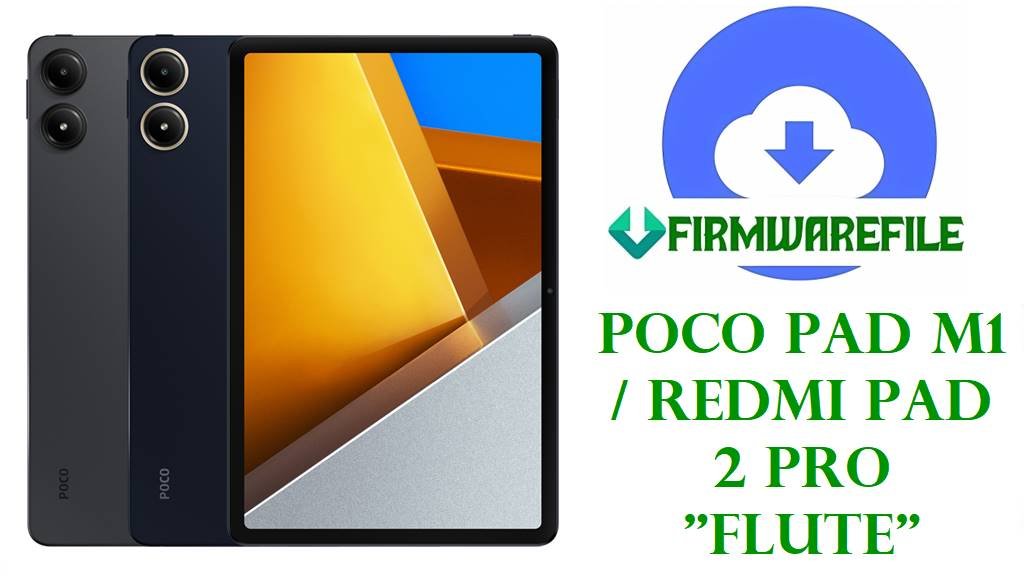
POCO Pad M1 / Redmi Pad 2 Pro “Flute” Global Fastboot Firmware Download & Region-Safe Flash Guide
Is your POCO Pad M1 / Redmi Pad 2 Pro (codename: flute) stuck in a bootloop, crashing after recent HyperOS 2 upgrades, or displaying “system update failed” errors? This guide provides the SAFEST official fastboot firmware links for EVERY region: Global, Russia, EEA, Taiwan, Turkey, Indonesia. Choose your region carefully—using the wrong file can soft-brick your tablet or disable key features like LTE bands!
The flute family (POCO Pad M1 / Redmi Pad 2 Pro) features an Android 15 HyperOS 2 system, power-efficient Snapdragon processor, up to 12GB RAM, 512GB storage, and a 10.95″ 90Hz LCD display ideal for creativity and entertainment. Sudden firmware fails may break stylus/Pen support or lead to rare charging bugs—correct region and version matching is absolutely critical for recovery!
POCO Pad/Redmi Pad “flute” uses strict region codes (Global, EEA, RU, TW, TR, ID). Do NOT cross-flash (e.g., China version on Global) or downgrade between major OS versions, or you risk OTA function loss, network disconnects, and loss of stylus support! Always match the region code in Settings → About Tablet or on retail box before flashing.
POCO Pad M1 / Redmi Pad 2 Pro (“Flute”) Firmware & Device Table
| Region | Filename | Android/OS | Build/Date | Size | Download | Cautions |
|---|---|---|---|---|---|---|
| Global | flute_global_images_OS2.0.204.0.VPWMIXM_20251017.0000.00_15.0_global_f0f07710f2.tgz | 15.0 / HyperOS 2.0 | 204.0 (2025-10-17) | 6.06GB | MIUI Global | Safe for open-market tablets outside EEA/RU/TW/TR/ID |
| Russia | flute_ru_global_images_OS2.0.204.0.VPWRUXM_20251027.0000.00_15.0_ru_bf89d2b01a.tgz | 15.0 / HyperOS 2.0 | 204.0 (2025-10-27) | 6.34GB | MIUI RU | Russian market ROM. Not for EU/Global tabs. |
| EEA (Europe) | flute_eea_global_images_OS2.0.209.0.VPWEUXM_20251013.0000.00_15.0_eea_8e7da9bee0.tgz | 15.0 / HyperOS 2.0 | 209.0 (2025-10-13) | 5.63GB | MIUI EEA | EEA/Europe tabs ONLY; major LTE/network differences. |
| Taiwan | flute_tw_global_images_OS2.0.204.0.VPWTWXM_20251017.0000.00_15.0_tw_4e95c94024.tgz | 15.0 / HyperOS 2.0 | 204.0 (2025-10-17) | 5.30GB | MIUI TW | Taiwan official build; not for TW-imported global tabs. |
| Turkey | flute_tr_global_images_OS2.0.205.0.VPWTRXM_20251027.0000.00_15.0_tr_333a48aab7.tgz | 15.0 / HyperOS 2.0 | 205.0 (2025-10-27) | 5.65GB | MIUI TR | Turkey-specific LTE, restrictions. Only for TR models. |
| Indonesia | flute_id_global_images_OS2.0.206.0.VPWIDDM_20251113.0000.00_15.0_id_9ef08decad.tgz | 15.0 / HyperOS 2.0 | 206.0 (2025-11-13) | 5.76GB | MIUI ID | LTE/5G bands local to Indonesia; not cross-flashable. |
Region Matching & Problems Solved
- Global: Covers open-market international tablets.
- EEA: For Europe retail, not transferable to RU/Global.
- RU/TR/TW/ID: Country locks, mobile network & app store limiters. Use only for tablets sold and activated in these regions.
- Frequent issues solved: Bootloops, “Update failed”, Wi-Fi/Bluetooth disconnect, pen lag/glitches, charging stuck at 60%, Philips Hue app crashes, Netflix fails to update, Google Play disappears after region change.
Before You Begin ⚙️
- Backup all data—fastboot wipes internal storage.
- Charge battery >70%.
- Windows PC required.
- Bootloader must be unlocked (takes 7 days for MIUI unlock, official Xiaomi account).
- Check region tag. Settings → About → MIUI version (e.g., “VPWMIXM” for Global).
- NEVER use China firmware for global tablets.
📱 Quick Flashing Guide
- Extract your region’s firmware (e.g.,
flute_global_images_OS2.0.204.0.VPWMIXM_20251017.0000.00_15.0_global_f0f07710f2.tgz) on your PC (7-Zip recommended). - Shut down the tablet. Boot into fastboot mode (Volume Down + Power).
- Launch Xiaomi Flash Tool (MiFlash). Load extracted folder.
- Click “clean all” and then flash. WAIT for the green check mark.
- First boot takes several minutes; complete tablet setup as new.
For full pictorial step-by-step:
How to Flash Xiaomi Firmware (Full Tutorial)
Frequently Asked Questions (FAQs)
- Q1. “Update failed—package not compatible” after flash?
- You flashed the wrong region/build. Double-check MIUI code (VPWMIXM, VPWRUXM, VPWEUXM, etc) in About Tablet—must match firmware exactly.
- Q2. Lost LTE/5G after flashing?
- Cross-flashed firmware disables regional network. Only fix—reflashing correct build.
- Q3. Stylus/pen lag or not recognized?
- Only correct region, up-to-date HyperOS fixes pen lag. Old builds or mismatch disables stylus hardware profile.
- Q4. Tablet stuck in bootloop after update?
- Exact build mismatch, or downgrade attempt. Always use the latest build for your purchase region.