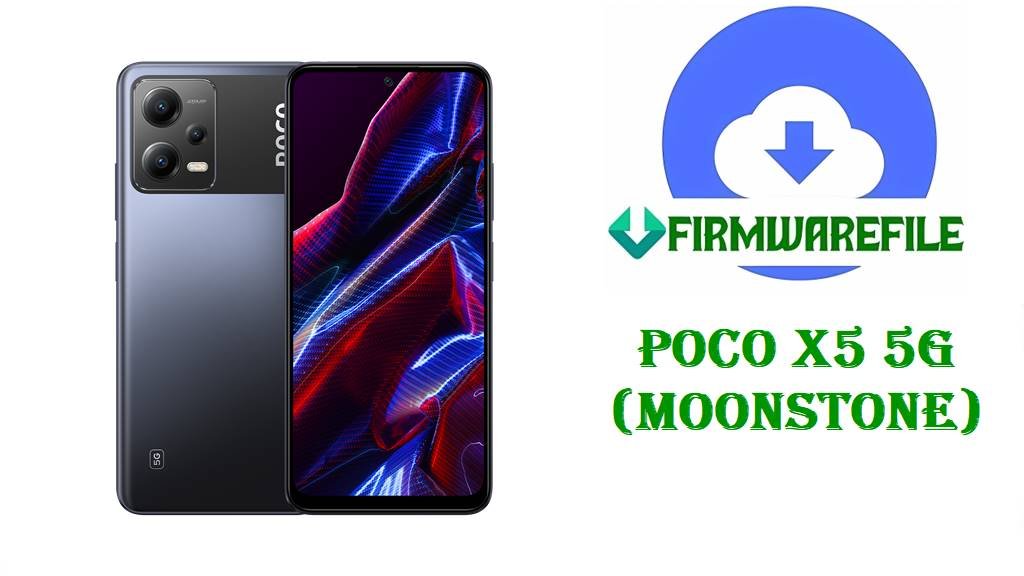
POCO X5 5G (moonstone) Firmware Download & Flashing Guide
This guide is for the POCO X5 5G with codename moonstone, covering official HyperOS fastboot ROMs, a Xiaomi.eu custom ROM ZIP, and a TWRP recovery image to recover from bootloops, reinstall stock firmware, or move to a custom ROM.
Device identity and why “moonstone” matters
POCO X5 5G is internally identified by Xiaomi as moonstone, and that codename appears in all official ROMs and in fastboot product information. Using a ROM whose filename starts with moonstone_... and matches your region code (MIXM, EUXM, INXM, etc.) is essential; flashing a ROM for a different codename (like redwood for POCO X5 Pro) can brick the phone because of different SoC and partition layouts.
Device summary
| Field | Information |
|---|---|
| Marketing name | POCO X5 5G. |
| Codename | moonstone (shown in firmware names and fastboot tools). |
| SoC / platform | Qualcomm Snapdragon 695 5G (SM6375, 6 nm, Adreno 619 GPU). |
| Regions | Global MIXM, EEA EUXM, India INXM, Indonesia IDXM, Turkey TRXM, Taiwan TWXM, Russia RUXM (no CNXM HyperOS channel for this model). |
| OS family | Launched with Android 12 / MIUI 13; now on Android 14‑based HyperOS 1.0 in the ROMs listed here. |
What these files solve on POCO X5 5G
The ROMs and images you listed can bring a broken POCO X5 5G back to life, clean up a heavily modified system, or switch firmware flavor.
- Fixing bootloops and soft‑bricks by flashing a complete HyperOS 1.0 fastboot
.tgzfor your exact region. - Performing a clean reinstall to remove Magisk, custom kernels, or system mods that cause instability.
- Manually updating to late Android 14 HyperOS builds when OTA is slow or disabled.
- Switching from stock HyperOS to the Xiaomi.eu custom ROM for additional languages and tweaks on top of the same base firmware.
- Installing TWRP so you can flash ZIP‑based ROMs, take full backups, or manage modules more easily.
Translating the filenames
Fastboot .tgz ROMs
All moonstone*_images_OS1.0.xx.0.UMPxxxx_…_14.0_*.tgz files are official HyperOS fastboot ROM archives for POCO X5 5G.
moonstone_global_images_OS1.0.25.0.UMPMIXM_..._14.0_global_....tgz– Global (MIXM) HyperOS 1.0.25.0, Android 14, full fastboot package.moonstone_tw_global_images_OS1.0.21.0.UMPTWXM_..._14.0_tw_....tgz– Taiwan (TWXM) HyperOS 1.0.21.0 fastboot ROM.moonstone_eea_global_images_OS1.0.24.0.UMPEUXM_..._14.0_eea_....tgz– EEA/Europe (EUXM) HyperOS 1.0.24.0 fastboot ROM.- Similarly,
UMPINXM,UMPIDXM,UMPTRXM,UMPRUXMmap to India, Indonesia, Turkey, and Russia respectively.
Inside each .tgz is a set of partition images (boot, system, vendor, vbmeta, modem, etc.) and flash scripts for Mi Flash or raw fastboot use.
Xiaomi.eu ROM ZIP
xiaomi.eu_MOONSTONE_OS1.0.25.0.UMPMIXM_14.zip is an unofficial Xiaomi.eu custom ROM based on the Global HyperOS OS1.0.25.0.UMPMIXM firmware for moonstone.
- It is a recovery‑flashable ZIP that repackages the official base with extra languages, removed bloat, and integrated Google services and tweaks.
- Installation is intended via TWRP or similar custom recovery on an unlocked bootloader, not via the stock updater app.
TWRP recovery image
twrp-3.7.1_12-0-v1b-moonstone-Mechatron.img is a custom TWRP recovery.img built specifically for POCO X5 5G / moonstone.
- This image is flashed to the recovery (or recovery/boot) partition via fastboot and then booted to provide a custom recovery environment.
- The “3.7.1_12-0” tag indicates compatibility originally targeted at Android 12/13‑era vendor trees; it is also used for Android 14 HyperOS on moonstone according to community notes, which is “based on maintainer practice.”
Download table for POCO X5 5G (moonstone)
| Filename | Region / variant | Android base | Type | Official? | Link |
|---|---|---|---|---|---|
| moonstone_global_images_OS1.0.25.0.UMPMIXM_20251128.0000.00_14.0_global_b5bc240c4d.tgz | Global (MIXM) POCO X5 5G. | Android 14, HyperOS 1.0.25.0. | Full HyperOS fastboot ROM (.tgz). | Yes – official Xiaomi fastboot package. | Download |
| moonstone_tw_global_images_OS1.0.21.0.UMPTWXM_20251127.0000.00_14.0_tw_5a62eaa890.tgz | Taiwan (TWXM). | Android 14, HyperOS 1.0.21.0. | Fastboot ROM (.tgz) for TW region. | Yes – official. | Download |
| moonstone_eea_global_images_OS1.0.24.0.UMPEUXM_20251128.0000.00_14.0_eea_8321e15c02.tgz | EEA / Europe (EUXM). | Android 14, HyperOS 1.0.24.0. | Fastboot ROM (.tgz) for EEA devices. | Yes – official. | Download |
| moonstone_ru_global_images_OS1.0.21.0.UMPRUXM_20251128.0000.00_14.0_ru_690778af18.tgz | Russia (RUXM). | Android 14, HyperOS 1.0.21.0. | Fastboot ROM (.tgz) for RU devices. | Yes – official. | Download |
| moonstone_in_global_images_OS1.0.22.0.UMPINXM_20251128.0000.00_14.0_in_b7af53b191.tgz | India (INXM). | Android 14, HyperOS 1.0.22.0. | Fastboot ROM (.tgz) for Indian units. | Yes – official. | Download |
| moonstone_id_global_images_OS1.0.21.0.UMPIDXM_20251128.0000.00_14.0_id_479e05af5f.tgz | Indonesia (IDXM). | Android 14, HyperOS 1.0.21.0. | Fastboot ROM (.tgz) for Indonesian units. | Yes – official. | Download |
| moonstone_tr_global_images_OS1.0.20.0.UMPTRXM_20251128.0000.00_14.0_tr_db5c5d9ab9.tgz | Turkey (TRXM). | Android 14, HyperOS 1.0.20.0. | Fastboot ROM (.tgz) for Turkish units. | Yes – official. | Download |
| xiaomi.eu_MOONSTONE_OS1.0.25.0.UMPMIXM_14.zip | Based on Global (MIXM) firmware but repackaged by Xiaomi.eu for all moonstone devices. | Android 14, HyperOS 1.0.25.0. | Custom ROM ZIP (recovery‑flashable). | No – community Xiaomi.eu build. | Download |
| twrp-3.7.1_12-0-v1b-moonstone-Mechatron.img | moonstone only – POCO X5 5G. | N/A (recovery image, used with Android 12–14 firmware trees, “based on filename and project notes”). | Custom recovery image (TWRP). | No – community TWRP build. | Download |
Key questions: is this right for your phone?
- Is this the right file for my phone? It is correct only if your phone is POCO X5 5G and fastboot reports
product: moonstone; the ROM’s region suffix (MIXM/EUXM/INXM/etc.) should match the original region of your device for safest operation. - Is this official or unofficial? All
moonstone*_images_OS1.0.x.x.UMPxxxx_....tgzfiles are official Xiaomi HyperOS fastboot ROMs, whilexiaomi.eu_MOONSTONE_...and the TWRP image are unofficial community builds. - Will this wipe data? Fastboot ROMs normally use “flash all” scripts that wipe userdata; Mi Flash for HyperOS on moonstone is documented as installing clean by default unless you explicitly choose a no‑wipe option. Flashing TWRP alone does not wipe data, but Xiaomi.eu installation generally requires at least one clean flash with data wipe when moving from stock.
- Can this brick my phone if I choose wrong? Yes. Using a ROM for a different codename (e.g. redwood) or relocking the bootloader on a mismatched region build can lead to boot verification failures and potential hard brick.
moonstone‑specific behaviors and quirks
- POCO X5 5G has no native China (CNXM) retail firmware; HyperOS tracks global‑type channels only, so any “CN” packages encountered for moonstone on unofficial sites should be treated with caution.
- Snapdragon 695 uses A/B partitions, so fastboot scripts will flash both slots; interrupting the process can leave both slots unbootable, making correct cable and USB port choice more critical.
- Xiaomi.eu’s moonstone builds explicitly follow the Global MIXM branch, so moving to Xiaomi.eu effectively keeps the device on a global base but replaces POCO‑style UI and bloat with the project’s configuration.
What you need before flashing
- A Windows PC (best with Mi Flash installed) or Linux/macOS with recent adb/fastboot tools.
- A reliable USB‑C cable and a stable USB port; disconnections mid‑flash can corrupt both slots on moonstone.
- Full backup of internal storage and apps; fastboot flashes and clean Xiaomi.eu installs will erase data.
- An unlocked bootloader if you intend to flash Xiaomi.eu or TWRP; official HyperOS fastboot ROMs can be used with a locked bootloader only when they match the original region and account binding.
- Battery charge at least around 50–60% before starting.
High‑level flashing outlines
Fastboot ROM method (official HyperOS)
- Power off POCO X5 5G, hold Volume Down + Power to enter fastboot, then connect to PC.
- Download the correct region’s
moonstone*_images_OS1.0.x.x....tgz, then extract it until you see theimagesfolder and flashing scripts. - Open Mi Flash or a terminal in that folder, select the device, and choose the
flash_allscript for a clean reinstall (or appropriate variant if you know what you are doing). - Start the flash and wait until completion; the first boot into HyperOS 1.0 on moonstone will take several minutes.
Custom ROM method (Xiaomi.eu ZIP)
- Unlock the bootloader with Xiaomi’s official unlock tool and ensure you are on a compatible HyperOS base (ideally OS1.0.25.0.UMPMIXM or close) as recommended by Xiaomi.eu notes.
- Flash TWRP
twrp-3.7.1_12-0-v1b-moonstone-Mechatron.imgvia fastboot and boot into recovery. - Copy
xiaomi.eu_MOONSTONE_OS1.0.25.0.UMPMIXM_14.zipto the phone or prepare to sideload it. - In TWRP, perform a data/cache wipe for a clean install, then flash the Xiaomi.eu ZIP and reboot.
Recovery installation method (TWRP image)
- Unlock bootloader and boot to fastboot mode.
- Place
twrp-3.7.1_12-0-v1b-moonstone-Mechatron.imgin your fastboot directory and run a command such asfastboot flash recovery twrp-3.7.1_12-0-v1b-moonstone-Mechatron.img(orfastboot bootplus in‑recovery installer, depending on maintainer instructions). - Immediately boot into TWRP using the key combo to prevent stock recovery from overwriting it.
- From TWRP, create a backup and then proceed with ROM or root operations as needed.
FAQ
What device does codename “moonstone” refer to?
moonstone is Xiaomi’s codename for POCO X5 5G; this mapping is confirmed in firmware listings and spec databases.
What do the region codes (MIXM, EUXM, INXM, IDXM, TRXM, TWXM, RUXM) mean?
They label the sales region and legal/customization profile: MIXM global, EUXM EEA/Europe, INXM India, IDXM Indonesia, TRXM Turkey, TWXM Taiwan, and RUXM Russia. Each region can differ in carrier configuration, apps, and compliance features, so matching your device’s original code is recommended, especially if you plan to relock the bootloader.
Does the official ROM include Google services?
All official moonstone HyperOS ROMs listed are global‑type (MIXM/EUXM/INXM/IDXM/TRXM/TWXM/RUXM) and ship with Google Play services and Play Store by default, consistent with the device’s global launch.
What if the phone is stuck in fastboot or recovery loop?
For a fastboot loop on POCO X5 5G, flashing the correct region’s HyperOS fastboot .tgz via Mi Flash is the standard way to restore a working system. For a recovery loop or broken custom ROM, boot into TWRP if possible, wipe as required, and flash either a fresh HyperOS ROM or Xiaomi.eu; if recovery is damaged, re‑flash the TWRP image via fastboot first.
Is cross‑flashing between regions safe?
Cross‑flashing (for example, using MIXM on an INXM device) usually boots on moonstone but is not officially supported and may affect carrier features or future OTA behavior. If you intend to relock the bootloader, using anything other than the device’s original region firmware can cause boot verification errors, so leaving the bootloader unlocked is safer when running a different region or Xiaomi.eu.