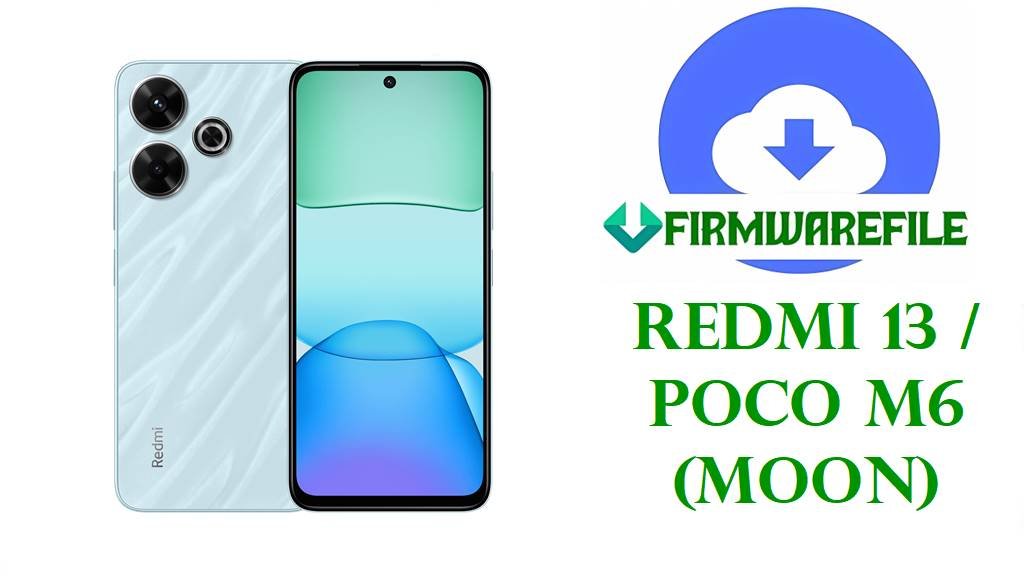
Redmi 13 / POCO M6 (moon) HyperOS 2 Android 15 Fastboot ROMs
The Redmi 13 and POCO M6 4G are mid‑range phones sharing the codename moon, built around a 6.79‑inch FHD+ 90 Hz LCD, MediaTek Helio G91 Ultra chipset, up to 8 GB RAM, 5030 mAh battery with 33 W charging and a 108 MP main camera for social‑media‑ready shots.
The HyperOS 2 Fastboot ROMs listed below (OS2.0.203.0 and OS2.0.205.0) are full Android 15 images that let you clean‑flash a stable release per region, repairing failed OTAs, undoing heavy tweaks and often restoring smooth performance and more consistent battery life.
Download Official Firmware for Redmi 13 / POCO M6 (moon)
Codename moon is officially assigned to Redmi 13 4G and POCO M6 4G (variants like 24040RN64Y and 2404APC5FG), and HyperOS trackers list OS2.0.203.0 and OS2.0.205.0 as Android 15 stable builds per region following earlier OS2.0.2.0/2.0.3.0 releases. The packages below are full Fastboot ROMs from Xiaomi’s bigota CDN, intended for Mi Flash Tool or fastboot scripts on an unlocked phone to repair bootloops, clear system corruption or perform a clean upgrade path before taking newer OTA updates.
| Filename | Region / Target Variant | Build Version | Android / HyperOS | Build Date | File Size | Flashing Type | Notes | Download Link |
|---|---|---|---|---|---|---|---|---|
| moon_global_images_OS2.0.203.0.VNTMIXM_20251021.0000.00_15.0_global_2c319ccbc0.tgz | Global – Redmi 13 / POCO M6 Global (VNTMIXM) | OS2.0.203.0.VNTMIXM | Android 15, HyperOS 2.0 Global | 2025‑10‑21 | 7.05 GB | Official Fastboot ROM (.tgz) | Global HyperOS 2.0 Android 15 Fastboot build for moon; ROM trackers list this as a stable follow‑up to OS2.0.202.0.VNTMIXM, which had known battery drain issues now marked as “working on it” in Xiaomi’s bug reports. | Download OS2.0.203.0 VNTMIXM Global (Xiaomi server) |
| moon_ru_global_images_OS2.0.203.0.VNTRUXM_20251029.0000.00_15.0_ru_c89d553125.tgz | Russia – Redmi 13 / POCO M6 Russia (VNTRUXM) | OS2.0.203.0.VNTRUXM | Android 15, HyperOS 2.0 Russia | 2025‑10‑29 | 7.18 GB | Official Fastboot ROM (.tgz) | Russian Android 15 HyperOS 2 Fastboot build; firmware sites track earlier VNTRUXM Android 15 versions with OS2.0.203.0 currently at the top of the stable branch. | Download OS2.0.203.0 VNTRUXM Russia (Xiaomi server) |
| moon_id_global_images_OS2.0.203.0.VNTIDXM_20251029.0000.00_15.0_id_4893e3de4b.tgz | Indonesia – Redmi 13 / POCO M6 Indonesia (VNTIDXM) | OS2.0.203.0.VNTIDXM | Android 15, HyperOS 2.0 Indonesia | 2025‑10‑29 | 6.63 GB | Official Fastboot ROM (.tgz) | Indonesian HyperOS 2.0 Android 15 Fastboot ROM; Xiaomi ROM trackers show VNTIDXM as the dedicated branch for Indonesia with 2.0.201.0–2.0.203.0 releases. | Download OS2.0.203.0 VNTIDXM Indonesia (Xiaomi server) |
| moon_eea_global_images_OS2.0.205.0.VNTEUXM_20251029.0000.00_15.0_eea_cdb5c649b9.tgz | EEA – Redmi 13 / POCO M6 Europe (VNTEUXM) | OS2.0.205.0.VNTEUXM | Android 15, HyperOS 2.0 EEA | 2025‑10‑29 | 6.58 GB | Official Fastboot ROM (.tgz) | Newer EEA HyperOS 2 Fastboot image; index pages note that VNTEUXM 2.0.205.0 is a later Android 15 build for Europe with incremental bug fixes and security updates over 2.0.203.0. | Download OS2.0.205.0 VNTEUXM EEA (Xiaomi server) |
| moon_tw_global_images_OS2.0.203.0.VNTTWXM_20251028.0000.00_15.0_tw_76f4950d75.tgz | Taiwan – Redmi 13 / POCO M6 Taiwan (VNTTWXM) | OS2.0.203.0.VNTTWXM | Android 15, HyperOS 2.0 Taiwan | 2025‑10‑28 | 5.13 GB | Official Fastboot ROM (.tgz) | Taiwan‑specific Fastboot ROM for moon; part of the VNTTWXM line that mirrors Global features while matching local regulations and carrier requirements. | Download OS2.0.203.0 VNTTWXM Taiwan (Xiaomi server) |
Redmi 13 / POCO M6 (moon) Firmware Details
| Device Names | Redmi 13 4G and POCO M6 4G (shared platform). |
|---|---|
| Codename | moon – internal codename used by all listed HyperOS 2 Android 15 builds. |
| Model Identifiers | Examples include 24040RN64Y (Redmi 13 Global NFC) and 2404APC5FG (POCO M6 markets), as documented in firmware and certification databases. |
| Chipset | MediaTek Helio G91 Ultra (12 nm), octa‑core CPU (2×2.0 GHz Cortex‑A75 + 6×1.8 GHz Cortex‑A55) with Mali‑G52 MC2 GPU. |
| Display | 6.79‑inch IPS LCD, 1080 × 2460 (FHD+), 90 Hz refresh rate with Gorilla Glass protection and up to around 550 nits brightness. |
| Battery & Charging | 5030 mAh battery with 33 W wired fast charging, rated for up to ~17 hours of video playback but affected by heating and drain when stressed. |
| Cameras | Rear: 108 MP main + 2 MP depth or macro; front: 13 MP selfie, all limited to 1080p video, but praised in reviews for daylight social‑media shots at this price. |
| Software Families | Shipped with Android 14 + HyperOS 1; updated to Android 15 HyperOS 2 through OS2.0.2.0 and later VNTMIXM/VNTEUXM/VNTIDXM/VNTRUXM/VNTTWXM builds. |
| Main Issues Reported | Users highlight noticeable battery drain and heating on early HyperOS 2, plus occasional lag and animation stutter; Xiaomi lists battery drain on OS2.0.2.0.VNTMIXM for Redmi 13 and POCO M6 as an official issue. |
| What These ROMs Improve | Later Android 15 Fastboot builds such as OS2.0.203.0 and OS2.0.205.0 provide updated security patches and system optimizations, and a clean flash removes leftover bugs from earlier OTAs and heavy app clutter. |
| File Type | Official Xiaomi Fastboot archives (.tgz) including partition images and Windows batch scripts. |
| Flashing Tool Required | Xiaomi Mi Flash Tool on Windows or fastboot scripts like flash_all.bat from the extracted ROM directory. |
| Bootloader Status | An unlocked bootloader is required for all Fastboot ROMs; OTA/recovery packages under the same version codes target locked, unmodified phones. |
| Use Cases | Unbrick bootloops, fix failed HyperOS updates, clean up performance and battery issues from older firmware, or switch to a fresher regional base before future OTAs. |
Before You Begin ⚙️
- 💾 Backup data: Fastboot flashing usually wipes apps, accounts and internal storage, so copy your important files before starting.
- 🔋 Charge battery: Make sure your Redmi 13 / POCO M6 has at least 50 % charge to avoid shutdowns and possible hard‑bricks.
- 💻 Windows PC & drivers: You need a Windows PC, Xiaomi USB/ADB drivers and a reliable USB‑C cable for Mi Flash or fastboot commands.
- 🔓 Unlock bootloader: Use Xiaomi’s official unlock tool and confirm the product code is moon with the correct region suffix before flashing.
📱 How to Flash the Firmware
Method 1: Xiaomi Mi Flash Tool (Fastboot ROM)
- Download & extract ROM: Obtain the correct moon_*_images_OS2.0.20x.0.VNT* .tgz file for your region and extract it to a simple folder such as C:\ROM\moon on your PC.
- Install tools & drivers: Install Xiaomi USB/ADB drivers and the official Mi Flash Tool on your Windows machine.
- Enter fastboot mode: Power off the phone, hold Volume Down + Power until the fastboot logo appears, then connect it to your PC via USB‑C.
- Flash the firmware: Open Mi Flash, click Select and choose the extracted ROM folder, pick “clean all” (do not relock), then press Flash and wait for all partitions to be written.
- Reboot & update: When Mi Flash shows success, let the phone reboot into HyperOS 2 Android 15, finish setup and then check for any newer OTAs in Settings → About phone → System update.
For a full Xiaomi Mi Flash walkthrough with screenshots and troubleshooting, follow: Full Tutorial: Flash Xiaomi Firmware with Mi Flash Tool.
Method 2: Fastboot Script (flash_all.bat)
- Set up platform‑tools: Install Google’s Android platform‑tools and make sure fastboot works in your terminal or Command Prompt.
- Fully extract the ROM: Unpack the Fastboot .tgz until you see partition images and scripts such as flash_all.bat in the ROM folder.
- Connect in fastboot: Boot the device into fastboot mode, connect it via USB‑C and verify detection with fastboot devices.
- Run the script: Execute the flash_all.bat script that keeps the bootloader unlocked, then wait while it automatically flashes all partitions.
- Finish setup & monitor: After reboot, complete setup and monitor thermals and battery over several days as HyperOS 2 finishes background optimization.
For deeper explanation of fastboot scripts and safe usage, see: Full Tutorial: Flash Stock Firmware Using a Fastboot Script (flash_all.bat).
Frequently Asked Questions (FAQs)
What issues can these HyperOS 2 Android 15 ROMs fix on Redmi 13 / POCO M6?
A clean flash of the right regional ROM can repair bootloops, random reboots, major lag from corrupted updates and some battery drain or heating problems tied to buggy early HyperOS 2 builds like OS2.0.2.0.VNTMIXM.
How do I pick the correct moon firmware file?
Check Settings → About phone → Version or use fastboot getvar product in fastboot mode; only flash Fastboot ROMs where both codename moon and region suffix (VNTMIXM, VNTRUXM, VNTIDXM, VNTEUXM, VNTTWXM) match exactly.
Do these newer builds solve the HyperOS 2 battery drain bug?
Xiaomi marks the drain on OS2.0.2.0.VNTMIXM for Redmi 13 and POCO M6 as “being worked on”, and later builds such as OS2.0.203.0/205.0 include system optimizations, so a clean flash plus good charging habits usually improves endurance.
Is it safe to cross‑flash another region, like VNTEUXM on a Global VNTMIXM phone?
Cross‑flashing often boots on an unlocked phone, but it can break OTA updates and local features and is risky if you ever relock the bootloader, so staying on your native region code is strongly recommended.
Will Android 15 HyperOS 2 improve gaming and smoothness?
HyperOS 2 with a clean flash can feel smoother and more responsive than an old, cluttered install, but performance still depends on the Helio G91 Ultra and 5030 mAh battery thermals, so heavy games may still need reduced settings.
How can I reduce heating while charging or gaming after updating?
Guides for Redmi 13 recommend avoiding fast charging in hot environments, closing background apps, lowering brightness and giving the phone breaks during long gaming sessions to keep temperatures under control.