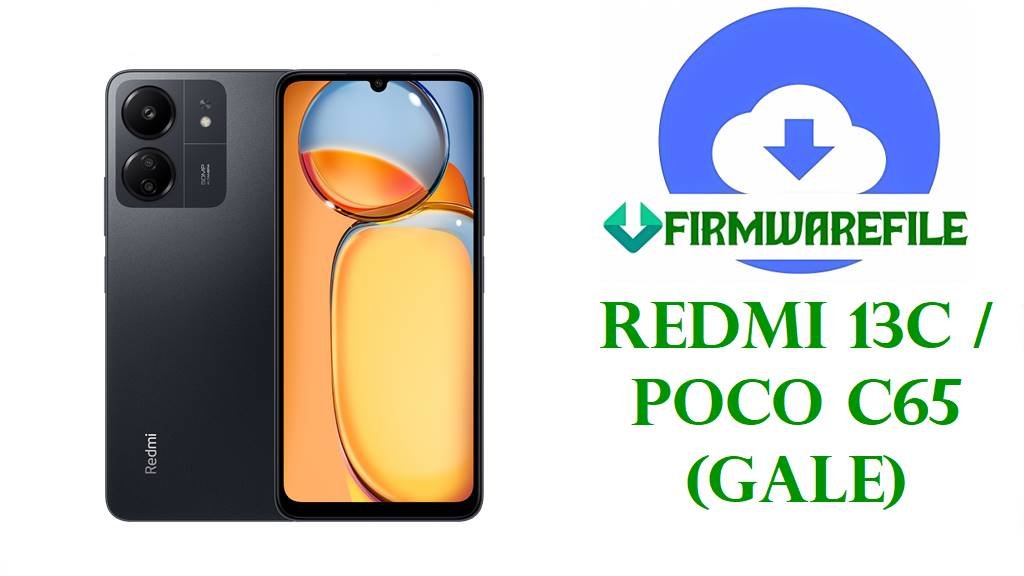
Redmi 13C / POCO C65 (gale) HyperOS Fastboot ROMs
These files are official HyperOS 2 Android 15 Fastboot ROMs for Redmi 13C / POCO C65 with codename gale across Global, India, EEA, Russia, Indonesia, Turkey, and Taiwan tracks.
Always confirm that your device codename is gale and that the region suffix (MIXM/INXM/EUXM/RUXM/IDXM/TRXM/TWXM) matches your current build; back up everything because Mi Flash clean modes usually wipe data and require an unlocked bootloader.
Quick checklist
- Confirm codename in Fastboot: boot to Fastboot, connect to PC, run
fastboot getvar product; the result must be gale before using these ROMs. - Match the installed suffix (for example, VGPMIXM/VGPINXM/VGPEUXM/VGPRUXM/VGPIDXM/VGPTRXM/VGPTWXM) with the same suffix in the table below.
- Expect a data wipe when using Mi Flash options such as
flash_allor “clean all”; check integrity with MD5/SHA hashes from trackers where available. - If your phone boots normally on official firmware, using the built‑in HyperOS updater or a recovery/OTA package is usually safer than a full Fastboot flash.
Confirm your variant/region
On your phone, open Settings → About phone → HyperOS version and tap the version text until the full build string appears, such as OS2.0.204.0.VGPMIXM; the letters after the last dot show the region track.
Use the suffix in that string to choose the correct row below; if either the codename (gale) or suffix do not match your current device, stop and verify compatibility before flashing anything.
| Suffix | Track / Region meaning | Which ROM rows to use |
|---|---|---|
| VGPMIXM | Global HyperOS stable for Redmi 13C / POCO C65. | Use rows marked Global or with global and VGPMIXM in the version. |
| VGPINXM | India HyperOS stable build. | Use rows labeled India / IN and showing VGPINXM. |
| VGPEUXM | EEA (Europe) HyperOS stable. | Use rows marked EEA/Europe and containing VGPEUXM. |
| VGPRUXM | Russia regional HyperOS stable. | Use rows tagged Russia / RU with VGPRUXM. |
| VGPIDXM | Indonesia HyperOS stable. | Use rows tagged Indonesia / ID and suffix VGPIDXM. |
| VGPTRXM | Turkey HyperOS stable. | Use rows tagged Turkey / TR with VGPTRXM. |
| VGPTWXM | Taiwan HyperOS stable. | Use rows tagged Taiwan / TW with VGPTWXM. |
Direct ROM downloads
The following table lists the supplied official HyperOS 2.0 Android 15 Fastboot ROMs for codename gale, ordered from newest build date to oldest, with Android version and integrity values taken from public firmware trackers where available.
| Filename | Track / Target (suffix) | Android / HyperOS | Build date | Integrity (MD5/SHA) | Type | Download |
|---|---|---|---|---|---|---|
| gale_eea_global_images_OS2.0.206.0.VGPEUXM_20251111.0000.00_15.0_eea_a1a6524456.tgz | EEA Europe HyperOS stable (VGPEUXM). | Android 15, HyperOS 2.0.206.0.VGPEUXM. | 2025-11-11. | MD5: a1a6524456… (from filename prefix; full hash not listed on trackers). | Official Fastboot ROM (.tgz). | Direct EEA Fastboot download |
| gale_global_images_OS2.0.204.0.VGPMIXM_20251103.0000.00_15.0_global_a2bc4b8527.tgz | Global HyperOS stable (VGPMIXM). | Android 15, HyperOS 2.0.204.0.VGPMIXM. | 2025-11-03. | Not provided on public Fastboot listings (recovery MD5 is shown only). | Official Global Fastboot ROM (.tgz). | Direct Global Fastboot download |
| gale_ru_global_images_OS2.0.203.0.VGPRUXM_20251104.0000.00_15.0_ru_387fa80b0f.tgz | Russia HyperOS stable (VGPRUXM). | Android 15, HyperOS 2.0.203.0.VGPRUXM. | 2025-11-04. | Not provided | Official Russia Fastboot ROM (.tgz). | Direct Russia Fastboot download |
| gale_id_global_images_OS2.0.203.0.VGPIDXM_20251104.0000.00_15.0_id_34723efd6f.tgz | Indonesia HyperOS stable (VGPIDXM). | Android 15, HyperOS 2.0.203.0.VGPIDXM. | 2025-11-04. | Not provided | Official Indonesia Fastboot ROM (.tgz). | Direct Indonesia Fastboot download |
| gale_in_global_images_OS2.0.203.0.VGPINXM_20251030.0000.00_15.0_in_6f2f479432.tgz | India HyperOS stable (VGPINXM). | Android 15, HyperOS 2.0.203.0.VGPINXM. | 2025-10-30. | Not provided | Official India Fastboot ROM (.tgz). | Direct India Fastboot download |
| gale_tr_global_images_OS2.0.202.0.VGPTRXM_20250916.0000.00_15.0_tr_07ca7177a4.tgz | Turkey HyperOS stable (VGPTRXM). | Android 15, HyperOS 2.0.202.0.VGPTRXM. | 2025-09-16. | Not provided | Official Turkey Fastboot ROM (.tgz). | Direct Turkey Fastboot download |
| gale_tw_global_images_OS2.0.201.0.VGPTWXM_20250916.0000.00_15.0_tw_f53a00f333.tgz | Taiwan HyperOS stable (VGPTWXM). | Android 15, HyperOS 2.0.201.0.VGPTWXM. | 2025-09-16. | Not provided | Official Taiwan Fastboot ROM (.tgz). | Direct Taiwan Fastboot download |
What changed / why update
- Global HyperOS OS2.0.204.0.VGPMIXM for Redmi 13C / POCO C65 updates the Android security patch to November 2025 and “increases system security,” according to the official changelog shown on Mirom’s global stable list and XiaomiTime’s release post. Source: Mirom Global Stable gale page.
- EEA HyperOS OS2.0.206.0.VGPEUXM is listed as the latest EEA stable and notes a security patch update with system security improvements, matching Xiaomi’s typical wording for monthly security maintenance. Source: Mirom EEA Stable gale page.
- For other region builds in the OS2.0.20x series (India, Russia, Indonesia, Turkey, Taiwan), public trackers confirm them as Android 15 HyperOS stable releases, but full per‑region changelogs are not always exposed; for exact text, check the HyperOS updater on the device. Source: XM Firmware Updater HyperOS gale archive.
- Where detailed changelog text is not visible on public trackers, assume “changelog not publicly available for this exact build; use the updater app on the phone for complete release notes.”
When these ROMs are useful
- Soft‑brick or bootloop repair when Fastboot mode still works, by flashing the same‑region Fastboot ROM to restore core partitions; this often resolves software‑only bricks but cannot fix hardware issues.
- Recovery after a failed OTA update by installing the matching suffix HyperOS Fastboot package (for example, VGPMIXM → VGPMIXM), which may clear update loops or boot failures tied to corrupted system files.
- Returning to stock HyperOS after using root or a custom ROM; flashing the correct region Fastboot ROM can bring the phone back to official software, but relocking the bootloader is risky unless returning to the original region firmware.
Flashing guides
These .tgz packages are standard Xiaomi Fastboot ROMs for a Redmi/POCO device, typically flashed on a PC using Mi Flash Tool or the included flash_all*.bat scripts for experienced users.
- Xiaomi Mi Flash Tool (Fastboot ROM flashing for Xiaomi/Redmi/POCO): Step‑by‑step Mi Flash guide.
- Fastboot script method using
flash_all.batwhen you prefer direct Fastboot commands: How to flash firmware using flash_all.bat. - OTA / recovery sideload method if the device still boots to system or recovery and you only need an update, not a full Fastboot restore: How to sideload stock firmware via ADB.
Inside Mi Flash, you will usually see options like clean all, save user data, and clean all and lock; avoid “clean all and lock” unless you are absolutely sure you are flashing the original region firmware, because an incorrect relock can cause serious boot or network issues.