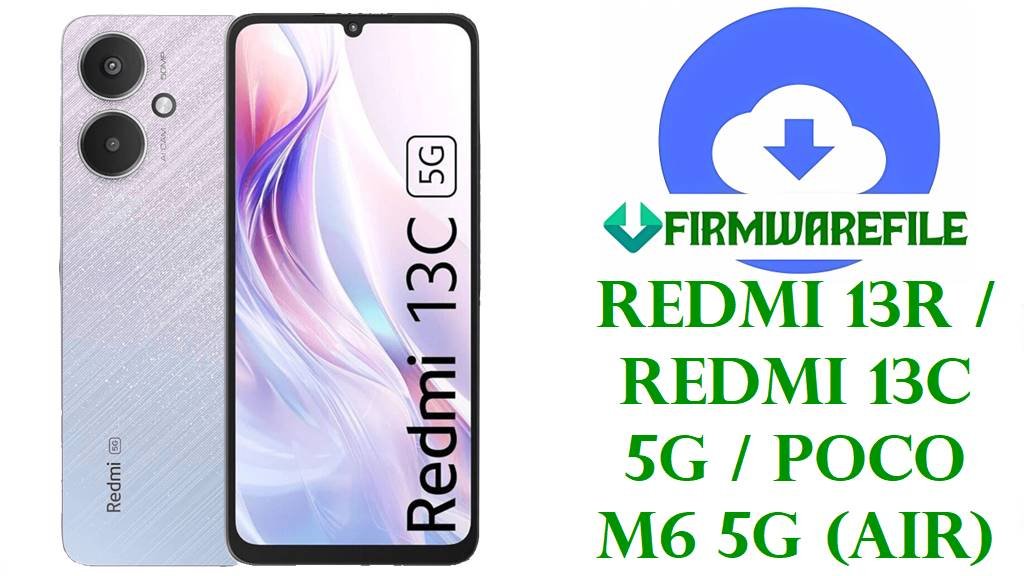
Redmi 13R / Redmi 13C 5G / POCO M6 5G (air) HyperOS Fastboot ROMs
The downloads below are official HyperOS Fastboot ROMs for Redmi 13R / Redmi 13C 5G / POCO M6 5G with codename air, covering China, Global, India, EEA, and Taiwan tracks on Android 15.
Always confirm that your device codename is air and that the region suffix (CNXM/MIXM/INXM/EUXM/TWXM) matches your current build before flashing, and remember that Fastboot flashing usually needs an unlocked bootloader and can wipe all user data.
Quick checklist
- Confirm codename in Fastboot: boot to Fastboot, connect to PC, run
fastboot getvar product; the returned value must be air before using these files. - Match the installed suffix (for example, VGQCNXM/VGQMIXM/VGQINXM/VGQEUXM/VGQTWXM) with the ROM entry you download to avoid region mismatch.
- Expect a data wipe when using clean‑install options in Mi Flash (such as
flash_all); verify the ROM file’s integrity with its MD5 hash where available. - If your phone boots normally and runs official HyperOS, prefer the built‑in updater or recovery/OTA package instead of Fastboot unless you specifically need a clean reflash.
Confirm your variant/region
On the device, go to Settings → About phone → HyperOS version and tap until the full string appears, for example OS2.0.203.0.VGQMIXM; the ending letters indicate your region track.
Use the table below to map your suffix to the correct row; if your suffix or codename does not match what is shown here, stop and verify before flashing any Fastboot ROM.
| Suffix | Track / Region meaning | Which ROM rows to use |
|---|---|---|
| VGQCNXM | China HyperOS stable for Redmi 13R / Redmi 13C 5G. | Use rows labeled China or with cn / CNXM in the filename/version. |
| VGQMIXM | Global HyperOS stable (international). | Use rows marked Global or containing global and MIXM. |
| VGQINXM | India HyperOS stable build. | Use rows tagged India / IN, showing INXM in the version. |
| VGQEUXM | EEA (Europe) HyperOS stable. | Use rows marked EEA/Europe or containing eea and EUXM. |
| VGQTWXM | Taiwan (TW) HyperOS stable. | Use rows tagged Taiwan / TW with TWXM in the version. |
Redmi 13R / Redmi 13C 5G / POCO M6 5G (air) Direct ROM downloads
The table below lists the provided official HyperOS Fastboot ROMs for codename air, ordered from newest build date to older, with Android version and integrity info derived from public firmware trackers.
| Filename | Track / Target (suffix) | Android / HyperOS | Build date | Integrity (MD5/SHA) | Type | Download |
|---|---|---|---|---|---|---|
| air_eea_global_images_OS2.0.206.0.VGQEUXM_20251106.0000.00_15.0_eea_17444ead31.tgz | EEA Europe HyperOS stable (VGQEUXM). | Android 15, HyperOS OS2.0.206.0.VGQEUXM. | 2025-11-06. | MD5: 17444ead314254e9dbf9369f5e7a6865. | Official Fastboot ROM (.tgz). | Direct EEA Fastboot download |
| air_images_OS2.0.205.0.VGQCNXM_20251119.0000.00_15.0_cn_f693b30b20.tgz | China HyperOS stable (VGQCNXM). | Android 15, HyperOS OS2.0.205.0.VGQCNXM. | 2025-11-19 (file tag; tracker lists China stable around early December 2025). | MD5: a127e559c4c455990f934e3cf9a1cd03 (for OS2.0.205.0.VGQCNXM release). | Official Fastboot ROM (.tgz). | Direct China Fastboot download |
| air_in_global_images_OS2.0.204.0.VGQINXM_20251027.0000.00_15.0_in_29c4f67125.tgz | India HyperOS stable (VGQINXM). | Android 15, HyperOS OS2.0.204.0.VGQINXM. | 2025-10-27. | – | Official India Fastboot ROM (.tgz). | Direct India Fastboot download |
| air_global_images_OS2.0.203.0.VGQMIXM_20251027.0000.00_15.0_global_536bbbe12b.tgz | Global HyperOS stable (VGQMIXM). | Android 15, HyperOS OS2.0.203.0.VGQMIXM. | 2025-10-27. | Not provided in public listing for Fastboot; some trackers only show size. | Official Global Fastboot ROM (.tgz). | Direct Global Fastboot download |
| air_tw_global_images_OS2.0.202.0.VGQTWXM_20251027.0000.00_15.0_tw_696e86c3e6.tgz | Taiwan HyperOS stable (VGQTWXM). | Android 15, HyperOS OS2.0.202.0.VGQTWXM. | 2025-10-27. | – | Official Taiwan Fastboot ROM (.tgz). | Direct Taiwan Fastboot download |
What changed / why update
- EEA HyperOS OS2.0.206.0.VGQEUXM updates the security patch to November 2025 and explicitly notes increased system security for Redmi 13R 5G / 13C 5G EEA.
- China HyperOS OS2.0.205.0.VGQCNXM for Redmi 13C 5G / Redmi 13R lists a changelog entry stating that the security patch is updated to November 2025, which aims to increase system security.
- Global HyperOS OS2.0.203.0.VGQMIXM, along with related regional builds for codename air, is described as part of HyperOS basic experience improvements, with notes such as “smoother and more stable” and performance enhancements on Xiaomi’s tracker channels.
- Trackers for codename air confirm these OS2.0.20x builds as current stable HyperOS Android 15 releases; for more granular, on‑device details, relying on the updater’s release notes is recommended.
When these ROMs are useful
- Soft‑brick or bootloop repair when Fastboot mode is still accessible, by flashing the same‑region HyperOS Fastboot ROM to restore a clean system image in many software‑corruption cases.
- Repair after a failed OTA update by installing the matching suffix Fastboot build (for example, Global to Global, EEA to EEA), which may help recover from incomplete updates or repeated update errors.
- Return to stock HyperOS after using root or a custom ROM, with the caution that relocking the bootloader is risky unless reverting to the original region build that shipped with the device.
Flashing guides
These packages are official Xiaomi HyperOS Fastboot ROMs in .tgz format, typically flashed on Qualcomm‑based devices using Mi Flash Tool on a Windows PC or via the included flash_all*.bat scripts for advanced users.
- Xiaomi Mi Flash Tool guide for installing Fastboot ROMs on Xiaomi/Redmi/POCO devices: How to flash firmware on Xiaomi smartphones with Mi Flash.
- Fastboot script method using
flash_all.batto apply the ROM via command line (suitable for experienced users who understand Fastboot commands): How to use a Fastboot script (flash_all.bat). - OTA / recovery sideload alternative when the device still boots to system or recovery and a full Fastboot reflash is not required: How to sideload stock firmware with ADB / recovery.
Within Mi Flash, options typically include clean all, save user data, and clean all and lock; the last one relocks the bootloader and may cause problems if used with a different region or non‑original firmware, so it is safer to avoid unless you are restoring the exact stock variant.