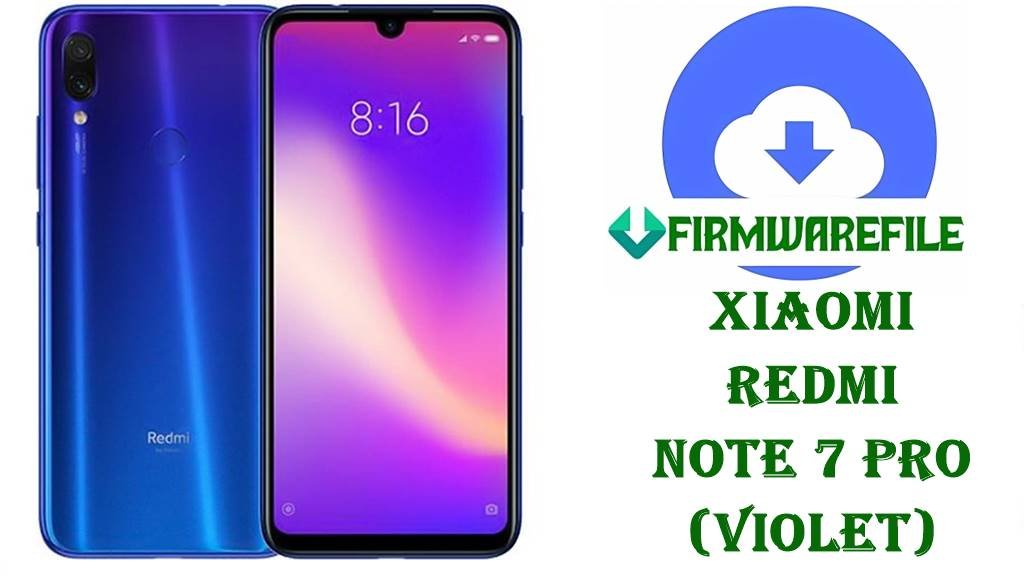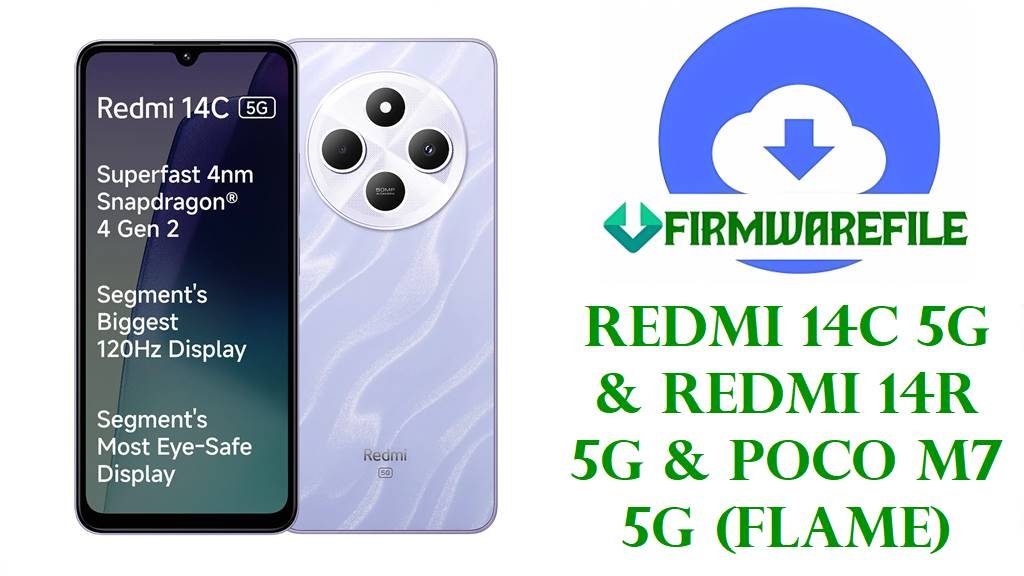
Redmi 14R 5G / Redmi 14C 5G / POCO M7 5G (flame) HyperOS Firmware Download
The Redmi 14R 5G, Redmi 14C 5G and POCO M7 5G share the internal codename flame and form Xiaomi’s affordable 5G trio built around a Snapdragon 4 Gen 2 5G chipset, 6.9‑inch 120 Hz LCD, 50 MP main camera and a 5160 mAh battery with 18 W charging. Official firmware trackers show that all HyperOS builds tagged with VGU***M and UGU***M under the flame codename are compiled specifically for Redmi 14R 5G (China) and Redmi 14C 5G / POCO M7 5G (India and other regions).
The official HyperOS packages below include a China Fastboot ROM (Android 15 HyperOS 2.0.203.0.VGUCNXM), an India Fastboot ROM (Android 15 HyperOS 2.0.203.0.VGUINXM), and an earlier India HyperOS 1 recovery package (Android 14 OS1.0.2.0.UGUINXM). Changelog snippets for the OS2.0.203.0 China build highlight fixes for unexpected reboots and mis‑displayed items plus an August 2025 security patch and higher system security, improvements that also carry over to regional 2.0.203.0.VGUINXM firmware tracked for the Indian variants.
Download Official Firmware for Redmi 14R 5G / Redmi 14C 5G / POCO M7 5G (flame)
These flash files are official Xiaomi HyperOS ROMs for flame devices, hosted on the bigota update servers. The .tgz packages are full Fastboot ROMs for use with Mi Flash Tool or fastboot scripts on an unlocked bootloader, while the .zip package is an India‑region recovery/OTA ROM that can be applied through the stock updater or recovery.
| Filename | Region / Target Variant | Android / HyperOS | Build Date | File Size | Flashing Type | Notes | Download Link |
|---|---|---|---|---|---|---|---|
| flame_images_OS2.0.203.0.VGUCNXM_20250814.0000.00_15.0_cn_765ed795ef.tgz | China ROM – Redmi 14R 5G (VGUCNXM) | Android 15, HyperOS 2.0.203.0.VGUCNXM | 2025‑08‑14 | 5.95 GB | Official Fastboot ROM (Mi Flash / fastboot) | Changelog for the matching recovery build mentions fixes for unexpected reboots, corrections to UI item display and an August 2025 security patch that boosts system security. | Download OS2.0.203.0.VGUCNXM (Xiaomi servers) |
| miui_FLAMEINGlobal_OS1.0.2.0.UGUINXM_f6015ae108_14.0.zip | India ROM – Redmi 14C 5G / POCO M7 5G India (UGUINXM) | Android 14, HyperOS 1.0.2.0.UGUINXM | Initial India HyperOS 1 release | 3.86 GB | Official Recovery / OTA ROM (stock updater or recovery) | Early India HyperOS 1 package for flame devices; useful if you must revert from HyperOS 2 to a stable Android 14 base before stepping forward again. | Download OS1.0.2.0.UGUINXM (Xiaomi servers) |
| flame_in_global_images_OS2.0.203.0.VGUINXM_20251022.0000.00_15.0_in_e36f0193b9.tgz | India ROM – Redmi 14C 5G / POCO M7 5G India (VGUINXM) | Android 15, HyperOS 2.0.203.0.VGUINXM | 2025‑10‑22 | 5.96 GB | Official Fastboot ROM (Mi Flash / fastboot) | India Fastboot build in the same 2.0.203.0 line, tracked with an August 2025 security patch and stability fixes similar to those on the China VGUCNXM branch. | Download OS2.0.203.0.VGUINXM (Xiaomi servers) |
Redmi 14R 5G / Redmi 14C 5G / POCO M7 5G (flame) Firmware Details
| Device Names | Redmi 14R 5G (China), Redmi 14C 5G (India/other), POCO M7 5G (selected markets) |
|---|---|
| Codename | flame – common internal codename for all three devices and all listed ROMs. |
| Model Identifiers | Includes Redmi 14C 5G Standard Edition 2411DRN47I for India and related SKUs for Redmi 14R 5G and POCO M7 5G in other markets. |
| Chipset | Qualcomm Snapdragon 4 Gen 2 5G (SM4450), 8‑core 4 nm CPU with Adreno 613 GPU for efficient entry‑level 5G performance. |
| Display | 6.9‑inch IPS LCD, 720 × 1640 resolution, 120 Hz refresh rate, scratch‑resistant glass and around 84 % screen‑to‑body ratio. |
| Memory & Storage | LPDDR4X RAM (from 4 GB upwards depending on trim) and UFS 2.2 storage with microSD expansion support. |
| Battery & Charging | 5160 mAh Li‑Po battery rated for up to roughly 42 hours of talk time with 18 W wired charging via USB‑C. |
| Software Versions | Android 14 HyperOS 1.0.2.0.UGUINXM for early India builds and Android 15 HyperOS 2.0.203.0.VGUCNXM / 2.0.203.0.VGUINXM for more recent China and India releases. |
| Main Issues Reported on HyperOS | Across Xiaomi devices, users report higher battery drain, overheating while charging or gaming and performance inconsistencies after early HyperOS 2 builds. |
| What OS2.0.203.0 Aims to Improve | The OS2.0.203.0.VGUCNXM changelog notes fixes for unexpected reboots, UI display glitches and an August 2025 security patch that increases overall system security; regional variants inherit the same base. |
| File Types in This Guide | .tgz Fastboot ROMs for full flashing via Mi Flash / fastboot, plus one .zip Recovery/OTA ROM for in‑place updates or downgrades. |
| Flashing Tools Required | Xiaomi Mi Flash Tool on Windows for Fastboot packages, or stock recovery / updater (and optionally ADB sideload) for the HyperOS 1 .zip. |
| Bootloader Status | Bootloader unlock is mandatory for Fastboot flashing, while stock OTA/Recovery packages normally install on locked, unmodified systems. |
| Best Use Cases | Unbrick soft‑bricked flame devices, fix bootloops after failed OTAs or mods, move from buggy early builds to stable HyperOS 2, or return to an Android 14 base when needed. |
Flashing Requirements
- 💾 Backup your data: Fastboot and many recovery flashes will erase apps and internal storage, so save photos and files first.
- 🔋 Charge above 50 %: A mid‑flash shutdown can corrupt partitions and permanently brick the phone.
- 💻 Windows PC & USB‑C cable: Needed for Mi Flash Tool / fastboot operations plus the latest Xiaomi USB and ADB drivers.
- 🔓 Unlocked bootloader (Fastboot only): Use Xiaomi’s official unlock method before flashing any flame_*_images_*.tgz ROM.
How to Flash the Firmware
Method 1: Mi Flash Tool – Fastboot ROMs (.tgz)
- Install tools & extract ROM: Install Xiaomi USB drivers and Mi Flash Tool on your Windows PC, then extract the chosen Fastboot file (for example, flame_images_OS2.0.203.0.VGUCNXM_… or flame_in_global_images_OS2.0.203.0.VGUINXM_…) into a simple folder.
- Enter fastboot mode: After unlocking the bootloader, power off the phone, hold Volume Down + Power to enter fastboot, and connect it to the PC via USB‑C.
- Load firmware in Mi Flash: Open Mi Flash Tool, click Select and point it to the extracted flame ROM folder containing images and scripts.
- Choose a safe option: Pick “clean all” rather than relock options, then click Flash and wait while the tool writes all partitions.
- Reboot and optimize: When Mi Flash reports success, let the phone reboot; the first HyperOS 2 or 1 boot can take several minutes while Android optimizes apps and services.
For a full, screenshot‑rich tutorial on using Mi Flash Tool with Xiaomi phones, including driver setup and troubleshooting, see: Full Tutorial: Flash Xiaomi Firmware with Mi Flash Tool.
Method 2: Stock Recovery / OTA (.zip HyperOS 1)
- Download the correct file: Save miui_FLAMEINGlobal_OS1.0.2.0.UGUINXM_14.0.zip to your phone or PC and verify the region code (UGUINXM matches India flame devices).
- Use the Updater app or recovery: On many Xiaomi phones you can place the file in internal storage, open the system Updater and choose “Select update package”, or boot to recovery and choose “Apply update from storage/ADB”.
- Apply the update: Point the updater or recovery to the HyperOS 1 .zip and confirm; do not interrupt power or disconnect during the process.
- First boot: After installation, the phone will reboot and may take longer than usual to finish optimizations on Android 14.
- Then update forward: Once stable, you can update again via OTA to newer HyperOS 1/2 builds if your region supports them.
For a detailed, generic ADB‑sideload and recovery‑update walkthrough (with video and commands), see: Full Tutorial: Sideload Stock Firmware on Android (ADB/Recovery).
Method 3: Fastboot Script (flash_all.bat)
- Install platform‑tools: Download Google’s Android platform‑tools and ensure fastboot runs correctly on your PC.
- Unpack the Fastboot ROM: Fully extract the .tgz file until you see images and scripts like flash_all.bat.
- Connect in fastboot: Boot the phone to fastboot, connect via USB‑C and verify with fastboot devices that it is detected.
- Run the script: Execute the appropriate script (usually “flash all” without relock) and let it flash all required partitions automatically.
- Reboot & test: After completion, reboot, finish setup and monitor battery, heat and stability for a few days as HyperOS 2 settles.
For more explanation of fastboot script options and safety tips, you can use this guide: How to Flash Stock Firmware Using a Fastboot Script (flash_all.bat).
Frequently Asked Questions (FAQs)
How do I know if my phone is a flame device?
Check Settings → About phone → Version and look for “flame” in the build details or confirm against firmware trackers that list Redmi 14R 5G, Redmi 14C 5G and POCO M7 5G under the flame codename.
Which file should Redmi 14C 5G / POCO M7 5G India users pick?
India users should use builds whose codes end in INXM, such as OS1.0.2.0.UGUINXM for Android 14 HyperOS 1 or OS2.0.203.0.VGUINXM for Android 15 HyperOS 2 Fastboot flashing.
Do these ROMs completely fix HyperOS 2 battery drain?
Newer 2.0.203.0 builds include stability and security fixes, and many users see better behaviour after a clean flash, but HyperOS 2 battery life still depends heavily on usage patterns, background apps and signal quality.
Can I flash the China VGUCNXM ROM on an Indian VGUINXM phone?
Cross‑flashing regions is possible with an unlocked bootloader but can break OTA updates, change band support and may brick the phone if you relock later, so staying on your native region (VGUINXM for India) is strongly recommended.