Redmi 15 5G / Note 15R Firmware Stock ROM (Spring)
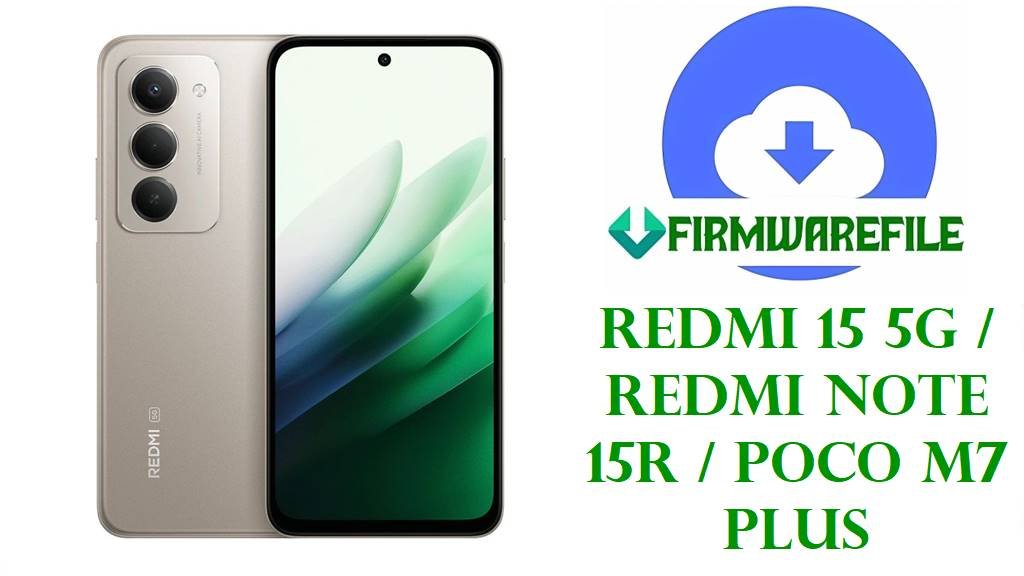
The Redmi 15 5G (codenamed Spring) brings the robust MediaTek Dimensity 5G performance to the budget-friendly segment, now updated with Xiaomi’s latest HyperOS 2.0 based on Android 15. While the hardware is solid, early adopters of the Android 15 transition have reported software-level frustrations, including stuttering animations in the new control center, overheating during 33W fast charging, and occasional Wi-Fi signal drops in 5G standalone mode. The firmware files provided below are the official stable releases designed to patch these kernel-level bugs, optimize the new “HyperCore” system performance, and restore battery efficiency.
⚠️ CRITICAL: Region & ARB Warning
Do Not Cross-Flash Regions: This device uses Xiaomi’s Anti-Rollback (ARB) protection. Flashing a firmware region that does not match your device (e.g., flashing China ROM on a Global Redmi 15) with a locked bootloader will permanently brick the motherboard.
Note: Always verify your current version (e.g., TNRMIXM vs TNREUXM) before downloading. Backup your IMEI/NVRAM partition before flashing to prevent signal loss.
Redmi 15 5G / POCO M7 Plus Firmware Details
| Device Name | Redmi 15 5G / Redmi Note 15R / POCO M7 Plus |
| Model Codename | Spring |
| Chipset (SoC) | MediaTek Dimensity 5G Series (6nm) |
| Android Version | Android 15 (Quince Tart) |
| UI Version | Xiaomi HyperOS 2.0 |
| Flash Method | Fastboot Mode (via Mi Flash Tool) |
| File Type | .TGZ (Compressed Archive) |
| Bootloader Status | Must be Unlocked for Cross-Region Flashing |
Download Official Firmware for Redmi 15 5G (Spring)
Select the correct file below based on your device’s origin. The “Best For” column helps you identify the right version for your needs.
| Filename / Version | Region | Build Date | Best For / Notes | Download |
|---|---|---|---|---|
| OS2.0.205.0.VOUMIXM Android 15 | 7.32 GB | Global (MI) | 2025-09-26 |
| Download (Xiaomi Server) |
| OS2.0.204.0.VOUEUXM Android 15 | 6.70 GB | Europe (EU/EEA) | 2025-09-20 |
| Download (Xiaomi Server) |
| OS2.0.206.0.VOUINXM Android 15 | 6.06 GB | India (IN) | 2025-10-13 |
| Download (Xiaomi Server) |
| OS2.0.204.0.VOUCNXM Android 15 | 7.00 GB | China (CN) | 2025-10-13 |
| Download (Xiaomi Server) |
Flashing Requirements
Before proceeding with the flash, ensure you have the following tools installed on your PC:
- Windows PC: A 64-bit system is recommended for the flashing tool.
- Battery Level: Ensure the phone is charged to 50%+.
- Unlocked Bootloader: Essential for flashing Fastboot ROMs. Download Mi Unlock Tool.
- USB Drivers: Required for the PC to detect the phone in Fastboot mode. Download Xiaomi USB Drivers (ADB_Driver_R13.zip).
How to Flash the Firmware
Follow this concise guide to flash the HyperOS 2.0 Fastboot ROM onto your Redmi 15 5G:
- Extract Files: Download the
spring_...tgzfile and extract it twice (first the .tgz, then the .tar) until you see the folder containing the images folder and .bat scripts. - Boot Fastboot: Turn off the phone. Hold Volume Down + Power until the orange “FASTBOOT” text appears.
- Connect: Plug your phone into the PC using the original USB cable.
- Execute Script: Open the firmware folder and double-click
flash_all.bat(Windows) to Clean Flash.- Note: Using
flash_all_lock.batwill re-lock the bootloader. Only do this if your phone region matches the file region exactly!
- Note: Using
- Finish: The CMD window will run the script for 3-5 minutes. Once it closes or says “Success”, the phone will automatically reboot.
Need detailed visual instructions?
If you are unsure about using the script method or need the Mi Flash Tool GUI, follow our complete visual guide:
Full Tutorial: How to Flash Xiaomi Firmware
Frequently Asked Questions (FAQs)
Which file should I download for the POCO M7 Plus?
The POCO M7 Plus is usually the Global or India rebrand of the Redmi 15 5G. You should check your current MIUI/HyperOS version string in Settings > About Phone. If it contains “MIXM”, download the Global file. If it contains “INXM”, download the India file.
Does this firmware fix the battery drain on Android 15?
Yes, build version OS2.0.204/205/206 specifically targets the “HyperCore” kernel optimizations to reduce background power consumption, which was a major complaint in the initial Android 15 Beta releases for the ‘Spring’ device family.
Can I use the ‘flash_all_except_storage.bat’ to save my data?
Technically yes, this script attempts to update the system without wiping your photos and apps. However, moving from Android 14 to Android 15 (or between major HyperOS versions) often causes bugs or bootloops if data isn’t wiped. A clean flash (flash_all.bat) is highly recommended for stability.
What does “TGZ” mean and how do I open it?
TGZ is a compressed Tape Archive file used for Fastboot ROMs. Windows File Explorer cannot open it by default. You must use a tool like WinRAR or 7-Zip. You often need to extract the file twice: first to extract the .tar file from the .tgz, and then to extract the actual firmware folder from the .tar.
Will I lose my warranty if I flash this?
Flashing official stock firmware does not void your warranty, provided you do not hard-brick the device. However, unlocking the bootloader (which is required to flash these files via Fastboot) may void the warranty depending on your region’s specific Xiaomi policy. Relocking the bootloader (using flash_all_lock.bat) usually restores warranty status.