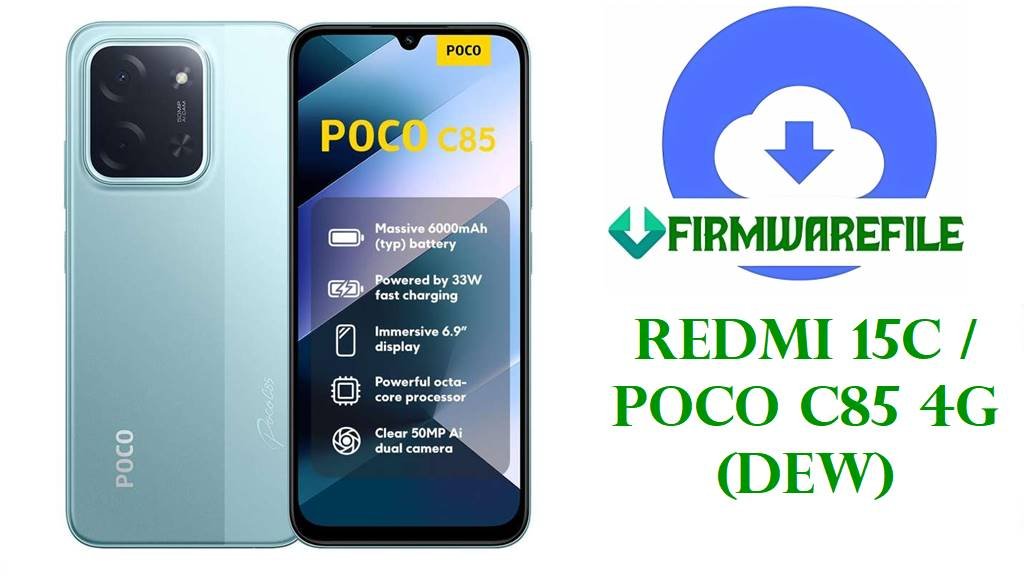
Redmi 15C / POCO C85 (Dew) Official Global, EEA, RU, ID, TW, TR Firmware Download & Flashing Tips
Is your Redmi 15C / POCO C85 (codename: dew) facing system errors, freezing after OTA, stuck at Mi logo, or giving Google app issues? This device—launched August 2025—is known for strict region lock and distinct hardware for each area. Users frequently encounter problems after cross-flashing between Global/EEA/India/China and lose Google features or network if flashed incorrectly. Below, find the latest fastboot files for each official region and unique safety notes for repairers and advanced users.
CRUCIAL WARNING—REGION & BOOTLOADER LOCK:
- ONLY flash firmware for your actual sales region (as shown factory sticker/about device). Global → EEA or India → RU flashes can break fingerprint, camera, or cellular bands.
- China ROM lacks Google Services and offers partial language support. Never flash China on Global, or vice versa. This can result in lost Widevine support or permanent PlayProtect issues.
- ALWAYS unlock the bootloader before flashing with MiFlash or use official EDL/test point if device is bricked. Using “clean all and lock” may relock and permanently brick international units.
- Device-specific quirks: Stock camera sometimes fails if flashed with the wrong regional build. NFC is not enabled in every firmware.
Redmi 15C / POCO C85 (Dew) Info
| Detail | Information |
|---|---|
| Device Name | Redmi 15C / POCO C85 |
| Codename | dew |
| Model Numbers | 25078RA3EA, 25078RA3EY, 25078RA3EE, 25078RA3EL, 25078PC3EG, 25078PC3EE |
| Release Date | 2025, August 1 |
| Chipset | MediaTek Helio G81 Ultra (12nm), Octa-core (2×2.0 GHz Cortex-A75 & 6×1.8 GHz Cortex-A55) |
| GPU | Mali-G52 MC2 |
| RAM/Storage | 4-8GB LPDDR4X / 128-256GB UFS, dedicated microSD slot |
| Android/OS | Android 15, HyperOS 2 |
| Display | 6.9″ IPS LCD, 120Hz, Gorilla Glass 3 |
| Battery | 6000mAh, 33W wired charging (USB-C 2.0) |
| Camera | 50MP main, QVGA auxiliary; 8MP selfie |
| NFC/Other | Side-fingerprint, FM radio, NFC (region-only), dual-band WiFi |
Firmware Downloads (Latest Official Fastboot)
| Filename | Android | OS/Build | Region | Size | Date | Special Notes | Download |
|---|---|---|---|---|---|---|---|
| dew_global_images_OS2.0.213.0.VBNMIXM_20251010.0000.00_15.0_global_a96de49a69.tgz | 15 | OS2.0.213.0.VBNMIXM | Global | 7.19GB | 2025-10-10 | Latest Global, all Google services, multilanguage | Direct |
| dew_ru_global_images_OS2.0.206.0.VBNRUXM_20250927.0000.00_15.0_ru_12c95f7298.tgz | 15 | OS2.0.206.0.VBNRUXM | Russia (RU) | 7.08GB | 2025-09-27 | For Russian units, includes Russian Mi services | Direct |
| dew_id_global_images_OS2.0.205.0.VBNIDXM_20251030.0000.00_15.0_id_9b693ade89.tgz | 15 | OS2.0.205.0.VBNIDXM | Indonesia (ID) | 6.80GB | 2025-10-30 | Special Indonesian Mi services, fastest HyperOS updates | Direct |
| dew_eea_global_images_OS2.0.213.0.VBNEUXM_20251010.0000.00_15.0_eea_989cb6f7f1.tgz | 15 | OS2.0.213.0.VBNEUXM | EEA (Europe) | 6.73GB | 2025-10-10 | All EEA features; check NFC support in your market | Direct |
| dew_tw_global_images_OS2.0.204.0.VBNTWXM_20251030.0000.00_15.0_tw_39835b3462.tgz | 15 | OS2.0.204.0.VBNTWXM | Taiwan (TW) | 6.52GB | 2025-10-30 | Taiwan edition—flash only if sold in TW | Direct |
| dew_tr_global_images_OS2.0.204.0.VBNTRXM_20251030.0000.00_15.0_tr_2f542f78dd.tgz | 15 | OS2.0.204.0.VBNTRXM | Turkey (TR) | 6.29GB | 2025-10-30 | Turkey-only; unique Mi ecosystem integrations | Direct |
Older versions: Only flash for troubleshooting. Latest builds for each market give newest Android security patches and improved device stability.
Before You Begin ⚙️
- 💾 BACKUP everything: Fastboot wipes all user data.
- 🔒 Unlock the bootloader using Mi Unlock Tool before flashing (see step-by-step unlock guide).
- 📇Confirm your region/codename in About Phone and sticker under SIM tray.
- ⚡ Charge to at least 60%.
- 💻 Install new XiaomiFlash and use the correct .tgz file.
📱 Quick Flashing Guide (Xiaomi Flash Tool)
- Download the firmware TGZ archive (e.g., dew_global_images_OS2.0.213.0.VBNMIXM_20251010.0000.00_15.0_global_a96de49a69.tgz) for your actual device region.
- Extract the ROM and open XiaomiFlash Tool.
- Put your phone into Fastboot mode (Power + Volume Down).
- Connect with USB, select ROM folder, and press “Refresh”.
- Tick “clean all” — NEVER “clean all and lock” unless you need to relock the bootloader for official after-sales service! Hit “Flash”.
For unlocking bootloader, troubleshooting EDL mode, and resolving common errors, see the pillar tutorial: How to Flash Xiaomi Phones: Full Guide
Frequently Asked Questions (FAQs)
- Q1. Can I flash Global firmware on a China or India device?
- Yes, but ONLY with unlocked bootloader. Cross-region flashes erase data and may restrict NFC/camera.
- Q2. Why is my phone bootlooping after a failed flash?
- Wrong region or incomplete flash often causes this. Re-flash correct TGZ with “clean all”. If still stuck, seek EDL/unbrick help.
- Q3. Lost Google services after flashing?
- Only Global/EEA/India firmware supports full GMS and Play Store. China ROM removes GMS by default.
- Q4. What should I do before flashing?
- Back up your data, check and unlock your bootloader, and match firmware to your region code.
- Q5. Forgotten to unlock bootloader before flash?
- Device may refuse to upgrade or brick. Use EDL (test point) if possible, or official service for recovery.