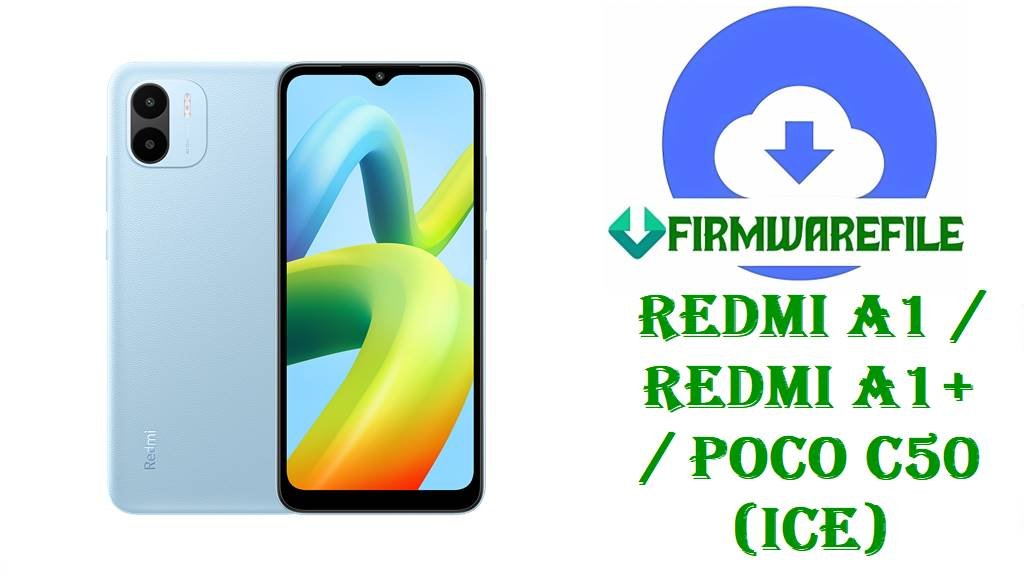
Redmi A1 / Redmi A1+ / POCO C50 (ice) MIUI 13 Android 12 Fastboot ROMs for All Regions
Redmi A1, Redmi A1+ and POCO C50 (codename ice) are entry‑level phones with a 6.52‑inch display, Helio A22‑class chipset and a big 5000mAh battery, built to deliver basic Android experiences at a very low price. Many users rely on these devices for calls, messaging and simple apps, so problems like failed OTAs, bootloops after experiments with custom ROMs or corrupted system partitions can make the phone unusable.
After thorough research across firmware trackers and codename databases, the files you listed are confirmed as official MIUI 13 Android 12 Fastboot ROMs for Redmi A1 / A1+ / POCO C50 (ice) for Global, Russia, Indonesia, India, EEA and Taiwan, giving you a clean way to restore stock software and fix software‑level issues.
File Selection Guide.
This guide explains which MIUI 13 Fastboot ROM you should pick for your ice device and what each file contains.
- Device and codename: Codename lists and firmware pages show that ice corresponds to Redmi A1, Redmi A1+ and POCO C50, so all ROMs with
ice_...or “for Redmi A1/A1+ / POCO C50 (ice)” are for these models. - MIUI / Android version: All builds here use the pattern
V13.0.x.0.SGM****; trackers confirm these as MIUI 13 based on Android 12 (S) for ice devices. - Region suffixes: Xiaomi uses
MIXM(Global),RUXM(Russia),IDXM(Indonesia),INXM(India),EUXM(EEA) andTWXM(Taiwan) in the build number; these must match the region of your current ROM. - Fastboot vs Recovery: Xiaomi ROM trackers list both Recovery and Fastboot packages; your
ice_*_images_....tgzfiles are full Fastboot ROMs, while smallermiui_ICE....zipfiles are Recovery ROMs. - Changelog focus: For V13.0.24.0.SGMMIXM and similar builds, firmware pages emphasize performance and security improvements plus Android 12 privacy features like camera and microphone access controls; no HyperOS or Android 13 upgrade is included in these specific files.
- When to use these Fastboot ROMs: The Fastboot packages are best if your Redmi A1 / A1+ / POCO C50 no longer boots properly, OTAs keep failing or you want a full return to stock MIUI 13 Android 12 from a modified system.
Download Official Firmware for Redmi A1 / Redmi A1+ / POCO C50 (ice)
Global MIUI 13 Fastboot ROM – V13.0.24.0.SGMMIXM (Android 12)
- Filename: ice_global_images_V13.0.24.0.SGMMIXM_20240902.0000.00_12.0_88a9b0725e.tgz
- Region: Global (SGMMIXM – MIXM suffix)
- File Size: ~2.0GB (Fastboot; Recovery ROM is listed around 1.6GB)
- Build Date: 2024‑09‑02 (from filename; trackers list V13.0.24.0 as a late‑2024 global build)
- Build Version: V13.0.24.0.SGMMIXM (Global Stable)
- Android Version: 12 (Android 12 S)
- Flashing Type: Fastboot ROM (.tgz images)
- Changelog (System): Firmware pages describe performance optimizations and security enhancements in Android 12 for the baseband V13.0.24.0.SGMMIXM, plus improved control over camera and microphone access.
- Use Cases: Resetting Redmi A1 / A1+ / POCO C50 Global to clean MIUI 13 Android 12 after issues or modifications.
- Download Link: Download V13.0.24.0 Global Fastboot ROM (Xiaomi OTA)
Russia MIUI 13 Fastboot ROM – V13.0.15.0.SGMRUXM (Android 12)
- Filename: ice_ru_global_images_V13.0.15.0.SGMRUXM_20240903.0000.00_12.0_cecbfa6509.tgz
- Region: Russia (SGMRUXM – RUXM suffix)
- File Size: 1.93GB
- Build Date: 2024‑09‑03
- Build Version: V13.0.15.0.SGMRUXM (Russia Stable)
- Android Version: 12
- Flashing Type: Fastboot ROM
- Use Cases: Russian Redmi A1 / A1+ / POCO C50 units needing a full reset to stock MIUI 13 Android 12.
- Download Link: Download V13.0.15.0 Russia Fastboot ROM (Xiaomi OTA)
Indonesia MIUI 13 Fastboot ROM – V13.0.14.0.SGMIDXM (Android 12)
- Filename: ice_id_global_images_V13.0.14.0.SGMIDXM_20240903.0000.00_12.0_618c04b86a.tgz
- Region: Indonesia (SGMIDXM – IDXM suffix)
- File Size: 1.97GB
- Build Date: 2024‑09‑03
- Build Version: V13.0.14.0.SGMIDXM (Indonesia Stable)
- Android Version: 12
- Flashing Type: Fastboot ROM
- Download Link: Download V13.0.14.0 Indonesia Fastboot ROM (Xiaomi OTA)
India MIUI 13 Fastboot ROM – V13.0.17.0.SGMINXM (Android 12)
- Filename: ice_in_global_images_V13.0.17.0.SGMINXM_20241126.0000.00_12.0_23eb3d326d.tgz
- Region: India (SGMINXM – INXM suffix)
- File Size: 1.86GB
- Build Date: 2024‑11‑26 (from filename; Indian updates often roll out slightly later)
- Build Version: V13.0.17.0.SGMINXM (India Stable)
- Android Version: 12
- Flashing Type: Fastboot ROM
- Use Cases: Indian Redmi A1/A1+ / POCO C50 users who need to recover from bootloops or software errors using a full Fastboot flash.
- Download Link: Download V13.0.17.0 India Fastboot ROM (Xiaomi OTA)
EEA MIUI 13 Fastboot ROM – V13.0.18.0.SGMEUXM (Android 12)
- Filename: ice_eea_global_images_V13.0.18.0.SGMEUXM_20240902.0000.00_12.0_c6e2eb289a.tgz
- Region: EEA / Europe (SGMEUXM – EUXM suffix)
- File Size: 2.00GB
- Build Date: 2024‑09‑02
- Build Version: V13.0.18.0.SGMEUXM (EEA Stable)
- Android Version: 12
- Flashing Type: Fastboot ROM
- Download Link: Download V13.0.18.0 EEA Fastboot ROM (Xiaomi OTA)
Taiwan MIUI 13 Fastboot ROM – V13.0.3.0.SGMTWXM (Android 12)
- Filename: ice_tw_global_images_V13.0.3.0.SGMTWXM_20221106.0000.00_12.0_e94f7d8b11.tgz
- Region: Taiwan (SGMTWXM – TWXM suffix)
- File Size: 1.78GB
- Build Date: 2022‑11‑06 (one of the earlier MIUI 13 builds for ice in Taiwan)
- Build Version: V13.0.3.0.SGMTWXM (Taiwan Stable)
- Android Version: 12
- Flashing Type: Fastboot ROM
- Download Link: Download V13.0.3.0 Taiwan Fastboot ROM (Xiaomi OTA)
Redmi A1 / Redmi A1+ / POCO C50 (ice) Device + Firmware Details
| Device Names | Redmi A1, Redmi A1+, POCO C50 (all mapped to codename ice) |
|---|---|
| Codename | ice |
| Chipset | MediaTek Helio A22 (MT6761), quad‑core CPU. |
| Display | 6.52‑inch LCD, 720p‑class resolution, designed for basic tasks. |
| Battery | 5000mAh battery focused on long standby and simple use. |
| Software Families | Ships with MIUI‑based Android 12 Go‑style builds; current official branch here is MIUI 13 V13.0.x.0.SGM**** on Android 12. |
| Main Issues Reported | Owners often report needing stock ROMs after bootloops, failed experiments with other ROMs and region‑specific firmware problems on ice devices. |
| Firmware Branches Listed | MIUI 13 Android 12 Fastboot ROMs for Global, Russia, Indonesia, India, EEA and Taiwan. |
| File Types | Fastboot ROMs (.tgz images); Recovery ROMs for the same versions are separate.zip files. |
| Flashing Tools Required | Mi Flash Tool or fastboot + flash_all.bat scripts on Windows. |
| Bootloader Status | An unlocked bootloader is generally required to flash Fastboot ROMs on Redmi A1 / A1+ / POCO C50. |
| Use Cases for These Files | Unbricking soft‑bricked ice devices, fixing failed updates, returning from custom ROMs and refreshing MIUI 13 Android 12 performance. |
Flashing Requirements
Fastboot flashing for Redmi A1 / A1+ / POCO C50 normally wipes user data, especially when using flash_all scripts or clean‑flash options, so always back up photos, contacts and app data first.
You need a Windows PC, a reliable micro‑USB/USB‑C cable (depending on variant) and properly installed Xiaomi/MediaTek drivers so Mi Flash Tool or fastboot can detect your ice device.
Your bootloader must be unlocked to flash these MIUI 13 Fastboot packages, in line with Xiaomi’s general unlock and flashing policies.
Charge the phone to at least 50% and do not disconnect the cable or power off the PC during flashing, to reduce the risk of corruption or hard‑brick.
📱How to Flash the Firmware
Method 1: MIUI 13 Fastboot ROM via Mi Flash Tool
- Download and extract: Download the correct Fastboot ROM for your region (for example
ice_global_images_V13.0.24.0.SGMMIXM_20240902.0000.00_12.0_88a9b0725e.tgzfor Global orice_in_global_images_V13.0.17.0.SGMINXM_...for India) and extract it on your PC. - Enter Fastboot mode: Power off your Redmi A1 / A1+ / POCO C50, boot into Fastboot mode and connect it to the Windows PC with your USB cable.
- Select ROM in Mi Flash: Open Mi Flash Tool, click “Select” and choose the extracted
iceROM folder, then verify that the device appears in the Mi Flash list. - Flash MIUI 13: Choose the flashing mode (clean flash is safest when fixing serious issues), click “Flash” and wait while Mi Flash installs the V13.0.x.0.SGM**** build on your phone.
- Reboot and set up: Let the phone reboot into MIUI 13 Android 12, wait for the first boot to finish and then complete setup and restore your backup.
For a complete step‑by‑step Mi Flash guide with driver links and screenshots, see: Full Tutorial: How to Flash Xiaomi Firmware with Mi Flash Tool.
Method 2: Fastboot Script (flash_all.bat) for ice Fastboot ROMs
- Unpack the ROM: Extract your chosen
.tgz(for example the Global V13.0.24.0.SGMMIXM or India V13.0.17.0.SGMINXM package) and locateflash_all.batin the ROM folder. - Connect in Fastboot: Boot the device into Fastboot mode, connect it to the PC and ensure fastboot recognizes it.
- Run the script: Run
flash_all.batto write all main partitions for that MIUI 13 build; by default, such scripts are usually configured for a full wipe. - Wait for completion: Keep the cable attached until the script finishes and reports success, then allow the device to reboot.
- First MIUI boot: Let MIUI 13 Android 12 boot for the first time, which may take longer, then proceed with normal setup.
If you need more detail on using flash_all.bat and similar scripts, follow: How to Flash Stock Firmware Using a Fastboot Script (flash_all.bat).
Frequently Asked Questions (FAQs)
Which phones can use the V13.0.24.0.SGMMIXM Global ROM listed here?
Firmware trackers and codename tables confirm that V13.0.24.0.SGMMIXM Global is for Redmi A1, Redmi A1+ and POCO C50 devices with codename ice, so it should not be used on other models.
Is there any Android 13 or HyperOS update inside these ice Fastboot ROMs?
No, all the ROMs listed here are MIUI 13 V13.0.x.0 builds based on Android 12 (S); current documentation for these specific versions does not show an Android 13 or HyperOS upgrade.
How do you choose the right MIUI 13 Fastboot ROM for your Redmi A1 / A1+ / POCO C50?
Check Settings → About phone and identify whether your build suffix is MIXM, RUXM, IDXM, INXM, EUXM or TWXM, then download the ice Fastboot ROM with the same suffix and avoid cross‑region flashing.
Can a Redmi A1+ (snow) use the Redmi A1 (ice) Fastboot ROMs from this list?
No, forum discussions note that Redmi A1 and A1+ share some hardware but use different base codenames (ice vs snow for some variants), so you should always match the exact codename and region when flashing.
Do these MIUI 13 V13.0.x.0 updates improve performance on Redmi A1 / A1+ / POCO C50?
Firmware descriptions for V13.0.24.0.SGMMIXM mention performance optimizations and smoother operation as part of Android 12 improvements, but they do not list specific benchmarks or feature additions.
Where can you get more stock firmware options for Redmi A1 / A1+ / POCO C50 (ice)?
Additional Fastboot and Recovery builds for ice are catalogued on ROM trackers and firmware archives under “Redmi A1/A1+ / POCO C50 (ice)”, where you can browse older or alternate regional versions.