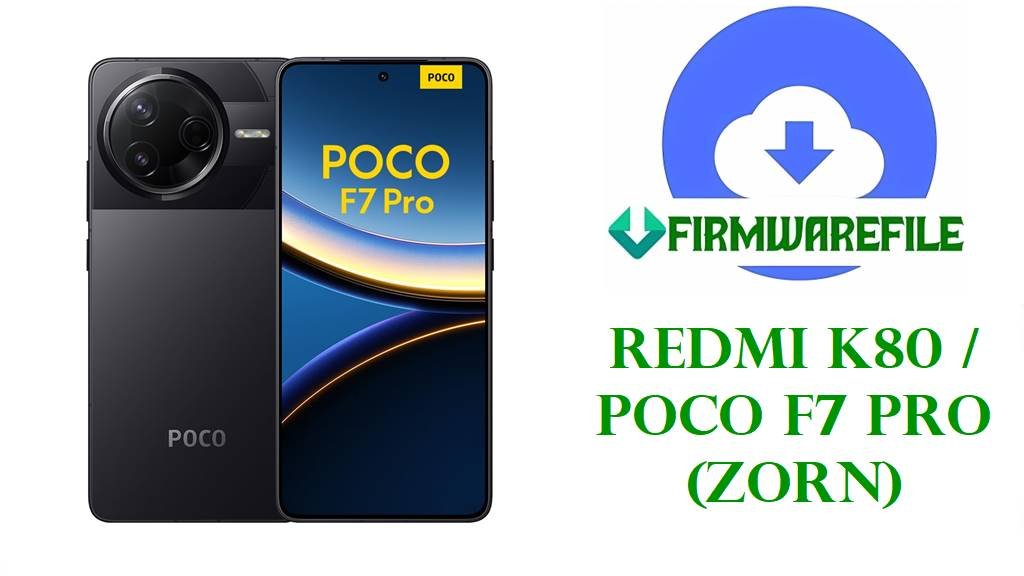
Redmi K80 / POCO F7 Pro (zorn) HyperOS 3 & 2 Official ROM Download
Redmi K80 and its global twin POCO F7 Pro share the internal codename “zorn” and pack flagship hardware: a 6.7‑inch 1440×3200 120 Hz AMOLED panel, Snapdragon 8 Gen 3 chipset, LPDDR5X RAM, UFS 4.0 storage, IP68 rating, and a large 6550 mAh silicon–carbon battery with 90 W fast charging. This combination targets demanding users who game heavily, push 5G, and care about long battery life and fast charging.
Real‑world feedback around early HyperOS 2 builds on Redmi and POCO devices highlights overheating in heavy games, fast battery drain, UI stutter, and random bugs like call audio glitches or phones stuck on the POCO logo after an update. These issues often improve or disappear after clean‑flashing a newer stable ROM or updating to more recent HyperOS releases with refined thermal tuning and stability fixes.
The official HyperOS Fastboot ROMs below provide Android 16 HyperOS 3.0.4.0 for China (WOKCNXM) plus Android 15 HyperOS 2.0.x builds for Global, EEA, Russia, Indonesia, Taiwan, and Turkey, along with a Xiaomi.eu custom ROM based on the same China firmware. Using these with Mi Flash Tool or fastboot scripts can recover bootloops, undo failed OTAs, refresh partitions after mods, and apply security patches and optimizations such as the November 2025 patch and system‑stability improvements mentioned in the OS3.0.4.0 changelog.
Download Official Firmware for Redmi K80 / POCO F7 Pro
These packages are official HyperOS Fastboot ROMs for the zorn platform, hosted on Xiaomi’s hugeota servers and intended for use with Mi Flash Tool or the included fastboot scripts, plus one Xiaomi.eu custom build derived from the China firmware. Choose the ROM that matches your device’s region code in Settings → About phone → Version to avoid compatibility problems and OTA issues.
| Filename | Region / Target Variant | Android / HyperOS | Build Date | File Size | Flashing Type | Notes | Download |
|---|---|---|---|---|---|---|---|
| zorn_images_OS3.0.4.0.WOKCNXM_20251106.0000.00_16.0_cn_d3beb407d3.tgz | China ROM – Redmi K80 (zorn) China only | Android 16.0, HyperOS 3.0.4.0.WOKCNXM | 2025‑11‑06 | 8.84 GB | Official Fastboot ROM (Mi Flash / fastboot) | Latest China stable; changelog notes improved system stability, fixes for occasional errors, and November 2025 security patch. | Download OS3.0.4.0.WOKCNXM (Xiaomi servers) |
| zorn_global_images_OS2.0.204.0.VOKMIXM_20251011.0000.00_15.0_global_d022c5a36b.tgz | Global ROM – POCO F7 Pro / Redmi K80 Global (MIXM) | Android 15.0, HyperOS 2.0.204.0.VOKMIXM | 2025‑10‑11 | 8.89 GB | Official Fastboot ROM (Mi Flash / fastboot) | Global stable branch; suitable for fixing OTA‑related bugs and restoring stock software on global F7 Pro/K80 units. | Download OS2.0.204.0.VOKMIXM (Xiaomi servers) |
| zorn_ru_global_images_OS2.0.205.0.VOKRUXM_20251109.0000.00_15.0_ru_1f39c5ae84.tgz | Russia ROM – Redmi K80 / POCO F7 Pro RU (RUXM) | Android 15.0, HyperOS 2.0.205.0.VOKRUXM | 2025‑11‑09 | 8.79 GB | Official Fastboot ROM (Mi Flash / fastboot) | Regional configuration for Russia; flash only on RUXM devices to keep local services and OTAs working. | Download OS2.0.205.0.VOKRUXM (Xiaomi servers) |
| zorn_id_global_images_OS2.0.204.0.VOKIDXM_20251109.0000.00_15.0_id_fa1b4a53c0.tgz | Indonesia ROM – Redmi K80 / POCO F7 Pro ID (IDXM) | Android 15.0, HyperOS 2.0.204.0.VOKIDXM | 2025‑11‑09 | 8.44 GB | Official Fastboot ROM (Mi Flash / fastboot) | Optimized for Indonesian market and carriers; use for stability fixes and clean installs on IDXM units. | Download OS2.0.204.0.VOKIDXM (Xiaomi servers) |
| zorn_eea_global_images_OS2.0.208.0.VOKEUXM_20251109.0000.00_15.0_eea_ee46428ee6.tgz | EEA ROM – Redmi K80 / POCO F7 Pro Europe (EUXM) | Android 15.0, HyperOS 2.0.208.0.VOKEUXM | 2025‑11‑09 | 8.02 GB | Official Fastboot ROM (Mi Flash / fastboot) | European stable with EU‑specific regulations; newer sub‑version suggests additional bug fixes and security updates over earlier builds. | Download OS2.0.208.0.VOKEUXM (Xiaomi servers) |
| zorn_tw_global_images_OS2.0.205.0.VOKTWXM_20251109.0000.00_15.0_tw_d95e384e71.tgz | Taiwan ROM – Redmi K80 / POCO F7 Pro TW (TWXM) | Android 15.0, HyperOS 2.0.205.0.VOKTWXM | 2025‑11‑09 | 6.60 GB | Official Fastboot ROM (Mi Flash / fastboot) | Built for Taiwan carriers and regulations; best choice for TWXM devices needing a clean, stable base. | Download OS2.0.205.0.VOKTWXM (Xiaomi servers) |
| zorn_tr_global_images_OS2.0.2.0.VOKTRXM_20250224.0000.00_15.0_tr_99936997ee.tgz | Turkey ROM – Redmi K80 / POCO F7 Pro TR (TRXM) | Android 15.0, HyperOS 2.0.2.0.VOKTRXM | 2025‑02‑24 | 7.68 GB | Official Fastboot ROM (Mi Flash / fastboot) | Early HyperOS 2 stable for Turkey; useful to unbrick or return TRXM units to the first official firmware. | Download OS2.0.2.0.VOKTRXM (Xiaomi servers) |
| xiaomi.eu_ZORN_OS3.0.4.0.WOKCNXM_16.zip | Xiaomi.eu custom ROM – Redmi K80 / POCO F7 Pro (based on China WOKCNXM) | Android 16.0, HyperOS 3.0.4.0 (multi‑language, modified) | Built from OS3.0.4.0.WOKCNXM | 6.20 GB | Custom fastboot/recovery package (Xiaomi.eu scripts or custom recovery) | Community ROM with extra languages and tweaks; unofficial, requires unlocked bootloader and can affect warranty and official OTA support. | Download xiaomi.eu_ZORN_OS3.0.4.0.WOKCNXM_16 (SourceForge) |
Redmi K80 / POCO F7 Pro Firmware Details
| Device Name | Redmi K80 (China) / POCO F7 Pro (Global & selected regions) |
|---|---|
| Codename | zorn – shared across Redmi K80 and POCO F7 Pro variants. |
| Model Identifiers | Examples include 24122RKC7C / 24122RKC7G and related regional SKUs. |
| Chipset | Qualcomm Snapdragon 8 Gen 3 (SM8650‑AB), 4 nm, octa‑core CPU with Adreno 750 GPU. |
| Display | 6.7‑inch AMOLED, 1440×3200 resolution, ~526 PPI, 120 Hz refresh rate, Gorilla Glass 7i. |
| Battery & Charging | 6550 mAh silicon–carbon cell with up to 90 W wired fast charging. |
| Android / HyperOS Versions | Android 15 with HyperOS 2.0.x (VOKMIXM / VOKRUXM / VOKIDXM / VOKEUXM / VOKTWXM / VOKTRXM) and Android 16 with HyperOS 3.0.4.0.WOKCNXM (China) and Xiaomi.eu derivative. |
| Main Issues Reported | Community reports point to overheating under sustained gaming, rapid battery drain on some HyperOS 2 builds, random UI stutters, call‑audio glitches under heavy load, and bootloops after OTA updates. |
| What OS3.0.4.0 / New Builds Improve | HyperOS 3.0.4.0 notes improved system stability, fixes for occasional anomalies, and updated security patch level, which together can reduce random errors and enhance overall reliability. |
| Flash Methods | Official Fastboot ROMs via Mi Flash Tool or fastboot scripts; Xiaomi.eu ROM via its own fastboot scripts or a compatible custom recovery. |
| Bootloader Status | Bootloader must be unlocked for Fastboot and Xiaomi.eu flashing; stock Recovery/OTA updates for official ROMs normally work on locked, unmodified devices. |
| Use Cases for These Files | Unbrick soft‑bricked phones, fix bootloops and failed OTAs, move between HyperOS 2 and HyperOS 3 branches per region, and revert from custom kernels/mods back to clean stock. |
Flashing Requirements
- Backup all data: Fastboot and custom ROM flashes usually erase apps and internal storage, so save photos, files, and chats first.
- Battery at least 50%: A mid‑flash shutdown can hard‑brick the device, so ensure plenty of charge before starting.
- Windows PC & reliable USB‑C cable: Required for Mi Flash Tool, fastboot commands, and Xiaomi.eu flashing scripts.
- Unlocked bootloader (for Fastboot/custom ROM): Apply Xiaomi’s official unlock procedure before using any Fastboot or Xiaomi.eu package.
📱 Quick Flashing Guides
Method 1: Official Fastboot ROM via Xiaomi Mi Flash Tool
- Get tools and extract ROM: Install Xiaomi USB drivers and Mi Flash Tool on your PC, then extract the chosen zorn_*_images_OS*.tgz Fastboot ROM to a simple folder path.
- Unlock and enter fastboot: After officially unlocking the bootloader, power off your Redmi K80/POCO F7 Pro, hold Volume Down + Power to enter fastboot mode, and connect it to the PC.
- Load firmware in Mi Flash: Open Mi Flash, click Select, and point it to the extracted zorn ROM folder that contains the images and flash scripts.
- Choose the flash option: Select “clean all” (recommended for fixing severe bugs or bootloops) and avoid any mode that relocks the bootloader unless you are on the original region firmware.
- Flash and reboot: Click Flash, wait for Mi Flash to finish writing all partitions, then allow the phone to reboot; first boot into HyperOS 2 or 3 may take several minutes.
For a detailed walkthrough with screenshots and troubleshooting tips, follow this guide: Full Tutorial: Flash Xiaomi Firmware with Mi Flash Tool
Method 2: Xiaomi.eu HyperOS 3.0.4.0 (Custom Fastboot Script)
- Download and unpack Xiaomi.eu ROM: On your PC, download xiaomi.eu_ZORN_OS3.0.4.0.WOKCNXM_16.zip and extract it until you see fastboot batch/shell scripts and image files.
- Install platform tools: Set up Android platform‑tools so the fastboot command works in your terminal or command prompt.
- Enter fastboot with unlocked bootloader: Boot your device into fastboot mode, connect it to the PC, and confirm it is detected with fastboot devices.
- Run the Xiaomi.eu script: Execute the appropriate fastboot_*.bat (Windows) or .sh (Linux/macOS) script provided by Xiaomi.eu to flash all required partitions automatically.
- First boot and checks: After flashing, let the phone boot into Xiaomi.eu HyperOS 3, complete setup, then monitor temperature and battery over a few charge cycles before further tweaks.
If you prefer a generic fastboot‑script approach to stock firmware, this tutorial explains the flash_all.bat style method and safety steps: How to Flash Stock Firmware Using a Fastboot Script (flash_all.bat)
Frequently Asked Questions (FAQs)
What problems can these zorn ROMs fix on Redmi K80 / POCO F7 Pro?
Flashing the correct regional Fastboot ROM can repair bootloops, stuck POCO/Redmi logo after failed updates, persistent overheating or fast battery drain caused by buggy HyperOS builds, and various software‑driven lags and crashes.
How do I choose the right firmware for my phone?
Check your region code (such as WOKCNXM, VOKMIXM, VOKEUXM, VOKRUXM, VOKIDXM, VOKTWXM, VOKTRXM) in Settings → About phone → Version and only flash Fastboot packages whose code matches exactly.
Is HyperOS 3.0.4.0.WOKCNXM better than HyperOS 2 for battery and stability?
The OS3.0.4.0.WOKCNXM changelog highlights system‑stability optimizations, fixes for occasional anomalies, and an updated security patch, which together tend to improve reliability and can help with stray crashes and background drain.
Can I cross‑flash between China, Global, and EEA ROMs?
With an unlocked bootloader you can technically flash other regions, but mismatched firmware may cause network issues, break OTA updates, or brick the device when relocking, so staying on your native region is safest.
Is the Xiaomi.eu HyperOS 3.0.4.0 ROM official?
No, Xiaomi.eu builds are community‑maintained ROMs that repack China firmware with extra languages and tweaks, so they are not supported by Xiaomi and may affect warranty despite being popular with advanced users.
What if my Redmi K80 still overheats after updating?
Some HyperOS devices continue to run warm even on new builds, so after updating you should reduce background apps, disable unused radios and animations, and follow Xiaomi’s general tips for limiting heating; if temperatures stay extreme, hardware checks are recommended.