Redmi K80 Pro / POCO F7 Ultra (miro) HyperOS 3 & 2 Fastboot ROMs
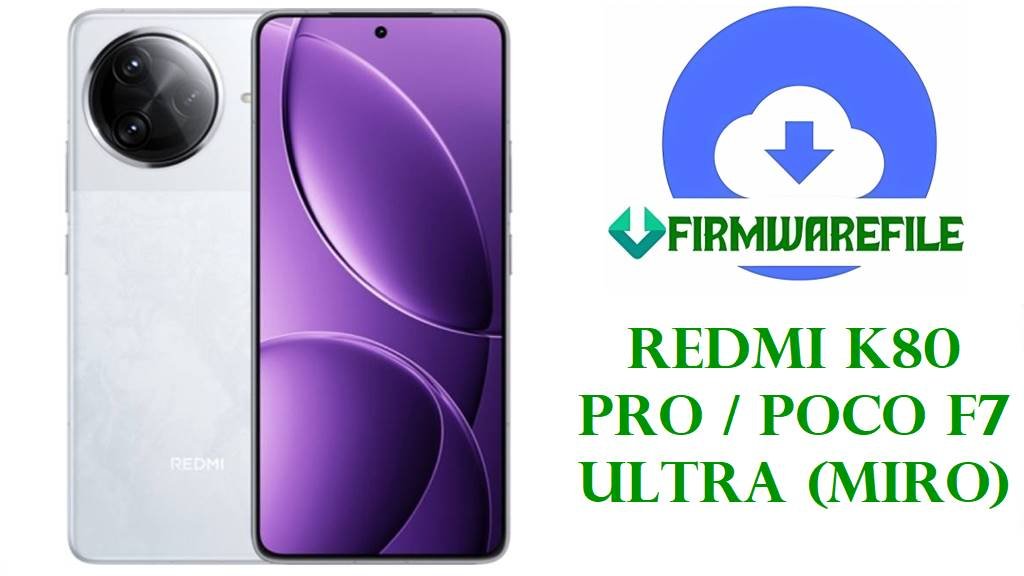
The Redmi K80 Pro and global‑market POCO F7 Ultra share the internal codename “miro” and deliver true flagship hardware built around Qualcomm’s Snapdragon 8 Gen 4 platform, a high‑refresh OLED display, and a large battery with fast charging for power users and gamers. This premium hardware needs equally stable firmware, and Xiaomi’s HyperOS 2 and 3 releases for miro are rolling out across China, Global, EEA, Russia, Indonesia, Taiwan, and Turkey with Android 15 and 16 bases.
Early HyperOS 2 builds on Redmi K80 Pro and POCO devices brought typical complaints such as overheating under load, faster battery drain, occasional freezes, and connectivity quirks, mirroring wider HyperOS 2 feedback from Xiaomi and POCO users. At the same time, some POCO F7 Ultra owners report smooth performance when kept on stable builds, suggesting that clean installation and being on the right branch matter greatly.
The official miro Fastboot ROMs listed below let you clean‑flash Xiaomi’s latest HyperOS 3.0.3.0 Android 16 firmware for China and EEA, plus mature HyperOS 2.0.x Android 15 builds for Global and regional variants, while the Xiaomi.eu custom ROM offers a de‑bloated, multi‑language experience based on the same WOMCNXM release. Correctly flashing these packages via Mi Flash Tool or bundled fastboot scripts can repair bootloops, undo buggy OTAs, refresh partitions after heavy modding, and take advantage of HyperOS 3 optimizations that improve performance and power efficiency.
Download Official Firmware for Redmi K80 Pro / POCO F7 Ultra (miro)
All .tgz packages below are official HyperOS Fastboot ROMs for the miro platform, served directly from Xiaomi’s bigota servers for clean flashing with Mi Flash Tool or built‑in fastboot scripts. The Xiaomi.eu .zip is an unofficial community ROM based on the China WOMCNXM firmware, offering extra languages and tweaks but requiring an unlocked bootloader and custom flashing workflow.
| Filename | Region / Target Variant | Android / HyperOS | Build Date | File Size | Flashing Type | Notes | Download |
|---|---|---|---|---|---|---|---|
| miro_images_OS3.0.3.0.WOMCNXM_20251030.0000.00_16.0_cn_2b6533557d.tgz | China ROM – Redmi K80 Pro (miro) China only | Android 16.0, HyperOS 3.0.3.0.WOMCNXM | 2025‑10‑30 | 10.22 GB | Official Fastboot ROM (Mi Flash / fastboot scripts) | Latest China stable; Google services not pre‑installed, Chinese & English UI; ideal for unbricking or clean‑upgrading Chinese K80 Pro. | Download OS3.0.3.0.WOMCNXM (Xiaomi servers) |
| miro_global_images_OS2.0.204.0.VOMMIXM_20251016.0000.00_15.0_global_5441b10ee1.tgz | Global ROM – POCO F7 Ultra / Redmi K80 Pro Global (MIXM) | Android 15.0, HyperOS 2.0.204.0.VOMMIXM | 2025‑10‑16 | 9.01 GB | Official Fastboot ROM (Mi Flash / fastboot scripts) | Global stable; good for fixing OTA bugs and restoring stock on global F7 Ultra/K80 Pro units. | Download OS2.0.204.0.VOMMIXM (Xiaomi servers) |
| miro_ru_global_images_OS2.0.206.0.VOMRUXM_20251013.0000.00_15.0_ru_5383d02a36.tgz | Russia ROM – Redmi K80 Pro / POCO F7 Ultra RU (RUXM) | Android 15.0, HyperOS 2.0.206.0.VOMRUXM | 2025‑10‑13 | 8.79 GB | Official Fastboot ROM (Mi Flash / fastboot scripts) | Russia‑specific configuration; flash only on RUXM models to avoid region issues. | Download OS2.0.206.0.VOMRUXM (Xiaomi servers) |
| miro_id_global_images_OS2.0.205.0.VOMIDXM_20251016.0000.00_15.0_id_ae686818c8.tgz | Indonesia ROM – Redmi K80 Pro / POCO F7 Ultra ID (IDXM) | Android 15.0, HyperOS 2.0.205.0.VOMIDXM | 2025‑10‑16 | 8.40 GB | Official Fastboot ROM (Mi Flash / fastboot scripts) | Indonesian localizations and carrier tuning; suited for fixing system glitches on IDXM units. | Download OS2.0.205.0.VOMIDXM (Xiaomi servers) |
| miro_eea_global_images_OS3.0.3.0.WOMEUXM_20251024.0000.00_16.0_eea_d2011abbea.tgz | EEA ROM – Redmi K80 Pro / POCO F7 Ultra Europe (EUXM) | Android 16.0, HyperOS 3.0.3.0.WOMEUXM (EEA stable) | 2025‑10‑24 | 8.65 GB | Official Fastboot ROM (Mi Flash / fastboot scripts) | Brings HyperOS 3 Android 16 to EEA devices with updated performance and battery optimizations compared to HyperOS 2 builds. | Download OS3.0.3.0.WOMEUXM (Xiaomi servers) |
| miro_tw_global_images_OS2.0.205.0.VOMTWXM_20251016.0000.00_15.0_tw_04e7521ad5.tgz | Taiwan ROM – Redmi K80 Pro / POCO F7 Ultra TW (TWXM) | Android 15.0, HyperOS 2.0.205.0.VOMTWXM | 2025‑10‑16 | 7.42 GB | Official Fastboot ROM (Mi Flash / fastboot scripts) | Tailored for Taiwan carriers and local regulations; keep TWXM devices on this branch for stability. | Download OS2.0.205.0.VOMTWXM (Xiaomi servers) |
| miro_tr_global_images_OS2.0.101.0.VOMTRXM_20250407.0000.00_15.0_tr_6e0c22f37f.tgz | Turkey ROM – Redmi K80 Pro / POCO F7 Ultra TR (TRXM) | Android 15.0, HyperOS 2.0.101.0.VOMTRXM | 2025‑04‑07 | 8.04 GB | Official Fastboot ROM (Mi Flash / fastboot scripts) | Early Turkey HyperOS 2.0 stable; useful as a base ROM or for recovering TRXM devices from soft bricks. | Download OS2.0.101.0.VOMTRXM (Xiaomi servers) |
| xiaomi.eu_MIRO_OS3.0.3.0.WOMCNXM_16.zip | Xiaomi.eu custom ROM – Redmi K80 Pro / POCO F7 Ultra (based on China WOMCNXM) | Android 16.0, HyperOS 3.0.3.0 (modified, multi‑language) | Built from WOMCNXM base | 7.46 GB | Custom fastboot/recovery package (xiaomi.eu scripts or custom recovery) | Community ROM with extra languages and tweaks; unofficial, may void warranty, requires unlocked bootloader and custom flashing. | Download xiaomi.eu_MIRO_OS3.0.3.0.WOMCNXM_16 (SourceForge) |
Redmi K80 Pro / POCO F7 Ultra Firmware Details
| Device Name | Redmi K80 Pro (China) / POCO F7 Ultra (Global & selected regions) |
|---|---|
| Codename | miro – shared platform for Redmi K80 Pro and POCO F7 Ultra. |
| Chipset | Qualcomm Snapdragon 8 Gen 4 / “8 Elite” flagship SoC for K80 Pro series. |
| Software Families | Android 15 + HyperOS 2.0.x (VOMMIXM, VOMRUXM, VOMIDXM, VOMTWXM, VOMTRXM) and Android 16 + HyperOS 3.0.3.0 (WOMCNXM, WOMEUXM). |
| Official ROM Types | China, Global, EEA, Russia, Indonesia, Taiwan, Turkey Fastboot and Recovery firmware; all official images are signed HyperOS builds. |
| Main Issues Reported | Overheating during heavy tasks, higher battery drain on some HyperOS 2 builds, occasional freezes, and random bugs after early OS2.0.x OTAs, similar to other HyperOS devices. |
| HyperOS 3 / Newer Builds | HyperOS 3 updates across Xiaomi’s lineup focus on improved scheduling, reduced power consumption, smoother animations, and better short‑video efficiency, which also benefit high‑end devices like K80 Pro. |
| Bootloader Requirement | Bootloader must be unlocked to flash Fastboot ROMs or Xiaomi.eu ROMs; Recovery/OTA packages for official ROMs usually install on locked devices that are unmodified. |
| Flash Methods | Mi Flash Tool or fastboot scripts for official Fastboot ROMs; custom fastboot/recovery scripts for Xiaomi.eu builds. |
| Use Cases for Files Above | Unbrick soft‑bricked phones, fix bootloops and failed OTAs, migrate between HyperOS 2 and 3 branches by region, and revert from problematic mods or kernels to clean stock. |
Flashing Requirements
- Complete backup: Fastboot and custom ROM flashes often wipe apps and internal storage, so copy photos, media, and important files before you start.
- Battery above 50%: Maintain sufficient charge to avoid shutdowns mid‑flash, which can hard‑brick the device.
- Windows PC & quality USB‑C cable: Needed for Mi Flash Tool, fastboot scripts, and Xiaomi.eu flashing tools.
- Unlocked bootloader (for Fastboot/custom ROM): Use Xiaomi’s official unlock procedure before flashing any Fastboot or Xiaomi.eu package.
📱 Quick Flashing Guides
Method 1: Official Fastboot ROM with Xiaomi Mi Flash Tool
- Prepare Mi Flash and ROM: Install Xiaomi USB drivers and Mi Flash Tool on your PC, then extract the chosen miro_*_images_OS*.tgz Fastboot ROM to a simple folder path without spaces.
- Unlock and enter fastboot: Make sure the bootloader is officially unlocked, power off the phone, then hold Volume Down + Power to reach fastboot mode and connect it via USB.
- Load firmware in Mi Flash: Open Mi Flash, click Select, and point it to the extracted miro ROM folder that contains the images and flash scripts.
- Choose flash option: Pick a mode like “clean all” to fully refresh the system and avoid auto‑relocking the bootloader, which can brick region‑swapped devices.
- Start flashing and reboot: Click Flash, wait until Mi Flash reports success, then let the phone reboot; first boot into HyperOS 2 or 3 can take several minutes while apps optimize.
For a step‑by‑step Fastboot ROM tutorial with screenshots and troubleshooting tips, use this detailed guide: Full Tutorial: Flash Xiaomi & POCO Firmware with Mi Flash Tool
Method 2: Xiaomi.eu HyperOS 3.0.3.0 (Custom Fastboot Script)
- Download and extract Xiaomi.eu ROM: Get xiaomi.eu_MIRO_OS3.0.3.0.WOMCNXM_16.zip on your PC and extract it to a folder that contains the fastboot batch/sh files.
- Install platform‑tools: Set up Google’s Android platform‑tools so that the fastboot command works from a terminal or command prompt.
- Boot to fastboot and connect: With an unlocked bootloader, enter fastboot mode on your K80 Pro/F7 Ultra and connect it to the PC using a reliable cable.
- Run the script: Execute the provided fastboot_*.bat or equivalent script from the Xiaomi.eu folder, then wait while it flashes all required partitions.
- Let the system settle: After rebooting into Xiaomi.eu HyperOS 3, allow extra time for optimization and check battery and thermals over a few charge cycles before judging performance.
For more background on using fastboot scripts to flash stock‑style firmware, including key safety tips, refer to this tutorial: How to Flash Stock Firmware Using a Fastboot Script (flash_all.bat)
Frequently Asked Questions (FAQs)
Which problems can these miro ROMs help fix?
Clean‑flashing the correct regional Fastboot ROM can repair bootloops, random reboots, persistent overheating or battery‑drain bugs after OTA updates, and software‑caused performance issues on Redmi K80 Pro / POCO F7 Ultra.
How do I know which miro file is right for my phone?
Check Settings → About phone → Version (or use fastboot getvar product) and only flash ROMs whose suffix (WOMCNXM, WOMEUXM, VOMMIXM, VOMRUXM, VOMIDXM, VOMTWXM, VOMTRXM) exactly matches your device’s region code.
Is HyperOS 3 better for battery and thermals than HyperOS 2?
Across Xiaomi’s HyperOS 3 releases, Xiaomi emphasizes improved scheduling, lower power consumption, and smoother graphics, and user reports suggest more stable battery life compared to early HyperOS 2 builds.
Is the Xiaomi.eu HyperOS 3.0.3.0 ROM safe and official?
Xiaomi.eu ROMs are community projects based on official China firmware but modified for multi‑language and tweaks, so they are not supported by Xiaomi and may affect warranty or safety checks despite being widely used.
Can I move from Global HyperOS 2 to EEA or China HyperOS 3 using these files?
Technically, region switching is possible with an unlocked bootloader and Fastboot ROMs, but using mismatched regions can break services, complicate future OTAs, or brick the phone if you later relock, so it is safest to stay on your native region.
What if the phone still overheats or drains battery after updating?
HyperOS‑wide reports show that some builds still have power issues, so after flashing you should review background apps, disable unnecessary features, and wait for subsequent patches or consider lighter ROM options if problems continue.