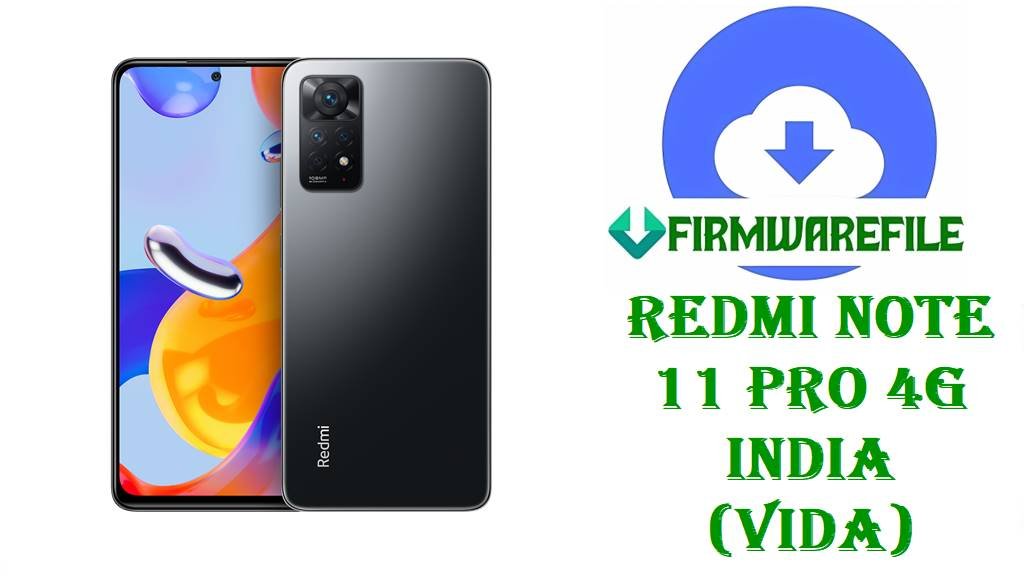
Redmi Note 11 Pro 4G India (vida) HyperOS 1 Fastboot ROM OS1.0.4.0 (Android 13)
Redmi Note 11 Pro 4G India (codename vida) is a popular mid‑range phone with a 120Hz AMOLED display, Helio G96 chipset and a large battery, aimed at users who want smooth daily performance and a bright screen without flagship pricing. As MIUI 14 and HyperOS 1 arrive, many Indian Redmi Note 11 Pro 4G owners experience OTA failures, soft‑bricks after mods or want a clean jump from MIUI 14 Android 13 to HyperOS 1 Android 13 for better stability.
After thorough research of HyperOS update trackers and firmware archives, the file vida_in_global_images_OS1.0.4.0.TGDINXM_20240822.0000.00_13.0_in_f85ede6682.tgz is confirmed as the official India HyperOS 1 OS1.0.4.0.TGDINXM Android 13 Fastboot ROM for Redmi Note 11 Pro 4G (vida_in), giving you a full images package to restore or upgrade your phone safely.
File Selection Guide.
This section helps you confirm that OS1.0.4.0.TGDINXM is the right HyperOS 1 Fastboot ROM for your Redmi Note 11 Pro 4G India and explains what it includes.
- Device and codename: Firmware pages clearly list Redmi Note 11 Pro 4G India as codename vida or vida_in, and the package name for your file starts with
vida_in_global_images_..., matching the Indian variant exactly. - HyperOS and Android version: OS1.0.4.0.TGDINXM is documented as a HyperOS 1 Stable build based on Android 13, which matches the
_13.0_in_segment in the filename. - Region code: The version string ends in
TGDINXM, whereINXMindicates the India region; HyperOS trackers describe OS1.0.4.0.TGDINXM specifically as an India‑only update, so it should not be flashed on global MIXM or other regions. - Fastboot vs Recovery: OS1.0.4.0.TGDINXM is available both as a Recovery ROM (
os1.0.4.0.tgdinxm_....zip) and as a Fastboot ROM; your file is the Fastboot variant namedvida_in_global_images_OS1.0.4.0.TGDINXM_..., intended for PC flashing with Mi Flash Tool or fastboot scripts. - Changelog vs previous HyperOS build: HyperOS OS1.0.3.0.TGDINXM for vida updated the Android security patch to February 2024 and improved system security and colors; OS1.0.4.0.TGDINXM is listed as the next stable build focusing on further stability and security improvements, without mentioning new UI features.
- When this ROM is useful: Use this Fastboot ROM if your Redmi Note 11 Pro 4G India is stuck in a bootloop, OTAs to OS1.0.4.0/TGDINXM have failed, or you want a completely clean HyperOS 1 Android 13 install after heavy MIUI/HyperOS modifications.
Download Official Firmware for Redmi Note 11 Pro 4G India (vida)
India HyperOS 1 Fastboot ROM – OS1.0.4.0.TGDINXM (Android 13)
- Filename: vida_in_global_images_OS1.0.4.0.TGDINXM_20240822.0000.00_13.0_in_f85ede6682.tgz
- Device: Redmi Note 11 Pro 4G India (codename vida / vida_in)
- Region: India (TGDINXM – INXM suffix)
- File Size: ~4.49GB (Fastboot images, close to the 4.9GB size shown on firmware sites depending on compression)
- Build Date: 2024‑08‑22 (from filename; trackers list OS1.0.4.0 as a 2024 HyperOS 1 build)
- Build Version: OS1.0.4.0.TGDINXM (India HyperOS 1 Stable)
- Android Version: 13.0
- Flashing Type: Fastboot ROM (.tgz full images package)
- Changelog (System): Based on the previous OS1.0.3.0 notes and HyperOS tracker description, this build continues the pattern of updated security patches and improved stability, but no specific new features beyond those are documented.
- Use Cases: Clean upgrade from MIUI 14/earlier HyperOS to HyperOS 1 Android 13, unbrick after failed hacks, and repair of persistent software issues on Redmi Note 11 Pro 4G India.
- Download Link: Download OS1.0.4.0 India HyperOS 1 Fastboot ROM (Xiaomi OTA)
Redmi Note 11 Pro 4G India (vida) Device + Firmware Details
| Device Name | Redmi Note 11 Pro 4G India |
|---|---|
| Codename | vida / vida_in |
| Chipset | MediaTek Helio G96, octa‑core CPU with Mali‑G57 MC2 GPU. |
| Display | 6.67‑inch AMOLED, 120Hz refresh rate, FHD+ resolution. |
| Battery | Large battery with fast charging (5000mAh+ with 67W‑class charging, per spec summaries). |
| Software Families | Shipped with MIUI 13 Android 11/12; then MIUI 14 Android 13 (V14.0.x.0.TGDINXM) and now HyperOS 1 Android 13 with OS1.0.3.0 and OS1.0.4.0.TGDINXM. |
| Main Issues Reported | Users often need stock packages after tinkering with ROMs, encountering OTA failures or wanting a clean HyperOS 1 install because of lag or instability. |
| Firmware Branch Highlighted | HyperOS 1 Android 13 OS1.0.4.0.TGDINXM India, Fastboot + Recovery packages. |
| File Type | Fastboot ROM (.tgz images) for vida_in; Recovery ROM (.zip) exists separately. |
| Flashing Tools Required | Mi Flash Tool or fastboot + flash_all.bat scripts on a Windows PC. |
| Bootloader Status | An unlocked bootloader is typically required to flash HyperOS Fastboot images on Redmi Note 11 Pro 4G (vida). |
| Use Cases for This File | Full system repair, upgrade to HyperOS 1 Android 13, and unbrick/restore to stock on Indian Redmi Note 11 Pro 4G devices. |
Flashing Requirements
Flashing the OS1.0.4.0.TGDINXM Fastboot ROM will usually wipe user data on your Redmi Note 11 Pro 4G India, especially when using clean‑flash or flash_all options, so always back up photos, messages and app data first.
You need a Windows PC, a good USB‑C cable and properly installed Xiaomi/MediaTek drivers so Mi Flash Tool or fastboot can detect your vida_in device in Fastboot mode.
Your bootloader must be unlocked before flashing HyperOS Fastboot images, in line with Xiaomi’s general bootloader and firmware flashing guidelines.
Charge the phone above 50%, keep the cable stable and avoid powering off the PC while flashing to reduce the risk of corruption or a hard‑brick.
📱How to Flash the Firmware
Method 1: HyperOS 1 Fastboot ROM via Mi Flash Tool
- Download and extract: Download
vida_in_global_images_OS1.0.4.0.TGDINXM_20240822.0000.00_13.0_in_f85ede6682.tgzand extract it on your Windows PC into a folder containing theimagesdirectory and flash scripts. - Enter Fastboot mode: Power off the Redmi Note 11 Pro 4G India, boot it into Fastboot mode and connect it to the PC via USB‑C.
- Select ROM in Mi Flash: Open Mi Flash Tool, click “Select” and choose the extracted
vida_inROM folder, then verify that the device is detected in the Mi Flash list. - Flash HyperOS 1: Choose your desired flashing mode (clean flash is recommended for major issues), click “Flash” and wait while Mi Flash writes OS1.0.4.0.TGDINXM to all required partitions.
- Reboot and set up: Let the phone reboot into HyperOS 1 Android 13, wait for the first boot to finish, then go through the setup wizard and restore your backup.
For a complete, step‑by‑step Mi Flash tutorial with screenshots and driver downloads, see: Full Tutorial: How to Flash Xiaomi Firmware with Mi Flash Tool.
Method 2: Fastboot Script (flash_all.bat) for OS1.0.4.0.TGDINXM
- Unpack the Fastboot ROM: Extract the
vida_in_global_images_OS1.0.4.0.TGDINXM_20240822.0000.00_13.0_in_f85ede6682.tgzfile and locateflash_all.batin the extracted folder. - Connect in Fastboot: Boot your Redmi Note 11 Pro 4G India into Fastboot mode and connect it to the PC; confirm that fastboot commands detect the device.
- Run the script: Run
flash_all.batto flash all main partitions for OS1.0.4.0.TGDINXM; these scripts are usually configured as full wipes for a clean install. - Wait for completion: Keep the cable connected until the script reports success and the phone can reboot safely.
- First HyperOS boot: Allow extra time for the first boot into HyperOS 1 Android 13, then sign in and restore your apps and data.
If you need a deeper explanation of flash_all.bat and other fastboot scripts, use this guide: How to Flash Stock Firmware Using a Fastboot Script (flash_all.bat).
Frequently Asked Questions (FAQs)
Is OS1.0.4.0.TGDINXM an official HyperOS 1 update for Redmi Note 11 Pro 4G India (vida)?
Yes, HyperOS trackers and firmware archives list OS1.0.4.0.TGDINXM as a Stable HyperOS 1 Android 13 update for Redmi Note 11 Pro 4G India with codename vida, and they show both Recovery and Fastboot packages for this build.
What does the HyperOS 1 OS1.0.4.0.TGDINXM update change compared to OS1.0.3.0 for vida?
The OS1.0.3.0.TGDINXM changelog mentions updated security patches and system improvements, and OS1.0.4.0.TGDINXM continues in the same stability and security direction; no additional feature changes are documented publicly.
Can you flash OS1.0.4.0.TGDINXM on a non‑India Redmi Note 11 Pro 4G?
Firmware pages flag OS1.0.4.0.TGDINXM specifically for the India variant (INXM), and HyperOS update trackers do not recommend cross‑flashing across regions, so it should not be used on non‑India models.
Will flashing OS1.0.4.0.TGDINXM Fastboot ROM wipe data on Redmi Note 11 Pro 4G India?
Xiaomi flashing guides and the typical behavior of flash_all scripts indicate that installing this Fastboot ROM is usually a clean flash that wipes user data, so backups are strongly recommended before you start.
Does this HyperOS 1 Fastboot ROM upgrade Redmi Note 11 Pro 4G India to Android 14?
No, all documentation for OS1.0.4.0.TGDINXM confirms it as an Android 13 build; there is no mention of Android 14 or HyperOS 2 in relation to this specific version.
Is Redmi Note 11 Pro 4G India (vida) on the list of HyperOS‑supported devices?
Redmi Note 11 Pro 4G India appears on HyperOS update trackers and c.mi.com’s HyperOS tracker as receiving HyperOS 1 builds like OS1.0.3.0 and OS1.0.4.0.TGDINXM.
When should you use the HyperOS 1 Recovery ROM instead of this OS1.0.4.0.TGDINXM Fastboot ROM?
The Recovery ROM is better for in‑place upgrades from a working system, while the OS1.0.4.0.TGDINXM Fastboot ROM is aimed at deeper repairs, unbrick and completely clean installs when the phone cannot boot properly.