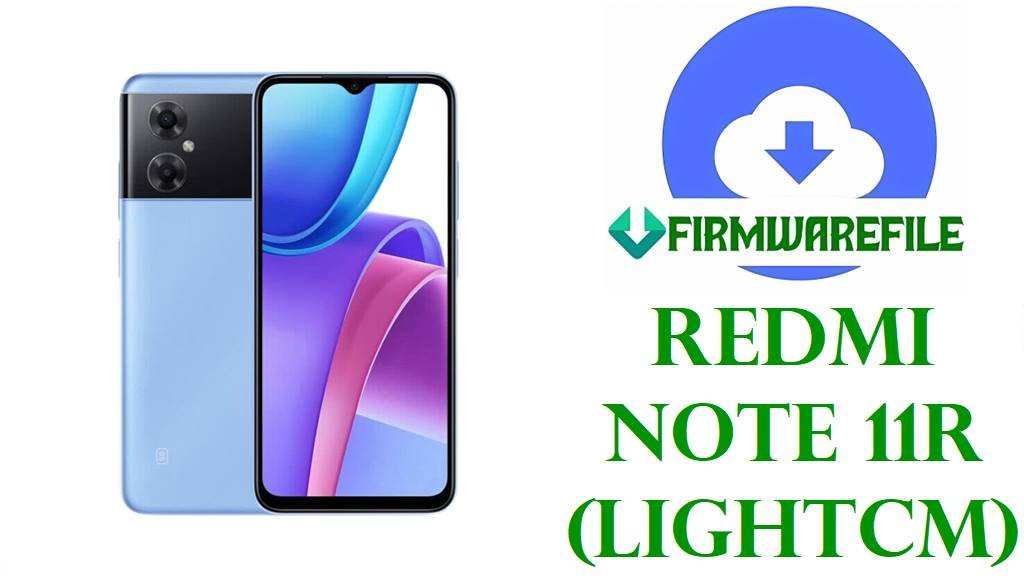
Redmi Note 11R (lightcm) HyperOS 1 China Fastboot ROM Download (Android 14)
Redmi Note 11R is a China‑market 5G phone positioned in the affordable segment, sharing its hardware family with the Redmi Note 11E/POCO M4 5G line while carrying a different branding. For this carrier‑tuned model, users often rely on full HyperOS 1 Fastboot ROMs to fix failed OTAs, recover from soft‑bricks or cleanly move from late MIUI 14 builds to HyperOS 1 Android 14.
This page is prepared after reviewing HyperOS trackers, MIUIROM/XM Firmware entries and official codename lists; OS1.0.10.0.ULSCNXM is confirmed as the China HyperOS 1.0 / Android 14 Fastboot ROM for Redmi Note 11R with codename lightcm, including a China Telecom edition tag in the filename.
Download Official Firmware for Redmi Note 11R (lightcm)
China HyperOS 1 Fastboot ROM – OS1.0.10.0.ULSCNXM (Android 14)
- Filename: lightcm_images_OS1.0.10.0.ULSCNXM_20240904.0000.00_14.0_cn_chinatelecom_c536bc1bb1.tgz
- Region / Edition: China (ULSCNXM) – China Telecom carrier edition.
- File Size: 5.28GB
- Build Date: 2024‑09‑04
- HyperOS Version: OS1.0.10.0.ULSCNXM
- Android Version: 14.0
- Flashing Type: Fastboot ROM (.tgz, “images” package)
- Changelog highlight: Fastboot and Recovery entries show this update “updated the security patch to September 2024” and “increased system security”.
- Device Target: Redmi Note 11R China (lightcm) – especially China Telecom variant.
- Download Link: Download OS1.0.10.0 China Fastboot ROM (Redmi Note 11R lightcm)
Redmi Note 11R (lightcm) Device + Firmware Details
| Device Name | Redmi Note 11R (China) |
|---|---|
| Codename | lightcm (China ROM / carrier branch for Redmi Note 11R) |
| Global sibling codename | light (used for other Redmi Note 11R / Note 11E variants outside the lightcm China‑only branch). |
| Chipset | 5G‑capable MediaTek/Dimensity‑class SoC shared with Redmi Note 11R family (exact SKU described in Redmi Note 11R spec pages). |
| Network / Region focus | China Mainland device, with separate MIUI/HyperOS builds for China Telecom, Unicom and general China variants. |
| Software evolution | MIUI 14 V14.0.6.0.TLSCNXM and carrier‑specific builds, followed by HyperOS 1.0.10.0.ULSCNXM Android 14 as listed in HyperOS tables. |
| HyperOS branch here | HyperOS 1.0 Stable, Android 14, OS1.0.10.0.ULSCNXM, China Fastboot ROM for lightcm. |
| Typical use cases for this ROM | Updating to HyperOS 1 from MIUI 14, fixing bootloops or failed OTA updates, and restoring stock firmware on Redmi Note 11R (lightcm) carrier variants. |
| Flash Method | Fastboot mode + Mi Flash Tool or bundled Fastboot scripts on a Windows PC. |
| Bootloader requirement | Xiaomi’s HyperOS flashing guidance indicates that bootloader unlocking is needed for Fastboot ROM installation on phones like Redmi Note 11R. |
Flashing Requirements
HyperOS 1 Fastboot flashing typically wipes user data, so a full backup of photos, messages and app data is strongly recommended before flashing Redmi Note 11R.
A Windows computer, a stable USB‑C cable and correctly installed Xiaomi/MediaTek drivers are necessary so Fastboot and Mi Flash Tool can recognize the lightcm device.
An unlocked bootloader is generally required on Xiaomi phones to flash Fastboot ROMs, in line with Xiaomi’s official bootloader unlock documentation.
The battery should be at least 50% and the USB connection must not be interrupted while writing the lightcm HyperOS 1 firmware to avoid corruption.
📱How to Flash the Firmware
Method 1: HyperOS 1 Fastboot ROM via Mi Flash Tool
- Download and extract: Save
lightcm_images_OS1.0.10.0.ULSCNXM_20240904.0000.00_14.0_cn_chinatelecom_c536bc1bb1.tgzto the PC and extract it to a folder containing theimagesdirectory and script files. - Enter Fastboot mode: Power off Redmi Note 11R, boot into Fastboot mode and connect it to the computer using a reliable USB‑C cable.
- Load ROM in Mi Flash: Open Mi Flash Tool, click “Select” and choose the extracted lightcm ROM folder; confirm that the device appears in the tool list.
- Flash HyperOS 1: Select the desired flashing option (clean flash typically wipes data), then click “Flash” and wait until Mi Flash Tool completes the OS1.0.10.0.ULSCNXM installation.
- Reboot and set up: Allow the phone to reboot automatically into HyperOS 1 Android 14 and complete the setup wizard before restoring apps and backups.
For detailed Mi Flash Tool usage instructions and driver links, this guide is helpful: How to Flash Xiaomi Smartphones with Mi Flash Tool
Method 2: Fastboot Script (flash_all.bat style)
- Unpack the ROM: Extract the
.tgzpackage and locate scripts such asflash_all.batin the HyperOS 1 lightcm ROM folder. - Prepare the phone: Boot Redmi Note 11R (lightcm) into Fastboot mode and connect it to the PC; check that Fastboot commands detect the device.
- Run the script: Execute
flash_all.bat(or the recommended script) to flash all required partitions for OS1.0.10.0.ULSCNXM; these scripts usually perform a full wipe. - Wait for completion: Keep the USB cable attached until the script window reports that flashing has finished and the phone is ready to reboot.
- First boot: Let the phone restart into HyperOS 1 and wait longer than usual for the first Android 14 boot before logging in and restoring data.
For more details on using Fastboot scripts and the meaning of options like flash_all, this article provides a step‑by‑step reference: How to Flash Stock Firmware Using a Fastboot Script (flash_all.bat)
Frequently Asked Questions (FAQs)
Is OS1.0.10.0.ULSCNXM definitely for Redmi Note 11R (lightcm)?
XM Firmware Updater, MIUIROM and MiFirm all label OS1.0.10.0.ULSCNXM as a HyperOS 1.0 Stable update for Redmi Note 11R China with codename lightcm, and list the matching lightcm_images_... Fastboot file.
Can non‑China Redmi Note 11R or “light” devices flash the lightcm HyperOS 1 OS1.0.10.0.ULSCNXM ROM?
Codename references distinguish “light” from “lightcm”, and ROM tables describe OS1.0.10.0.ULSCNXM as a China‑only release, so using it on non‑matching hardware or codenames is not recommended.
Does OS1.0.10.0.ULSCNXM include specific performance or feature changes beyond the security patch?
The public changelog for OS1.0.10.0.ULSCNXM notes an updated September 2024 security patch and increased system security; no additional performance or feature details are published.
Will flashing the HyperOS 1 Fastboot ROM wipe data on Redmi Note 11R (lightcm)?
Fastboot ROM flashing and flash_all.bat scripts for Xiaomi devices are documented as clean installs that often erase user data, so backups are essential before using OS1.0.10.0.ULSCNXM.
Is Redmi Note 11R (lightcm) listed among HyperOS‑supported devices?
HyperOS compatibility lists and update trackers include Redmi Note 11R (lightcm) as a supported Redmi device, with OS1.0.10.0.ULSCNXM shown in the HyperOS 1 Android 14 column.
Can this HyperOS 1 Fastboot ROM fix bootloops after a failed OTA or modification?
For software‑caused bootloops, restoring the stock OS1.0.10.0.ULSCNXM Fastboot ROM is a common recovery approach on Redmi Note 11R (lightcm), provided Fastboot mode and bootloader access remain available.
Is OS1.0.10.0.ULSCNXM expected to be the final HyperOS 1 build for Redmi Note 11R, or will HyperOS 2 follow?
HyperOS device lists mention Redmi Note 11R (lightcm) under Android 14‑based HyperOS 1, while references to HyperOS 2 for this specific device remain limited, so only HyperOS 1 support can be confirmed at this time.