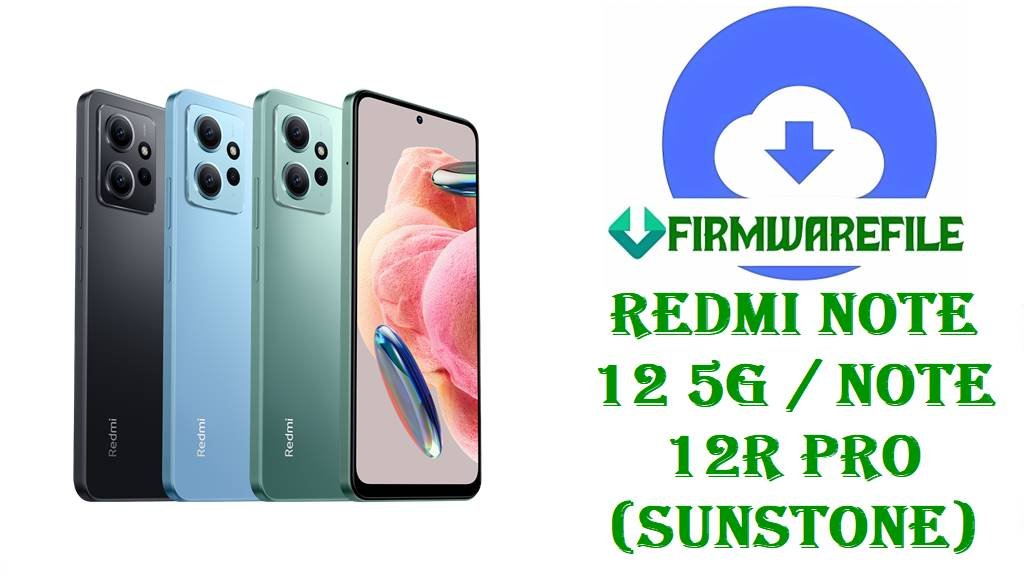
Redmi Note 12 5G / Note 12R Pro (sunstone) HyperOS 2 Fastboot ROMs, Xiaomi.eu ROM & Custom Recoveries (Android 14)
Redmi Note 12 5G (codename sunstone) is a popular 5G mid-range phone built around a 6.67-inch 120Hz AMOLED display, Snapdragon 4 Gen 1, and a 5000mAh battery with 33W fast charging. If you are here, it usually means you need a clean, reliable way to fix software trouble such as laggy performance on HyperOS/MIUI builds, or a device that won’t boot correctly after flashing experiments.
The firmware files below are designed to help you restore a stable stock system (official Fastboot ROMs), or move to a custom Xiaomi.eu build with custom recovery (TWRP/OrangeFox), depending on what you are trying to fix.
File Selection Guide.
Pick the right file based on your exact region build and whether you want stock Xiaomi firmware or a custom ROM.
- Confirm the device codename: These files are only for Redmi Note 12 5G / Redmi Note 12R Pro with codename sunstone.
- Stock vs custom: The
.tgzpackages are official Fastboot ROMs (best for unbricking, fixing broken updates, or doing a clean reinstall), while the Xiaomi.eu.zipis a custom ROM that typically needs a custom recovery. - Region matters (do not mix): Your build suffix should match your region:
- CNXM = China
- MIXM = Global
- INXM = India
- EUXM = EEA (Europe)
- TWXM = Taiwan
Firmware trackers list separate releases per region, so cross-flashing the wrong region is risky and should be avoided.
- If your phone feels slow/laggy: Users have reported very laggy behavior on Redmi Note 12 5G running HyperOS builds, so a clean flash of the correct stock Fastboot ROM is often the safest troubleshooting step (especially when the device has been modified).
- If you are using Xiaomi.eu: A Xiaomi.eu community report shows some users experienced the phone booting back into Fastboot after flashing a Xiaomi.eu HyperOS 2 build, and the team later marked the issue as resolved (dependency conflict) with ROM reuploads planned.
Download Official Firmware for Redmi Note 12 5G (sunstone)
China HyperOS 2 Fastboot ROM – OS2.0.6.0.UMQCNXM (Android 14)
- Filename: sunstone_images_OS2.0.6.0.UMQCNXM_20250812.0000.00_14.0_cn_29df442157.tgz
- Region: China (UMQCNXM)
- File Size: 5.93GB
- Build Date: 2025-08-12
- Build Version: OS2.0.6.0.UMQCNXM
- Android Version: 14.0
- Flashing Type: Fastboot ROM (.tgz)
- Why this helps: Official changelog tracking for OS2.0.6.0 (sunstone) specifically mentions fixes for unexpected reboots, which is exactly the kind of instability that can ruin daily use.
- Download Link: Download OS2.0.6.0 China Fastboot ROM (Xiaomi OTA)
Global HyperOS 2 Fastboot ROM – OS2.0.5.0.UMQMIXM (Android 14)
- Filename: sunstone_global_images_OS2.0.5.0.UMQMIXM_20251020.0000.00_14.0_global_f4ad534bf4.tgz
- Region: Global (UMQMIXM)
- File Size: 5.92GB
- Build Date: 2025-10-20
- Build Version: OS2.0.5.0.UMQMIXM
- Android Version: 14.0
- Flashing Type: Fastboot ROM (.tgz)
- Download Link: Download OS2.0.5.0 Global Fastboot ROM (Xiaomi OTA)
India HyperOS 2 Fastboot ROM – OS2.0.6.0.UMQINXM (Android 14)
- Filename: sunstone_in_global_images_OS2.0.6.0.UMQINXM_20250821.0000.00_14.0_in_7941d8a8c6.tgz
- Region: India (UMQINXM)
- File Size: 5.12GB
- Build Date: 2025-08-21
- Build Version: OS2.0.6.0.UMQINXM
- Android Version: 14.0
- Flashing Type: Fastboot ROM (.tgz)
- Download Link: Download OS2.0.6.0 India Fastboot ROM (Xiaomi OTA)
EEA HyperOS 2 Fastboot ROM – OS2.0.6.0.UMQEUXM (Android 14)
- Filename: sunstone_eea_global_images_OS2.0.6.0.UMQEUXM_20251020.0000.00_14.0_eea_bb2b064f87.tgz
- Region: EEA / Europe (UMQEUXM)
- File Size: 5.67GB
- Build Date: 2025-10-20
- Build Version: OS2.0.6.0.UMQEUXM
- Android Version: 14.0
- Flashing Type: Fastboot ROM (.tgz)
- Download Link: Download OS2.0.6.0 EEA Fastboot ROM (Xiaomi OTA)
Taiwan HyperOS 2 Fastboot ROM – OS2.0.6.0.UMQTWXM (Android 14)
- Filename: sunstone_tw_global_images_OS2.0.6.0.UMQTWXM_20250821.0000.00_14.0_tw_f406b328a4.tgz
- Region: Taiwan (UMQTWXM)
- File Size: 5.25GB
- Build Date: 2025-08-21
- Build Version: OS2.0.6.0.UMQTWXM
- Android Version: 14.0
- Flashing Type: Fastboot ROM (.tgz)
- Download Link: Download OS2.0.6.0 Taiwan Fastboot ROM (Xiaomi OTA)
Xiaomi.eu HyperOS 2 ROM (Custom) – OS2.0.6.0.UMQCNXM (Android 14)
- Filename: xiaomi.eu_SUNSTONE_OS2.0.6.0.UMQCNXM_14.zip
- Base Region: China base (UMQCNXM)
- File Size: 4.25GB
- Android Version: 14.0 (HyperOS 2 branch)
- Flashing Type: Custom ROM ZIP (typically via custom recovery)
- Known community caution: Xiaomi.eu users reported a case where flashing a Xiaomi.eu HyperOS 2 build led to the device booting back into Fastboot, and the thread later states the issue was resolved (dependency conflict) with ROM reuploads planned.
- Download Link: Download Xiaomi.eu SUNSTONE OS2.0.6.0 ROM
TWRP Recovery for sunstone – twrp-3.7.1_12-0-v1b-sunstone-Mechatron.img
- Filename: twrp-3.7.1_12-0-v1b-sunstone-Mechatron.img
- File Size: 128MB
- Type: Custom recovery image (community)
- Use: Flashing Xiaomi.eu ROMs, making backups, and advanced maintenance
- Download Link: Download TWRP for sunstone
OrangeFox Recovery for sunstone – OrangeFox-Unofficial-sunstone.zip
- Filename: OrangeFox-Unofficial-sunstone.zip
- File Size: 68MB
- Type: Custom recovery ZIP (community)
- Use: Alternative recovery for flashing and backups
- Download Link: Download OrangeFox for sunstone
Redmi Note 12 5G (sunstone) Device + Firmware Details
| Device Name | Redmi Note 12 5G |
|---|---|
| Codename | sunstone |
| Chipset | Snapdragon 4 Gen 1 (6nm), Adreno 619 |
| Display | 6.67-inch AMOLED, up to 120Hz |
| Battery / Charging | 5000mAh, 33W fast charging |
| Common user complaint | Some users report the Redmi Note 12 5G (sunstone) can feel very laggy on certain HyperOS builds. |
| Official firmware source type | Official untouched HyperOS ROM listings are cataloged by firmware trackers (Fastboot + Recovery). |
| Files in this article | Official HyperOS 2 Android 14 Fastboot ROMs (CN/Global/India/EEA/TW) + Xiaomi.eu custom ROM + TWRP/OrangeFox. |
| Flashing tools | Fastboot flashing via Xiaomi Mi Flash Tool or flash scripts for.tgz packages; custom ROM flashing via custom recovery for Xiaomi.eu ZIP. |
Flashing Requirements
Expect a full data wipe when doing a clean Fastboot flash, so back up photos, chats, and app data before you start.
Use a Windows PC, a stable USB cable, and extract the .tgz fully (many Xiaomi Fastboot ROMs unpack into an “images” folder plus flash scripts).
Charge your Redmi Note 12 5G (sunstone) to at least 50% and avoid disconnecting the cable during flashing.
📱How to Flash the Firmware
Method 1: Xiaomi Fastboot ROM (Mi Flash Tool)
- Prepare: Download and extract your region-matching Fastboot ROM (example:
sunstone_global_images_OS2.0.5.0.UMQMIXM_20251020...). - Enter Fastboot: Power off the phone, then boot to Fastboot mode and connect it to your PC.
- Load ROM: Open Mi Flash Tool and select the extracted ROM folder.
- Flash: Use a clean-flash option if you are fixing boot problems or severe lag.
- First boot: Reboot and wait patiently—first boot after flashing can take longer than usual.
For a detailed step-by-step Mi Flash walkthrough (drivers, screenshots, and troubleshooting), use: Full Tutorial: How to Flash Xiaomi Firmware with Mi Flash Tool.
Method 2: Xiaomi Fastboot Script (flash_all.bat)
- Extract: Unpack the
.tgzfully until you can see the included flash scripts. - Fastboot mode: Boot your phone into Fastboot and connect it to the PC.
- Run script: Run the included
flash_all.batfrom the ROM folder. - Wait: Do not interrupt the process until it finishes successfully.
- Reboot: Let the phone reboot and complete the first-boot setup.
For a complete explanation of the fastboot script method, use: How to Flash Stock Firmware Using a Fastboot Script (flash_all.bat).
Method 3: Xiaomi.eu ROM (TWRP / OrangeFox)
- Download: Copy
xiaomi.eu_SUNSTONE_OS2.0.6.0.UMQCNXM_14.zipto your phone storage. - Boot recovery: Use your preferred recovery (TWRP or OrangeFox) for sunstone.
- Backup: Make a recovery backup before changing anything.
- Clean install: Perform the wipes recommended by your recovery/ROM instructions.
- Flash + reboot: Flash the Xiaomi.eu ZIP, then reboot and complete first setup.
Frequently Asked Questions (FAQs)
How do I confirm my Redmi Note 12 5G is “sunstone” before flashing?
Use trusted firmware trackers that list Redmi Note 12 5G / Note 12R Pro under the codename sunstone, and ensure your downloaded filename also contains sunstone.
Which file should I use to fix laggy performance on Redmi Note 12 5G (sunstone)?
If your phone is very laggy, users have reported this issue on some HyperOS builds, and a clean flash of the correct region stock Fastboot ROM is a common way to rule out corrupted system partitions and bad updates.
Can I flash the China (CNXM) ROM on my Global (MIXM) Redmi Note 12 5G?
Trackers list separate builds per region (CNXM vs MIXM vs EUXM vs INXM vs TWXM), so you should match your region exactly instead of cross-flashing.
Is Xiaomi.eu_SUNSTONE_OS2.0.6.0.UMQCNXM_14.zip an official Xiaomi ROM?
No, Xiaomi.eu builds are custom community ROMs, and Xiaomi.eu community threads also document ROM-specific flashing issues and fixes.
Why does my Redmi Note 12 5G boot back into Fastboot after flashing Xiaomi.eu HyperOS 2?
A Xiaomi.eu community report describes sunstone devices booting back into Fastboot after flashing a Xiaomi.eu HyperOS 2 build, and later posts say the issue was resolved due to a dependency conflict.