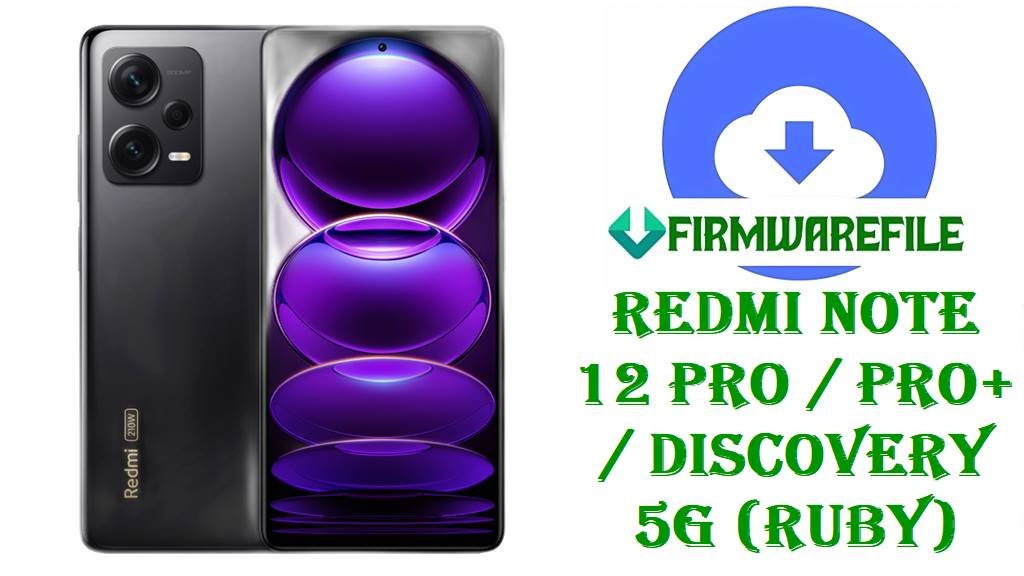
Redmi Note 12 Pro / Pro+ / Discovery 5G (ruby) HyperOS 2 Fastboot ROM Downloads (Android 14)
If you use a Redmi Note 12 Pro 5G, Redmi Note 12 Pro+ 5G, or Redmi Note 12 Discovery 5G (codename ruby), these official HyperOS 2 Fastboot ROMs can help you restore the phone, fix update problems, or perform a clean reinstall when the system becomes unstable.
Depending on your exact model, the Redmi Note 12 Pro/Pro+ line is known for features like a 6.67-inch 120Hz OLED display, a Dimensity 1080 chipset, and a large battery, with the Pro+ adding a 200MP main camera and very fast 120W wired charging.
Common user pain points include lag or freezing after a system update (often due to background app optimization), battery drain complaints after HyperOS updates, and bootloops or “system may be corrupted” warnings after unsafe flashing or region mixing.
The firmware files below are designed to address these situations by reinstalling a complete, official HyperOS 2 Android 14 system for your exact region, replacing damaged partitions and returning your phone to a known-good software state.
File Selection Guide.
Use this section to choose the correct ROM safely, especially if your phone is stuck, lagging, or you previously flashed the wrong build.
- Confirm your device: The codename for these models is ruby, and reputable trackers list “Redmi Note 12 Pro / Pro+ / Discovery 5G” under ruby.
- Match your region (very important): Xiaomi uses region suffixes, and each device should normally stay on its matching branch:
- CNXM = China
- MIXM = Global
- INXM = India
- EUXM = EEA (Europe)
- RUXM = Russia
- IDXM = Indonesia
- TWXM = Taiwan
- TRXM = Turkey
- KRXM = Korea
Mixing regions can lead to serious issues, and community reports describe problems after flashing one region over another with the wrong bootloader state.
- Fastboot ROM meaning: Every file here ends in
.tgzand contains full partition images for Fastboot flashing, which is typically used for deep repairs (bootloop, failed OTAs, unstable system) and clean reinstalls. - If your phone lags after an update: Xiaomi notes that temporary lag/freeze after an update can be normal while the system optimizes apps, and they recommend waiting 1–2 weeks; if lag continues, a clean reinstall can be the next step when troubleshooting.
- If your phone is in a bootloop: Users report ruby devices bootlooping after custom ROM experiments while Fastboot remains available, which is exactly the situation a stock Fastboot ROM is meant to recover.
Download Official Firmware for Redmi Note 12 Pro/Pro+ (ruby)
China HyperOS 2 Fastboot ROM – OS2.0.15.0.UMOCNXM (Android 14)
- Filename: ruby_images_OS2.0.15.0.UMOCNXM_20251124.0000.00_14.0_cn_2aa259e55a.tgz
- Region: China (UMOCNXM)
- File Size: 6.58GB
- Build Date: 2025-11-24
- Build Version: OS2.0.15.0.UMOCNXM
- Android Version: 14.0 (user-14.0 branch shown by tracker)
- Flashing Type: Fastboot ROM (.tgz)
- MD5 (tracker listing): 2aa259e55aad67b32a6130b7631e0750
- Download Link: Download OS2.0.15.0 China Fastboot ROM (Xiaomi OTA)
Global HyperOS 2 Fastboot ROM – OS2.0.9.0.UMOMIXM (Android 14)
- Filename: ruby_global_images_OS2.0.9.0.UMOMIXM_20251111.0000.00_14.0_global_c6feeadcde.tgz
- Region: Global (UMOMIXM)
- File Size: 6.58GB
- Build Date: 2025-11-11
- Build Version: OS2.0.9.0.UMOMIXM
- Android Version: 14.0 (user-14.0 branch shown by tracker)
- Flashing Type: Fastboot ROM (.tgz)
- MD5 (tracker listing): c6feeadcde7da57081f1b67bb51023a1
- Download Link: Download OS2.0.9.0 Global Fastboot ROM (Xiaomi OTA)
India HyperOS 2 Fastboot ROM – OS2.0.7.0.UMOINXM (Android 14)
- Filename: ruby_in_global_images_OS2.0.7.0.UMOINXM_20251105.0000.00_14.0_in_3974b01b19.tgz
- Region: India (UMOINXM)
- File Size: 5.68GB
- Build Date: 2025-11-05
- Build Version: OS2.0.7.0.UMOINXM
- Android Version: 14.0
- Flashing Type: Fastboot ROM (.tgz)
- Download Link: Download OS2.0.7.0 India Fastboot ROM (Xiaomi OTA)
Russia HyperOS 2 Fastboot ROM – OS2.0.9.0.UMORUXM (Android 14)
- Filename: ruby_ru_global_images_OS2.0.9.0.UMORUXM_20251204.0000.00_14.0_ru_22e5325dc6.tgz
- Region: Russia (UMORUXM)
- File Size: 6.68GB
- Build Date: 2025-12-04
- Build Version: OS2.0.9.0.UMORUXM
- Android Version: 14.0
- Flashing Type: Fastboot ROM (.tgz)
- Download Link: Download OS2.0.9.0 Russia Fastboot ROM (Xiaomi OTA)
Indonesia HyperOS 2 Fastboot ROM – OS2.0.8.0.UMOIDXM (Android 14)
- Filename: ruby_id_global_images_OS2.0.8.0.UMOIDXM_20251107.0000.00_14.0_id_1a1b5e6c42.tgz
- Region: Indonesia (UMOIDXM)
- File Size: 6.40GB
- Build Date: 2025-11-07
- Build Version: OS2.0.8.0.UMOIDXM
- Android Version: 14.0
- Flashing Type: Fastboot ROM (.tgz)
- Download Link: Download OS2.0.8.0 Indonesia Fastboot ROM (Xiaomi OTA)
EEA HyperOS 2 Fastboot ROM – OS2.0.10.0.UMOEUXM (Android 14)
- Filename: ruby_eea_global_images_OS2.0.10.0.UMOEUXM_20251113.0000.00_14.0_eea_654a0a8a76.tgz
- Region: EEA / Europe (UMOEUXM)
- File Size: 6.35GB
- Build Date: 2025-11-13
- Build Version: OS2.0.10.0.UMOEUXM
- Android Version: 14.0
- Flashing Type: Fastboot ROM (.tgz)
- Download Link: Download OS2.0.10.0 EEA Fastboot ROM (Xiaomi OTA)
Taiwan HyperOS 2 Fastboot ROM – OS2.0.6.0.UMOTWXM (Android 14)
- Filename: ruby_tw_global_images_OS2.0.6.0.UMOTWXM_20251031.0000.00_14.0_tw_1e9e724b92.tgz
- Region: Taiwan (UMOTWXM)
- File Size: 5.87GB
- Build Date: 2025-10-31
- Build Version: OS2.0.6.0.UMOTWXM
- Android Version: 14.0
- Flashing Type: Fastboot ROM (.tgz)
- Download Link: Download OS2.0.6.0 Taiwan Fastboot ROM (Xiaomi OTA)
Turkey HyperOS 2 Fastboot ROM – OS2.0.6.0.UMOTRXM (Android 14)
- Filename: ruby_tr_global_images_OS2.0.6.0.UMOTRXM_20251103.0000.00_14.0_tr_d40d9a0bdb.tgz
- Region: Turkey (UMOTRXM)
- File Size: 6.03GB
- Build Date: 2025-11-03
- Build Version: OS2.0.6.0.UMOTRXM
- Android Version: 14.0
- Flashing Type: Fastboot ROM (.tgz)
- Download Link: Download OS2.0.6.0 Turkey Fastboot ROM (Xiaomi OTA)
Korea HyperOS 2 Fastboot ROM – OS2.0.1.0.UMOKRXM (Android 14)
- Filename: ruby_kr_global_images_OS2.0.1.0.UMOKRXM_20250709.0000.00_14.0_kr_e42f8b941e.tgz
- Region: Korea (UMOKRXM)
- File Size: 6.37GB
- Build Date: 2025-07-09
- Build Version: OS2.0.1.0.UMOKRXM
- Android Version: 14.0
- Flashing Type: Fastboot ROM (.tgz)
- Download Link: Download OS2.0.1.0 Korea Fastboot ROM (Xiaomi OTA)
Redmi Note 12 Pro/Pro+ (ruby) Device + Firmware Details
| Device family | Redmi Note 12 Pro 5G / Redmi Note 12 Pro+ 5G / Redmi Note 12 Discovery 5G (ruby) |
|---|---|
| Codename | ruby |
| Core platform | MediaTek Dimensity 1080 (6 nm) on the Pro+ model; ruby firmware targets this Dimensity-based family. |
| Display (common spec) | 6.67-inch OLED, 120Hz (Pro+ listing). |
| Top-tier variant highlights | Up to 200MP main camera and 120W wired charging on Redmi Note 12 Pro+. |
| Firmware type in this post | Official untouched HyperOS ROMs (Fastboot type), as stated by XM Firmware Updater. |
| Android version | Android 14 (user-14.0 branch shown in package listings). |
| Main issues users report | Lag/freezing after updates (often temporary while apps optimize), battery-drain complaints after HyperOS, and bootloops after flashing mistakes or modding. |
| Why Fastboot ROM helps | Fastboot packages rewrite key partitions and are commonly used when the phone is stuck in a loop but Fastboot is still available. |
| Bootloader note | Bootloader unlock is required for fastboot flashing, and data may be deleted depending on your flashing choice. |
Flashing Requirements
Back up your data first: a clean Fastboot flash can delete apps, photos, and internal storage.
Make sure your bootloader is unlocked before attempting Fastboot flashing on ruby devices, and understand that unlocking/flashing can impact device security states.
Use a Windows PC, a reliable USB cable, and keep the battery above 50% to reduce the risk of interruption during flashing.
📱How to Flash the Firmware
Method 1: Xiaomi Mi Flash Tool (Fastboot.tgz)
- Download: Pick the correct region ROM and download it (example:
ruby_global_images_OS2.0.9.0.UMOMIXM_20251111.0000.00_14.0_global_c6feeadcde.tgz). - Extract: Extract the
.tgzfully until you see the ROM folder with animagesdirectory. - Fastboot mode: Power off your Redmi Note 12 Pro/Pro+ (ruby), boot into Fastboot mode, and connect it to the PC.
- Flash: Open Mi Flash Tool, select the extracted ROM folder, and start flashing (use a clean flash if you are fixing bootloops or heavy instability).
- First boot: Reboot and wait; the first boot after a full reinstall may take longer than usual.
For a full step-by-step guide with screenshots, driver tips, and Mi Flash troubleshooting, use: Full Tutorial: How to Flash Xiaomi Firmware with Mi Flash Tool
Method 2: Fastboot Script (flash_all.bat)
- Extract: Unpack the ROM (example:
ruby_images_OS2.0.15.0.UMOCNXM_20251124.0000.00_14.0_cn_2aa259e55a.tgz) until you see the included scripts. - Connect: Boot into Fastboot mode and connect the phone to your PC.
- Run script: Run
flash_all.batfrom the ROM folder. - Do not interrupt: Wait for the script to finish completely before touching the cable.
- Reboot: Let the phone reboot and complete setup.
For a detailed explanation of the script method and what each option does, use: How to Flash Stock Firmware Using a Fastboot Script (flash_all.bat)
Frequently Asked Questions (FAQs)
How do I confirm my Redmi Note 12 Pro/Pro+ is ruby before flashing?
Use a trusted ROM tracker page that lists “Redmi Note 12 Pro / Pro+ / Discovery 5G” under codename ruby, then confirm your downloaded filename also includes ruby.
Which ruby ROM should I download if I’m in Europe?
If your phone is the EEA/Europe variant, use the build that ends with EUXM (for example OS2.0.10.0.UMOEUXM) and avoid mixing regions.
Will flashing ruby_global_images_OS2.0.9.0.UMOMIXM wipe my data?
Fastboot flashing can delete data, and the bootloader/fastboot guidance warns to back up personal data before flashing.
Why does my Redmi Note 12 Pro/Pro+ lag after a HyperOS update?
Xiaomi explains that short-term lag after a system update can happen because the phone optimizes apps in the background, and they recommend waiting 1–2 weeks for optimization to complete.
Why should I avoid cross-flashing (e.g., EUXM over INXM) on ruby?
Community reports describe serious problems after flashing a different region build over another with an incorrect bootloader/lock state.