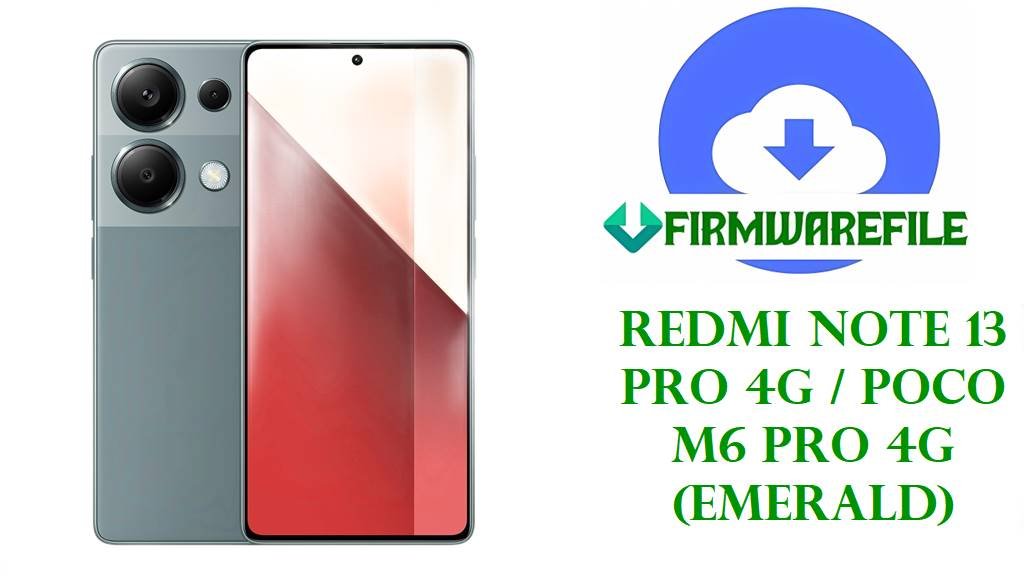
Redmi Note 13 Pro 4G / POCO M6 Pro 4G (emerald) HyperOS 2 Fastboot Firmware (Android 15)
This page provides official HyperOS 2 Android 15 fastboot firmware downloads for the Redmi Note 13 Pro 4G / POCO M6 Pro 4G (emerald), covering all supported regions.
The Redmi Note 13 Pro 4G / POCO M6 Pro 4G (codename emerald) is a 6.67-inch 120Hz AMOLED smartphone powered by the MediaTek Helio G99 Ultra, featuring a 200MP OIS main camera, 5000mAh battery, and 67W charging. Emerald users commonly report HyperOS performance issues such as laggy animations, sluggish scrolling, delayed camera response, and higher-than-expected battery drain, sometimes linked to System Launcher behavior. Installing the correct official HyperOS fastboot firmware for your exact region/build (MIXM, EUXM, RUXM, IDXM, TRXM) can restore corrupted partitions, recover from bootloops or failed updates, and return the device to a clean, stable stock state.
Download Official Stock Firmware (Stock ROM / Flash File) for Redmi Note 13 Pro 4G / POCO M6 Pro 4G
All files below are official Xiaomi Fastboot ROM packages in .tgz format, intended for flashing from a PC using Xiaomi Mi Flash / fastboot scripts.
| Filename | Region (ROM Code) | File Size | Build Date | Build Version | Android | Flashing Type | Notes | Download Link |
|---|---|---|---|---|---|---|---|---|
| emerald_global_images_OS2.0.210.0.VNFMIXM_20251031…fcc7e91ffc.tgz | Global (MIXM) | 7.20GB | 2025-10-31 | OS2.0.210.0.VNFMIXM | 15.0 | Fastboot (.tgz) | Best for Global devices already on MIXM OTA channel; avoid cross-flashing from EUXM/RUXM/TRXM unless you fully understand region switching. | Download OS2.0.210.0.VNFMIXM (Xiaomi OTA – hugeota) |
| emerald_ru_global_images_OS2.0.212.0.VNFRUXM_20251105…43e3a71104.tgz | Russia (RUXM) | 7.44GB | 2025-11-05 | OS2.0.212.0.VNFRUXM | 15.0 | Fastboot (.tgz) | For emerald units sold on RU firmware channel; use to fix failed updates, bootloops, and heavy system instability after OTA. | Download OS2.0.212.0.VNFRUXM (Xiaomi OTA – bigota) |
| emerald_eea_global_images_OS2.0.209.0.VNFEUXM_20251105…0f3a767870.tgz | EEA/Europe (EUXM) | 6.70GB | 2025-11-05 | OS2.0.209.0.VNFEUXM | 15.0 | Fastboot (.tgz) | Recommended for EEA devices stuck in a bootloop or lag after HyperOS updates (clean flash = fresh system + fresh caches). | Download OS2.0.209.0.VNFEUXM (Xiaomi OTA – bigota) |
| emerald_id_global_images_OS2.0.210.0.VNFIDXM_20251117…5c74f3b0cc.tgz | Indonesia (IDXM) | 6.77GB | 2025-11-17 | OS2.0.210.0.VNFIDXM | 15.0 | Fastboot (.tgz) | Use for ID region devices with abnormal battery drain, overheating, or UI stutter after OTA; keep the same region to preserve OTA compatibility. | Download OS2.0.210.0.VNFIDXM (Xiaomi OTA – bigota) |
| emerald_tr_global_images_OS2.0.210.0.VNFTRXM_20251105…7a171587f3.tgz | Turkey (TRXM) | 6.53GB | 2025-11-05 | OS2.0.210.0.VNFTRXM | 15.0 | Fastboot (.tgz) | For TR region devices; helpful when the phone becomes slow, freezes, or fails to boot after interrupted updates. | Download OS2.0.210.0.VNFTRXM (Xiaomi OTA – bigota) |
Redmi Note 13 Pro 4G / POCO M6 Pro 4G Device Firmware Details
| Device Name | Redmi Note 13 Pro 4G / POCO M6 Pro 4G |
|---|---|
| Codename | emerald |
| Model Identifiers (common) | 23117RA68G, 2312FPCA6G (examples; confirm in Settings → About phone) |
| Chipset | MediaTek Helio G99 Ultra |
| Display | 6.67-inch AMOLED, 120Hz |
| Main Camera | 200MP wide with OIS (triple camera system) |
| Battery / Charging | 5000mAh, 67W wired charging |
| Software | HyperOS (these packages are HyperOS 2 / Android 15 fastboot builds) |
| File Type | Fastboot ROM archive (.tgz) |
| Flashing Tool Required | Xiaomi Mi Flash Tool / fastboot (PC) |
| Bootloader Status | Typically requires an unlocked bootloader for fastboot flashing on Xiaomi/Redmi/POCO. |
| Main Issues Reported (why flash) | Laggy HyperOS animations/UI and fast battery drain (including high launcher usage), plus failures after OTA updates that can lead to bootloops/soft-bricks. |
Flashing Requirements
- 💾 Backup Data: Fastboot flashing commonly wipes everything (photos, apps, settings).
- 🔋 Charge Battery: Keep battery at 50% or higher.
- 💻 Use a PC: Windows PC + good USB cable recommended for Mi Flash.
- 🧩 Install Drivers: Ensure ADB/Fastboot + Mi Flash drivers are installed.
How to Flash the Firmware File
Method 1: Xiaomi MI Flash Tool (Fastboot ROM)
- Download & extract: Get the correct
emerald.tgzROM for your region and extract it (TGZ → TAR → folder). - Unlock bootloader (if required): Make sure the bootloader is unlocked before attempting a fastboot flash.
- Enter Fastboot mode: Power off, then boot to Fastboot and connect the phone to the PC.
- Flash with Mi Flash: Open Mi Flash Tool, select the extracted ROM folder, refresh to detect the device, and start flashing.
- Choose the safe option: Use “Clean all” (avoid “Clean all and lock” unless you are 100% sure the ROM matches your exact device/region).
For a complete step-by-step tutorial (with screenshots) for Mi Flash, follow this guide: Full Tutorial: Xiaomi MI Flash Tool (Fastboot ROM) Flashing Guide. Use it together with the exact ROM links listed in the table above to avoid region mistakes.
Frequently Asked Questions (FAQs)
What problems can HyperOS 2 fastboot ROMs fix on emerald?
A clean fastboot flash can fix software-side problems like bootloops after failed updates, severe UI lag, and abnormal battery drain by reinstalling system partitions and resetting corrupted caches/settings.
How do I know which emerald region firmware I should download?
Match the ROM code in the build string to your device’s current channel: MIXM (Global), EUXM (EEA), RUXM (RU), IDXM (Indonesia), or TRXM (Turkey).
Do I need to unlock the bootloader to flash these TGZ files?
On Xiaomi/Redmi/POCO devices, fastboot flashing commonly requires an unlocked bootloader, so confirm unlock status before starting.
My battery drain shows “System Launcher” using a lot—will firmware help?
Some emerald users report unusually high System Launcher battery usage on HyperOS, and a clean flash can help rule out corrupted updates or app carryover before further troubleshooting.
What if the phone is still laggy after flashing?
Some users report HyperOS sluggishness even on stock builds, so after flashing, allow a few hours for indexing, update apps/OTAs, and re-check performance before restoring heavy backups.