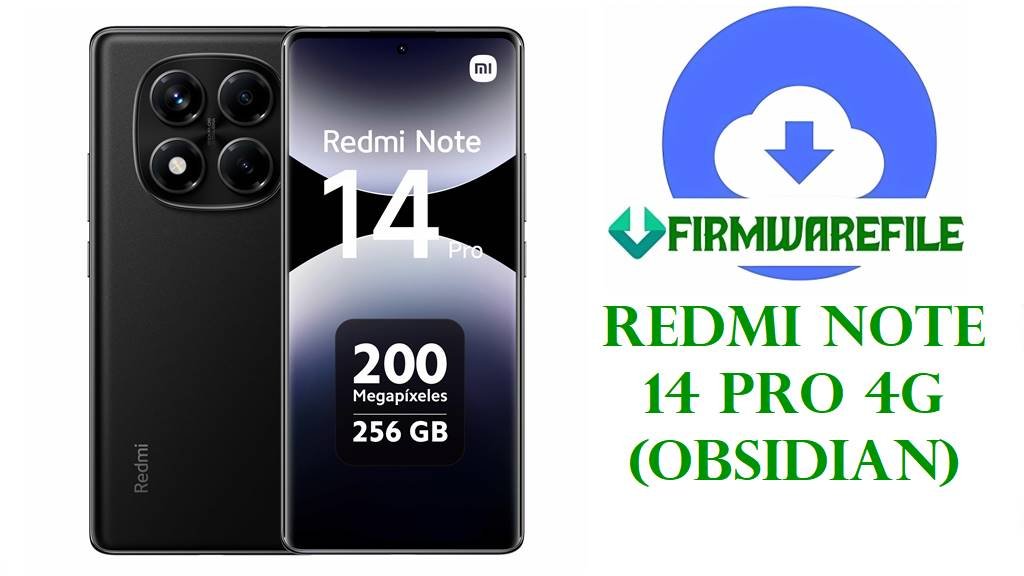
Redmi Note 14 Pro 4G (obsidian) HyperOS 2 Fastboot ROMs – Global, EEA, Russia & Turkey
The Redmi Note 14 Pro 4G (codename obsidian) is a mid‑range phone built around a MediaTek 4G chipset, offering a 6.67‑inch high‑refresh display, up to 8 GB RAM, generous storage options and a large battery for everyday social, gaming and media use. It targets regions where 5G is less common, but still brings modern HyperOS 2 software on Android 15 and a Pro‑level camera setup in line with recent Redmi Note Pro generations. Early Redmi Note 13/14 users often report stutter, overheating, charging quirks and slow animations after some updates, issues that Xiaomi typically addresses in later security and system patches.
The official HyperOS 2.0.211.0 / 2.0.208.0 / 2.0.206.0 / 2.0.207.0 fastboot ROMs listed here for obsidian update the Android security patch to November 2025 and improve overall stability for Global, EEA, Russia and Turkey variants of Redmi Note 14 Pro 4G.
Redmi Note 14 Pro 4G (obsidian) Firmware Details
| Device Name | Redmi Note 14 Pro 4G |
|---|---|
| Codename | obsidian – internal codename for Redmi Note 14 Pro 4G. |
| Model Identifiers | Global model 24116RACCG and related Note 14 Pro 4G SKUs identified as “Xiaomi Obsidian” in firmware and spec databases. |
| Chipset | MediaTek 4G SoC (exact model not yet widely public), designed as a higher‑performance 4G platform for markets without widespread 5G. |
| Display | 6.67‑inch high‑refresh display (around FHD+ resolution) with punch‑hole design, continuing the Redmi Note Pro series focus on smooth scrolling and multimedia. |
| Battery & Charging | Large battery in the 5,000 mAh class with fast charging (similar to recent Note Pro models), prioritizing all‑day endurance and quick top‑ups. |
| Cameras | Multi‑camera rear system (high‑resolution main sensor plus supporting lenses) tuned for the typical Redmi Note Pro balance of detail and versatility. |
| Software Families | Ships and updates with HyperOS 2 on Android 15; future support roadmap includes Android 16/17 and HyperOS 3 in the product cycle. |
| Support Window | Released in January 2025 with active firmware support planned until at least January 2029 according to official firmware portals. |
| Main Issues Seen in Related Series | Owners of recent Redmi Note models report stutter, overheating, lags, slow animations, and occasional black screens or charging glitches after early HyperOS builds. |
| What OS2.0.211.0/208.0/206.0/207.0 Improve | Changelogs for these obsidian builds highlight updated Android security patches to November 2025 and increased system security, which typically come with cumulative stability and bug‑fix improvements. |
| ROM Type | Official HyperOS 2 stable fastboot ROMs (.tgz) for PC flashing, plus matching recovery and OTA zips available separately for normal users. |
| Flash Method | Fastboot images for Xiaomi Mi Flash Tool or fastboot‑script (flash_all.bat style) flashing on Windows with an unlocked bootloader. |
| Best Use Cases | Cleanly updating from older HyperOS 2 builds, fixing bootloops or serious lag after failed OTAs, and restoring modified Redmi Note 14 Pro 4G (obsidian) units back to stock per region. |
Download Official Firmware for Redmi Note 14 Pro 4G (obsidian)
The table below lists the official HyperOS 2 fastboot ROMs you provided for the Redmi Note 14 Pro 4G (obsidian), grouped by region with build, size and release information so you can choose the correct file.
| Filename | Region / Variant | Android / HyperOS | Build Version | Type | Size | Build Date | Recommended Use | Download |
|---|---|---|---|---|---|---|---|---|
| obsidian_global_images_OS2.0.211.0.VOFMIXM_20251105.0000.00_15.0_global_bccd49cc30.tgz | Global Redmi Note 14 Pro 4G (MIXM branch). | Android 15 / HyperOS 2.0.211.0. | OS2.0.211.0.VOFMIXM (Global Stable Fastboot). | Official fastboot ROM (.tgz). | ≈7.59 GB compressed (flash file ~8.1 GB noted on firmware portals). | 2025‑11‑05 internal build; recovery/OTA release around 2025‑11‑24. | Best for global units needing the latest November 2025 security patch and a clean HyperOS 2 system to fix lag, random bugs or boot issues. | Download OS2.0.211.0.VOFMIXM (Xiaomi BigOTA) |
| obsidian_ru_global_images_OS2.0.206.0.VOFRUXM_20251111.0000.00_15.0_ru_6aacc88f8d.tgz | Russia Redmi Note 14 Pro 4G (RUXM branch). | Android 15 / HyperOS 2.0.206.0. | OS2.0.206.0.VOFRUXM (Russia Stable Fastboot). | Official fastboot ROM (.tgz). | ≈7.48 GB compressed (flash file ~8.0 GB). | 2025‑11‑11 fastboot build; recovery/OTA release 2025‑11‑24. | For Russian units needing to repair system damage, recover from bootloops or move to the latest November 2025 security patch on RUXM. | Download OS2.0.206.0.VOFRUXM (Xiaomi BigOTA) |
| obsidian_eea_global_images_OS2.0.208.0.VOFEUXM_20251111.0000.00_15.0_eea_8fad48c7dd.tgz | EEA / Europe Redmi Note 14 Pro 4G (EUXM branch). | Android 15 / HyperOS 2.0.208.0. | OS2.0.208.0.VOFEUXM (EEA Stable Fastboot). | Official fastboot ROM (.tgz). | ≈6.78 GB compressed (flash file ~7.3 GB). | 2025‑11‑11 fastboot release; EEA recovery/OTA on 2025‑11‑24. | Used to update or unbrick EEA devices while retaining correct European configuration and November 2025 security patch level. | Download OS2.0.208.0.VOFEUXM (Xiaomi BigOTA) |
| obsidian_tr_global_images_OS2.0.207.0.VOFTRXM_20251111.0000.00_15.0_tr_2216e423d5.tgz | Turkey Redmi Note 14 Pro 4G (TRXM branch). | Android 15 / HyperOS 2.0.207.0. | OS2.0.207.0.VOFTRXM (Turkey Stable Fastboot). | Official fastboot ROM (.tgz). | ≈6.45–6.9 GB compressed (HyperOS tracker lists ~6.94 GB). | 2025‑11‑11 fastboot build; recovery/OTA rollout on 2025‑11‑24. | For Turkish units to resolve post‑update issues, soft bricks or major lag, and align with the latest November 2025 security patch. | Download OS2.0.207.0.VOFTRXM (Xiaomi BigOTA) |
Flashing Requirements
- Backup all data: Fastboot flashing usually wipes apps, accounts and internal storage, so back up photos, chats and documents to a PC or cloud first.
- Charge the phone: Ensure your Redmi Note 14 Pro 4G has at least 50–60 % battery to prevent shutdown during the flashing process.
- Windows PC & drivers: Use a stable Windows PC with Xiaomi/MediaTek USB drivers installed and a reliable USB‑C cable for a solid connection.
- Confirm codename & region: In Settings → About phone or using fastboot getvar product, confirm codename obsidian and match the suffix (VOFMIXM / VOFRUXM / VOFEUXM / VOFTRXM) exactly to the selected ROM.
- Bootloader unlocked: Xiaomi requires an officially unlocked bootloader to flash fastboot ROMs; OTA/Recovery updates do not need this.
How to Flash the Firmware
Method 1: Xiaomi Mi Flash Tool (Fastboot ROM)
- Prepare tools & ROM: Install Xiaomi USB drivers and Xiaomi Mi Flash Tool on your Windows PC, then download and extract the matching obsidian_*_images_OS2.0.2xx.0… .tgz ROM.
- Load firmware into Mi Flash: Open Mi Flash, click the firmware selection button and choose the extracted obsidian fastboot folder so all partitions are loaded automatically.
- Enter fastboot mode: Power off the Redmi Note 14 Pro 4G, hold Volume‑Down + Power to enter fastboot mode, then connect it to the PC via USB‑C.
- Start flashing: Check that Mi Flash detects the device, select a safe option such as “clean all”, and start the flash; wait until Mi Flash shows success without unplugging the cable.
- First boot: Reboot the phone; the first startup on the new HyperOS 2.0.2xx.0 build can take several minutes while Android 15 and HyperOS optimize apps and services.
For a full Xiaomi fastboot tutorial with screenshots, driver links and error‑fixing tips, follow: Full Guide: Flash Xiaomi Smartphone Firmware with Mi Flash Tool.
Method 2: Fastboot Script (flash_all.bat)
- Install platform tools: Set up Android platform‑tools on your PC, then extract the chosen obsidian fastboot ROM so that its .bat scripts and image files are in one folder.
- Connect in fastboot: Boot the phone into fastboot mode, connect via USB and run fastboot devices to confirm that your Redmi Note 14 Pro 4G is recognized.
- Run the script: Execute flash_all.bat (or the appropriate script distributed with the ROM) to flash all key partitions; do not disconnect or close the window until the script finishes.
- Let it reboot: Once flashing is complete, the phone should reboot into HyperOS; if not, long‑press Power once to restart and wait for it to boot fully.
- Restore & test: Complete initial setup, restore your backups, then watch performance, battery life and charging behavior over a few days to confirm that previous lag or drain issues have improved.
For more detail on script‑based fastboot flashing and best practices, see: How to Flash Stock Firmware Using a Fastboot Script (flash_all.bat).
Frequently Asked Questions (FAQs)
What Redmi Note 14 Pro 4G issues can these obsidian ROMs fix?
Flashing the correct obsidian fastboot ROM can repair many software‑side problems such as bootloops after failed OTA updates, persistent lag from a heavily used or corrupted system, and random crashes from broken system apps. A clean, up‑to‑date HyperOS 2 installation also eliminates conflicts from root/mods and often smooths out minor stutter or glitches seen on earlier builds.
Do these HyperOS 2.0.2xx.0 updates improve security and stability?
All four obsidian builds here explicitly update the Android security patch level to November 2025 and note “increased system security” in their changelogs. Security patch bumps usually come bundled with cumulative stability fixes from previous versions, helping make the system more reliable over time.
Will flashing these fastboot ROMs erase my data?
Yes, Mi Flash “clean all” mode and standard flash_all.bat scripts typically wipe apps, accounts and internal storage during installation. Always back up important data before flashing and treat any fastboot operation as potentially destructive, even if a “save data” option is available.
How do I know which file matches my phone?
First confirm codename obsidian, then check the build suffix: VOFMIXM for global, VOFEUXM for EEA, VOFRUXM for Russia and VOFTRXM for Turkey, matching what you see in About phone → HyperOS version or in fastboot. Never flash a ROM whose codename or region differs from your phone, as this can lead to network, SIM or stability problems and even hard bricks.
Can these ROMs fix battery drain or overheating?
Battery drain and heat complaints on Redmi Note‑series devices are often linked to background apps, poor charging habits and early firmware quirks rather than pure hardware limits. Installing an up‑to‑date HyperOS 2.0.2xx.0 build removes known software bugs and gives the system a fresh base, but combining it with good usage practices (limited background apps, avoiding heavy use while charging) is still essential for best results.