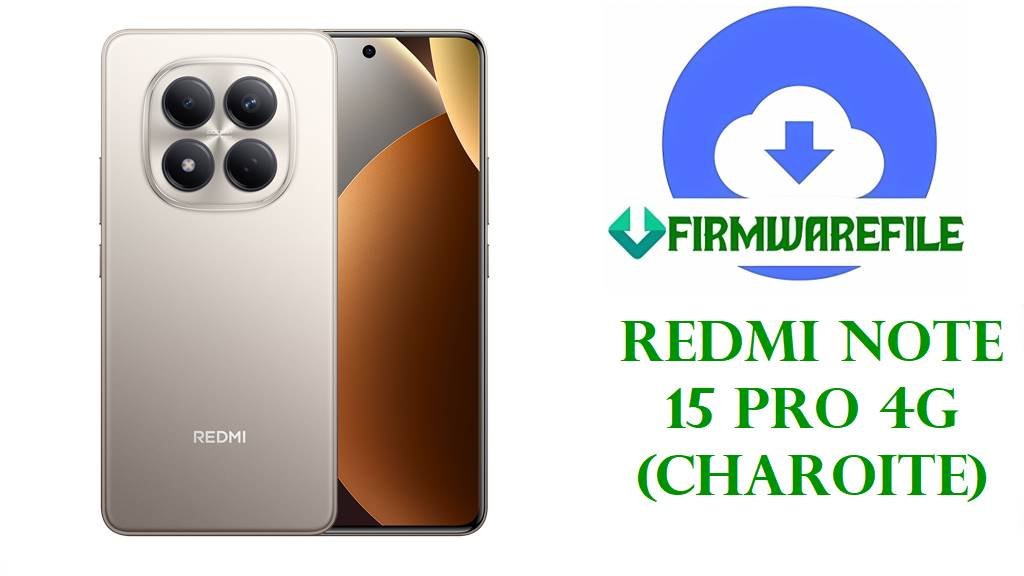
Redmi Note 15 Pro 4G (charoite) Fastboot ROM Download and Flash Guide
The Xiaomi Redmi Note 15 Pro 4G with codename charoite is a mid-range phone built around a 6.77‑inch AMOLED display, a 200 MP main camera, and a large 6500 mAh battery aimed at all‑day social, media, and light gaming use.
Owners usually flash the official HyperOS fastboot ROM on this model to fix bootloops after experiments, recover from failed OTAs, remove root or custom ROMs, repair system instability, or restore clean software before resale or warranty service.
File Selection Guide
The Redmi Note 15 Pro 4G (charoite) ships in several regional variants, and the last part of the build number reflects that region: VPFMIXM (Global), VPFEUXM (EEA), and VPFTRXM (Turkey).
Before downloading, check Settings > About phone and confirm three things: the device codename is charoite, the region suffix (for example VPFMIXM or VPFEUXM) matches one of the ROMs below, and the Android version is the same or newer (Android 15 in all these packages) to avoid rollback issues.
For first‑time users, the safest choice is to flash the fastboot package whose region code exactly matches your current build; only consider cross‑region flashing if the bootloader is unlocked and you understand the impact on carrier behaviour and bootloader re‑lock.
Redmi Note 15 Pro 4G (charoite) Fastboot Firmware Download
These are full HyperOS fastboot ROMs for the Redmi Note 15 Pro 4G (charoite); each.tgz contains complete images for system, vendor, and related partitions, designed for recovery via Mi Flash Tool or fastboot scripts on a PC.
| Region | Build | Android Version | Release Date | Size | File Format | Notes | Flashing Method | Download |
|---|---|---|---|---|---|---|---|---|
| Global (MI) | OS2.0.208.0.VPFMIXM | Android 15 | 2026‑01‑05 | 7.98 GB | .tgz (fastboot) | Main global firmware for most international Redmi Note 15 Pro 4G units; suitable for unbricking and returning to a clean HyperOS system on global variants. | Mi Flash Tool / fastboot script | Download Global ROM |
| EEA (EU) | OS2.0.206.0.VPFEUXM | Android 15 | 2026‑01‑05 | 7.10 GB | .tgz (fastboot) | European Economic Area build with EU‑specific compliance and defaults; recommended for devices sold in EU markets that originally shipped with VPFEUXM. | Mi Flash Tool / fastboot script | Download EEA ROM |
| Turkey (TR) | OS2.0.204.0.VPFTRXM | Android 15 | 2025‑12‑28 | 6.76 GB | .tgz (fastboot) | Turkey region firmware with local carrier and regulation settings; useful for restoring Turkish units, especially before bootloader re‑lock or service. | Mi Flash Tool / fastboot script | Download Turkey ROM |
Redmi Note 15 Pro 4G (charoite) and Firmware Summary
Use this technical summary to confirm that both your phone and the selected fastboot file belong to the same Redmi Note 15 Pro 4G (charoite) platform before flashing.
| Parameter | Details |
|---|---|
| Device name | Xiaomi Redmi Note 15 Pro 4G |
| Codename | charoite |
| Chipset | MediaTek Helio G200 Ultra (6 nm) octa‑core, mid‑range 4G gaming‑oriented SoC. |
| Display | 6.77‑inch FHD+ AMOLED, 120 Hz refresh rate, tuned for smooth scrolling and casual gaming. |
| RAM / Storage options | Typical variants include 8 GB / 256 GB and 12 GB / 256–512 GB depending on region. |
| Battery | 6500 mAh silicon‑carbon battery with 45 W wired charging and 18 W reverse charging. |
| Firmware type | Official HyperOS 2 fastboot ROM (.tgz) for full system restore via PC. |
| Builds covered here | OS2.0.208.0.VPFMIXM (Global), OS2.0.206.0.VPFEUXM (EEA), OS2.0.204.0.VPFTRXM (Turkey). |
| Base Android version | Android 15 with HyperOS 2 interface. |
| Recommended flashing tools | Xiaomi Mi Flash Tool on Windows; fastboot/flash.bat scripts for advanced users. |
| Bootloader considerations | Bootloader unlock generally required for cross‑region flashing; only re‑lock when running the correct region ROM for your original unit. |
How to Flash Redmi Note 15 Pro 4G (charoite) Fastboot ROM
The charoite fastboot packages above are complete images that must be flashed from a computer; Mi Flash Tool is the most suitable method for most users, while the included fastboot scripts are aimed at experienced owners who prefer command‑line control.
Method 1 – Mi Flash Tool for charoite (Recommended)
This method uses Xiaomi’s official Flash Tool to install the charoite fastboot ROM while the phone is in fastboot mode, providing a graphical interface and simple options.
- Install Xiaomi USB drivers and Mi Flash Tool on a Windows PC, then fully extract the chosen charoite fastboot ROM (.tgz) until you see the images folder and flash_all scripts.
- Power off the Redmi Note 15 Pro 4G, hold Volume Down + Power to enter fastboot mode (fastboot logo), and connect it to the PC using a good USB‑C cable.
- Open Mi Flash Tool, click “Select,” and choose the root directory of the extracted charoite ROM folder that contains the configuration and image files.
- Click “Refresh” so the tool lists your device, then pick a flashing option such as “clean all” for a full reset; avoid “clean all and lock” unless you are absolutely sure the ROM region matches the unit’s original region.
- Press “Flash” and wait without unplugging the phone until Mi Flash shows success, after which the device should reboot automatically into HyperOS.
For full requirements, screenshots, and detailed troubleshooting, use this external guide:
How to flash Xiaomi firmware using Mi Flash Tool.
Method 2 – OTA / Local Update After Fastboot Restore
After you restore the correct charoite fastboot ROM and the phone boots normally, most future updates should arrive as OTA packages through HyperOS system update rather than repeating full fastboot flashes.
- Connect the Redmi Note 15 Pro 4G to Wi‑Fi, open Settings > About phone > System update, and let the updater check for new HyperOS builds compatible with your region (for example VPFMIXM or VPFEUXM).
- If the device supports local update, place the correct recovery/OTA package for charoite on internal storage and select it through the updater’s local install menu when available.
- Confirm the installation, keep the phone charged, and avoid unplugging or force‑restarting until the update and reboot are complete.
- After the process finishes, verify the updated OS version and security patch level in Settings > About phone.
To understand more about OTA, local update, and sideload concepts on Android, see:
Android firmware installation without PC (OTA / local update / sideload).
Frequently Asked Questions
How can I double‑check that my device is really Redmi Note 15 Pro 4G (charoite)?
From a PC with ADB, run adb shell getprop ro.product.device on a booted system or fastboot getvar product in fastboot mode; the value should include “charoite” for this model.
Which is better for me: Global VPFMIXM or EEA VPFEUXM firmware?
For stability and OTA continuity, it is generally best to stay on the same region your phone shipped with—global units should keep VPFMIXM, while EU units should stay on VPFEUXM unless there is a clear reason and an unlocked bootloader.
Can flashing these charoite fastboot ROMs improve gaming performance?
Performance mainly depends on the Helio G200 Ultra hardware and HyperOS optimizations; reinstalling stock firmware can fix software‑related lag or throttling, but it does not turn the device into a higher‑tier gaming phone.
Can the Global ROM be safely used on a Turkish charoite device?
Cross‑flashing from VPFTRXM to VPFMIXM typically requires an unlocked bootloader and may change carrier behaviour; re‑locking the bootloader on mismatched firmware is risky and may lead to verification errors or non‑boot.