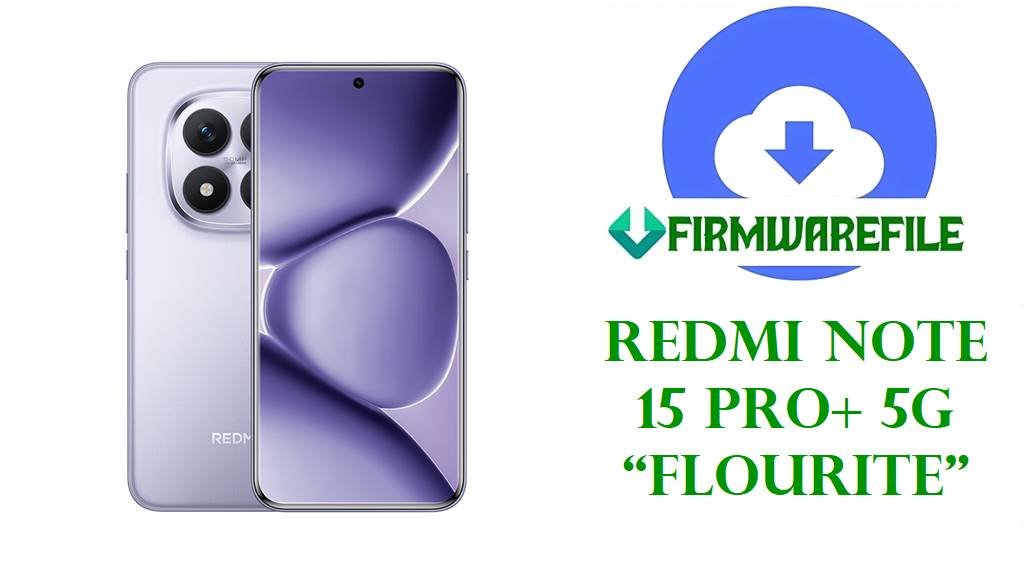
Redmi Note 15 Pro+ 5G “Flourite” OS2.0 China Edition Firmware Download & Expert Flash Guide
Is your Redmi Note 15 Pro+ 5G (codename: flourite) on a CN unit stuck after OTA, exhibiting GMS/Google Play errors, or showing network/SIM restrictions? Genuine Chinese ROM is optimized for China’s ecosystem, but will NOT support Google Services even after flashing. Users have reported bootlock and fingerprint errors when attempting to cross-flash with Global/EU builds or lock the bootloader by mistake.
⚠️
CRUCIAL WARNING—FOR CHINA ROM ONLY:
- GMS/Google services are permanently removed in China ROM. Most Google apps, push notifications or Play Store will never work even after manual installation—root or deep modification is required but rarely “clean.”
- Never lock bootloader after cross-regional flashing. Doing “clean all and lock” after flashing China ROM to a device originally sold outside China may brick the phone.
- Flashing China ROM over Global/EU disables multi-language support (except English and Chinese) and disables some bands/NFC features on global models.
- Always verify your device is genuine China (“flourite” with CN sticker/About) before flashing. Bootloader must be unlocked.
Redmi Note 15 Pro+ 5G (“Flourite”) Technical Specs
| Detail | Information |
|---|---|
| Device Name | Redmi Note 15 Pro+ 5G |
| Codename | flourite |
| Models | Multiple (China/Global market, verify sticker/About) |
| Release Date | 2025, August 21 |
| Chipset | Qualcomm SM7635 Snapdragon 7s Gen 4 (4nm) |
| CPU/GPU | Octa-core (1×2.7GHz A720, 3×2.4GHz A720, 4×1.8GHz A520) / Adreno 810 |
| RAM / Storage | 12GB or 16GB / 256GB, 512GB, 1TB UFS 2.2 |
| Display | 6.83” AMOLED, 1220×2772, 120Hz, 3200 nits, Dragon Crystal Glass |
| Battery | 7000mAh, 90W wired charging, 22.5W reverse |
| Camera | 50MP main wide (+OIS), 50MP 2.5x telephoto, 8MP ultrawide, 32MP front |
| OS | Android 15, HyperOS 2 (China/Global ROM options) |
| NFC | Yes (CN versions: “UnionPay” and AliPay features) |
| Other | Dual 5G, under-display fingerprint, HDR10+, Dolby Vision, stereo speakers |
Firmware Download
| Filename | Android | OS/Build | Region | Size | Date | Notes | Download |
|---|---|---|---|---|---|---|---|
| flourite_images_OS2.0.209.0.VPRCNXM_20251015.0000.00_15.0_cn_f3cfc31ba4.tgz | 15.0 | OS2.0.209.0.VPRCNXM | China (CN) | 8.38GB | 2025-10-15 | Official China build: English/Chinese only, no GMS. | Download |
Older builds: Available for troubleshooting via MiFirm, but note that updating to a lower version can cause anti-rollback problems, especially switching to or from Global/EU builds.
Before You Begin ⚙️
- 💾 Back up all user data—Fastboot flash will wipe photos, SMS, accounts, and apps.
- 🔒 Unlock the bootloader using official Mi Unlock Tool first; cross-region Flashing requires it.
- 💬 China ROM is EN/中文 ONLY—most other languages are not available.
- ⚡ Charge to at least 60% before you start.
- 💻 Use current XiaomiFlash and confirm the correct .tgz file.
📱 Quick Flashing Guide (Xiaomi Flash Tool)
- Download the China firmware (e.g.,
flourite_images_OS2.0.209.0.VPRCNXM_20251015.0000.00_15.0_cn_f3cfc31ba4.tgz). - Extract with WinRAR/7zip; run XiaomiFlash and select ROM folder.
- With bootloader unlocked, hold Vol Down + Power to enter Fastboot, connect via USB.
- Click “Refresh” and “clean all” (do not use “clean all and lock”).
- Hit “Flash” and wait for green success mark. First boot takes several mins; check About Phone for correct MIUI version.
For full unlocking, error codes, or EDL-mode flashing, see our complete Redmi/Xiaomi flashing pillar: Full Xiaomi Flash Guide
Frequently Asked Questions (FAQs)
- Q1. Can I add Google Play or multi-language to China firmware?
- No true support—use only if you do not need GMS or system-wide English. Google install requires root/magisk/third-party apps and is often unstable after HyperOS 2 updates.
- Q2. What happens if I “clean all and lock” after cross-flashing?
- Device may brick if it did not originate from China market. Never lock bootloader after cross-flash between regions.
- Q3. Why do some network or NFC features fail after China firmware?
- China ROM disables or restricts features for global hardware (bands/NFC/Google Pay). Only use for genuine Chinese variants.
- Q4. Can I downgrade to an earlier build?
- Only if anti-rollback index allows. Downgrade attempts can brick device; always check update logs and fastboot getvar.
- Q5. Google Services disappear after re-flash?
- This is normal on China ROMs—they are not supported or protected by Play Integrity APIs.